
📎 AI Summary:
The thread discusses whether a PC with different video ports can support dual monitors. The original poster asks if they can use the various ports seen in their photo for dual display or if they need a splitter, referencing a guide stating ports should be identical. Responders clarify that different ports like VGA and DVI can both be used simultaneously for dual monitors without the need for a splitter, with no significant difference in display quality. The overall sentiment is that multiple different video ports on a PC can support dual monitors effectively.

Enforcerke

New Member
Joined
Dec 12, 2013
Messages
1
Thread Author #1
Hello, I read here: http://www.wikihow.com/Set-Up-Dual-Monitors
that you need 2 identical ports. But i have this on the back of my pc:
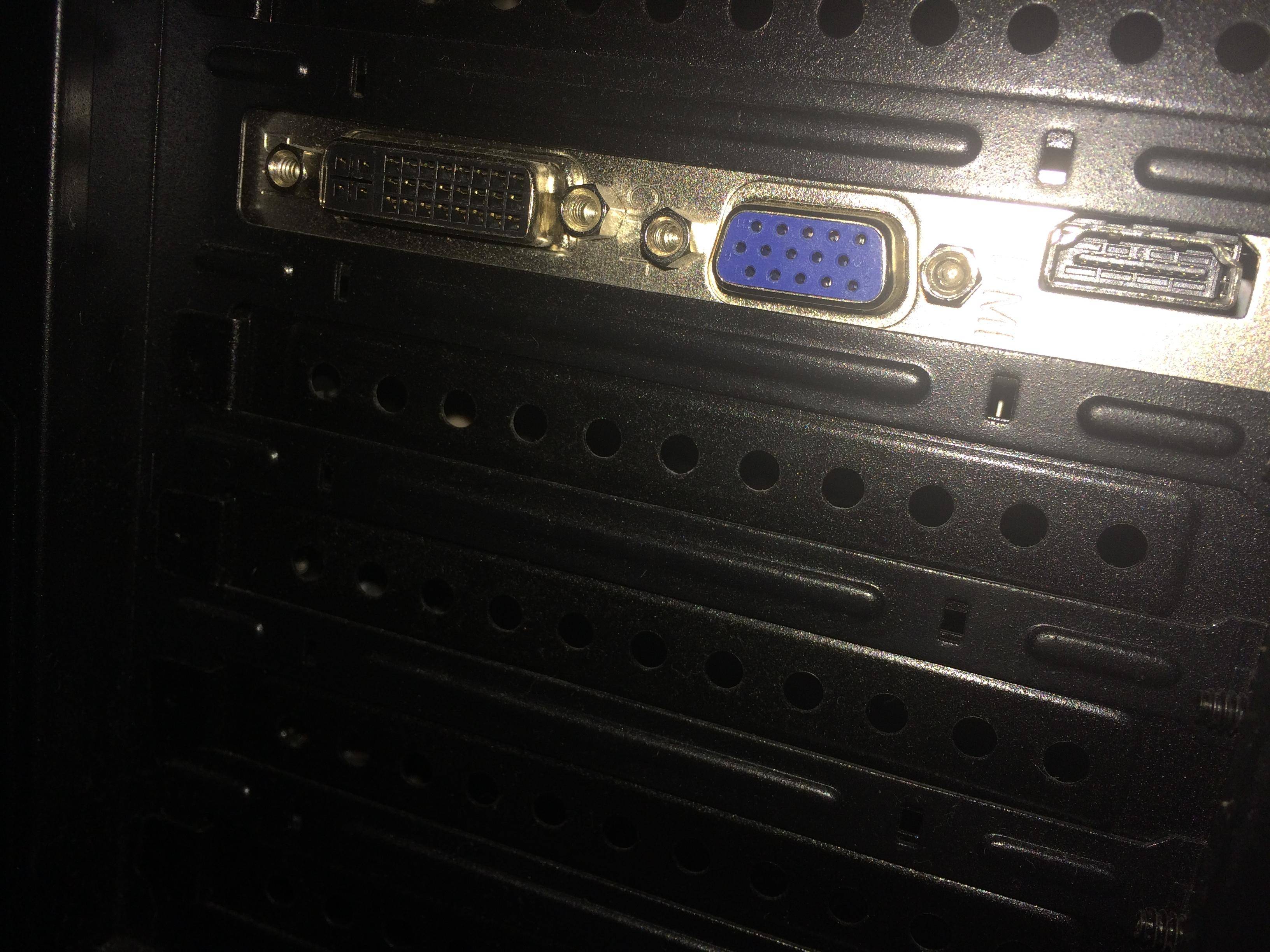
xfXr5uX.jpg


Am I able to use this for dual monitoring then? Because they are all 3 different.

If not, can I also buy something so it splits in two or something?

Thanks
 

Solution
BadRobot is correct. You should be able to use the VGA (blue) for one monitor and the DVI (normally white) for a second monitor. You shouldn't notice any differences between the two even though VGA is considered an analog connection and DVI is considered a digital connection.

badrobot

Senior Member
Joined
Jun 14, 2012
Messages
1,008
It doesn't have to be identical. It's just a suggestion. You photo attachment is "broken" at my end. But basically, most PC can run at least 2 monitors at the same time.
 

WackWack

New Member
Joined
Dec 14, 2013
Messages
6
BadRobot is correct. You should be able to use the VGA (blue) for one monitor and the DVI (normally white) for a second monitor. You shouldn't notice any differences between the two even though VGA is considered an analog connection and DVI is considered a digital connection.
 

Solution