Member details
- Joined
- Mar 14, 2023
- Messages
- 114,865
Excellent progress. Skipping existing files was correct, and you should not take ownership of
If a Microsoft Store app no longer works:
Lowercase
Since lowercase
C:\Program Files\WindowsApps. Windows protects that folder deliberately; damaged Store apps should be repaired or reinstalled rather than manually copying files into it.Check and repair Windows
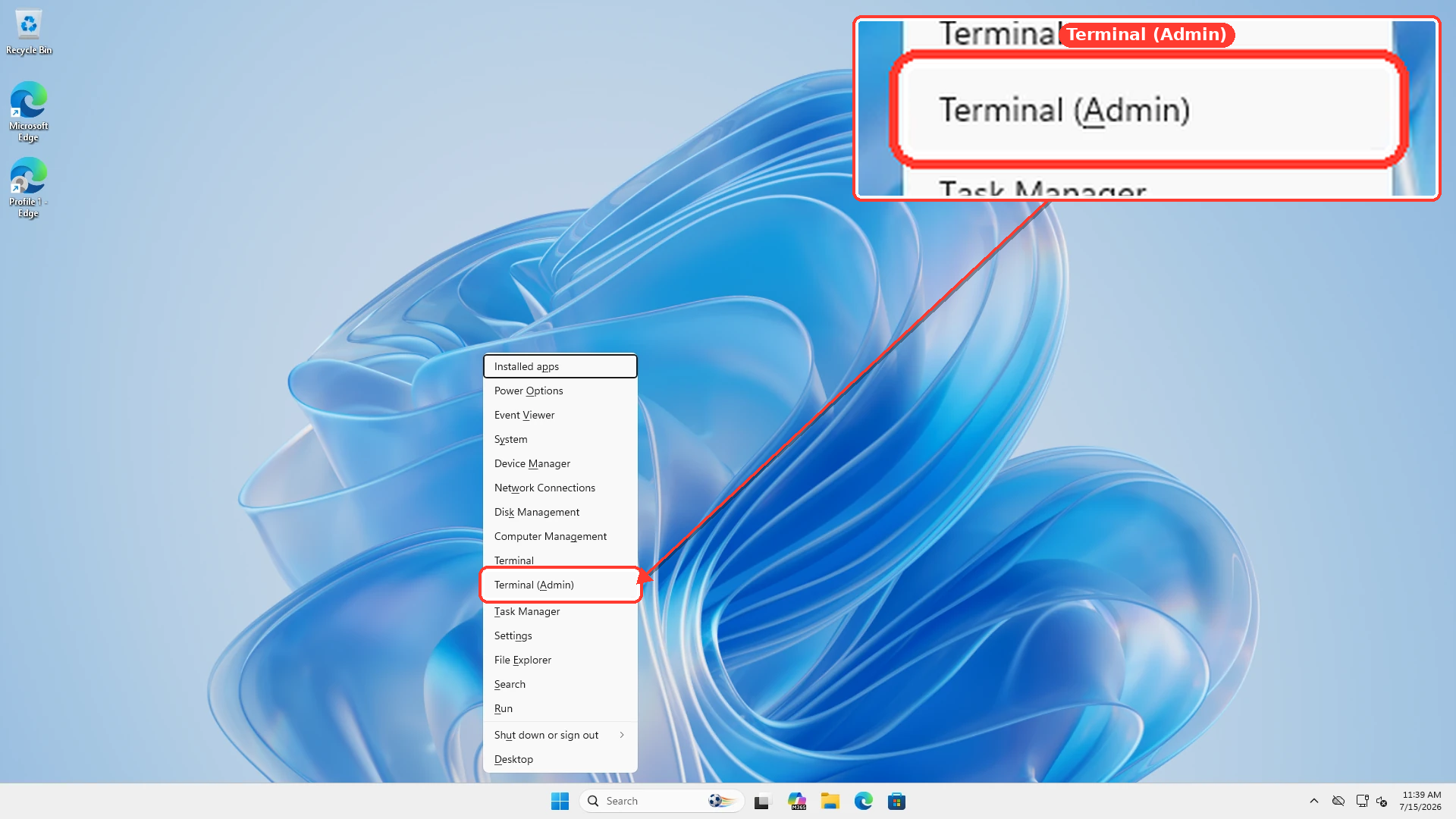
Because DLL, EXE, and SYS files were removed, run Microsoft’s built-in repair tools before emptying Recycle Bin:- Press
Windows key + X. - Select Terminal (Admin).
- Run this command and let it finish:
DISM.exe /Online /Cleanup-Image /RestoreHealth- Then run:
sfc /scannow- Do not close the window before both processes finish.
- Restart Windows.
- Tell us the final message produced by each command.
If a Microsoft Store app no longer works:
- Open Settings > Apps > Installed apps.
- Select the app’s three-dot menu.
- Select Advanced options > Repair.
- Use Reset only if Repair fails, because Reset can remove that app’s settings and local data.
- Open Microsoft Store > Library > Get updates.
Lowercase r
Since lowercase r works in Notepad2 and fails only here, this is almost certainly a browser/forum editor problem, not your keyboard or Windows account.- Type
rrrrrin the forum’s search box and then in the reply editor. - Try the editor’s BB code/source/plain-text mode, if available.
- Try a private/incognito browser window.
- Try another browser.
- Temporarily disable browser extensions if another browser works.
r fails in multiple browsers but only in the reply editor, it should be reported as a WindowsForum editor bug.