📎 AI Summary:
The original poster is experiencing a boot issue after attempting to set up dual boot with Windows 7, leaving their system stuck in BIOS with drive letter changes and no recovery options working. Neemobeer explains that the drive letter change to "X:" is typical in recovery mode and suggests that dual boot complexity may be causing the problem, recommending a backup and clean install for resolution. Overall, the thread discusses system repair challenges caused by dual boot configurations and advises reinstating the OS through a clean install.

Linux

New Member
Joined
Dec 15, 2023
Messages
1
Thread Author #1
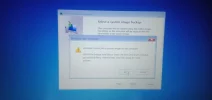
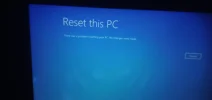
Hey guyz. Its been 48 hours since the door for windows is locked, I tried dual booting windows 7 for some project purpose... But since then windows have kept me stuck in BIOS and the loading error page since then. IMP NOTE: It won't reset, nor any commands in terminal helps, tried bunch of YouTube videos and blogs, got a big round peanut in result.
Any idea to bring this thing back to life?

PS. The default drive shows " X:" instead of the default " C:"
 

Attachments

  • IMG20231213214451.webp
    IMG20231213214451.webp
    68.3 KB · Views: 0
  • IMG20231214015807.webp
    IMG20231214015807.webp
    192.4 KB · Views: 0
Solution
The drive letters are logically assigned and X is the default in the recover mode (for the recovery mode, not where the operating system is installed) Dual boating adds complexity to the process of repairing a system. I would recommend running any other operating systems as VMs instead. To the second image a system image backup is something you would have had to create to use.

I would suspect the reset isn't working due to the dual boot setup. A backup of data and a clean install will be the quickest way to get the system back up.

Neemobeer

Windows Forum Team
Staff member
Joined
Jul 4, 2015
Messages
8,995
The drive letters are logically assigned and X is the default in the recover mode (for the recovery mode, not where the operating system is installed) Dual boating adds complexity to the process of repairing a system. I would recommend running any other operating systems as VMs instead. To the second image a system image backup is something you would have had to create to use.

I would suspect the reset isn't working due to the dual boot setup. A backup of data and a clean install will be the quickest way to get the system back up.
 

Solution