

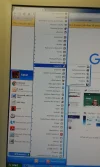
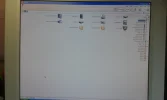
A client is using an XP system until he retires from his business at the end of this year. He cannot risk upgrading or replacing his pc because his main database is custom built and cannot be replaced. Just recently the content of his "Explorer" is reading from right to left. I have enclosed an image to make this clear. The text is still in English but with added Arabic characters. I cannot discover any viruses and his region/language settings are most definitely UK English. Also the Explorer window itself is reversed. Can anyone suggest why this has occurred and how to revert to normal?
📎 AI Summary:
The thread discusses a client's issue with File Explorer displaying content from right to left on an aging XP system, despite regional settings being correct. Neemobeer suggests the problem is related to a bug in Winrar affecting Arabic language settings, causing the Layout to switch to right-to-left. The original poster confirms the solution was found and the issue resolved after applying this insight.
The thread discusses a client's issue with File Explorer displaying content from right to left on an aging XP system, despite regional settings being correct. Neemobeer suggests the problem is related to a bug in Winrar affecting Arabic language settings, causing the Layout to switch to right-to-left. The original poster confirms the solution was found and the issue resolved after applying this insight.
Solution

I don't know if they're using Winrar, but here is the exact issue because of bug with Winrar. It does have to do with the Arabic language since it is read right-to-left. File Explorer Menus and Layout Reversed, Becoming Right-to-Left

- Joined
- Jul 4, 2015
- Messages
- 8,995
I don't know if they're using Winrar, but here is the exact issue because of bug with Winrar. It does have to do with the Arabic language since it is read right-to-left. File Explorer Menus and Layout Reversed, Becoming Right-to-Left
Perfect Answer. Problem resolved. Many thanks.I don't know if they're using Winrar, but here is the exact issue because of bug with Winrar. It does have to do with the Arabic language since it is read right-to-left. File Explorer Menus and Layout Reversed, Becoming Right-to-Left