📎 AI Summary:
The WindowsForum thread discusses a slow startup and Explorer delay issue on a Windows 7 machine, with the original poster seeking troubleshooting advice after noticing prolonged delays during boot and file operations. Participants suggest monitoring system resource usage via Task Manager's Resource Monitor, checking if disk and network activity are unusually high, and recommend various troubleshooting steps such as running antivirus scans, using CCleaner for cleaning and registry fixes, defragmenting the disk, and ensuring Windows updates are current. Overall, the community provides diagnostic tips and maintenance procedures aimed at resolving performance bottlenecks related to disk or network overloads.

Jim S

Honorable Member
Member details
Joined
Oct 12, 2009
Messages
91
Thread Author #1
Windows Explorer on my wife's computer (running W7 Home Premium and completely up to date with Windows Updates) takes 4 or 5 minutes to finish running right after a power-up boot. The hourglass icon seems to sit there forever, but the folders and files finally appear. Later, when running an Explorer-type function, such as saving a file in Word or opening a file in some other application, a long delay occurs again. Her computer hardware and software components are very similar to mine, and I never have this problem. She may have a few hundred more photo files than I have, but I can't identify any significant difference. During these long delays I've watched the Task Manager, and no appreciable amount of processor time is being used. Is there something I can monitor or log to find out where this time is being spent?

--Jim--
 

Solution
What you say is, those values are over "normal"? Could you give a screenshot of the Taskbar?

====================================

Otherwise and further:
1. Run a thorough Anti Virus scan, plus a run with say, Malwarebytes Anti-Malware ---- Free Anti-Malware & Internet Security Software
2. Also run a check with CCleaner, Link Removed --- default settings, under Cleaner > Advanced have the Old Prefetch Data ticked. After this analyze and fix is done, do a registry check with "fix all" - this has helped many.
3. Defrag, press Start button, type defrag in the search box, pick defrag, run it.
4. In case you have direct links to Web pages on your screen, get rid of them.

Restart after each step. Do not enter Internet. Install...

stueycaster

Millennium Celebration Award Winner
Premium Supporter
Member details
Joined
Feb 5, 2009
Messages
1,707
Under the Performance tab of Task Manager click on the "Resource Monitor" button. That will show you what your CPU, Disk, Network and Memory are doing along with what all the different processes are using.
 

alexanderk

New Member
Member details
Joined
Mar 12, 2015
Messages
4
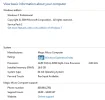
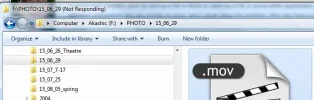
I have similar problem. I even suspect why it is but : "Resource Monitor"= Disk and Network are over. What can I do? Windows explorer is not responding half a minute to draw the content of the directory or to start up the video from the right mouse click. Thanks for any idea!
 

Attachments

  • My_comp.webp
    My_comp.webp
    25.8 KB · Views: 284
    Microsoft Defender: No threats detected Scan details
  • WE_not_responding.webp
    WE_not_responding.webp
    16.4 KB · Views: 258
    Microsoft Defender: No threats detected Scan details

Pauli

Fantastic Member
Premium Supporter
Member details
Joined
Mar 1, 2012
Messages
2,484
What you say is, those values are over "normal"? Could you give a screenshot of the Taskbar?

====================================

Otherwise and further:
1. Run a thorough Anti Virus scan, plus a run with say, Malwarebytes Anti-Malware ---- Free Anti-Malware & Internet Security Software
2. Also run a check with CCleaner, Link Removed --- default settings, under Cleaner > Advanced have the Old Prefetch Data ticked. After this analyze and fix is done, do a registry check with "fix all" - this has helped many.
3. Defrag, press Start button, type defrag in the search box, pick defrag, run it.
4. In case you have direct links to Web pages on your screen, get rid of them.

Restart after each step. Do not enter Internet. Install 1 and 2 before starting the procedure.

====================================

You do have Windows updates installed? Especially the security ones?

Don't know if this helps. Best wishes.
 
Last edited:
Solution