📎 AI Summary:
The thread discusses a user who has an issue where multiple songs show the same album art, seeking ways to fix it and avoid copyright infringement. Several responses suggest that the songs may lack album art or advise deleting suspect files if concerned about legality. Eventually, a participant recommends manually adding album art via file properties in File Explorer, using images sourced from Google. The overall tone is helpful, focusing on resolving the album art issue while addressing copyright concerns.
Solution
Just go to where the files are in file explorer and right click them to open Properties and in there you can add the album art. Obviously you need to source them else where. Google images works pretty well.Hi!
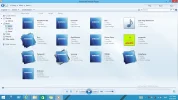
I just got a song with an album art, but it turn all of songs turn into same. How do can I fix this? I want to avoid Copyright infringement.
NerferMC
Well-Known Member
- Joined
- May 1, 2018
- Messages
- 71
But how do can I fix and remove it? I want to avoid Copyright infringement.They probably don't have album art.
Angisky
New Member
- Joined
- Jul 20, 2019
- Messages
- 2
Just go to where the files are in file explorer and right click them to open Properties and in there you can add the album art. Obviously you need to source them else where. Google images works pretty well.Hi!
I just got a song with an album art, but it turn all of songs turn into same. How do can I fix this? I want to avoid Copyright infringement.
Last edited: