Joined
Jun 6, 2009
Messages
62
Well usauly on my laptop (HP-G60 115EM) I am using wireless internet and could route that to another computer through ethernet. So that computer is connected to the internet through my laptop.

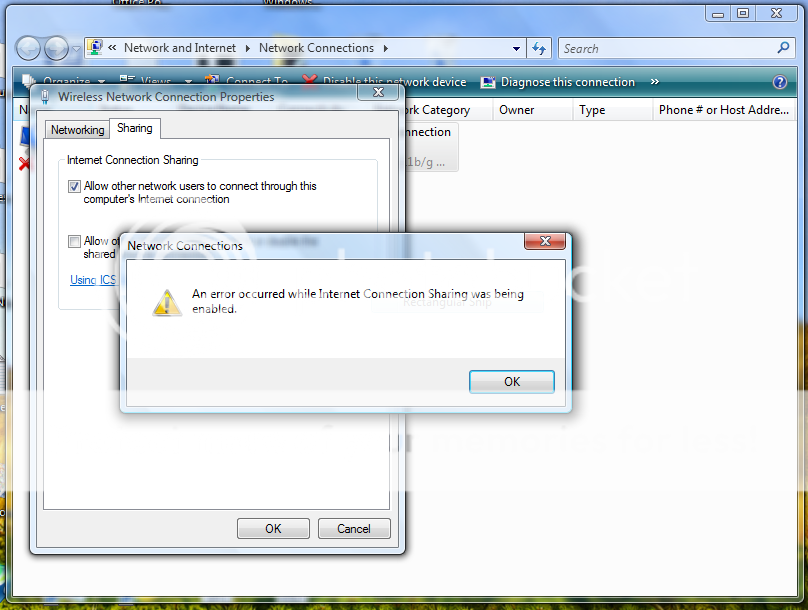
But now i can't. When i go to my wifi connection propertities and select allow to share it says there was a error in enabling it. But i don't know what to do. Please help!
 

kemical

Essential Member
Joined
Aug 28, 2007
Messages
36,176
Hi George,

have you downloaded any updates recently or made any changes yourself?
 

Joined
Jun 6, 2009
Messages
62
No. But i just installed Vista Service pack 2 to see if it made any difference. No difference. Still gives me a error.
 

kemical

Essential Member
Joined
Aug 28, 2007
Messages
36,176
I'm afraid George that this isn't really my area and there's others in the forum far better at stuff like this but doesn't the option to troubleshoot come up when the error is flagged?
 

Joined
Jun 6, 2009
Messages
62
Nope. Ill get a screenshot and show you.

Here is a screenshot:

Capture-1.png
 

superbill

New Member
Joined
Feb 6, 2008
Messages
774
You could try checking the the following Microsoft help option:

Link Removed - Invalid URL
 

kemical

Essential Member
Joined
Aug 28, 2007
Messages
36,176
Superbills back! :)

This was the person I was thinking of who would perhaps know a solution....
 

Joined
Jun 6, 2009
Messages
62
Omg. They won't enable and now i got a Teredo Tunneling Psuedo-Inferface error in my device manager.

Also when i enable it through services it disables again later.