
But the August 27 announcement from Atlassian leaves out the operational detail that will decide whether the connector is useful or becomes a governance problem. Atlassian’s support documentation shows that the default connector scope is much broader than a “public channels first” pilot: it indexes every Teams message by default, including one-to-one direct messages and private channels, unless administrators set limits during setup.
For Windows and Microsoft 365 administrators, this is not a Teams feature toggle. It is a cross-platform content-ingestion deployment that requires Microsoft Entra admin consent, careful scoping, and a separate policy configuration if the organization wants searchable meeting transcripts.
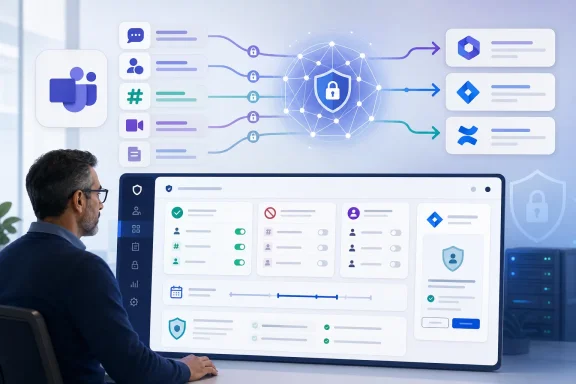 Teams knowledge moves into Atlassian search
The new connector sends Teams collaboration data into Atlassian’s Teamwork Graph, the company’s data layer for Rovo and other Atlassian products. Atlassian says Rovo can then answer requests based on connected Teams context, Jira work items, and Confluence pages, with links back to the supporting Teams conversations.
That means a query such as “summarize the migration decisions from last month” can theoretically draw from the Teams discussion where engineers debated the tradeoffs, the Jira issue tracking the implementation, and the Confluence page documenting the rollout. The appeal is not that Teams becomes searchable—Teams already has search—but that the answer can be assembled across separate systems.
Atlassian’s support documentation identifies the Teams objects it can index: direct and group chats, meeting chats, public, private, and shared channels, team and channel membership, metadata for attachments and tabs, and meeting transcripts where enabled. The attachment distinction deserves attention. The Teams connector does not index the full contents of files uploaded through Teams; Atlassian says that requires its separate SharePoint connector. An organization that enables Teams alone may get a result pointing to a shared file without giving Rovo the contents needed to summarize it.
The connector is available to Atlassian Cloud Standard, Premium, and Enterprise organizations, according to Atlassian’s administrative documentation. It is not available for Atlassian Government Cloud, a limitation absent from the more aspirational product announcement and one that matters for public-sector Teams tenants evaluating Rovo as an enterprise search layer.
Default ingestion includes DMs and private channels
Atlassian’s announcement emphasizes controls to block direct messages, private channels, selected teams, selected channels, and older material. Those are useful controls—but the administrative setup guide supplies the crucial caveat: the initial default is to index all Teams messages, including private chats and private channels.
This makes the connector a decision for information-security, privacy, HR, and legal teams as well as the Atlassian and Microsoft 365 administrators. “Permission-aware” search does not mean that content never leaves Microsoft Teams for indexing. It means Rovo is intended to filter results based on a user’s Teams access when that user searches. The data still has to be ingested into Atlassian’s connected knowledge layer first.
For a small pilot, the safer operational approach is to define an allowlist of a few project teams or shared channels before authorization, exclude direct messages and private channels, and use a recent cutoff date. Atlassian supports allowlists and blocklists for Teams and individual channels, plus a date limit that determines how far back it ingests material.
There is a wrinkle worth catching before clicking through the setup wizard: Atlassian says the team and channel allowlist/blocklist can be changed after initial configuration, but the date limit cannot. An admin who chooses a six-month lookback and later decides the pilot needs older migration discussions will not simply be able to widen the window in place, based on the current documentation. That makes the initial content boundary more consequential than the announcement suggests.
The company says search results begin appearing incrementally within hours after connection, while a full index may take longer depending on the number of Teams objects. That is reasonable for a background ingestion job, but it also means administrators should not judge permission behavior or search quality from the first few minutes after deploying the connector.
Permissions follow Teams access, but users must connect
Atlassian says Rovo uses a person’s existing Microsoft Teams permissions at query time. Its documentation says users may be asked to connect their Teams account before they can see Teams results, because the service needs to verify that the requester has access to the original Teams content.
That is the right architecture in principle. A user who lacks access to a private channel should not discover its discussions merely because the organization indexed it. Atlassian further says that a meeting transcript can be searched by the organizer and people invited on the Outlook calendar event, including invitees who did not attend.
However, permission trimming changes the support model rather than eliminating it. Users whose Teams account has not been linked may see incomplete Rovo answers; admins will need to distinguish “Rovo cannot find it” from “the user is not entitled to see it” and from “the data was deliberately excluded from ingestion.” A project lead asking for a cross-functional summary may get a different result than an engineer on the same project if their Teams memberships differ.
The setup also requires significant Microsoft Graph access. Atlassian’s support page lists delegated and application permissions for calendars, channels, members, chats, messages, users, and online meetings. Microsoft Entra administrators should review the actual consent screen and permission list in their tenant, rather than relying on a generic description of permission-aware results.
This is especially important where organizations use administrative boundaries, restricted Teams, information barriers, or sensitive project channels. Rovo’s source-permission enforcement is useful only if Microsoft Teams memberships and channel permissions accurately represent the organization’s intended access rules.
Transcript search is separately gated—and narrower than the launch pitch
The headline feature for many teams will be searching what was said in meetings. Atlassian’s announcement says the connector can make recurring meetings and ad hoc conversations searchable. The implementation details are less expansive.
Atlassian’s own setup documentation says meeting transcripts are not ingested by default, even after the normal API permissions have been granted. A Microsoft admin must create and grant an application access policy in Microsoft Entra and Teams, then users who authenticated before that policy was enabled must authenticate again. The required application permission includes OnlineMeetingTranscript.Read.All.
Microsoft’s Graph documentation independently confirms the administrative gate. Transcript retrieval through Graph requires appropriate permissions and an application access policy for application-level access. Microsoft also documents tenant-wide controls that can disable Graph transcript access entirely, in which case transcript requests return a 403 error. Microsoft added a separate speaker-attribution control in late July 2026: where attribution is disabled, an application can retrieve an unattributed transcript format but cannot retrieve the speaker-labelled version.
There is an additional limitation that should temper expectations around “every meeting.” Atlassian’s current connector documentation says it indexes only meetings on an Outlook calendar and does not index meetings created in Teams channels. Microsoft Graph likewise distinguishes calendar-backed meetings from other meeting constructs for transcript retrieval. So a Teams-heavy organization that runs operational standups as channel meetings should test its real meeting pattern before promising searchable transcripts to executives or project teams.
The announcement’s language about ad hoc conversations may be technically true in some supported configurations, but it is too broad as a planning statement. The actual answer depends on whether the meeting is calendar-backed, whether a transcript exists, whether Graph transcript access remains enabled in the tenant, whether an application access policy has been configured, and whether the person searching was an organizer or calendar invitee.
A deployment checklist for Microsoft 365 and Atlassian admins
The connector is best treated as a scoped enterprise-search project, not a consumer-style AI integration.
- Start with a small allowlist of low-sensitivity teams or channels and explicitly exclude private channels and direct messages unless there is a documented business case to ingest them.
- Set the initial historical lookback deliberately, because Atlassian says the date limit cannot be changed after setup, even though channel and team inclusion rules can.
- Decide separately whether meeting transcripts belong in the pilot. Enabling them requires Microsoft Entra and Teams application-access-policy work beyond the standard connector authorization.
- Test the permission boundary with accounts that have different channel memberships, meeting invites, and organizational roles before making Rovo results available broadly.
- Confirm whether important Teams files also need the SharePoint connector, because the Teams connector indexes attachment metadata rather than full attachment content.
- Document which meeting formats the organization actually uses. Calendar meetings and channel-created meetings should not be assumed to behave identically for transcript indexing.
Atlassian has shipped a potentially useful bridge for organizations that use Teams for decisions and Atlassian for formal work tracking. The connector’s value will be highest where Teams conversations routinely contain the rationale missing from Jira tickets and Confluence pages.
Its immediate consequence for IT, though, is more mundane: before Rovo can turn conversations into searchable organizational memory, someone must decide which conversations the organization is willing to put into that memory in the first place.
