

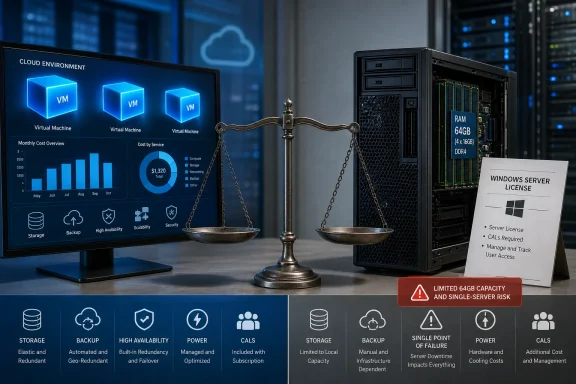
The article’s most eye-catching figure is Dell’s quoted $3,915.81 price for a 32GB DIMM in a PowerEdge T360 configuration. That is a real procurement problem if it is the quoted configuration available to a buyer in early August 2026. It is not, however, a market price for 32GB of server memory. It is a Dell configurator line item bundled into an OEM sales channel, with its own support, qualification, inventory and margin model. Treating it as a universal cost of 32GB of ECC DDR5 turns an unusually expensive quote into a broader hardware-market claim the evidence does not support.
The larger issue is that a three-VM Azure example, a 64GB tower server, and one Windows Server Standard license do not form an apples-to-apples migration plan.
The Azure comparison starts with a conditional rate
Spiceworks prices an Azure D4s v5 VM in East US at $140.16 a month on pay-as-you-go, $96.12 on a one-year savings plan, and $64.50 on a three-year plan. Three continuously running VMs therefore cost $15,137.28 over three years at the on-demand rate and $6,966 on the stated three-year rate.
The arithmetic checks out. But Microsoft’s pricing mechanics give that $6,966 figure an important qualifier: it is compute pricing under an Azure commitment and assumes the customer is eligible to bring Windows Server licensing to Azure.
Microsoft’s Azure Hybrid Benefit documentation says Windows Server licenses need active Software Assurance or qualifying subscription licenses to support that use. Microsoft also says the underlying Windows software charge remains separate from an Azure savings plan unless Azure Hybrid Benefit is in place. In other words, the $64.50 monthly figure is a legitimate planning rate for an organization that already owns qualifying licenses and keeps its entitlement current. It is not the default monthly cost of running a Windows Server VM in Azure.
That distinction is more than licensing trivia. A small company that bought perpetual Windows Server licenses years ago without Software Assurance cannot simply copy the three-year Azure compute line into its budget and call it a Windows workload estimate. It must either price Azure’s Windows software meter, acquire qualifying licensing, or use an alternative operating system and application stack where that is viable.
The same discipline applies to storage, backup, public IP addresses, snapshots, VPN or ExpressRoute connectivity, monitoring ingestion, outbound data transfer, managed disks, and database licensing. Some may be trivial for a particular workload. Some may dwarf the VM line. The correct comparison begins with the actual Azure invoice, not a VM-size lookup.
Microsoft’s savings plan is still the first lever to pull for steady compute. It discounts eligible hourly compute usage against a fixed hourly commitment, and it can apply across covered compute services. That makes it more flexible than pinning a discount to a single named virtual machine. But it is a spending commitment, not an automatic correction for cloud waste: usage above the commitment returns to pay-as-you-go pricing, while a commitment that exceeds real usage still gets paid.
The T360 quote has a Windows Server licensing gap
The proposed PowerEdge T360 build includes Windows Server 2025 Standard at $754. The machine is intended to run three Windows VMs comparable to the three Azure instances. That is where the configuration needs another pass.
Microsoft’s Product Terms grant Windows Server 2025 Standard rights for two virtual operating system environments after all physical cores in the server are licensed, subject to a minimum of 16 core licenses per server. A physical installation used only to host and manage the virtual machines is permitted alongside those two VM rights. To run a third Windows Server VM, the organization must assign another full set of Standard licenses covering the server’s cores. On a typical 8-core T360, the 16-core minimum still applies.
So the $754 Windows Server Standard line quoted by Spiceworks is sufficient for two Windows Server virtual machines, not three. A three-VM plan needs a second 16-core Standard license pack — assuming the quoted $754 is indeed a 16-core license — plus the necessary Windows Server Client Access Licenses for users or devices accessing the server software. If users will use Remote Desktop Services, RDS CALs are a separate requirement.
This does not mean the closet option is invalid. It means the article’s “north of $10,000, once” number is likely understated for the exact scenario it presents. The three-year savings-plan figure is also incomplete for an organization that lacks qualifying Azure Hybrid Benefit rights. Both sides need their Windows licensing normalized before anyone declares a winner.
For Linux guests, appliances, and workloads already licensed per application rather than per Windows Server instance, the calculation changes. That is precisely why repatriation cannot be decided by a generic VM size. The operating system and application license often matter as much as CPU and RAM.
Sixty-four gigabytes is a tight fit, not a comfortable host
Three D4s v5 instances represent 12 vCPUs and 48GB of assigned memory. Spiceworks’ example adds a second 32GB DIMM to the T360, bringing the server to 64GB.
That leaves 16GB for the host operating system, file cache, endpoint protection, backup agents, management tooling, and any practical reserve. Microsoft’s Hyper-V guidance is explicit that a host needs sufficient memory for both the host and every VM intended to run at the same time. Dynamic Memory can help absorb changing demand, but it does not create RAM, and it is a poor substitute for sizing a database or line-of-business application for its normal peak.
A 64GB host can run this arrangement if workload behavior is known, guest memory is carefully controlled, and the organization accepts little room to grow. It is not a robust design for three 16GB production VMs where any of the applications have bursty memory demand. Moving to 96GB or 128GB would be the more conventional capacity discussion — and in the current memory market, that is the part of the bill with the least predictable procurement cost.
TrendForce has documented the extraordinary rise in conventional DRAM contract pricing through 2026, with early-year increases followed by additional projected gains. Hetzner’s June 15 price adjustment offers a useful independent check on the problem: the provider said new cloud and dedicated-server orders were being repriced in response to sharply higher hardware procurement costs, while existing contracts were generally left alone. Hardware inflation is real; the Dell quote is not imaginary. But an OEM’s maximum-margin memory upgrade should not be used as the sole proxy for the cost of all server DRAM.
There is a second operational constraint: one tower is one failure domain. Azure’s three VMs may not automatically be highly available, but replacing them with one T360 concentrates host, storage controller, power supply, network interface, firmware, and physical-security risk in one box. If the applications require a recovery-time objective measured in hours rather than days, the bill needs backup storage, an offsite copy, tested restores, spare-parts planning, and perhaps a second host or colocation recovery option.
Those costs should be included deliberately, not waved away as “UPS batteries and lost Saturdays.” For a small IT team, the lost Saturday is often the largest unpriced item in the purchase order.
Repatriation is selective because SaaS cannot be repatriated
Spiceworks is right to resist the “leave the cloud” framing. IDC research reported by BizTech Magazine found only 8% to 9% of organizations intended full workload repatriation. The point is not that cloud adoption failed; it is that the remaining infrastructure should be placed according to workload behavior rather than past ideology.
A company cannot rack a local substitute for Microsoft 365, Salesforce, Workday, or a cloud-only vertical application merely because it dislikes its Azure bill. Nor should it attempt to force an internet-facing service with unpredictable demand onto fixed capacity simply to eliminate a monthly invoice. The cloud remains the right home for temporary environments, seasonal demand, customer-facing applications with uncertain growth, globally distributed services, and experiments that may disappear within a quarter.
The workloads that merit a repatriation spreadsheet are narrower:
- A VM is a candidate when its CPU, memory, storage and network demand have been stable for at least a year and its application owner can describe the next three years with confidence.
- A backup repository or archive is a candidate when data growth is predictable, restores are local, and outbound transfer fees plus a durable offsite copy have been costed.
- A database is a candidate when latency, data gravity, licensing and backup responsibility have been modeled together rather than treated as a generic VM move.
- A production system is a candidate only after the organization has priced the availability it actually requires, including the cost of failure and recovery.
The source’s advice to consider colocation is also more significant than it first appears. “Home” does not have to mean under a desk or in an office closet. A regional colocation rack can provide stable power, cooling, physical controls, and connectivity while preserving ownership of the server. It also converts part of the supposedly fixed on-premises cost back into a monthly operating expense. For some small businesses, that is the compromise that removes the riskiest parts of self-hosting without returning the entire workload to hyperscale billing.
The best first migration may be no migration at all
The most actionable finding in Spiceworks’ example is hidden in its own figures. Three always-on D4s v5 instances at the stated three-year commitment total $6,966 over three years. Before a company buys, racks, licenses, patches and backs up a T360, it should determine whether the same applications can simply remain in Azure under a properly sized commitment.
That can eliminate more than half of the on-demand compute bill without introducing downtime, data-transfer work, revalidation, a new hypervisor, or a new recovery design. It also avoids buying memory in a market where supplier constraints have become visible even in cloud-provider and dedicated-server pricing.
The comparison only turns toward hardware after that billing cleanup. Then use an actual workload inventory and build a five-year model that includes compute, storage, all Windows and application licensing, CALs, power, cooling, support, backup, replacement hardware, migration labor, and recovery requirements. Run the model with both an OEM quote and a second quote from a systems integrator or colocation provider; the Dell configurator’s $3,915.81 DIMM should be treated as a quote to challenge, not a price to accept.
For many small organizations, the three-year cloud commitment will be the cheaper answer. For a stable workload with a genuine five-year horizon, an available operator, and no need for elastic capacity, locally owned infrastructure can still win. But a single tower server with 64GB of memory and one Windows Server Standard license is not yet the complete replacement for three 16GB Windows Azure VMs.