
For Bitcoin Cash users on Windows, this is not a headline about a new coin feature or a change to the BCH protocol. It is a wallet usability release. That distinction matters. Wallet software is often judged on sending and receiving funds, but the practical experience of using BCH applications increasingly depends on how clearly a wallet handles app permissions, transaction signing, connection status, and personal recordkeeping.
Cashonize v0.9.0 targets each of those pressure points. The result could make BCH dApps feel more approachable for users who want the flexibility of self-custody without the confusion that has historically surrounded wallet-to-app connectivity.
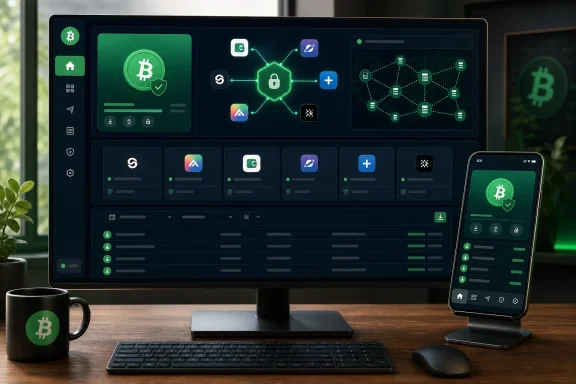 Overview: A Wallet Release Centered on dApp Friction
Cashonize is a non-custodial Bitcoin Cash wallet with an emphasis on CashTokens and BCH decentralized applications. Its role is broader than holding BCH: it can also serve as the bridge between a user’s private keys and services that need a transaction signed or wallet information shared under controlled conditions.
That role becomes increasingly important as blockchain applications grow more capable. A decentralized exchange, token marketplace, game, crowdfunding tool, payment service, or NFT application may all need to request wallet interaction. The actual request may be simple, but the connection process can be difficult for users to interpret.
Cashonize v0.9.0 responds to that challenge through four principal additions:
- WizardConnect, a new dApp connection option
- An upgraded CashConnect implementation using Nostr
- A unified sessions overview for the wallet’s connection methods
- Transaction-history date filters and CSV export tools
None of these additions automatically proves that Bitcoin Cash application usage will increase. A wallet update can reduce friction, but developers still need to build compelling applications and users must decide those applications are worth using. What v0.9.0 does establish is a more complete foundation for people who already use, or plan to use, BCH dApps across desktop and mobile devices.
Why Wallet Connections Still Need Work
The phrase connect wallet can sound deceptively simple. In practice, it can mean several different things:
- Pairing a wallet with an app through a QR code, deep link, or relay service
- Reviewing a session request and deciding whether to approve it
- Allowing an app to request a transaction signature
- Managing active connections after the initial pairing
- Revoking access when an app is no longer in use
- Understanding whether an action is a harmless connection request or an approval with financial consequences
For mainstream Windows users, the biggest obstacle is rarely a lack of cryptographic capability. It is uncertainty. A wallet might support robust technologies under the hood, yet still cause mistakes if the interface does not clearly distinguish between connecting, signing, sending, and granting permissions.
This is where the Cashonize v0.9.0 feature set is most interesting. Rather than presenting a single new connection mechanism as the answer, it broadens connectivity options and then places them under a shared session-management layer.
That is a sensible design direction. Different applications may adopt different communication methods, and users should not have to remember where each connection lives simply because it was created through a different protocol.
WizardConnect: Another Route Into BCH Applications
The most visible addition in Cashonize v0.9.0 is WizardConnect. The release positions it as an additional way for users to connect with Bitcoin Cash applications.
At this stage, the most defensible conclusion is that WizardConnect expands the wallet’s compatibility and connection toolkit. It should not be treated as an automatic replacement for every existing approach, nor should users assume that every BCH application immediately supports it. Wallet connectivity is a two-sided implementation issue: a wallet can offer a protocol or workflow, but the application must also integrate it correctly.
Still, providing more than one practical way to establish a wallet connection can be valuable.
Why multiple connection methods matter
In decentralized ecosystems, applications do not always evolve in lockstep. Some developers may support established wallet connection mechanisms while others may adopt newer tools or design around particular user flows. A wallet that accommodates more than one route can help reduce fragmentation for end users.
The benefits may include:
- Better compatibility with a wider variety of BCH dApps
- Less pressure on users to install separate wallets for separate services
- More flexibility for developers choosing an integration model
- A potentially smoother path between desktop and Android environments
- Reduced dependence on a single connection workflow
For Windows users, this matters because desktop computing remains well suited to detailed blockchain tasks. Token management, application dashboards, transaction history review, and larger-screen approval flows can all be more comfortable on a PC than on a phone.
A connection option such as WizardConnect does not remove the need for careful review. Every wallet connection should still be considered a security-sensitive event. However, if the feature makes the initiation and management of a connection clearer, it can improve the practical safety of the experience as well as its convenience.
The name should not be mistaken for security guarantees
There is an important limitation worth emphasizing. A simpler pairing process does not make a malicious application trustworthy. No connectivity feature can guarantee that the dApp being opened is legitimate, that its transaction request is sensible, or that its website has not been impersonated.
Users should remain alert for:
- Lookalike websites and misleading domain names
- Unexpected connection requests
- Transaction prompts that do not match the expected action
- Requests that appear after clicking advertisements or unofficial links
- Sessions left active after testing a dApp
- Unclear permissions or signing dialogs
The proper measure of success for a connection feature is not merely that it works quickly. It must make the user’s decisions visible, understandable, and reversible.
CashConnect Over Nostr: A More Modern Communication Layer
Cashonize v0.9.0 also upgrades CashConnect so that it now operates over Nostr. This is the technical centerpiece of the release and the area most likely to attract attention from BCH developers.
CashConnect is part of the broader effort to make wallet-to-application communication more structured. Rather than requiring an app to directly control a user’s keys—which it should never do—a connection framework allows the app to request defined actions from the wallet. The wallet retains the critical role of displaying and approving or rejecting those requests.
The shift to Nostr is significant because Nostr is designed around decentralized relay-based messaging. In a wallet-connectivity context, that architecture can offer a way for the application and wallet to exchange session and request information without relying entirely on a conventional centralized service.
What the Nostr upgrade may improve
The operational value of a Nostr-based model depends heavily on implementation quality, relay availability, privacy choices, and application support. Even so, the design has several potentially useful characteristics:
- It can support decentralized message relaying between the app and wallet.
- It may reduce reliance on a single proprietary connection backend.
- It provides a model that can work across different devices and platforms.
- It can fit naturally with the broader decentralized ethos of Bitcoin Cash applications.
- It may make it easier for developers familiar with Nostr tooling to explore BCH wallet integrations.
For a Windows desktop wallet, the cross-device angle is especially compelling. A user might browse a BCH application on a Windows PC while authorizing an action through another device, or use the desktop wallet itself as the signing endpoint. The underlying technology does not guarantee a seamless experience by itself, but it opens the door to more adaptable workflows.
Decentralization is not the same as simplicity
The potential advantages of Nostr should be balanced against practical concerns. Decentralized relays bring their own operational questions. Users and developers may need to think about relay reliability, message delivery, metadata exposure, interoperability, and the possibility of degraded behavior if a relay becomes unavailable.
A decentralized communication layer can avoid a single point of control, but it can also introduce more moving parts. The quality of the user experience will depend on whether Cashonize and integrated dApps hide unnecessary complexity while still giving technically advanced users enough transparency and control.
This is a familiar tradeoff in cryptocurrency software. The best outcome is not decentralization for its own sake, nor simplicity obtained by quietly centralizing everything. The best outcome is a system where the user gets reliable functionality, clear security boundaries, and meaningful freedom to choose.
Unified Sessions: The Quietly Important Feature
The release’s unified sessions overview may be the most important usability improvement in the entire update, even if it generates less excitement than a new protocol.
Cashonize now organizes all three connection methods in one place. That means users can view and manage wallet-to-app sessions without having to remember which connection mechanism was originally used.
This sounds straightforward, but it addresses a major weakness found across many cryptocurrency wallets. Session management is often fragmented. A user connects to one dApp through one standard, another through a QR pairing method, and a third through a browser extension-like flow. Weeks later, they may not know which apps remain connected, whether a session is still active, or where to revoke it.
Better visibility can improve wallet hygiene
A central session screen has clear security and usability benefits:
- It gives users a consolidated view of active app relationships.
- It makes stale or unwanted sessions easier to locate.
- It reduces the chance that a connection remains active simply because the user forgot where it was configured.
- It can make troubleshooting simpler when a dApp fails to connect.
- It creates a natural place to explain connection state and permissions.
For any wallet that interacts with applications, visibility is a security feature. Users cannot manage what they cannot see.
The exact effectiveness of Cashonize’s session view will depend on its interface details. Ideally, each session should make clear which application is connected, when the session was created, which connection method is being used, whether it is active, and how to disconnect it. The release confirms the consolidated overview, but users should still inspect individual session details carefully before assuming that a connection has been fully removed.
A foundation for future permission controls
Unified session management also creates an architectural base for more granular controls in later releases. A wallet could potentially build from this model toward richer permission displays, per-app transaction limits, expiry rules, connection notifications, or clearer distinctions between read-only access and transaction-authorizing requests.
Those capabilities are not established by the v0.9.0 announcement itself and should not be assumed to exist today. But the organization of sessions into a shared management area is the type of groundwork that makes future improvements more plausible.
Transaction History Filters and CSV Export
Beyond dApp connectivity, Cashonize v0.9.0 introduces date filters for transaction history and the ability to export records as a CSV file.
This may appear less glamorous than Nostr connectivity, but it is a practical addition for anyone who actively uses BCH. Cryptocurrency wallets are often excellent at displaying a recent transfer and much weaker at helping users sort, review, reconcile, or archive their activity over time.
Date filtering gives users a way to narrow the transaction list to a defined period. CSV export makes that filtered or available data more portable, allowing it to be opened in spreadsheet software and other compatible tools.
Why this matters on Windows
Windows remains the natural home for spreadsheet-heavy workflows. A CSV export can be opened and reviewed in applications such as Microsoft Excel, LibreOffice Calc, or other analysis tools without forcing users to manually retype transaction entries.
Potential use cases include:
- Reviewing transfers during a specific period
- Matching wallet activity with personal records
- Preparing information for an accountant or tax professional
- Tracking business receipts and outgoing payments
- Checking recurring token or dApp activity
- Creating a local archive of transaction data
- Investigating an unexpected transaction by narrowing the date range
This is particularly valuable for users who treat BCH as more than a speculative asset. If BCH is used for payments, CashTokens, dApp activity, or small business transactions, record retrieval becomes a basic operational need.
CSV exports are useful, but they require care
A CSV file is convenient precisely because it is easy to share, import, and edit. That convenience can also create privacy risks.
Transaction history can reveal wallet addresses, amounts, timestamps, token identifiers, counterparties, and patterns of use depending on the data included. Once exported, that information may be copied into cloud-synced folders, email attachments, workplace systems, or third-party accounting platforms.
Users should treat exported data as potentially sensitive.
Recommended precautions include:
- Store exports locally in a protected folder where possible.
- Avoid uploading raw CSV files to untrusted websites or services.
- Review spreadsheet formulas and macros carefully when opening files from other sources.
- Use full-disk encryption on devices that hold financial data.
- Minimize unnecessary sharing, especially if the export exposes wallet addresses or transaction values.
- Keep separate records for personal and business activity where applicable.
CSV export is a recordkeeping tool, not an accounting verdict. It can improve preparation and organization, but users remain responsible for classifying activity correctly under the rules that apply to them.
Desktop and Android Availability Strengthens the Release
Cashonize v0.9.0 is available for Windows and Linux desktop platforms and for Android. Cross-platform availability is more meaningful than it may first appear.
A feature set split across platforms can frustrate users quickly. If a desktop wallet supports a preferred dApp connection method but the mobile version does not, or if transaction history tools are unavailable when away from the PC, the user experience becomes inconsistent. A release that brings the new connectivity and record tools to both desktop and Android gives Cashonize a more coherent identity as a BCH application wallet.
Windows users gain a broader role
On Windows, Cashonize’s new version positions the desktop client as more than a passive balance viewer. It can become a practical point of control for:
- Managing BCH dApp connections
- Reviewing wallet sessions
- Handling CashTokens
- Exporting transaction records
- Working with browser-based decentralized applications
- Performing more detailed wallet administration on a larger display
That does not mean desktop is automatically safer than mobile. Security depends on device hygiene, operating system updates, downloaded software integrity, phishing resistance, and user behavior. However, the larger workspace and familiar file-management environment of Windows can be an advantage for users who need to inspect data and manage multiple activities deliberately.
Cross-platform parity needs ongoing attention
The challenge for any multi-platform wallet is preserving behavior and security expectations between devices. A connection created on Android should not become mysterious on Windows, and a session visible on Windows should be understandable when viewed from a phone.
The unified sessions approach is therefore strategically important. If it functions consistently across Cashonize’s platforms, it can help prevent the wallet from becoming a collection of separate experiences.
Security Considerations for BCH dApp Users
The Cashonize v0.9.0 update improves the tools around connectivity, but no wallet release can eliminate the core risks of self-custody. Users remain responsible for their recovery phrase, their installation sources, the applications they choose to connect, and every transaction they approve.
Essential practices after upgrading
Users deploying Cashonize v0.9.0 should keep several principles in mind:
- Download updates only through official Cashonize distribution channels.
- Verify that the application being connected is legitimate before approving any session.
- Read transaction prompts in full, especially when interacting with tokens or unfamiliar dApps.
- Do not share a seed phrase, private key, or backup phrase with a website, support account, or alleged administrator.
- Review the unified sessions list regularly and remove connections that are no longer needed.
- Export transaction data thoughtfully, treating CSV records as sensitive financial information.
- Maintain operating system protections on Windows, including current security updates and device access controls.
The phrase “non-custodial” means the user, not the wallet provider, controls the keys. That is an important benefit, but it is also a responsibility. There is generally no password-reset process for a lost recovery phrase and no reversal mechanism for a confirmed blockchain transaction.
Do not confuse a connection with permission to spend
A wallet-to-dApp session and a completed payment are different events. Connection systems can be helpful because they establish a controlled channel for requests, but the user should still expect to review and approve meaningful wallet actions.
A secure mental model is simple: connecting allows an app to communicate with the wallet; it should not suspend the need for review before funds move.
If a transaction request appears surprising, inconsistent with the user’s action, or unclear in its wording, the safest response is to reject it and investigate independently.
What v0.9.0 Does Not Prove
The announcement is promising, but it is important not to overstate what has been demonstrated.
Cashonize v0.9.0 does not by itself establish:
- Higher Bitcoin Cash dApp usage
- Greater BCH transaction volume
- Universal compatibility across all applications
- Better security than every competing wallet
- A guarantee that Nostr-based connectivity will be trouble-free
- Automatic accounting or tax compliance through CSV exports
- Protection against phishing, malicious websites, or user error
These are not criticisms of the release. They are necessary boundaries around the claims. Wallet infrastructure can make activity easier, but adoption depends on a much wider set of factors: developer support, app quality, network effects, user confidence, liquidity, token utility, and reliable real-world use cases.
The strongest interpretation is that Cashonize has made a practical infrastructure investment. It is building the connective tissue that BCH applications need if they are to feel less experimental and more usable.
The Bigger Picture for Bitcoin Cash Applications
Bitcoin Cash has long emphasized low-cost on-chain transactions and peer-to-peer payments. The rise of CashTokens and application-layer experimentation has widened the scope of what users can do with the network, but usefulness depends on the quality of the wallet experience.
A dApp ecosystem cannot thrive if every new application asks users to learn a different method of connecting, authorizing, and maintaining access. Nor can it mature if transaction data remains difficult to retrieve after the fact.
Cashonize v0.9.0 addresses both sides of that equation:
- Connectivity, through WizardConnect and the Nostr-enabled CashConnect upgrade
- Manageability, through centralized sessions
- Record portability, through filters and CSV export
- Cross-platform access, through Windows, Linux, and Android availability
That combination makes this release more substantial than a routine interface update. It is an attempt to reduce friction at the points where users most often hesitate: before connecting, while managing access, and after completing transactions.
Conclusion
Cashonize v0.9.0 delivers a well-targeted upgrade for Bitcoin Cash users who want to move beyond basic wallet transfers and into BCH dApps, CashTokens, and more organized transaction management. WizardConnect, Nostr-based CashConnect, and the unified sessions overview tackle the often-overlooked complexity of wallet connections, while date filters and CSV export add meaningful value for users who need better control over their activity records.
For Windows users, the update reinforces Cashonize’s role as a desktop-capable BCH wallet rather than simply a mobile companion or token viewer. The new tools can make application interaction and personal recordkeeping more manageable, provided users continue to practice careful session management, verify every dApp, and protect exported financial data.
The release should be viewed as a usability and infrastructure milestone, not proof of immediate ecosystem growth. Its real impact will depend on how many BCH applications adopt the available connection methods and whether the resulting experience earns the trust of everyday users.
