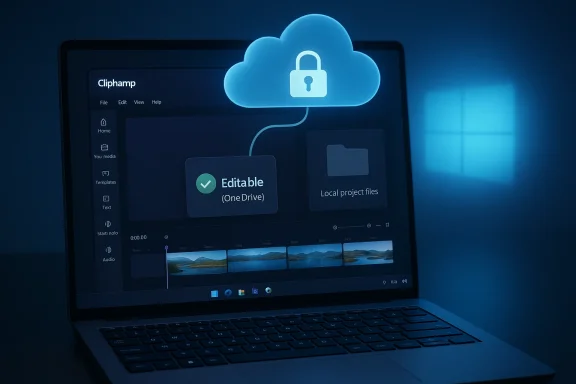
Microsoft has quietly turned Clipchamp into a far more cloud-dependent experience, and that matters because Clipchamp is not a niche add-on anymore. It is the
built-in video editor for Windows 11, which means this is no longer just about a Microsoft 365 convenience feature; it is about a default Windows app changing the rules on millions of PCs. The new behavior requires a
OneDrive-backed Microsoft account to create or edit projects, even though users can still keep their source media files local. That combination has predictably triggered a backlash from people who value offline workflows, privacy, or simple control over their own files. (
support.microsoft.com)
 Overview
Clipchamp’s trajectory has been a classic Microsoft story: acquire a product, fold it into the platform, and then gradually tighten its ties to the broader Microsoft ecosystem. Microsoft bought Clipchamp in September 2021 and positioned it as a friendly, creator-focused tool that would help people tell stories with video. Over time, Clipchamp became part of the Windows 11 experience and also a bridge into Microsoft 365, where its editing tools, cloud storage, and account system now fit together more tightly than ever. (
microsoft.com)
The latest shift is not simply a UI tweak. Microsoft’s own support pages now explain that Clipchamp cloud storage is backed by
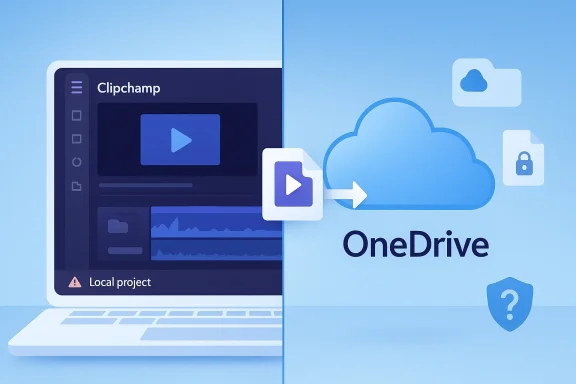
OneDrive, that projects are meant to be backed up there to remain editable across devices, and that if you do not save existing projects to OneDrive, you can archive them locally but will need to upload them again if you want to edit later. In other words, local storage is becoming a holding area, not a fully supported working mode. That is a meaningful design change, especially for an app bundled with Windows rather than sold as a separate cloud service. (
support.microsoft.com)
There is also a larger strategic context here. Microsoft has steadily made its consumer and productivity products more account-centric and more cloud-first, whether that means OneDrive, Microsoft 365 subscriptions, or synchronized experiences across devices. Clipchamp fits that pattern perfectly. The company’s own support materials even frame OneDrive as the mechanism that makes editing projects accessible across computers, while acknowledging that users may need to reactivate OneDrive entitlement to regain access to projects. That language suggests the cloud dependency is not accidental; it is now part of the product architecture. (
support.microsoft.com)
For many users, though, this is exactly the wrong direction. Windows historically succeeded because it supported a wide range of use cases: enterprise networks, disconnected laptops, family PCs, and ad hoc personal workflows. When a core app starts requiring cloud sign-in for basic editability, it changes the meaning of “built in.” It stops feeling like a local Windows utility and starts feeling like a service with usage conditions attached. (
clipchamp.com)
What Changed in Clipchamp
The practical change is surprisingly blunt:
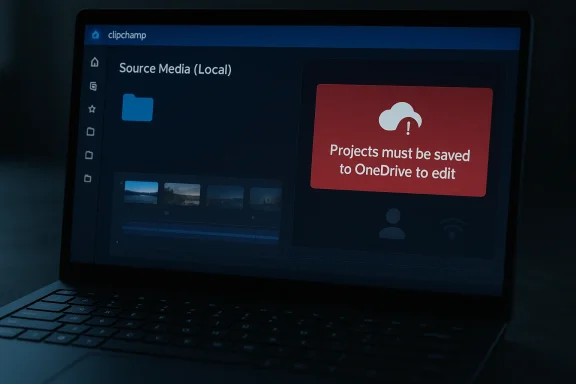
projects must be saved to OneDrive to stay editable. Microsoft’s support documentation says users can archive projects locally, but if they want to edit again later, they must upload those projects to OneDrive. The same support material also says Clipchamp will no longer display folders in its user interface, pushing organization into OneDrive instead of the app itself. That is a large departure from the mental model most people have for a desktop editor. (
support.microsoft.com)
There is a subtle distinction worth emphasizing. Microsoft is not saying that every piece of media must live in the cloud at all times. The company says users may keep media files local, and it even notes that project data and assets are handled differently depending on the version and storage mode. But the project file itself is now the gatekeeper. If that project is not in OneDrive, it does not behave like a normal editable Clipchamp project. That distinction is likely to confuse casual users and infuriate power users. (
support.microsoft.com)
Local files are not the same as local projects
This is the heart of the controversy. Users can preserve local source files, but the project metadata, timeline state, and editability are tied to OneDrive-backed storage. Microsoft’s own wording makes clear that a local copy is effectively an archive unless it is uploaded again. That is not how most people interpret “save locally,” and it helps explain why many users describe the change as a bait-and-switch. (
support.microsoft.com)
From a product design perspective, the issue is not that cloud sync exists. The issue is that
cloud sync is now the path to editability, while local-only storage is demoted to a secondary state. A cleaner model would have offered a true dual-mode workflow: one mode fully local, one mode fully cloud-enabled. Instead, Microsoft appears to have chosen a cloud-first default with a local escape hatch that is functionally limited. (
support.microsoft.com)
A few key takeaways stand out:
- Editable projects now depend on OneDrive rather than purely local storage. (support.microsoft.com)
- Archived local projects are not immediately editable inside Clipchamp. (support.microsoft.com)
- Project organization shifts out of Clipchamp and into OneDrive’s file structure. (support.microsoft.com)
- OneDrive entitlement problems can block access to projects altogether. (support.microsoft.com)
- Microsoft frames the web app and desktop app as functionally identical for personal users, reinforcing the cloud-first approach. (support.microsoft.com)
This is not just a technical footnote; it is a philosophical change. The app is no longer primarily a local editor with optional syncing. It is a cloud-managed editor that tolerates local storage in limited ways. That is a very different promise.
Why Microsoft Is Doing This
The most obvious explanation is that Microsoft wants consistency. If projects live in OneDrive, they can move between devices, survive reinstallations, and integrate with Microsoft 365 workflows more cleanly. That also makes support easier because the company can standardize how editing state is stored and recovered. For Microsoft, fewer storage modes means fewer edge cases. (
support.microsoft.com)
There is also a product ecosystem motive. Microsoft has spent years turning OneDrive into the connective tissue for its consumer and business software stack. Clipchamp is now described as being built on OneDrive and SharePoint in Microsoft 365 contexts, and the company’s messaging repeatedly points users toward cloud backup, cross-device access, and account-linked continuity. From Microsoft’s point of view, tying Clipchamp to OneDrive is not a bug; it is feature alignment.
The cloud-first logic
In a cloud-first model, the project file becomes a portable asset rather than a private local artifact. That creates benefits: easier recovery, better sync, and a smoother path to multi-device editing. It also gives Microsoft a cleaner route to premium storage and subscription upsells, because cloud workflows naturally bump into quotas, entitlement checks, and account management. (
support.microsoft.com)
But there is a downside to that logic. Software that is bundled with an operating system carries a different social contract than software sold as a cloud service. Users expect the OS to work offline, to respect local storage, and to remain useful without a recurring sign-in ritual. When Microsoft applies SaaS thinking to a Windows default app, it risks alienating exactly the audience that still cares about the local PC as a self-contained machine. (
clipchamp.com)
The company has also been pushing a broader AI and subscription narrative across Microsoft 365, where storage, collaboration, and premium features are all part of a larger bundle. Clipchamp fits neatly into that strategy. It is easier to justify OneDrive-based storage when the rest of the ecosystem is already built around subscriptions and online identity. That may be commercially rational, but rational does not always mean welcomed. (
microsoft.com)
Here is the tension in plain English:
- Microsoft wants consistent cloud-managed state.
- Microsoft wants cross-device continuity.
- Microsoft wants subscription-friendly ecosystem lock-in.
- Windows users want local control and offline resilience.
- Clipchamp now sits right in the middle of those competing goals.
That conflict is why the backlash is so strong. Clipchamp is not being judged like a random web app; it is being judged like a Windows feature that used to feel more like a utility.
The User Experience Problem
The frustration here is not just ideological. The new behavior is genuinely confusing. Microsoft’s support flow can make it appear as though you are setting up a local workflow, only for the app to reveal later that local projects will not appear in Clipchamp unless they are saved to OneDrive. That is the kind of user experience trap that creates lasting distrust because it feels like a hidden rule. (
support.microsoft.com)
Users who expected a standard desktop workflow may also find the sign-in logic disorienting. Microsoft says OneDrive entitlement may need to be active even if the Clipchamp account was originally used only for video editing. In practice, that means a dormant or disconnected Microsoft account can become an access problem for your projects. The editor is now closer to a cloud portal than a local app. (
support.microsoft.com)
Why the messaging feels misleading
The real issue is expectation management. Windows 11 presents Clipchamp as an installed, built-in tool, which implies baseline local availability. But once a user opens the app, the workflow starts steering them into OneDrive setup, cloud backup, and account linking. If the “local” choice does not actually preserve editability, then the interface is not offering a true local option at all. (
clipchamp.com)
That creates a mismatch between the platform and the product. A browser app asking for cloud storage is normal. A Windows-native editor that behaves like a cloud service is much less intuitive. The problem is not merely that Microsoft wants users signed in; it is that the app’s surface language still suggests flexibility that the underlying storage model no longer provides. (
support.microsoft.com)
A few practical consequences flow from that mismatch:
- Users may assume local projects are safely editable when they are not.
- Users may discover the OneDrive requirement only after work has already been started.
- Users may struggle to recover older projects after the storage model changes.
- Users may blame Windows itself, not just Clipchamp, for the new limitation.
That last point matters. When a built-in app changes behavior, the complaint lands on the operating system brand, not just the app team. Microsoft is not simply redesigning an editor; it is shaping how people think about Windows as a platform.
Enterprise, Consumer, and Hybrid Use Cases
Enterprise and consumer users are not experiencing this change in the same way. In managed environments, OneDrive and SharePoint are already part of the daily workflow, so Clipchamp’s cloud dependency may feel unsurprising or even beneficial. Microsoft’s work and school documentation makes clear that projects are already stored in OneDrive/SharePoint in those versions, and that cross-device access is a core advantage. For organizations, centralization is a feature. (
support.microsoft.com)
For consumers, however, the story is much less comfortable. Many people use Windows PCs in exactly the situations where local storage still matters: travel, weak connectivity, home machines shared by family members, or privacy-sensitive projects that users do not want tied to cloud accounts. In that context, the requirement can feel like an unnecessary constraint on a perfectly ordinary Windows task. (
support.microsoft.com)
Who gains and who loses
The beneficiaries are easy to identify. People who work across multiple PCs, those already subscribed to Microsoft 365, and users who want automatic continuity across devices may appreciate the shift. A OneDrive-backed project can be convenient when you need to start on one machine and continue on another. Microsoft is clearly betting that this convenience outweighs friction. (
support.microsoft.com)
The losers are equally clear. Offline creators, security-conscious users, and anyone who prefers a clean local file model will see this as another example of Microsoft turning a native Windows app into a cloud dependency. The fact that you can still use the app through the web only reinforces the feeling that the desktop version is being treated as a wrapper around an online service. (
support.microsoft.com)
This is where the broader competitive story begins. Microsoft is not competing with a single editor; it is competing with the idea that Windows should be self-sufficient. The moment a built-in app starts requiring cloud identity to remain useful, local-first alternatives become more attractive, even if they are less polished. That is a dangerous tradeoff for a company that still depends on Windows’ reputation for flexibility.
Competitive Implications
Clipchamp’s cloud shift does not happen in a vacuum. It comes at a time when creators have more editor choices than ever, from lightweight browser tools to serious desktop suites. Microsoft’s move may help it better align with its own ecosystem, but it also gives rivals a clean pitch: local-first editing, fewer account hoops, and less dependence on an online service. That pitch will resonate with a segment of users that Microsoft seems increasingly willing to deprioritize. (
support.microsoft.com)
The biggest competitive risk is not that Clipchamp becomes unusable. It is that it becomes optional. If users conclude that the default Windows editor is no longer truly local or trustworthy for archival work, they may stop considering it for anything beyond quick edits. That would leave Microsoft with an installed app that still exists but has lost mindshare. (
support.microsoft.com)
Local-first tools get a fresh opening
This change gives third-party tools a marketing advantage they did not have to work as hard for before. A competitor can now say, in effect, “your projects are yours, stored where you choose, editable without account drama.” That message is simple, and simple messages win when users are angry. (
support.microsoft.com)
For Microsoft, the concern is less about one app and more about trust erosion. Users tolerate cloud features when they believe they are optional or additive. They push back when the cloud becomes a requirement for core functionality. Once that line is crossed, the entire ecosystem starts to feel more conditional. (
support.microsoft.com)
Key competitive implications include:
- Third-party editors can position themselves as local-first alternatives.
- Clipchamp may become a quick-editor tool rather than a primary editor.
- Microsoft risks weakening trust in bundled Windows apps.
- Cloud convenience may appeal to some, but it narrows the user base.
- Rivals can target privacy, portability, and offline resilience in their messaging.
That last point is important because Windows users often make pragmatic decisions. If a competitor offers one fewer hurdle, many will move without much regret. Microsoft’s cloud strategy only works when convenience clearly outweighs friction.
The Subscription and Storage Angle
One reason the change feels especially prickly is that it sits uncomfortably close to monetization. Microsoft says OneDrive is available at no cost up to a free quota, but the company also ties larger storage, premium Clipchamp features, and Microsoft 365 subscriptions together in ways that blur the line between a built-in feature and a paid ecosystem. That is enough to make users wonder whether they are watching a local feature slowly become a subscription funnel. (
support.microsoft.com)
Microsoft’s own support pages reinforce the association by promoting premium Clipchamp benefits such as watermark-free exports, 4K resolution, premium stock, and other subscription-linked features. Even if the basic OneDrive-backed edit flow is not explicitly paywalled, the surrounding architecture clearly nudges users toward cloud storage and premium plans. That is a familiar Microsoft pattern, but familiarity does not make it less irritating. (
support.microsoft.com)
Is this a soft paywall?
Calling it a paywall would be too blunt, but calling it a
soft gate would be fair. Users can technically use free OneDrive storage, yet the workflow’s convenience and reliability are increasingly bound to a Microsoft account and cloud capacity. Once your projects live there, expansion and continuity start depending on the account ecosystem rather than just the local PC. (
support.microsoft.com)
There is also a symbolic problem. Microsoft has a long history of including media tools with Windows, from the old Windows Movie Maker era to the later Photos-based editor. Those tools made the OS feel complete. Clipchamp’s cloud-first design makes Windows feel less like an operating system with native tools and more like an on-ramp to Microsoft services. That is a different value proposition entirely. (
microsoft.com)
The danger is not merely that users resist paying. It is that they start questioning whether every built-in feature is eventually going to require an account, a quota, or a subscription. Once that suspicion takes hold, even good features inherit the distrust.
Microsoft’s Platform Strategy
Microsoft has spent years reimagining Windows as a managed service ecosystem rather than a static desktop OS. Cloud storage, identity, AI, web integration, and subscription bundles all serve that broader strategy. Clipchamp fits neatly into it because video projects are inherently portable and because many users now expect to move content across devices. The strategy is coherent, even if the execution is contentious. (
microsoft.com)
But coherence is not the same as compatibility with all user expectations. Windows still runs in environments where the local machine is the center of gravity. IT admins, hobbyists, offline users, and even students working in poor connectivity conditions all rely on software that can function without a cloud backplane. Microsoft knows this; the company has simply decided that the benefits of cloud alignment are worth some amount of backlash. (
support.microsoft.com)
The Windows contract is changing
The old Windows promise was simple: install the OS, run the apps, keep working. The new promise is more conditional: sign in, sync, and accept that some functionality is tied to online services. Clipchamp is a small but visible example of that shift. Because it is a consumer-facing built-in app, it makes the change feel more personal than a backend service ever would. (
clipchamp.com)
This shift also explains why user anger can seem disproportionate to the feature itself. People are not only reacting to Clipchamp; they are reacting to what Clipchamp represents. It symbolizes the broader move away from local ownership toward platform-managed state. That is a bigger debate than video editing. (
support.microsoft.com)
Important platform-level signals include:
- Microsoft is unifying consumer productivity around cloud identities.
- Windows native apps are being made more service-like.
- Account continuity is being prioritized over standalone local workflows.
- Built-in tools are increasingly tied to Microsoft 365 economics.
- The local PC is becoming one endpoint in a larger Microsoft network.
That is the long game, and Clipchamp is simply one of the latest visible markers. The question is whether enough users will accept that tradeoff without migrating to alternatives.
Strengths and Opportunities
Despite the backlash, Clipchamp still has real strengths. It remains approachable, integrated, and good enough for small-to-medium editing tasks, and Microsoft’s cloud model does genuinely help users move projects between devices. If the company improves the clarity of its storage model, it could keep the convenience while reducing confusion. The opportunity is not trivial. (
clipchamp.com)
- Cross-device continuity is valuable for students, families, and mobile workflows.
- Simple onboarding still makes Clipchamp attractive to beginners.
- Built-in Windows placement gives it huge distribution advantage.
- Microsoft 365 integration can streamline broader workflows.
- Web and desktop parity can reduce friction for mixed-device users.
- Cloud backup can protect projects from local hardware failure.
- Standardized storage can simplify support and recovery scenarios.
The best-case scenario for Microsoft is that most users eventually see the OneDrive requirement as a convenience layer rather than a constraint. To get there, however, the company needs more honest and visible communication about what local storage does and does not preserve.
Risks and Concerns
The risks are equally substantial. The biggest one is trust. If users feel that a local workflow was removed without being presented as a major change, they may not give Microsoft the benefit of the doubt the next time a built-in app changes behavior. That kind of distrust compounds quickly across a platform as broad as Windows. (
support.microsoft.com)
- Confusing local-vs-cloud messaging may lead to lost work or bad assumptions.
- OneDrive entitlement issues can block access to existing projects.
- Offline creators may abandon Clipchamp entirely.
- Subscription anxiety may grow if cloud workflows keep expanding.
- Platform trust erosion could spill into unrelated Windows features.
- Support burden may rise as users try to recover projects or re-link accounts.
- User backlash may harden around the idea that Windows features are becoming paywalled.
There is also a reputational issue. Microsoft already faces skepticism whenever it pushes cloud sign-ins into places users expect to remain local. Clipchamp may seem small in isolation, but it is large enough to become a symbol of that frustration. Symbols matter in operating systems because they shape how users interpret every other change.
Looking Ahead
The next few months will likely determine whether this becomes a short-lived annoyance or a lasting identity shift for Clipchamp. If Microsoft improves the wording, makes the local archive behavior more transparent, or offers a real local-only editing mode, some of the anger will subside. If not, the app may increasingly be seen as a cloud editor that happens to ship with Windows. (
support.microsoft.com)
There is also a broader lesson here for Microsoft. Users will tolerate cloud dependency when it is clearly explained and when the benefit is obvious. They will not tolerate it when it appears to downgrade a familiar local workflow without a strong reason. That distinction is
especially important for something as central as a Windows-built editing tool. (
clipchamp.com)
What to watch next:
- Whether Microsoft adds a true local-only project mode.
- Whether the company clarifies the difference between archive and editable storage.
- Whether OneDrive-related access bugs continue to surface in support forums.
- Whether competitors use the controversy to market offline-friendly editors.
- Whether Microsoft expands the same cloud model to other built-in Windows apps.
The deeper story is not that Clipchamp changed. It is that Microsoft is once again redefining what a built-in Windows app means. If that definition increasingly depends on cloud accounts and OneDrive-backed storage, then Windows is becoming less of a local operating system and more of a service endpoint. For some users that will be progress; for others, it will feel like losing ownership of the PC they already paid for.

 Background: Clipchamp’s place in Windows 11