

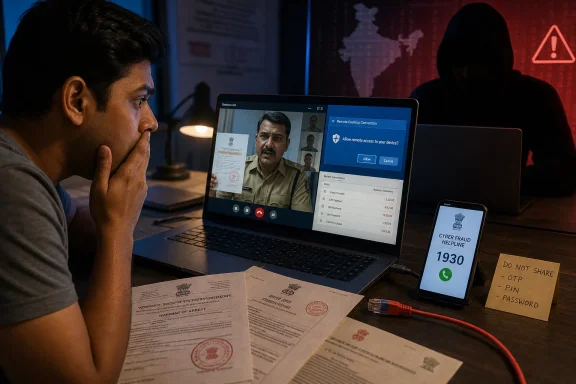
The company’s August 4 warning, reflecting guidance it published in its Knowledge Centre on July 9, describes callers posing as police, the Central Bureau of Investigation, Enforcement Directorate, Telecom Regulatory Authority of India, customs officials or courts. The script commonly starts with an allegedly suspicious parcel, mobile number, Aadhaar, PAN, or bank account, then transfers the victim through a staged chain of “officials” before demanding a payment described as a security deposit, verification charge, bail, or a transfer to a supposedly safe government account.
That core fraud is real, and it is not confined to a vendor marketing narrative. India’s National Cyber Crime Reporting Portal has issued a digital-arrest advisory describing intimidation, blackmail, fake law-enforcement identities and prolonged WhatsApp or Skype video calls. The Ministry of Home Affairs has also documented the same courier-to-authority setup and warned that criminals use fake documents and claims of criminal involvement to coerce transfers. TRAI has separately said it does not contact consumers to disconnect a mobile number and that no regulator conducts investigations or collects payments through calls, messaging apps, or video platforms.
The practical takeaway is uncomplicated: there is no legal procedure called “digital arrest.” An unsolicited caller cannot place someone under arrest over WhatsApp, Teams, Zoom, Skype, or a conventional phone call. That is the point at which a victim should end the conversation—not remain on the line to demonstrate cooperation.
The “2026” tactics are an evolution in polish, not a newly discovered threat
Quick Heal portrays the current wave as a more polished form of cyber extortion, citing spoofed caller IDs, uniforms, forged FIRs and warrants, long video calls, and remote-access software. The description is credible, but the chronology deserves a closer look.
The central government publicly warned in 2024 that victims were being told a parcel contained contraband and, in some cases, being forced to remain visually available to scammers over video platforms until demands were met. A March 2025 Ministry of Home Affairs response recorded more than 123,000 digital-arrest and related cybercrime reports in 2024, with reported losses of roughly ₹1,935.51 crore. It also said authorities had identified and blocked thousands of Skype IDs and tens of thousands of WhatsApp accounts linked to the fraud.
In other words, fake documentation, video surveillance, impersonation and coerced payments are not fresh 2026 discoveries. Quick Heal’s useful contribution is to frame them as a combined social-engineering and endpoint-security problem, rather than treating the incident as merely a fraudulent call. But its advisory does not provide telemetry showing which of the cited techniques has increased in 2026, how often remote-access tools are involved, or which apps, domains, caller-ID routes, or indicators defenders should block.
That omission matters for IT teams. An awareness notice can teach users to hang up; it cannot substitute for threat intelligence or enterprise controls. There is no new Quick Heal signature set, Windows policy template, malicious-domain list, or measurable detection data attached to the warning.
The government’s own figures reinforce that this is a large problem, but they should be read carefully. The June 2026 National Human Rights Commission discussion cited about ₹52,976 crore in cyber-enabled fraud losses over six years, with nearly 8 percent attributed to digital-arrest scams. That is a broad aggregate, not an independently published count of 2026 digital-arrest incidents. The best-supported conclusion is that the scam remains persistent and financially damaging—not that a specific, quantified new campaign has suddenly emerged this month.
Remote access changes the incident from fraud to device compromise
The most consequential part of Quick Heal’s warning is the instruction victims receive to install a screen-sharing or remote-access application “for verification.” Once the attacker can see the screen, the criminal no longer needs to persuade the victim to read out every one-time password or banking detail. They can observe account balances, guide payment flows, capture information displayed on screen, and pressure the victim in real time.
For Windows users, that creates a line between a scam attempt and a potential endpoint incident. A call that ends before software installation is primarily an awareness and reporting problem. A call followed by an unauthorized installation, screen-share session, browser sign-in, password entry, or banking transaction requires containment.
This distinction is often lost in consumer security advice. The operator does not need malware if the victim gives them interactive access and performs the sensitive actions personally. Traditional antivirus remains useful against malicious installers and payloads, but a signed or legitimate remote-support utility can be abused without behaving like conventional malware.
Quick Heal recommends its AntiFraud.AI product as an early-warning layer. The company’s documentation confirms that the product supports Windows, Android and iOS, and lists features including scam protection, safe banking, browsing protection, dark-web monitoring and a “spy alert.” Yet its Windows documentation defines Scam Protection specifically as scanning websites for phishing behavior and blocking malicious or fraudulent pages.
That is a narrower claim than the advisory’s implied threat coverage. A phishing-site block can help when a victim clicks a fraudulent link, but it does not by itself prove that the product can recognize a coercive voice call, stop a user from installing a legitimate remote-control application, or prevent a payment conducted under duress. Security software is a backstop here, not a substitute for breaking the attacker’s control of the conversation.
What Windows users should do after a remote-access prompt
The correct response changes depending on how far the interaction has gone. A person who only answered a call should preserve the number, screenshots, messages and any documents received, then report it. Someone who installed software or exposed credentials should treat the device as untrusted until it has been assessed.
- Disconnect the affected Windows PC from Wi-Fi and Ethernet if a remote session may still be active, and do not reconnect it merely to delete the tool or continue the conversation.
- Record the app name, installation time, caller number, meeting ID, payment details, screenshots, chat logs and any files or documents the scammers sent. Those details are useful to the bank and to investigators; they are more valuable than arguing with the caller.
- Contact the financial institution immediately using a known, independently obtained number if money was transferred, banking credentials were entered, or an OTP was disclosed. India’s official emergency reporting route for financial cyber fraud is the 1930 helpline, followed by a complaint through the National Cyber Crime Reporting Portal.
- Change banking, email, password-manager and other high-value credentials from a separate, known-clean device. Resetting passwords on the same computer while an attacker may be viewing the session defeats the purpose.
- Have the PC examined for unauthorized remote-access software, unfamiliar local accounts, browser extensions, startup entries, scheduled tasks, and newly installed applications. In a managed environment, IT should collect endpoint telemetry and preserve relevant logs before returning the machine to normal use.
For organizations, the scam should be included in phishing and help-desk training even when the primary victim is an employee at home. The work-device scenario is straightforward: a caller says the employee’s mobile number, company parcel, identity record, or account is connected to a criminal inquiry; the victim installs a remote-support tool on the nearest PC; then the attacker gains visibility into work email, browser sessions, corporate documents, or password-manager prompts.
A workable policy is to make the procedure explicit: no employee should install remote-support software at the direction of an unsolicited caller, and legitimate internal support should use a documented service desk, approved tools, named technicians and a ticket trail. Users need permission to interrupt the apparent authority figure, call IT, and verify independently. The scam’s success depends on convincing them that verification itself is forbidden.
The response gap is still speed, not awareness
India has expanded its response apparatus. The Ministry of Home Affairs says the Citizen Financial Cyber Fraud Reporting and Management System had helped save more than ₹8,189 crore across more than 23.61 lakh complaints by December 31, 2025, while the January 2, 2026 reporting procedure introduced a more uniform victim-focused framework for the National Cybercrime Reporting Portal and the financial-fraud system. Those are significant operational measures, particularly because money moved through mule accounts becomes harder to freeze with every delay.
But the July 2026 CBI case illustrates the remaining problem. A senior citizen was allegedly coerced into sending ₹25.65 lakh after callers impersonated security and counter-terrorism officials and produced a fabricated attachment order. Investigators facilitated a ₹2.65 lakh refund—welcome, but only a fraction of the amount reportedly lost.
That is why Quick Heal’s central instruction survives scrutiny even if its “new-age” framing overstates novelty: end the call, verify through independently obtained official contact details, involve another person, and report quickly. The attacker’s most valuable tool is not the forged warrant or remote-access program. It is the uninterrupted hour in which the victim believes they are not allowed to ask anyone for help.