

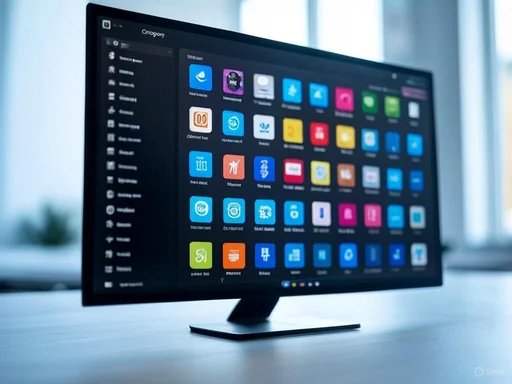
 Overview of the New Layout
The upcoming Start menu layout, "Category," resembles the app library seen in iOS. This organizational shift will allow users to find their applications more conveniently by grouping them according to specified categories. This kind of intuitive sorting aligns with the modern needs of users who routinely juggle multiple applications and require swift access to their preferred tools. The latest update has integrated proper tooltip support for application icons under this new layout. In this context, tooltips are pop-up descriptions that reveal an app's name when users hover over an icon, enhancing accessibility especially for users who may be unfamiliar with specific icons.
Improved Categorization
In this new organizational scheme, Microsoft is expected to categorize applications in alignment with the existing categories in the Microsoft Store. According to sources like Twitter user @phantomofearth, the changes appear to reflect a fine-tuning of how applications are grouped, incorporating 29 distinct categories such as Games, Travel, Security, Music, and many more. Users can find documentation regarding this categorization in the file path: C:\Windows\SystemApps\MicrosoftWindows.Client.Core_cw5n1h2txyewy\StartMenu\Assets\AllAppCategoryMappings.json. This organizational shift could considerably simplify the user experience by allowing immediate visual recognition of where an application is categorized without having to conduct manual searches across the menu.
Implications for User Experience
The implications of the Category layout extend beyond mere aesthetics and organizational structure. By providing clearer categorization, Microsoft is likely aiming to enhance the workflow for power users—those who rely heavily on multiple applications in their day-to-day activities. This change can also help streamline productivity by minimizing time spent locating the required apps, which is a common pain point for personal and professional users alike. Despite these improvements, the Category view is reportedly not fully operational. Users have encountered quirks, including a current inability to expand categories to access a wider array of applications housed within. Microsoft is expected to address these bugs in future updates, as this is only the first iteration of what seems to be an ongoing development effort.
Ongoing Development and Future Features
As of now, the incorporation of the Category view in Windows 11’s Start menu remains under experimentation. Microsoft has not made any formal announcements or acknowledgments regarding how applications installed outside of the Microsoft Store will be categorized. This uncertainty leaves enthusiasts and testers speculating about the logistic aspects of overall categorization—whether third-party applications will hold categories and if users will have any control over how their programs are classified. Nevertheless, engaging with the preview builds offers community members a unique opportunity to experience evolving functionality, give feedback, and potentially shape the final product.
Historical Context and User Feedback
Historically, the Windows Start menu has undergone numerous transformations since its inception with the launch of Windows 95. Each iteration has brought new features and changes, shaped by evolving user expectations and technological advancements. From the tiled layout of Windows 8 to the more streamlined designs in Windows 10 and Windows 11, Microsoft's commitment to enhancing user experience has been evident. User feedback has consistently pushed Microsoft to reconsider the accessibility and customization of the Start menu. The introduction of the Category layout comes in response to perpetual requests for improved organization tools and ease of access. Observing community reactions to the new updates could provide insight into future enhancements and features Microsoft may pursue based on user engagement and critiques.
Community Implications
For the WindowsForum.com community and other Windows enthusiasts, the upcoming changes provide not just a window into Microsoft’s design motivations but also a preview of potential customization and usability improvements. Efforts to engage with the new layout should be encouraged as user interaction will ultimately dictate how successful these changes will be. The discussion around the effectiveness of these features will likely spur further insights about the overall user experience on Windows 11. Community members sharing their reviews and insights on these updates can help fellow users adapt to changes and offer constructive feedback to Microsoft, keeping the cycle of improvement alive.
Conclusion
Microsoft's development of the new Category view for the Start menu signals a move toward improved organizational tools and usability in Windows 11. As the beta builds showcase these enhancements, users are encouraged to explore and provide feedback, fostering a collaborative relationship between developers and the community. The changes, while still in early stages, hint at a future where accessing applications is more intuitive and streamlined, reflecting broader trends in user-centered design. With the insights shared by community members, Microsoft’s path forward could be shaped significantly, ensuring that user needs remain at the forefront of their operating system advancements. For more detailed information about the new Start menu layout and ongoing updates, be sure to watch the Windows Insider program announcements and community discussions. Source: Windows 11 Start menu is getting a new layout and Microsoft is adding improvements to it