
That gap matters for anyone relying on Gemini for code review, PowerShell automation, log analysis, or policy-sensitive writing. A router that chooses the model per message can make routine chats quicker and preserve access to a premium model. It can also put a lightweight model behind a prompt that looks simple on its face but depends on a complicated conversation, an attached CSV, or a prior debugging trail.
The evidence supports a narrower conclusion: Google has an established model-routing system in Gemini CLI, and a setting resembling it may be reaching Gemini’s consumer interface. Google has not publicly confirmed that the switch is broadly available in the Gemini app, nor explained how it behaves there.
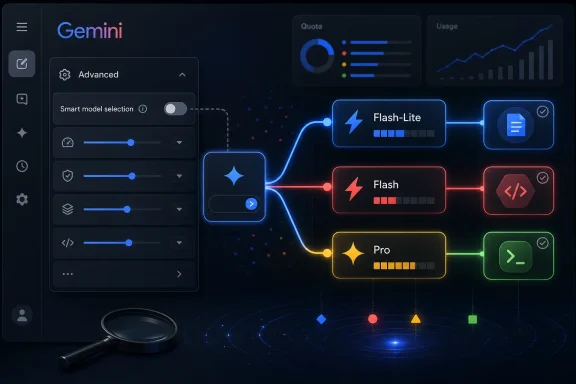 The reported toggle is real evidence of a UI experiment, not a documented product commitment
NPowerUser published a screenshot of a Gemini “Usage limits” page with an Advanced settings section and a disabled “Smart model selection” toggle. The description under the control says it chooses the right model “so you can use Gemini longer.” The screenshot also shows separate current and weekly usage indicators, plus an AI Ultra upsell.
That is meaningful evidence that at least one account saw such a setting. It does not establish a general release.
The report gives no Google announcement, Help Center page, release-note entry, account type beyond the screenshot’s “Pro” badge, country, browser build, Gemini app version, rollout percentage, or explanation of whether the change is experimental. Its claim that the setting is off by default is also supported only by that one captured account state. There is no public mechanism in the image to determine whether Google is testing the control with a limited cohort, enabling it only in a particular region, or presenting it under a subscription-specific experiment.
A handful of Gemini community posts published around the same time say users either cannot see the setting or cannot tell whether it is routing properly. Those posts should be treated as user reports, not verification: they do not identify the responding model, and Gemini’s UI can display a selected model even when background systems perform fallback or capacity handling.
The practical point is simple: an option appearing in a settings screen is not the same thing as a fully specified service change. Google needs to say which model families can be selected, what happens when a Pro quota is exhausted, whether a user can override the router per prompt, and whether conversations containing files, code repositories, or connected Google Workspace data are handled differently.
Google already uses the same idea in Gemini CLI
The underlying concept is not speculative. Google’s own Gemini CLI documentation describes Auto routing as the default behavior for the command-line coding assistant. Its documented policy first classifies a prompt as simple or complex. Simple prompts go to Gemini 2.5 Flash; complex prompts go to Gemini 3 Pro when it is enabled, otherwise Gemini 2.5 Pro.
Google also provides a separate Pro routing option in Gemini CLI for users who want the most capable available model prioritized. Earlier experimental documentation for the CLI was even more explicit about the goals: lower latency for small requests and less consumption of Pro quota, with an override available when users need to force a specific model.
So the central technical claim in the NPowerUser report is credible in principle. It closely resembles a routing system Google has already tested and documented for developers. The unverified part is the extension of that behavior to the consumer Gemini web or mobile app through a setting called “Smart model selection.”
There is an important difference between those two environments. Gemini CLI exposes command-level model controls and diagnostics such as model selection and usage statistics. A consumer-facing setting would need a clearer audit trail because the work is often less disposable. An IT administrator comparing two versions of a script, for example, needs to know whether Gemini Pro performed the reasoning or whether a Flash-class model generated a fast first pass.
Google’s current Gemini Apps help page still describes the normal workflow as manual selection: tap the model name below the prompt box and choose the model. The same page distinguishes Flash-Lite as an efficient model for summarization and brainstorming, Flash as the balance of speed and reasoning, and Pro as the stronger option for complex mathematics and coding. It says subscribers who hit a limit can continue chats with Flash-Lite.
That documentation explains fallback after a limit. It does not describe pre-emptive automatic routing in the consumer app.
The quota claim deserves more scrutiny than the report gives it
The strongest sales pitch for Smart model selection is that it could stretch a paid plan’s usage allowance by keeping trivial prompts off Pro. Google’s published subscription comparison does advertise higher usage access for Google AI Pro and Google AI Ultra, with Pro listed at four times the free-tier allowance in the United States and Ultra at substantially higher levels.
But Google does not publish a simple fixed token ledger for consumer Gemini plans. The NPowerUser article describes “hourly usage caps,” while the screenshot accompanying it displays a current usage bar and a weekly limit. Those are not the same thing. Google’s own public plan pages emphasize relative access levels and changing limits, not a guaranteed amount of Pro compute saved for each Flash-routed message.
That makes promised “significantly longer” sessions an inference, not an established benefit. Savings will depend on how Google scores each request, the account’s available model access, current capacity, tool use, attached files, and whatever undisclosed limits apply to a plan in a given country.
For paid customers, the more consequential unanswered question is whether routed Flash and Pro requests draw from separate buckets. Gemini CLI documentation shows that model availability and fallbacks can change when a daily Pro limit is reached. The apparent consumer screenshot, by contrast, shows current and weekly usage but does not disclose how a routed request is counted. A user cannot meaningfully optimize their use of a feature when the feature does not identify the model used or the quota it consumed.
Automatic routing can be useful, but it weakens reproducibility
For personal use, automatic selection is a reasonable default. Asking Gemini to reformat a paragraph, extract dates from an email, or summarize a meeting transcript does not normally justify waiting for the slowest and most expensive reasoning path. Fast responses make the chat interface feel less burdensome, and preserving premium capacity for a difficult debugging session is an obvious upside.
For professional work, the risk is not that Flash-class models are inherently unsuitable. The risk is hidden variability.
A short prompt can carry a large amount of implicit context. “Why did the deployment fail?” may refer to a conversation that includes an IIS configuration, an Event Viewer export, a Windows Update error code, and a failed Intune remediation script. A router evaluating only the latest message could classify it incorrectly. Conversely, sending every mundane follow-up to Pro wastes scarce capacity.
Until Google provides a response-level model indicator, users will have no dependable way to distinguish a bad answer caused by the underlying model from one caused by the routing decision. That is a problem for repeatable testing. If a generated PowerShell command behaves differently on a second run, the operator should be able to establish whether the prompt, source context, available tools, model version, or selected model changed.
The safest operating practice remains manual control for work where model capability and output provenance matter. Select Pro before submitting complex code, incident-analysis, architecture, security, or large-file tasks. Use Flash or Flash-Lite deliberately for disposable summaries, rewrites, and formatting. Do not assume a setting described as “smart” will recognize the difference every time.
What Gemini users should watch for next
The report is worth monitoring because it points to a consumer-facing version of a feature Google already supports in Gemini CLI. But as of August 5, the available record does not substantiate a broad “official rollout” to Gemini Advanced subscribers. Google now brands its paid tiers as Google AI Pro and Google AI Ultra, and its consumer documentation continues to instruct users to choose a model manually.
The real milestone will be a Google Help Center update or Gemini release note that states the eligible plans, countries, models, quota accounting, override behavior, and whether each answer identifies the model that generated it. Until then, Smart model selection is best treated as an apparent limited test—not a quota-management tool Windows professionals should build their workflow around.
