
The August 1 report from Abab News attributes the observation to Sottiaux and frames it as a warning about ever-growing interface complexity. Sottiaux’s role is real: OpenAI has described him as the technical staff member leading Codex, and Wired reported in June that he had moved into a broader role overseeing core products including ChatGPT and Codex. The exact Gmail remark, however, does not appear in an accessible OpenAI post, interview transcript, or public social-media record that could be independently checked. The report’s additional wording that “OpenAI is part of Slack” is plainly wrong as written; OpenAI is not owned by Slack.
That leaves the quote as a single-source anecdote. Yet the underlying complaint is well supported by Google’s own documentation — with one important correction. Gmail’s upper-right controls are increasingly account-specific, plan-specific, and rollout-specific, so two people opening Gmail can legitimately see different buttons, while a returning user can see a button disappear as easily as one appears.
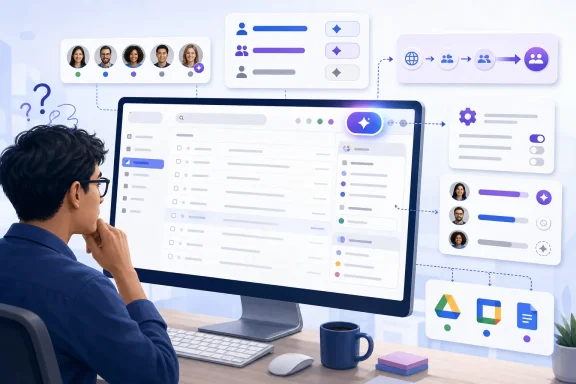 Gmail’s Top-Right Corner Is Now an AI Entry Point
Google has spent the past two years moving Gmail from a mail client with optional AI helpers toward what it calls a “personal, proactive inbox assistant.” In January, Google announced AI Overviews for Gmail search, AI-powered summaries, writing assistance, and an AI Inbox designed to prioritize messages. Those features sit alongside existing Gmail controls rather than replacing the core inbox model in one clean transition.
The visible result is the Ask Gemini control, commonly placed at the top right of Gmail’s desktop interface. Google’s Gmail help documentation says the button opens a Gemini side panel capable of searching mail, summarizing threads, drafting or revising messages, finding information in Google Drive, and retrieving Calendar details. For eligible accounts, the side panel can also reach approved third-party services through Workspace integrations.
For IT administrators, this is not merely another shortcut. A top-right Gemini button opens an interface that can search across user content, create responses, and in some configurations call into connected services. That makes its presence a practical signal that the account is entitled to a particular Workspace capability and that the relevant admin settings are enabled.
Google’s own language reveals why interface consistency is becoming harder to preserve. It describes the Gemini control as usually found in the upper-right corner of a Workspace app, not universally present there. Gmail’s presentation is no longer driven only by browser size, accessibility settings, or a user’s choice of Compact versus Default density. Licensing, geography, language, experiment enrollment, administrator controls, and staged feature rollout all influence what appears.
Google Is Also Removing the Button It Added
The most revealing detail is buried in Google’s current Gmail help pages: U.S. Google AI Pro and Google AI Ultra subscribers may no longer see Ask Gemini in Gmail or be able to open the traditional Gmail Gemini side panel. Google says it is making AI easier to use “directly in Gmail” and points users toward inline experiences such as AI Overviews and Help me write.
In other words, the new-button phenomenon is not a one-way expansion. Google is shifting some AI functions from a prominent, general-purpose side-panel entry point into narrower controls embedded in search, message composition, and email-reading workflows.
That can reduce visible chrome for some people. It can also make feature discovery and support more difficult. A help desk technician troubleshooting “Where did the Gemini button go?” may be dealing with an intentional product migration rather than a browser extension problem, an expired subscription, or an administrator policy change. Conversely, a user who suddenly sees Ask Gemini may have gained access through a Workspace edition, an enabled beta, or a staged deployment — not necessarily because Gmail rolled out the same change to everyone.
Google has not published one authoritative, user-facing matrix that maps every Gmail AI entry point to every combination of Workspace edition, consumer plan, country, language, and experimental program. Its feature tables identify broad entitlement categories, while separate help pages qualify availability and note ongoing changes. The ambiguity is manageable for product teams shipping features incrementally, but it is costly for organizations expected to explain inconsistent interfaces to employees.
The Real Problem Is Context Switching, Not Button Count
Sottiaux’s reported complaint lands because a mail inbox is used differently from a feature-rich productivity suite. Email is typically a triage environment: scan, classify, reply, archive, search, and leave. Controls that support that rhythm are learned through repetition, often as muscle memory.
The upper-right Gmail area now has to carry product-wide navigation, settings, Google account controls, Workspace add-ons, and AI access. Google has also made Gmail a hub for Chat, Spaces, and Meet through its integrated Workspace layout. Each individual addition can be defensible. Together, they ask users to continuously re-evaluate where the service wants them to work.
The more material issue is that AI controls have a different behavioral weight from a settings gear or an app launcher. Clicking a Gemini entry point can invite an assistant to summarize messages, search the mailbox in natural language, draft correspondence, or pull context from Drive and Calendar. Those are powerful actions, but they are not interchangeable with reading and replying to mail.
For Windows users and administrators, the parallel is familiar. Microsoft has added Copilot entry points across Windows, Edge, Microsoft 365, and Outlook, and Google is pursuing its own version of the same strategy in Gmail and Chrome. The competition is no longer only about whether an assistant can perform a task. It is about whose button becomes the default place users turn when they encounter work.
That produces an incentive to keep the assistant visible. A feature placed under a menu is less likely to be used, measured, and improved. A feature placed next to settings becomes part of the product’s daily visual vocabulary. The trade-off is that each new entry point competes with the simple, high-frequency task that brought the user to the app.
What Gmail Administrators Should Check
Organizations should treat Gmail’s AI interface changes as a configuration and communications issue, not a cosmetic one. Google’s documentation makes clear that availability can depend on an eligible Workspace plan, smart-feature settings, Gemini beta access, and administrator enablement of third-party integrations.
A short operational check is more useful than telling employees that Gmail has “a new button”:
- Confirm which Google Workspace edition each user population has, because Gmail AI features are not available uniformly across Business, Enterprise, Frontline, and consumer accounts.
- Review the organization’s smart-feature and Gemini settings before interpreting a missing or newly visible AI control as a client-side fault.
- Decide whether third-party Gemini integrations are permitted, since the Gmail side panel can connect to services including Asana, Mailchimp, and Salesforce when an administrator enables that capability.
- Update internal screenshots and training material, because the Ask Gemini side panel is being deemphasized for some Google AI Pro and Ultra users in favor of in-product AI features.
- Test with representative accounts rather than a single administrator account, especially where users are spread across licenses, countries, and early-access programs.
Google says personal email content is not used to train its foundational Gemini models and that Gemini processes mailbox data for specific requested tasks. That statement addresses an important privacy concern, but it does not eliminate the operational need to control which AI features users can invoke and which connected sources they can access.
The reported Sottiaux remark is best read less as proof that Gmail has lost control of its interface and more as a symptom of how modern productivity software now changes. The top-right corner is becoming a rotating door for AI capabilities, entitlement signals, and product experiments. For users who just want to clear an inbox, the most frustrating part is not one additional button — it is never knowing whether that button is permanent, relevant, or already on its way out.
