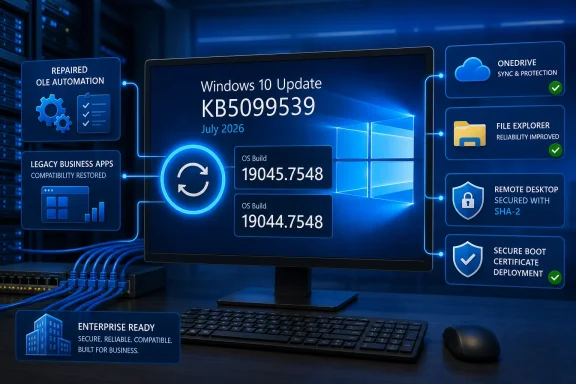
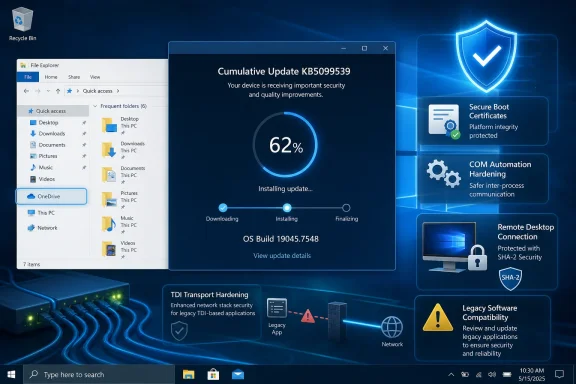
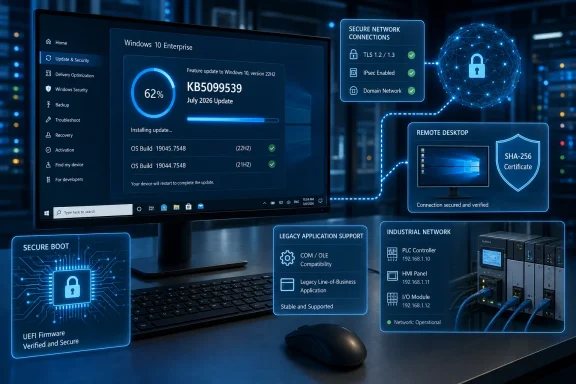
As reported by Windows Report and detailed in Microsoft’s support documentation, KB5099539 applies to Windows 10 systems still covered through the Extended Security Updates program, Windows 10 Enterprise LTSC 2021, and Windows 10 IoT Enterprise LTSC 2021. Windows 10 22H2 reached the end of free support on October 14, 2025, so ordinary consumer installations must be enrolled in ESU to receive this release.
Microsoft currently lists no known issues for KB5099539. That is the company’s status at release, however, rather than a guarantee that no deployment problems will emerge as the update reaches a broader mix of hardware and business applications.
 June’s OLE Automation Regression Gets Repaired
One of the most consequential fixes targets OLE Automation behavior introduced by the June 2026 security update. Applications using
IDispatch::Invoketo call COM methods could fail when multiple
BYREFparameters shared the same underlying storage.
The fault could produce parameter-marshaling errors or failed automation calls, making it particularly relevant to businesses running older line-of-business software, Microsoft Office integrations, scripting tools, or applications built around COM interoperability. KB5099539 changes how parameter ownership is handled and is intended to restore the expected application behavior.
This is more than a cosmetic correction. OLE and COM remain deeply embedded in Windows business environments, even when the user-facing application appears modern. Administrators who encountered unexplained automation failures after installing June’s update should prioritize validation of KB5099539 against the affected workflow.
Microsoft has also fixed a File Explorer problem involving OneDrive. The OneDrive shortcut could stop working when File Explorer was launched with administrative privileges, an unusual but legitimate scenario for troubleshooting and file-management tasks requiring elevation.
A separate Recycle Bin fix corrects the permanent-deletion confirmation dialog. In affected cases, Windows displayed an internal Recycle Bin file name rather than the file’s original name, making it harder for users to verify exactly what they were about to erase.
Networking Hardening Could Break Legacy Transports
The change with the greatest potential to disrupt specialized systems is Microsoft’s enforcement of Transport Driver Interface registration requirements. After KB5099539 is installed, applications using sockets over an unregistered third-party TDI transport may stop working.
Registered transports are unaffected. The risk is concentrated around older security products, networking utilities, industrial software, and other specialized applications that still depend on legacy third-party transport components without the required registration.
TDI itself belongs to an older generation of Windows networking architecture, but unsupported or highly customized environments can preserve dependencies long after mainstream applications have moved on. Organizations with Windows 10 LTSC machines attached to manufacturing equipment, laboratory systems, or proprietary network appliances should test the update rather than assume those systems use only standard Microsoft networking components.
A sensible deployment check should include:
- Administrators should identify applications that install third-party network filters, transport drivers, or socket providers.
- Pilot devices should be tested for application connectivity after KB5099539 is installed and restarted.
- Event logs and vendor documentation should be reviewed if a specialized application loses network access.
- Unsupported transports should be registered correctly or replaced rather than relying on the previous permissive behavior.
The update also changes how Windows unregisters and cleans up hotkeys. Microsoft warns that, in rare cases, built-in Windows experiences relying on the previous hotkey lifecycle may temporarily stop responding to certain keyboard shortcuts.
Restarting the affected application should normally restore the shortcut. If it does not, Microsoft recommends reporting the behavior through Feedback Hub. This is documented as an effect of the new cleanup behavior, not as a known installation failure.
RDP Trust Moves Further Away From SHA-1
KB5099539 adds support for SHA-2 certificate thumbprints for trusted Remote Desktop publishers. SHA-1 remains available for backward compatibility, but Microsoft says it is planned for removal and recommends moving to SHA-256 or a stronger algorithm.
Trusted publisher controls help organizations decide which
.rdpfiles users can open without exposing them to unnecessary prompts or untrusted Remote Desktop destinations. Because malicious RDP files can be used in phishing and social-engineering campaigns, the trust configuration is a security boundary rather than a simple convenience setting.
Administrators should review Group Policy objects that define trusted RDP publishers and check whether existing entries rely on SHA-1 certificate thumbprints. SHA-1 support is now a migration dependency, not something enterprises should expect Microsoft to retain indefinitely.
Microsoft has published updated guidance for controlling RDP file security through Group Policy. Organizations that distribute signed
.rdpfiles internally should update their signing and publisher-trust processes together, avoiding a situation where SHA-1 is removed before replacement thumbprints have reached managed endpoints.
Secure Boot Certificate Delivery Continues
The July update also expands Microsoft’s Secure Boot certificate deployment work. KB5099539 enables dynamic Secure Boot status reporting in the Windows Security app and adds what Microsoft describes as high-confidence targeting data for more devices eligible to receive replacement certificates automatically.
This work is tied to the expiration of Secure Boot certificates used across much of the Windows ecosystem beginning in June 2026. Microsoft has been delivering newer certificates to consumer PCs and non-managed business devices through Windows Update, with deployment continuing in stages.
Microsoft says systems that have not yet received the replacement certificates will continue to boot and install standard Windows updates. Even so, administrators should not treat the transition as optional housekeeping. Secure Boot certificates underpin trust during the startup process, and managed fleets need visibility into which devices have received the new material.
The new reporting in Windows Security should make status checks easier on individual PCs. Larger organizations should continue following Microsoft’s Secure Boot deployment guidance and test updated installation media, recovery environments, and imaging workflows.
Microsoft also warns administrators servicing offline Windows images to ensure that the matching
boot.stlfile is present in installation media. Omitting that file while applying dynamic updates can prevent the media from starting correctly and produce error
0xc0430001.
Windows 10 Servicing Now Depends on Eligibility
KB5099539 is available through Windows Update, Windows Update for Business, Windows Server Update Services, and the Microsoft Update Catalog. The package includes servicing stack update KB5104021, bringing the Windows 10 servicing stack to version 19041.7546.
For most eligible online systems, Windows Update will manage the servicing-stack requirement automatically. Administrators maintaining old offline images or using WSUS with machines several years behind should review Microsoft’s prerequisite instructions before attempting deployment.
The distinction that matters in July 2026 is that Windows 10 22H2 is no longer universally serviced. A PC merely reporting version 22H2 does not automatically qualify for KB5099539; it must have valid ESU coverage or belong to a supported LTSC channel.
Windows 10 Enterprise LTSC 2021 remains supported until January 12, 2027, while Windows 10 IoT Enterprise LTSC 2021 has a substantially longer lifecycle extending into 2032. Windows 10 21H2 support otherwise ended years ago, making the 19044.7548 build primarily relevant to supported LTSC editions rather than standard Home or Pro installations.
For administrators, the immediate priority is to test the OLE repair against applications affected by June’s update, inspect legacy networking dependencies, and begin replacing SHA-1 thumbprints in RDP trust policies. For ESU users, KB5099539 is another reminder that Windows 10 security servicing continues—but now only through explicitly supported channels.
Update: Consumer Windows 10 ESU coverage extended through October 2027 (July 15, 2026)
Microsoft has extended the consumer Windows 10 Extended Security Updates program by another year, moving its end date from October 2026 to October 12, 2027. Existing ESU subscribers reportedly retain coverage automatically, while enrollment remains available through Windows Update.
The extension means eligible Windows 10 22H2 consumer PCs can continue receiving cumulative security updates such as KB5099539 for two years after free support ended. Enrollment is free when users synchronize PC settings with a Microsoft account; alternatives include redeeming 1,000 Microsoft Rewards points or paying a one-time $30 fee. One enrollment covers up to 10 devices.
KB5099539’s Microsoft Update Catalog package is approximately 1,067MB. The offline installer still requires active ESU entitlement and will not provide a workaround for unsupported Windows 10 installations. Administrators deploying the package to significantly outdated systems should also verify servicing-stack prerequisites before installation.