
SOC Prime summarized the campaign on August 26, but the underlying technical account was published by Enki WhiteHat on August 20 and describes activity against South Korean and Japanese targets during the first half of 2026. The important operational detail is not merely that Kimsuky used legitimate tools: the attackers built several overlapping ways back into a Windows machine, combining a scheduled task, browser-based theft, Chrome Remote Desktop, and AnyDesk.
That design changes the response priority. Removing a suspicious browser extension or killing an AnyDesk process may leave the scheduled downloader alive; removing a task may still leave an attacker-bound remote-desktop installation behind. Administrators need to investigate the full persistence set on a device rather than treating each artifact as a separate low-severity alert.
 The shortcut is the first visibility problem
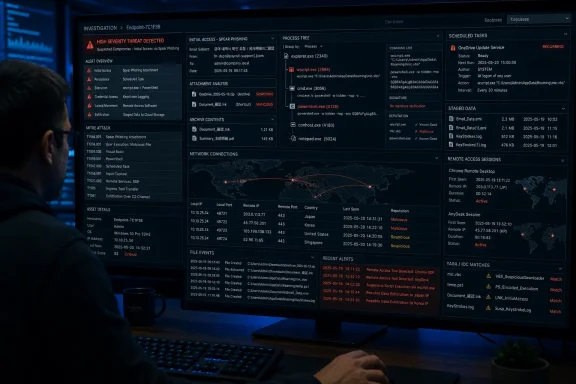
According to Enki WhiteHat, the campaign began with spear-phishing messages containing OneDrive share links that led victims to archives containing malicious LNK files. The shortcut execution chain launched obfuscated Visual Basic code, which created a bot.vbe script in the user profile and contacted attacker-controlled infrastructure for PowerShell instructions.
The initial PowerShell payload then created a scheduled task named Chrome_Update. Enki WhiteHat recorded it launching wscript.exe against the VBScript under the current user’s AppData path every 15 minutes. That task is more consequential than its generic name suggests: it gave the operator a recurring mechanism to pull down different scripts over time, allowing the post-compromise activity to change without sending a new phishing message.
Windows itself contributes to the social-engineering advantage. Enki WhiteHat notes that File Explorer does not display .lnk extensions even when the file-name-extension option is enabled; the shortcut arrow on the icon is the more reliable visual clue. This is longstanding Explorer behavior, not a newly discovered Windows flaw, but it remains effective camouflage when a shortcut is named after a PDF, invitation, or briefing document.
For enterprise defenders, blocking every LNK file is rarely a realistic policy, especially where legacy workflows rely on shortcuts. The more useful control is to make Internet-originated archives, OneDrive-delivered files, and shortcuts that launch script interpreters visible to endpoint detection tooling. A user opening a shortcut should not quietly become a wscript.exe process followed by PowerShell network activity without generating a reviewable process tree.
A 15-minute task can deliver several payloads
The scripts Enki WhiteHat recovered had separate collection roles. One profiled the host and its installed security software, wrote the results to C:\Users\Public\Music\aaa.tmp, encoded the data, and sent it to the command-and-control server. Others collected locally stored Thunderbird and Outlook messages, while a PowerShell keylogger compiled embedded C# in memory and wrote captured keystrokes to %AppData%\Microsoft\ttmp1.log.
The Outlook collection script is particularly useful for incident scoping because Enki WhiteHat says it targeted messages sent or received from January 1, 2026 onward, saving message content and metadata separately from attachments under C:\Users\Public\Music\mail\. Thunderbird collection was more volume-limited, with recent inbox and sent-mail data written beneath C:\Users\Public\Music\Inbox\ and C:\Users\Public\Music\Sent\.
Those paths are not proof of compromise on their own. Public folders are used by legitimate applications, and an organization should not alert simply because a file exists under C:\Users\Public\Music. The meaningful signal is the combination: a newly created scheduled task, wscript.exe or PowerShell executing from a user-writable location, staging files in Public Music, and outbound traffic from the script chain.
Microsoft’s Defender XDR advanced-hunting documentation confirms that process and network telemetry can expose the fields needed for that correlation, including process command lines, parent processes, remote URLs, remote IP addresses, and file origin data. A targeted hunt should prioritize recent schtasks.exe activity creating tasks that invoke wscript.exe or powershell.exe, then pivot to the child process command lines and any downloads or outbound connections.
Chrome Remote Desktop was used as an attacker-controlled service
Enki WhiteHat found a script that downloaded the official Chrome Remote Desktop host installer to C:\Users\Public\Music\1.msi, along with a batch file from attacker infrastructure. The report says the batch file used fodhelper.exe and per-user registry changes involving the ms-settings handler to run elevated without displaying a User Account Control prompt, then installed and bound Chrome Remote Desktop to operator-supplied credentials.
This is the campaign’s sharpest lesson for Windows fleets: a valid Google-signed installer can still be evidence of compromise when its installation context is wrong. Traditional antivirus decisions centered on reputation or signature status are insufficient when the attacker is deliberately downloading software that administrators and users are expected to trust.
MITRE ATT&CK categorizes Chrome Remote Desktop and AnyDesk under remote desktop software because such products offer an interactive control channel that blends into normal support activity. The problem is not that either product is inherently unsafe. It is that an unapproved deployment bypasses the normal ownership trail: the IT ticket, device-management record, approved administrator account, and documented remote-access policy.
Enki WhiteHat’s captured script also checked whether Chrome Remote Desktop had installed by collecting a listing of C:\Program Files (x86)\Google and uploading the result. That provides a practical scoping cue: the presence of Chrome Remote Desktop should be compared against an approved-software baseline, and its installation time should be aligned with process, task-creation, and registry telemetry.
AnyDesk made the access redundant
The AnyDesk component was not a generic download-and-run sequence. Enki WhiteHat reported that a batch script retrieved supporting files from a separate command-and-control server, including a VBScript, a PowerShell script intended to run and hide AnyDesk, the legitimate AnyDesk executable, and files containing its configuration material.
That second remote-control route matters because it reduces the value of an isolated cleanup action. If an analyst removes Chrome Remote Desktop but does not identify the scheduled delivery mechanism or the AnyDesk files placed under %AppData%\Microsoft\Windows\, the operator may retain access. Conversely, uninstalling AnyDesk may not stop the PowerShell task from reinstalling it or delivering a different tool.
The report also says the attackers rotated command-and-control systems and abused compromised South Korean servers as infrastructure. That makes static IP blocking a short-term containment measure, not a complete defensive strategy. Detection should center on the behavior the infrastructure supports: script interpreters launched from user-writable directories, persistence through scheduled tasks, unexpected remote-access software, and browser extensions with anomalous permissions.
Browser extensions are part of the endpoint scope
Enki WhiteHat also recovered a malicious Chrome extension intended to collect Gmail data. Its researchers pointed to Korean comments, debug strings, and Unicode emoji as signs that generative AI may have assisted development. That observation is interesting but should not be overread: it is an assessment about code-writing style, not independent proof of a particular AI service or a new Kimsuky capability.
The operational fact is more direct. A malicious extension can access browser data and webmail while a separate Windows persistence chain keeps the attacker on the device. The campaign therefore crosses a boundary that many organizations still preserve between endpoint response and browser administration.
Microsoft’s browser-management guidance shows that managed extension policies can block all extensions except those on an allow list, and Microsoft Defender Vulnerability Management can inventory extensions across Chrome, Edge, and Firefox. Organizations that permit browser extensions broadly should at minimum establish a baseline of approved IDs and permissions, then review extensions requesting broad site access, including permissions such as <all_urls>.
What to check before closing an alert
A credible response to this activity should examine a compromised Windows system as a connected set of persistence and collection mechanisms:
- Review scheduled tasks, especially recently created tasks with generic names that launch
wscript.exeor PowerShell from AppData, Public, or other user-writable directories. - Inspect process histories for
schtasks.exe,wscript.exe,powershell.exe,fodhelper.exe, and remote-access installers occurring in the same user session or time window. - Compare Chrome Remote Desktop and AnyDesk installations against approved deployment records, then preserve installer, configuration, and execution evidence before removal.
- Check Chrome extensions for unapproved IDs, unexpected broad permissions, and evidence of access to webmail accounts.
- Scope data exposure by looking for staged mail and keystroke artifacts, including the Public Music locations identified in Enki WhiteHat’s analysis.
The immediate takeaway is simple: a legitimate remote-access binary is not a benign event when the attacker installed it. For Windows defenders, the most valuable detection is the chain connecting the disguised shortcut, scheduled script execution, local data staging, and an unapproved remote-control channel.
