
The timing is especially damaging because LG is simultaneously responding to a separate smart-TV app-store problem. Security researchers found that more than 42% of downloadable apps in LG’s webOS catalog included residential proxy software development kits, potentially enabling third parties to route traffic through a household’s TV connection. LG has said that apps retaining the residential-proxy function will be suspended. KrebsOnSecurity
Neither story means every LG monitor is unsafe, every LG television is a proxy node, or that McAfee was silently installed on every affected PC. But together, they illustrate how quickly consumer hardware can become a vehicle for advertising, platform monetization, and network activity that owners neither expected nor meaningfully controlled.
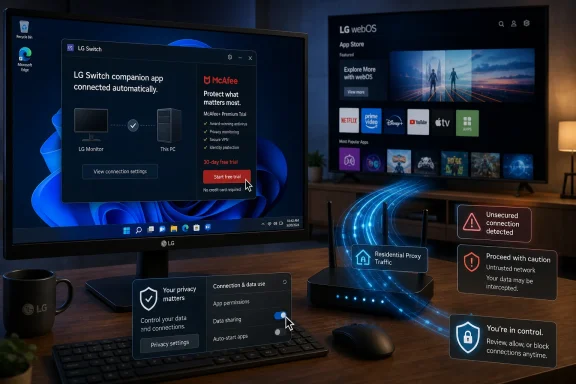 The LG Monitor App Installer Controversy
Reports from Windows users described a straightforward but unsettling sequence: attach an LG monitor, let Windows identify the hardware, and an LG companion application appears through the Windows distribution process. The app’s purpose is ostensibly functional—helping users access display-related settings and features—but its visible introduction to many users was a promotion for a McAfee antivirus trial rather than a monitor-control interface. Tom’s Hardware
That distinction matters. A monitor utility is not inherently suspicious. Modern displays can offer firmware updates, input management, color profiles, split-screen controls, USB hub configuration, lighting controls, and gaming modes. Companion software can be useful when it clearly explains what it does, asks to be installed, and remains focused on the purchased product.
The objection is that the LG app was reportedly installed without an obvious user-facing approval step and then used to deliver a commercial message unrelated to operating the display. Users did not buy a McAfee trial when they purchased an LG monitor. They bought a monitor.
An ad is not the same as an installation—but it is still a problem
LG’s position, as reported by multiple outlets, is that McAfee itself was not automatically installed and would require an explicit affirmative action from the user. LG also maintained that the monitor app was distributed through Microsoft’s official Windows process and did not collect or transmit personal data. TechRadar
That clarification is important and should not be discarded. There is a meaningful technical and security difference between:
- A software package being silently installed.
- A companion app being automatically installed.
- An app displaying an offer that requires a further click to install another product.
- A third-party security suite being installed without any user action.
Based on LG’s statement, the reported behavior involved the second and third scenarios, not necessarily the fourth. But the distinction does not resolve the underlying trust problem. A user can reasonably reject the idea that an automatically delivered device utility should create advertising prompts on a desktop—especially when the prompt is for software that has no necessary connection to display operation.
The more accurate description is therefore not that LG automatically installed McAfee on every affected Windows PC. It is that LG’s automatically distributed monitor companion app displayed McAfee promotional pop-ups, turning a hardware-support channel into a marketing channel.
Why Windows Allowed the App to Arrive in the First Place
The technical pathway behind the incident is not an obscure malware trick. It is part of a documented Windows capability built for hardware manufacturers.
Microsoft’s device-app documentation explains that manufacturers can configure a Universal Windows Platform device app to install automatically when a peripheral is first connected. The process can retrieve device metadata, download relevant drivers where necessary, and then acquire the associated application. Microsoft explicitly notes that this automatic installation feature does not provide a notification to the user, warning developers that users may find the experience confusing or frustrating. Microsoft Learn
In practical terms, the path looks like this:
- A peripheral device, such as a monitor, is connected.
- Windows identifies the hardware and retrieves associated metadata.
- Windows checks for any linked drivers or app packages.
- An associated device app can be installed for the signed-in user.
- The user may only notice once the app appears in the Start menu, startup list, notifications, or on-screen prompts.
Microsoft documents this as a convenience feature. It is meant to make hardware work better without requiring every owner to hunt through vendor support pages or navigate the Microsoft Store manually. Microsoft Learn
The convenience argument has limits
There is a sensible case for automatic device integration. A printer app may expose maintenance settings. A camera app may surface firmware features. A display utility may make it easier to update firmware or adjust on-screen settings without reaching for physical buttons.
However, automatic installation is only defensible when it follows a narrow principle: the software should be necessary, proportionate, and clearly connected to the device’s core function.
An app that lets an owner select a refresh rate mode or configure a USB-C hub has a direct relationship to a monitor. An app that interrupts the desktop with antivirus promotions does not. The moment a device companion app becomes an advertising surface, it changes the user’s understanding of what Windows is doing on their behalf.
Microsoft’s own documentation recognizes the friction. It says automatic device-app installation happens silently in the background and can occur later if the PC was offline or the user was not signed into the Microsoft Store at initial setup. It also states that the app must be manually uninstalled separately from the driver and device metadata. Microsoft Learn
That last detail is significant. A user who removes an LG monitor or changes a cable may still need to independently locate and uninstall the companion application. The hardware relationship ends, but the software relationship may remain.
Microsoft’s Intervention Solves the Immediate Symptom, Not the Policy Gap
Microsoft’s response was fast once the issue gained wider visibility. After public complaints, including a post that drew attention from Epic Games CEO Tim Sweeney, Pavan Davuluri said Microsoft had connected with LG and that LG agreed to disable the McAfee pop-up. Windows Central
That is a welcome outcome for affected monitor owners. The McAfee promotion was the most visible and aggravating part of the experience, and its removal should stop the recurring pitch that sparked the backlash.
Still, the response leaves several broader questions unanswered.
The monitor app itself may remain
The reported immediate remedy was to disable the McAfee promotional pop-up, not necessarily to end automatic distribution of the LG Monitor App Installer. That means Windows users may still receive the application after connecting qualifying hardware, even if the app no longer advertises McAfee. TechRadar
For many users, that is still not acceptable. A display should work as a display through standard operating system support. Optional utility software should be presented as optional.
The better user experience would be simple:
- Windows installs the driver required for basic operation.
- Windows shows a non-intrusive notice that an optional LG utility is available.
- The user chooses whether to install it.
- The utility is prohibited from using device-setup privileges for unrelated advertising.
That design preserves useful hardware integration while restoring consent.
The same mechanism can be used by other vendors
The LG case is not solely an LG problem. The underlying Windows feature is available to device manufacturers and was designed to support a broad range of peripherals. Microsoft’s documentation says automatic installation is a common acquisition method for UWP device apps and that the installation can occur silently in the background. Microsoft Learn
This creates a governance issue. If a trusted software-delivery channel is suitable for putting a helpful monitor control panel on a system, it is also suitable for putting an unwanted promotional surface on that system. The technical capability does not distinguish between a useful feature and a monetization opportunity. That judgment is left to the vendor and Microsoft’s certification and ecosystem policies.
The LG Monitor App Installer incident shows why that is insufficient. Consumers should not need a viral post, a major technology publication, or intervention from a senior Microsoft executive before software delivered through a hardware-support pathway is held to basic standards of relevance and consent.
A Separate LG webOS Problem: Residential Proxy SDKs
The Windows pop-up issue is not the only reason LG is facing scrutiny. In a separate development, research from Spur identified residential proxy components in a large share of apps available through LG’s webOS smart-TV ecosystem.
A residential proxy service uses ordinary consumer IP addresses as exit points for internet traffic. In legitimate contexts, such services can be marketed for purposes such as web testing, market research, ad verification, and location-specific content checks. But the model also creates real risks because activity originating from a customer’s household connection can appear to third parties as though it came from that household. KrebsOnSecurity
According to the reported findings, more than 42% of apps available for LG smart TVs included SDKs that could turn a television into an ongoing residential proxy node. The affected software was not limited to one visibly high-risk category; the research identified proxy components in simple games, screensavers, and file-utility apps. KrebsOnSecurity
Why proxy functionality changes the risk profile of a TV app
Most consumers think of a TV app as a self-contained program for streaming video, playing a simple game, or displaying a screensaver. They do not normally think of an app as something that could sell access to their home IP address or relay traffic for a paying external customer.
That gap between user expectation and actual network behavior is the core issue.
A proxy SDK can present risks that go beyond privacy discomfort:
- Bandwidth consumption: Traffic relayed through the connection can use part of a household’s internet capacity.
- Reputational risk for the IP address: Sites, services, and security systems may associate suspicious traffic with the household’s public IP address.
- Security investigation friction: If abuse appears to originate from a home connection, the subscriber may face blocks, account challenges, or provider inquiries.
- Weak household consent: A person installing a casual game on a shared television may not understand the network implications for everyone else using that connection.
- Limited visibility: Smart-TV operating systems usually provide far less network transparency than a Windows PC, router, or dedicated firewall.
Spur has separately said that its research across LG and Samsung app ecosystems identified thousands of applications involved in selling IP addresses, reinforcing the scale of the broader residential-proxy problem in connected consumer devices. Spur
LG’s Response on webOS Is More Substantial—But It Must Be Enforced
LG told KrebsOnSecurity that it was working with developers to remove residential proxy functionality from webOS apps and would suspend applications that did not comply. LG Senior Vice President John Taylor also said the company was reviewing its catalog and planned to strengthen its evaluation process for submitted apps. KrebsOnSecurity
That is a more meaningful commitment than merely changing a pop-up message. If enforced, app suspension removes a potentially harmful monetization model from the platform rather than simply making it less visible.
But the announcement also raises an uncomfortable question: how did this category of SDK become so widespread in a curated TV app store before the platform acted?
Platform review cannot stop at initial approval
A smart-TV app store is not just a catalog. It is a software-distribution platform operating inside homes, on devices that often remain powered on for long periods and share networks with laptops, phones, work systems, security cameras, consoles, and other connected hardware.
That means platform operators need recurring review processes, not a one-time check at publication. An app can change after updates. An SDK can be added later. A developer’s business model can shift from conventional advertising to network monetization without the app’s purpose appearing to change from the consumer’s perspective.
A stronger webOS policy would include:
- Explicit disclosure requirements for apps that use network-sharing, proxy, VPN, relay, or traffic-routing features.
- Clear, granular opt-in controls that are disabled by default.
- Periodic code and behavior reviews for apps with unusual network patterns.
- A simple in-TV app-permissions dashboard that shows which apps use network-intensive capabilities.
- Immediate suspension procedures for apps that conceal or misrepresent proxy behavior.
- Network activity indicators that make sustained outbound relay activity visible to owners.
The point is not that every app must be prohibited from making network connections. Streaming apps obviously need them. The point is that software should not quietly transform a household device into part of someone else’s commercial network infrastructure.
What Windows Users With LG Monitors Should Do
The McAfee promotional pop-up has reportedly been disabled following Microsoft’s intervention, but owners who encountered the issue should still review their installed software and startup configuration. The goal is not to remove useful tools blindly; it is to decide whether the LG utility serves a real purpose on that specific PC.
Audit the installed application
Open Settings > Apps > Installed apps and search for:
LG Monitor App InstallerLG Electronics- Other LG monitor-control or display-management utilities
If the app is not needed for firmware updates, specialized monitor controls, or a specific workflow, uninstalling it is a reasonable choice. Microsoft’s documentation makes clear that device apps are managed separately from the device driver itself, so removing a companion app does not automatically mean the monitor will stop functioning as a standard display. Microsoft Learn
Review startup behavior
Open Task Manager > Startup apps and check whether an LG utility is configured to launch with Windows. Disabling nonessential startup items can reduce background activity and prevent unnecessary prompts.
This is particularly worthwhile on gaming PCs and workstations, where owners may prefer to reserve background resources and notifications for software they intentionally installed.
Check Windows Update history
If an application seems to have appeared unexpectedly, review Settings > Windows Update > Update history. This can help establish whether a driver, metadata package, or device-related update coincided with the installation.
The larger lesson is that Windows Update should not be treated as a single category of conventional security patches. It can also facilitate hardware drivers, device metadata, and related companion experiences.
What LG Smart TV Owners Should Do
LG’s announced webOS action is important, but a platform-level review does not eliminate the value of basic household network hygiene.
Limit app installation
Avoid treating a smart-TV app store like a smartphone app store. Install only applications that are necessary and recognizable, especially when the app category has little obvious need for broad internet access.
A simple game or screensaver may appear harmless, but the proxy-SDK findings show that a harmless-looking interface does not automatically mean harmless network behavior. KrebsOnSecurity
Keep the TV updated
Install legitimate webOS firmware updates from LG. Platform updates may include changes to app review, security controls, certificate handling, and other protections that are not visible in ordinary use.
Consider network segmentation
More advanced home users can place smart TVs and other internet-of-things devices on a guest Wi-Fi network or separate VLAN. This does not stop a TV from reaching the internet, but it can reduce the opportunity for an app or compromised device to communicate with laptops, phones, NAS devices, and work systems on the primary network.
Segmentation is not a substitute for vendor accountability. It is a defensive layer for users who want to reduce the blast radius of connected appliances.
The Real Issue Is Consent, Not Just Pop-Ups
The easiest response to the LG monitor story is to focus on McAfee. The brand is familiar, trial software has a long history of frustrating PC buyers, and a desktop pop-up is impossible to ignore.
But the more consequential issue is software consent.
Windows has an official mechanism that allows a device maker’s app to arrive when new hardware is connected. LG used that mechanism for a monitor companion app. The app then included a promotional prompt. Microsoft intervened only after the behavior became a public embarrassment.
Meanwhile, LG’s webOS app-store issue shows a parallel weakness in smart-device ecosystems: app capabilities can extend beyond what a reasonable owner expects, while meaningful transparency arrives only after security researchers expose the practice.
These are different technical incidents, but they share the same consumer principle. Hardware vendors and platform operators must not treat ownership as an invitation to create new, invisible revenue opportunities around a device after the sale.
A Windows monitor should display the PC’s output without quietly becoming a marketing delivery vehicle. A smart television should stream content without becoming an opaque component of a third party’s residential proxy network. LG’s actions to disable the McAfee prompt and suspend noncompliant webOS apps are necessary first steps. The stronger test will be whether both LG and Microsoft redesign their policies so that users are asked before software, advertising, and network-sharing features enter their homes.
Update: LG confirms McAfee offer ran only during a limited U.S. period (July 31, 2026)
In a statement shared with Windows Central, LG said the McAfee trial recommendation was shown “during a limited period in the United States” and has now been removed following customer feedback.
LG again stressed that McAfee itself was never installed automatically, while describing the LG Monitor App Installer as a tool for identifying compatible monitors and presenting optional LG applications for productivity, customization, and monitor features. The company also said the installer does not collect personal information from customer devices.
However, LG’s response does not directly address the central criticism: that Windows could automatically download the LG Monitor App Installer when a compatible monitor was connected, before the owner chose to install a companion utility. The company’s clarification distinguishes the McAfee offer from an automatic McAfee installation, but does not indicate that automatic distribution of the installer itself has ended.
For Windows users, the immediate advertising prompt appears to be gone, but the consent question remains. Owners who do not want optional LG software arriving through device setup should continue to review installed apps after connecting new hardware.
