
Windows Central highlighted the Apple sign-in option and Drop’s retirement on Friday. Microsoft’s own Edge 152 release notes confirm both changes, along with the retirement of real-time video translation and a new safeguard that silences notifications from sites later blocked by Defender SmartScreen as scams, phishing, or malware.
The important correction to the initial framing is that this is no longer a preview-only change. Edge 152.0.4191.53 is the current Stable release, and Microsoft has moved Edge to a two-week major-version cadence. In other words, Drop’s removal is now on the normal update path for Windows and macOS users, not something limited to Canary or Beta testers.
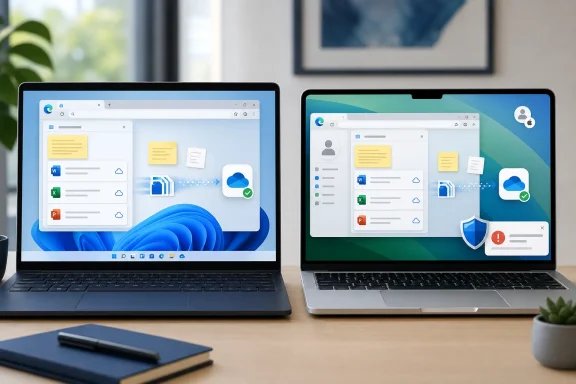 Edge Drop is gone, and text notes are the weak spot
Drop arrived as Edge’s self-messaging feature: a sidebar panel for passing files, snippets, photos, and links between devices signed into the same Microsoft account. Its value was convenience rather than novelty. A user could drag in a PDF on a work PC, retrieve it on a laptop, and leave a short note in the same running thread without opening a mail client or creating a chat.
Microsoft had already telegraphed the end in Edge 151. Its July release notes said Drop would be retired “in the near future,” adding a crucial distinction that the new Edge 152 notice does not repeat: files shared through Drop are saved in OneDrive, while text notes need to be downloaded separately.
That is the practical consequence that should drive action. Files may remain recoverable in OneDrive, depending on how and when they were uploaded, but Drop’s chat-like notes do not have the same stated preservation path. Microsoft has not published a detailed end-user migration utility, a retention timetable for the Drop thread, or an account-by-account inventory explaining what remains available after the feature disappears.
Users who still have Edge 151 or another build where Drop remains visible should save any notes, copied text, links, checklists, or other content that exists only inside the Drop pane before updating. They should also inspect OneDrive for files previously sent through Drop rather than assuming the retirement deletes them.
For IT teams, Drop was largely a consumer convenience feature rather than a controlled collaboration system, but its departure can still produce support tickets. Staff who used it to hand off screenshots, logs, installers, or snippets between managed devices need a sanctioned replacement. OneDrive, SharePoint, Teams, or an approved enterprise file-transfer workflow will be more durable choices because they provide clearer ownership, access control, and retention behavior than a browser sidebar utility.
Microsoft calls the change a simplification. The release record supports the narrower conclusion: Edge is continuing to remove sidebar-era features. The company announced in June that the sidebar app list would be retired and explicitly said Copilot would not be affected. That does not prove Copilot caused Drop’s removal, and Microsoft has not said it did. It does show the browser is being pared back around a smaller set of built-in surfaces.
Apple sign-in broadens Edge’s profile entry point
Edge 152 also lets people sign into the browser using an Apple account from the profile menu and Edge sign-in screen. The option is rolling out in a controlled fashion on Windows and macOS, so an updated browser may not show it immediately.
This is an expansion of a mechanism Microsoft introduced earlier this summer. Edge 150 added Google-account sign-in, and the policy documentation for NonMicrosoftAccountSignInEnabled now explicitly covers both Google and Apple accounts. The policy is available on Windows and macOS beginning with Edge 150; it is not supported on Edge for Android or iOS.
The feature should not be confused with signing into an Apple service inside a tab. It changes who can create or access an Edge browser profile through the browser’s own sign-in flow. Microsoft’s release notes do not describe a new Apple-to-Microsoft account conversion process, a special iCloud integration, or an expansion to mobile Edge. Those are meaningful limits for anyone expecting parity across an iPhone, iPad, and Windows PC.
For unmanaged PCs and Macs, the policy defaults to allowing non-Microsoft account sign-in when the feature is available. In managed environments, administrators can disable NonMicrosoftAccountSignInEnabled; doing so hides and blocks the relevant Google and Apple sign-in routes, while Microsoft-account sign-in continues to work.
That makes this a small but real identity-policy decision. An organization that disabled the setting to prevent Google sign-in will also prevent Apple sign-in. Conversely, enabling or leaving the policy unconfigured permits both when Microsoft exposes them through the staged rollout. Because the setting is not per-profile, it is a browser policy choice rather than a granular exception system for individual users.
SmartScreen now removes a scam site’s notification permission
The security-related addition in Edge 152 is more immediately useful than the Apple sign-in change for ordinary users. If a website notification leads a user to a page Microsoft Defender SmartScreen blocks as a scam, phishing, or malware destination, Edge will automatically unsubscribe that site from sending further notifications.
Browser notifications have become a common nuisance and social-engineering channel. A user accepts a permission prompt on a misleading site, then gets persistent messages designed to imitate antivirus warnings, system alerts, subscription expirations, or account-security notices. Edge’s new response does not stop the first bad notification, nor does it replace SmartScreen’s existing blocking decision. It removes the site’s future ability to push alerts after that notification leads to a SmartScreen-blocked destination.
Microsoft says Edge will notify the user when it takes the action. The permission can be reviewed or restored under Edge’s notification-permission settings, which is important for help desks: a legitimate site could be re-enabled if a user reports that alerts stopped unexpectedly. This protection is also a controlled rollout, so administrators should not assume every Edge 152 installation has received it on release day.
Video translation is also being phased out
The Edge 152 release notes retire real-time video translation through a gradual rollout. Microsoft says availability may differ across environments and that the LiveVideoTranslationEnabled policy will be deprecated in a future release.
That feature had a constrained audience from the start. Microsoft previously listed hardware requirements of at least 12 GB of RAM and a four-core CPU, plus regional and platform limits. Still, organizations or users who built a workflow around translated audio should treat the wording as a retirement notice, not a temporary service interruption.
Edge 152 therefore brings a sharper split than its feature list initially suggests. Apple accounts gain a new route into Edge profiles, and SmartScreen gains a way to cut off a recurring scam-notification vector. At the same time, Drop users need to preserve their text notes now, because Microsoft has retired the browser feature without offering a replacement thread or a stated notes-migration path.
