
For DoD organizations, the announcement is more consequential than another Teams convenience feature. Meeting recaps sit at the intersection of everyday productivity, operational recordkeeping, privacy controls, and AI governance. A well-executed recap can turn a long, distributed meeting into a searchable collection of decisions and assigned actions. But it also means transcripts, recordings, and AI-derived artifacts need to be governed with the same seriousness as the meeting itself.
The October target remains a roadmap commitment rather than a shipping feature. That distinction matters for administrators planning license assignments, retention adjustments, user communications, or policy changes. Still, the entry is a significant indication that Microsoft is continuing to narrow the feature gap between commercial Microsoft 365 tenants and the Department of Defense cloud.
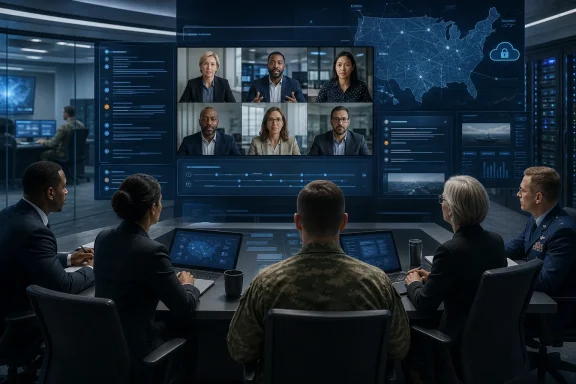 Overview: What Intelligent recap brings to Teams for DoD
At its core, Intelligent recap is Microsoft’s AI-enhanced post-meeting experience in Teams. It is designed to help participants catch up quickly, locate important discussions, and identify the work that follows from a meeting. Microsoft describes the experience as providing AI-generated notes, recommended tasks, personalized markers, speaker markers, chapters, and topics through Teams’ recap surfaces. Microsoft Learn
The upcoming DoD implementation is expected to cover the familiar core elements of the Teams intelligent recap experience:
- Quick meeting summaries that surface the central discussion points.
- Suggested follow-up actions based on the meeting transcript.
- Name-mention markers that point users to moments in which they were referenced.
- Screen-sharing markers for locating demonstrations, briefings, document walkthroughs, or shared presentations.
- Individualized speaker markers that let users jump to points where particular people spoke.
- Topics and chapters that break a long meeting into navigable segments.
- Cross-platform availability across Teams desktop, Mac, Android, and iOS, according to the roadmap item. Microsoft 365 Roadmap
That collection matters because a plain transcript solves only one part of the meeting-overload problem. A transcript is useful when someone knows what they are looking for and has the time to read it. Intelligent recap aims to make the meeting navigable: users can move from a name, decision, topic, shared screen, or speaker to the relevant portion of the underlying record.
For a workforce that operates across time zones, commands, agencies, programs, and contractor ecosystems, that may be the more meaningful productivity gain. The capability is not merely about generating a paragraph after a meeting ends. It is about making the original meeting content easier to review without forcing every participant to replay an hour of video or manually scan thousands of transcript words.
Why the DoD rollout is a meaningful milestone
The DoD cloud is not simply Microsoft 365 with a different logo. Microsoft describes Office 365 Government–DoD as an environment for U.S. federal entities and organizations handling data subject to government requirements. It says customer content is logically segregated from commercial Microsoft 365 content, stored within the United States, and accessed only by screened Microsoft personnel; the offering also aligns with certifications and accreditations required by U.S. public-sector customers. Microsoft Learn
That context changes how a feature such as Intelligent recap should be evaluated. In a commercial tenant, recap adoption may primarily be a question of cost, user preference, and meeting culture. In a DoD environment, the evaluation expands to include:
- Whether a meeting is appropriate to record or transcribe.
- Which users can start, stop, access, and retain recordings.
- How generated notes fit into records-management and discovery processes.
- Whether information that appears in a recap is classified, sensitive, mission-critical, or otherwise restricted.
- How meeting organizers, participants, and administrators are informed about the feature.
- Which existing security, compliance, sensitivity-label, and retention configurations apply.
The arrival of an AI recap capability in this cloud therefore signals more than feature parity. It suggests that Teams AI workloads are becoming increasingly usable within regulated Microsoft 365 environments, even if availability still arrives on a different schedule from the worldwide commercial service.
Microsoft’s broader service descriptions already show that Copilot in Teams across chat, channels, and meetings is available in DoD, while several other Microsoft 365 Copilot capabilities remain unavailable or constrained in government clouds. Microsoft Learn Intelligent recap is important precisely because meeting intelligence can deliver immediate value without requiring users to change their fundamental collaboration habits.
From recording to usable knowledge
The transcript remains the foundation
Intelligent recap does not create value from nothing. Its usefulness depends on the quality and availability of the source meeting data—especially the transcript, and for the fullest experience, the recording.
Microsoft’s Teams documentation states that transcription must be enabled for users to use Intelligent recap. It also says that, for meetings and events, disabling recording leaves users with a reduced recap experience that excludes the recording, speakers, topics, and chapters. Microsoft Learn
This is an essential operational detail. Organizations that have disabled recordings broadly may still be able to offer summaries and tasks where transcription is permitted, but they should not assume the complete visual navigation experience will appear. Speaker timelines, screen-sharing moments, and chapter navigation have a stronger relationship to the recorded meeting asset.
That is a sensible technical model. A recap that can link directly to a moment where a particular person spoke, a name was mentioned, or a screen was shared is more accountable than a summary alone. It gives users a way to inspect the underlying conversation instead of treating the AI output as a final authority.
A recap is not a meeting of record by itself
The greatest practical value of AI meeting recap lies in reducing the friction of catching up. The greatest risk is that users treat an automatically generated summary as though it were a perfect, authoritative record.
That would be a mistake. AI-generated notes can omit nuance, misunderstand indirect language, attach an action to the wrong person, or flatten disagreements into an overly neat conclusion. These are familiar limitations of generative AI, but they matter more in meetings involving operational commitments, approval chains, policy interpretation, budgeting, personnel matters, procurement discussions, or incident response.
The right organizational stance is straightforward: Intelligent recap should accelerate review, not replace judgment. Teams users should be encouraged to validate consequential decisions against the transcript, recording, approved minutes, and the official systems where tasks or decisions are ultimately managed.
A useful governance model separates three layers:
- The meeting record — the recording, transcript, attendance data, shared materials, and chat content retained under organizational policy.
- The AI navigation layer — generated notes, suggested tasks, topics, chapters, and timeline markers that help people locate information.
- The authoritative action layer — approved task systems, directives, tickets, project plans, formal minutes, or other controlled records.
Keeping those layers distinct can prevent a helpful productivity feature from becoming an accidental substitute for disciplined recordkeeping.
What the feature means for Teams users
Faster catch-up across distributed teams
The most immediately visible benefit will be shorter catch-up cycles. A person who misses a meeting because of an operational conflict, time-zone difference, leave, or competing priority can begin with the recap, check assigned actions, and open the exact points that need verification.
Microsoft says recap features include AI-generated meeting notes and recommended tasks, while personalized timeline markers can identify name mentions, screen-sharing activity, and when a participant joined or left. Speaker markers show who spoke and when, while chapters and topics divide the meeting into sections users can jump through. Microsoft Learn
That is particularly useful when a participant does not need every detail. Someone may only need to know:
- What decision affected their workstream.
- Whether they were assigned a follow-up.
- What happened during a screen-shared technical demonstration.
- Whether their name, office, program, or deliverable was discussed.
- Why a timeline, requirement, or responsibility changed.
Conventional meeting recordings are often treated as archives: valuable, but rarely revisited because they are too slow to search. Intelligent recap makes them closer to working knowledge repositories.
Better continuity after a meeting ends
Teams meetings often produce a familiar failure mode: everyone leaves with a different idea of what was decided. Action items may remain embedded in conversation, individual notes, chat messages, or slide comments. By drawing out suggested tasks and discussion themes, Intelligent recap can make the transition from meeting to execution more disciplined.
The emphasis should remain on suggested. A recommended task is a useful prompt for confirmation—not an automatic order, formally assigned duty, or evidence that a person accepted responsibility. Teams administrators and business owners should build this expectation into adoption guidance from day one.
More accessible meeting review
Chapters, topic labels, and speaker markers can also improve accessibility and usability. They give users multiple ways to retrieve information: by subject, person, event, or point in time. That is better suited to a large organization than a one-size-fits-all summary, especially when meetings involve technical demonstrations, multi-agency coordination, or lengthy status briefings.
Mobile availability is also notable. The roadmap lists Android and iOS alongside desktop and Mac platforms. Microsoft 365 Roadmap In practice, a consistent recap experience across endpoints will matter for users who attend meetings from a workstation but review follow-ups while moving between locations or working away from their primary device.
Data, privacy, and the compliance implications
Where recap-related information is stored
For DoD administrators, the central question is not simply whether AI-generated notes exist. It is where each element is created, stored, governed, and removed.
Microsoft’s documentation says that when a meeting has both transcription and recording enabled, a transcript copy is stored in the meeting organizer’s Exchange Online account and another copy is stored in OneDrive alongside the recording. If transcription is enabled without recording, the transcript is stored in the organizer’s Exchange Online account. Microsoft Learn
Microsoft also identifies different storage locations for distinct recap artifacts:
- AI-generated notes are stored in an Exchange folder in meeting participants’ mailboxes.
- AI-generated tasks are likewise stored in an Exchange folder in participant mailboxes.
- Name-mention markers are stored in Exchange folders for meeting participants.
- Screen-sharing markers are stored with the recording in OneDrive or SharePoint.
- Speaker timeline markers are stored in participant mailboxes.
- Chapters and topics are stored in OneDrive or SharePoint with the meeting recording. Microsoft Learn
This distribution is a major implementation point. Intelligent recap is not a single isolated document with one storage location. It is a set of artifacts associated with the transcript, recording, Exchange, OneDrive, and SharePoint. Administrators should assess the feature through the lens of the whole Microsoft 365 information lifecycle rather than as a simple Teams setting.
Existing policies are central, not optional
Microsoft says Intelligent recap inherits an organization’s existing Teams security, compliance, and privacy policies, and that the recap features follow the meeting recording retention policy. Microsoft Learn
That is reassuring, but it should not create complacency. Inheritance only works well when the existing configuration is intentional and current. A tenant with unclear recording policies, inconsistent retention labels, broad access to recordings, or inadequate user training may find that recap makes existing governance gaps more visible.
Before the feature arrives, DoD Teams administrators should review:
- Meeting recording and transcription policies.
- Who can record, transcribe, download, or share meeting assets.
- Default expiration and retention behavior for recordings.
- Retention labels and policies for Exchange, OneDrive, and SharePoint.
- Sensitivity labels and their impact on meetings and files.
- Data loss prevention rules that may apply to transcripts and shared content.
- eDiscovery, legal-hold, audit, and records-management processes.
- The user experience when a recap artifact is deleted, retained, or preserved under policy.
The goal is not to block adoption. It is to ensure the feature functions within the organization’s intended control framework.
Microsoft’s AI data-handling position
Microsoft states that customer data used for Intelligent recap is not logged or used for AI model training or testing. It further says that, while AI-generated notes and tasks use GPT-based technology through Azure OpenAI Service, customer data is not shared with non-Microsoft parties, including OpenAI; Microsoft describes the service as operating inside Microsoft 365 and Office 365 compliance boundaries. Microsoft Learn
Those statements are significant for public-sector customers assessing AI workloads. But they do not eliminate the need for local policy, authorization decisions, and careful configuration. Data protection is not only about whether a provider trains a model on customer data. It is also about whether the meeting content should be captured in the first place, how access is granted, how long the resulting assets live, and whether participants understand that their words may be transcribed and summarized.
Licensing and deployment questions administrators should settle
Microsoft’s commercial documentation associates Intelligent recap with the Teams Premium feature set, identifying intelligent call and meeting recap as an AI-powered Teams Premium capability. Microsoft Learn However, the DoD roadmap entry itself does not spell out final licensing terms for roadmap item 500242. Administrators should therefore avoid assuming that a commercial licensing rule will transfer unchanged to the DoD rollout.
That does not mean deployment planning should wait. It means plans should distinguish between what is known and what needs confirmation closer to general availability:
- Known: The roadmap lists a DoD release target of October 2026 and identifies Teams as the product. Microsoft 365 Roadmap
- Known: Full recap functionality depends on transcription and, for speakers, topics, chapters, and recording-linked review, recording policies. Microsoft Learn
- To confirm before rollout: The final DoD licensing requirement, exact administrative controls, any feature-level exclusions, and the complete client support details.
- To validate locally: Whether existing retention, labeling, and recording rules deliver the intended result when recap artifacts are generated.
The practical recommendation is a staged adoption plan. Start with a small group of users whose meetings are routine but genuinely collaborative—project coordination, internal status reviews, training sessions, or recurring planning meetings. Avoid beginning with highly sensitive meeting categories until governance teams have verified the behavior of transcripts, recordings, generated notes, and retention outcomes in the tenant.
Risks that should not be minimized
Hallucinated or incomplete actions
Generative systems can produce summaries that are plausible but incomplete or wrong. In a meeting context, the most damaging error may not be an obviously absurd statement. It may be a subtle one: an action assigned to the wrong office, a tentative idea represented as a decision, or a caveat omitted from the summary.
The mitigation is procedural. Teams users should confirm actions before they are entered into official task systems, and meeting owners should continue to use approved mechanisms for final decisions. Intelligent recap is strongest as a review and discovery tool, not an unsupervised workflow engine.
The risk of over-recording
Once recap becomes useful, teams may be tempted to enable recording and transcription for everything. That would be the wrong default in many environments.
Not every meeting needs to become a searchable, retained, AI-processed artifact. Administrators and meeting organizers should maintain clear categories for when recording and transcription are appropriate, when they are prohibited, and when a different documentation method is preferred. The feature’s value should encourage better meeting hygiene, not indiscriminate data creation.
Uneven adoption and expectation gaps
The roadmap lists multiple platforms, but real-world availability can still depend on client update status, policy configuration, license eligibility, and the meeting’s underlying transcription and recording settings. Microsoft 365 Roadmap
That creates an adoption risk: users may hear that “AI recap is available” and expect every meeting to produce the same experience. A concise internal guide should explain the prerequisites, the differences between summary-only and full recap scenarios, the limits of generated tasks, and the correct path for reporting an apparent issue.
The strategic value: Making meetings inspectable
The best case for Intelligent recap in DoD is not that it makes meetings shorter. It is that it makes the information produced by meetings easier to inspect, validate, and act upon.
A meeting recording is linear. A transcript is searchable but dense. A recap with topic boundaries, speaker markers, mentions, task suggestions, and screen-share moments makes the meeting more like a structured workspace. Participants can begin with the AI-created overview, then drill into the exact source material behind a conclusion.
That approach is healthier than an AI model that produces a final answer with no connection to the underlying evidence. When implemented properly, Intelligent recap can preserve the human review loop: AI identifies likely significance, while users retain the ability—and responsibility—to verify context.
Preparing for October 2026
The roadmap target of October 2026 gives DoD Teams administrators a useful planning window, even though the item remains in development. Microsoft 365 Roadmap The most productive preparation will focus less on the novelty of AI and more on the fundamentals of Teams governance.
A sensible readiness sequence is:
- Inventory current transcription and recording policies across meeting types and user groups.
- Map retention behavior for Exchange, OneDrive, and SharePoint assets connected to meetings.
- Review access controls for recordings, transcripts, and recap-linked content.
- Confirm labeling and data-protection workflows for sensitive meeting material.
- Define human-review expectations for AI-generated notes and action recommendations.
- Create focused user guidance explaining what recap is, when it appears, and what it should not be used to decide.
- Pilot deliberately before broad enablement, using real business scenarios and representative governance requirements.
Microsoft Teams Intelligent recap for DoD has the potential to be one of the more practical AI additions to the government collaboration stack. It addresses a daily problem—too many meetings, too much missed context, too many loosely captured actions—without asking employees to leave the Teams environment where the work already happens.
Its success, however, will not be measured by how many summaries it generates. It will be measured by whether DoD organizations can use those summaries to improve continuity and accountability while preserving the controls, records discipline, and human judgment that sensitive collaboration demands.
