

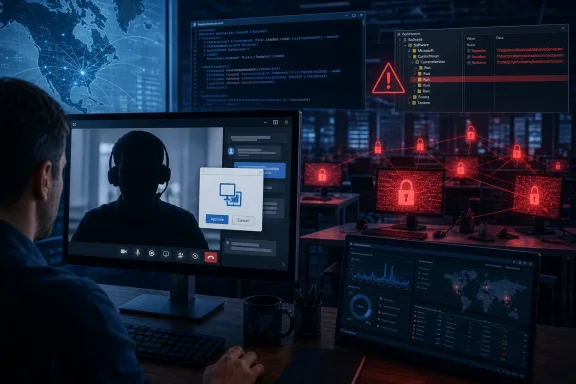
This is not a conventional phishing operation built around a deceptive attachment or a credential-harvesting landing page. It is a voice phishing, or vishing, operation delivered through Microsoft Teams, where a human caller impersonates a helpdesk worker and guides the target through the steps needed to grant remote access. That distinction matters for Windows administrators: email filters, attachment controls, and URL reputation services remain valuable, but they do not stop a trusted employee from launching a legitimate remote-support application and explicitly granting an attacker control.
Overview: Why Teams Vishing Has Become a Serious Windows Security Problem
Microsoft Teams has become a practical social-engineering surface because it looks and feels like an ordinary corporate communication channel. A Teams chat or call claiming to come from IT support can arrive in the same workflow employees use for actual internal troubleshooting, vendor coordination, and meetings. The attacker’s aim is to make a remote-control request appear routine rather than alarming.
Microsoft had already documented this broader pattern in 2024, warning that financially motivated actors were using Teams messages and calls while impersonating IT or helpdesk personnel. Those earlier campaigns abused Quick Assist, followed by the installation of remote management tools and malware that ultimately supported ransomware deployment. Microsoft’s threat intelligence team noted that a victim only needed to enter a session code and approve screen sharing before an attacker could request full device control.
STAC4749 demonstrates that the tactic has matured rather than faded. Sophos reported a sharp rise in its Managed Detection and Response cases involving confirmed malicious Microsoft 365 scam activity beginning in January 2026, with further increases in March and May. The data does not establish a universal count of Teams vishing attempts across all organizations, but it is a strong operational signal that attackers are treating collaboration platforms as a scalable initial-access channel. Sophos assesses that improved detection may explain part of the increase, while the broader trend indicates growing adoption of Teams vishing by multiple threat groups.
The campaign is especially relevant to Windows environments because its early stages abuse native or commonplace administrative capabilities:
- Microsoft Teams for contact and persuasion.
- Quick Assist for legitimate remote support.
- PowerShell for payload retrieval and execution.
- Windows Registry Run keys and Startup shortcuts for persistence.
- Remote Desktop Protocol (RDP) for expansion to other systems.
- Commercial remote-access tools such as AnyDesk, DWAgent, and RemSupp for alternate access.
None of these technologies is inherently malicious. In fact, several are important for legitimate IT operations. The security challenge is therefore not simply blocking a piece of malware; it is distinguishing approved remote support from an attacker using the same mechanisms outside established helpdesk processes.
A North American Campaign With Broad Industry Reach
Sophos’ victimology data points to a highly concentrated regional focus. Nearly 95% of the observed STAC4749 cases from February through June 2026 involved organizations in Canada (50%) or the United States (44%). Sophos observed victims across a range of industries rather than a single vertical, including services, manufacturing, energy, construction, engineering, and intellectual-property-focused legal organizations.
That distribution is significant. It suggests that the attackers are not relying on a specialized exploit for one type of software or an industry-specific weakness. They are pursuing organizations where a plausible IT-support pretext, a reachable Teams user, and a Windows endpoint with remote-access capability can create a viable path to monetization.
The apparent interest in IP legal organizations also deserves attention. Legal services firms often combine highly sensitive client data, time-sensitive operations, document-heavy workflows, and distributed staff. Such environments may be attractive both for ransomware encryption and for extortion based on data theft. Sophos reported that at least one of the Chaos-linked intrusions likely involved exfiltration before encryption, though it did not publish a complete accounting of stolen data. Sophos
The campaign’s regional concentration should not be misread as protection for organizations elsewhere. Rather, it reflects the set of incidents Sophos observed. The operational model—impersonate support, obtain remote control, deploy a modular backdoor chain, and accelerate to ransomware—can travel easily across regions and industries.
The Deception: IT Personas and Lookalike Cloud Domains
STAC4749 operators initiated contact through Teams chats and calls while posing as helpdesk or IT-support personnel. Sophos observed calls lasting from roughly 90 seconds to more than 20 minutes, though most lasted only about two to two-and-a-half minutes. Sophos That short duration reinforces a key defensive point: attackers do not necessarily need prolonged rapport-building. A rehearsed script that creates urgency, confusion, or a sense of routine assistance may be enough.
The group distinguished itself from earlier Teams abuse patterns by creating a changing set of IT-themed cloud domains under the .top top-level domain. The accounts were paired with plausible English-language identities such as Anthony Brooks, Dylan Harper, Ethan Parker, and Ella Brooks. Associated domains included variations on “security update,” “system connect,” “service help,” “info secure,” and “support soft.” Sophos
The spelling is often subtly wrong—such as sequrity rather than security—but that should not be the only detection criterion. A determined attacker can register a cleaner-looking domain tomorrow. The durable indicator is the combination of unexpected external contact, a support-themed identity, pressure to start a remote session, and a request to run software or accept control.
Why External Teams Access Needs a Business Decision
Many organizations leave broad Teams federation enabled because external chat is convenient for customers, suppliers, consultants, and partners. But unrestricted external communication also gives an attacker a more credible route to employees. Microsoft Teams supports granular external-access policies that can allow all external domains, permit only specified domains, block selected domains, or block external domains entirely. Microsoft’s Teams administration guidance confirms that policies can be assigned to particular users or groups, allowing a more nuanced model than an all-or-nothing tenant-wide setting.
For many businesses, the appropriate response is not to eliminate external Teams collaboration. It is to segment it by job function and business need:
- Allow federation only for users who genuinely need it.
- Use domain allowlists where the partner ecosystem is predictable.
- Put highly targeted teams—finance, legal, executives, helpdesk staff, infrastructure administrators, and privileged-access users—under more restrictive policies.
- Review whether external users can start chats or calls with sensitive groups.
- Maintain a process to add legitimate partner domains quickly so controls do not push staff toward unmanaged communication tools.
Microsoft also now provides a meeting policy that can limit users to meetings hosted by trusted organizations or prevent them from joining externally hosted meetings while signed in with a work account. Microsoft’s external-meeting policy documentation notes an important limitation: a user can still join an external meeting anonymously when not signed in, so policy design must be reinforced with user training and endpoint controls.
Quick Assist: A Legitimate Tool With an Abusable Trust Model
The initial access stage focused on starting a remote session. STAC4749 first favored Microsoft Quick Assist, then used the cloud-based RemSupp remote monitoring and management tool when Quick Assist was unavailable. Sophos observed a shift toward RemSupp from April, likely because it was less commonly present on application blocklists. Sophos
Quick Assist is not a vulnerability. It is a Windows remote-assistance feature that relies on an explicitly shared, time-limited session code and user approvals. The helper receives a code, the recipient enters it, and the recipient must approve screen sharing; the helper can then request control, which must also be approved. Microsoft’s Quick Assist documentation describes this workflow clearly.
That design creates accountability opportunities, but it also creates a social-engineering weakness: a confident caller can frame each prompt as part of a standard repair process. The victim sees a legitimate Microsoft application, receives expected consent dialogs, and may believe they are following corporate IT instructions.
The Critical Policy: Support Does Not Call Unsolicited
The simplest user-facing control is also the most important: employees must not approve remote control from an unsolicited Teams chat, call, text, email, or phone contact. Windows and security teams should make the policy specific enough to be actionable:
- Employees open support requests through the approved helpdesk portal, hotline, or internal Teams channel.
- Support staff verify the request identifier before beginning remote assistance.
- The employee validates the technician through an independently known channel, not by replying to the original caller.
- No technician asks a user to install a new remote tool, enter a code, or approve control unless the user initiated the support case.
- Employees are expected to disconnect immediately if the interaction becomes suspicious—without fear of being blamed for disrupting the session.
This is more effective than generic “be careful of phishing” messaging because it tells users exactly what a legitimate support interaction looks like.
Reduce the Remote-Access Attack Surface
Where Quick Assist is not required, Microsoft recommends disabling or removing it. Administrators can block the service endpoint to prevent sessions or uninstall the application from managed devices; Microsoft cautions that blocking the primary Quick Assist endpoint also disrupts Remote Help, which relies on the same endpoint. Microsoft also explicitly advises organizations using a different remote-support tool to disable or remove Quick Assist to prevent unauthorized use.
The right decision depends on operations. Completely removing Quick Assist may be sensible for kiosk machines, shared terminals, production systems, privileged-admin workstations, and environments with an established remote-support platform. For other endpoints, a stronger approach may be to retain Quick Assist but pair it with:
- A documented approval workflow.
- Endpoint telemetry for remote-assistance launches.
- Mandatory helpdesk ticket references.
- Standardized support accounts and identities.
- Application-control policies that block unapproved RMM and remote desktop products.
- Alerts when a remote tool is launched shortly after an unsolicited Teams interaction.
The risk of blanket blocks is that attackers adapt. Sophos’ observation that STAC4749 moved from Quick Assist toward RemSupp is a practical illustration: blocking one remote tool is valuable, but resilient defense must focus on unauthorized remote-control behavior rather than a single executable name.
Inside the STAC4749 Windows Attack Chain
Once a user approved the remote session, the operators used PowerShell to download and execute payloads, commonly placing them in user-writable locations such as %AppData%\Roaming. Sophos This is a familiar choice because user-profile directories are routinely writable without administrative privileges and can blend into normal application storage.
The campaign evolved quickly. Early activity used a standalone loader with changing file-name prefixes, including sekv, helper, and 74fs, each followed by a randomized ten-digit number. By mid-April, Sophos saw the actors bypass the separate loader and download the Python-based backdoor directly. Sophos
That shift reflects a sensible attacker trade-off. Every extra component creates another opportunity for antivirus detection, application control, sandbox analysis, or security-team intervention. A shorter deployment chain can be faster, easier to manage, and less likely to fail during a live intrusion.
Discovery and Persistence in Plain Sight
The first-stage malware gathered basic host identifiers, Windows version information, and system details, while also probing for active security products. Sophos reported that the original loader checked for a specific log file—C:\ProgramData\AppSreen\logs\appscreen.log—and exited if it was absent, which may have been a product-specific dependency or environment check. Sophos
For persistence, the actors created HKCU Run keys disguised as audio-related Windows components, using labels such as “Realtek HD Audio,” “Realtek Audio UHD,” and later “WinAudio life2.” They also created Startup-folder shortcuts via Visual Basic scripts, sometimes naming them to resemble SecurityHealth or OneDriveUpdate and applying hidden attributes. Sophos
This is a classic Windows persistence pattern, formally tracked by MITRE ATT&CK as T1547.001: Registry Run Keys / Startup Folder. Programs referenced through these locations execute when the user logs on, and MITRE recommends correlating Run-key or Startup-folder modifications with unusual binary paths, script payloads, abnormal parent-child process relationships, or execution from non-standard directories. MITRE ATT&CK
For defenders, the relevant question is not whether a Run key contains an audio-related word. Attackers know those names appear believable. The stronger analytics look for suspicious context:
- A new Run key pointing into
%AppData%,%Temp%, or an unusual user-profile directory. - A recently downloaded executable with a randomized or low-reputation name.
powershell.exespawning or downloading a payload followed by Registry changes.- A VBScript creating hidden shortcuts in Startup folders.
- A process launched from a Run key that makes outbound network connections immediately after logon.
Command and Control Designed for Control
Sophos identified a Python-based backdoor, Golang implants, a reverse SOCKS proxy, rotating infrastructure, and certificate pinning used to constrain command-and-control communications. The backdoor could execute commands, collect system information, and dynamically load additional Python modules. Some of the Golang implants used a --token-raw parameter containing encoded token material, while several only communicated with C2 servers presenting certificates tied to hard-coded issuer certificates. Sophos
Certificate pinning makes analysis and interception more difficult because the implant will accept only the operator’s expected certificate chain. Sophos found issuer names including loop-CA, connectify-CA, and james-bond-CA, with distinct certificates and infrastructure patterns apparently separating operational roles or victim sets. Sophos
The custom reverse proxy, identified as sc5.exe, is another important indicator of operator intent. Rather than depend entirely on one broad remote-access implant, the group could selectively deploy a tunneling capability to relay traffic outward and maintain access into a compromised network. That modularity is operationally useful to attackers: it lets them tailor tooling to a victim while reducing unnecessary components on endpoints.
From Remote Control to Chaos Ransomware
At least three STAC4749 incidents culminated in Chaos ransomware deployment. Sophos observed encryption across endpoints occurring nearly simultaneously after the attackers expanded access, and ransom notes were written with names such as readme.chaos.txt. In one case, the period from initial access to ransomware deployment was under 17 hours. Sophos
That timeline should reshape incident-response thinking. A Teams vishing event is not a minor helpdesk anomaly that can wait for next-day review. Once a victim has granted remote control, the organization may have less than a business day to contain the host before the attackers establish persistence, enable RDP, deploy alternative remote tools, move laterally, and initiate encryption.
Sophos reported the use of tools including DWAgent and AnyDesk in some Chaos-linked incidents, plus a custom tunnel in one case. Sophos These tools can be especially difficult for defenders because they may be legitimate products in other contexts. Their presence should therefore be evaluated against an approved-software inventory, deployment source, user role, installation time, and associated network activity.
The reported link to Chaos should be handled carefully. Sophos assessed with high confidence that STAC4749 was financially motivated and either deployed ransomware directly or worked with ransomware affiliates. The researchers also noted limited evidence consistent with a Russian keyboard layout, but stressed that the available evidence was insufficient for attribution. Sophos That restraint is appropriate: a mistyped command can support an investigative lead, not a definitive identity claim.
A Practical Detection and Response Playbook
The most effective defense against Teams vishing connects identity, collaboration, endpoint, and network telemetry. Treating each layer as separate gives the attacker room to move between them.
High-Priority Detection Opportunities
Security teams should prioritize alerts that correlate suspicious activity rather than rely exclusively on known indicators. STAC4749 changed payload names, persistence labels, and delivery choices over time; behavior is more durable than a file hash.
Key detections include:
- External Teams chats or calls from newly seen support-themed domains.
- External identities using helpdesk-oriented display names without a verified vendor relationship.
- A Quick Assist launch, session code entry, or remote-control approval that is not associated with a recorded support case.
- PowerShell using web download functions or launching executables from
%AppData%,%Temp%, or other user-writable paths. - New HKCU Run values tied to binaries in Roaming or Temp directories.
- Startup-folder shortcut creation by
wscript.exe,cscript.exe, or unusual parent processes. - Attempts to enable or alter RDP-related services through
msconfigor other system-configuration utilities. - New installations of AnyDesk, DWAgent, RemSupp, or other remote-control software outside the approved deployment channel.
- Reverse-proxy or tunneling tools making unusual encrypted outbound connections.
- Rapid remote-access activity followed by account discovery, security-product discovery, or lateral-movement behavior.
Sophos published product-specific detections for the campaign, including SAAS-M365-Teams-SupportCall-Established-Suspicious-TLD, multiple malware signatures, and Troj/Chaos-Gen for the ransomware executable. Sophos Organizations using other security platforms should translate the behavior into their own SIEM, EDR, XDR, and identity-detection logic rather than depend on signature names alone.
What to Do When a User Reports a Suspicious Teams Support Call
A fast response should assume the possibility of active control, not merely attempted fraud.
- Instruct the employee to disconnect immediately. If remote control is active, end the Quick Assist or remote-tool session and disconnect the device from the network where operationally feasible.
- Preserve the context. Record the Teams identity, tenant or domain, messages, call timing, session code if available, and the user’s account and device details.
- Isolate and investigate the endpoint. Look for PowerShell execution, new executables in user-profile paths, Registry Run-key changes, Startup shortcuts, RDP configuration changes, and newly installed remote-access software.
- Contain broader access. Review the user’s sign-in activity, reset credentials if exposure is suspected, revoke active sessions where appropriate, and search the environment for matching persistence or tooling.
- Hunt for lateral movement. Check authentication logs, new local or domain accounts, remote service creation, RDP activity, and unauthorized remote-management installations on neighboring systems.
- Protect backups and critical systems. If the intrusion is confirmed, validate backup isolation and restrict access to high-value servers, virtualization infrastructure, identity systems, and administrative jump hosts.
The central objective is to prevent an initial remote-support compromise from becoming a domain-wide ransomware incident.
The Strategic Takeaway for Windows Organizations
STAC4749 is a reminder that modern ransomware defense begins before malware executes. The decisive moment may occur when an employee receives a Teams call, sees a legitimate Windows tool, and is persuaded to grant access to an unverified stranger.
The campaign’s technical chain is sophisticated enough to matter: modular Python and Golang tooling, certificate-pinned C2, reverse proxy capability, evolving filenames, registry persistence, RDP enablement, and alternate remote-access software all show an operation designed for speed and reliability. Sophos Yet its success still hinges on a social-engineering interaction that defenders can disrupt through tightly defined helpdesk procedures, controlled Teams federation, remote-access governance, endpoint visibility, and an immediate response to suspicious support contacts.
For Windows administrators, the durable security principle is straightforward: remote assistance must be initiated through trusted, auditable channels—not granted because an unexpected Teams caller sounds like IT.