
The tool’s developer, b00nz, lists separate Core and Memory channel power limits among the new controls in the August 21 release. VideoCardz and Igor’sLAB independently reported the 680 W RTX 5080 result, while the 700 W RTX 5090 figure originated with an r/overclocking user and has since been repeated by several hardware outlets. The essential point is verified: mVolt+ now exposes controls that can push at least some Blackwell cards beyond their vendor-configured power ceilings. The headline wattage figures, however, remain community results from individual systems—not repeatable lab validation across card designs.
For enthusiasts, the development is significant because it changes the practical barrier to extreme RTX 50-series overclocking. Raising a board limit beyond stock settings previously meant selecting a higher-power VBIOS, flashing an extreme-overclocking BIOS, or physically altering the current-sensing circuit with a shunt mod. mVolt+ does not make the hardware more capable; it lets software request behavior that firmware-oriented tools did not expose.
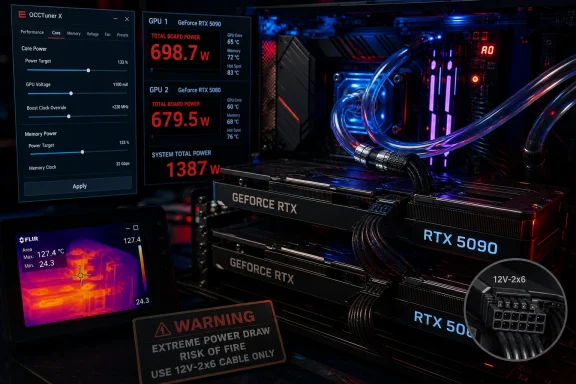 mVolt+ Is Reaching Below the Usual Power Slider
A normal power-limit slider in MSI Afterburner or a board partner utility works within a range the GPU VBIOS has already authorized. mVolt+ 0.36 adds per-domain voltage-demand offsets for Core, Crossbar, SYS, and Video, plus independent Core and Memory channel power limits, GPU clock locking, profile support, and a wider optional voltage-offset range.
Those controls are not simply more granular versions of the familiar “Power Limit” percentage. Reporting from VideoCardz and Tom’s Hardware Italy describes the new Core Power Limit control as lifting a separate internal limit, allowing the card to continue increasing draw until another limiter—temperature, voltage behavior, a VRM safeguard, instability, or an undisclosed firmware protection—takes over.
That is why the update deserves attention beyond benchmark chasing. NVIDIA and board partners enforce power limits as part of an interlocking set of constraints involving cooling capacity, VRM design, connector configuration, firmware validation, and warranty assumptions. A software utility defeating one constraint does not prove the rest of that system was designed for sustained operation at the new number.
The mVolt+ release notes also state that applied voltage offsets, channel limits, and GPU clock locks persist after the program closes. That persistence is useful for a tuned test bench, but it creates a more mundane risk for Windows users: an unstable setting is not necessarily removed by closing the app. Anyone experimenting should know how to boot into Safe Mode, restore a conservative profile, and keep a known-good configuration available before changing channel power limits.
The RTX 5090 Result Shows the Cost of the Last Few MHz
The RTX 5090 user behind the 700 W claim reported a 3DMark Steel Nomad score of 16,523 and a peak clock around 3,127 MHz. In later comments reported by VideoCardz and Igor’sLAB, the same user said gaming loads around 675 W held approximately 3.15 GHz to 3.20 GHz on the core, with a 2.8 GHz XBAR clock. They also reported reaching about 3.03 GHz previously with MSI Afterburner.
Those frequencies are real evidence that the extra power headroom can raise attainable boost behavior. They are not evidence that 700 W is a sensible daily target.
The most useful performance disclosure came from the owner rather than the benchmark screenshot: the extreme profile reportedly consumed more than 200 W beyond the user’s undervolted configuration while delivering at most about 10 additional frames per second in games. That is a poor exchange for almost every ordinary desktop scenario. It also aligns with the usual shape of GPU frequency-voltage scaling: as a GPU approaches the far edge of its stable clock curve, each extra increment of performance requires disproportionately more voltage, power, heat removal, and acoustic tolerance.
NVIDIA rates the reference GeForce RTX 5090 at 575 W Total Graphics Power. A 700 W telemetry reading is therefore roughly 22 percent over that reference figure. The important qualification is that the submitted screenshots and user posts do not establish a controlled baseline with identical game settings, ambient temperature, cooling hardware, driver version, and silicon sample. The score proves an individual card ran that profile long enough to complete a benchmark; it does not establish a stable, safe, or broadly reproducible configuration.
The 680 W RTX 5080 Result Is Further Outside Its Intended Envelope
The RTX 5080 example is arguably more striking. NVIDIA specifies 360 W Total Graphics Power for its reference RTX 5080 design, while ASUS’s ROG Astral RTX 5080 OC is a heavily built custom card with a factory boost clock of 2,760 MHz. ASUS officially provides a BIOS TGP update utility for this precise Astral model that raises its maximum to 450 W.
According to VideoCardz, the Astral owner reached more than 680 W in FurMark after using mVolt+, with no shunt mod. That is over 50 percent above ASUS’s own 450 W ceiling and nearly double NVIDIA’s 360 W reference specification. The user reported a 3,390 MHz clock under the burn test, compared with 2,760 MHz at the card’s default boost specification.
The distinction between 400 W, 450 W, and 680 W needs to be kept straight. The 400 W figure commonly attached to the Astral is its out-of-box class of configuration; NVIDIA’s reference RTX 5080 specification is 360 W; and ASUS’s sanctioned firmware tool raises the Astral ceiling to 450 W. None of those official figures validates a 680 W continuous workload. ASUS has published the 450 W update itself, but has not announced a 680 W operating mode, a revised PSU recommendation for it, or warranty coverage for software bypasses of its normal TGP ceiling.
FurMark is also not a stand-in for game performance. It is deliberately useful for exposing sustained thermals, power behavior, and stability limits, but it can create a load profile that is substantially different from actual games, creative applications, or AI workloads. A 680 W FurMark screenshot establishes that the card reached the number in that stress test; it does not tell buyers what performance gain they would see in Cyberpunk 2077, Blender, Unreal Engine, or a local inference workload.
A 700 W GPU Reading Does Not Automatically Mean 700 W Through One Cable
The discussion around these results has quickly returned to the 16-pin GPU power connector, often loosely called 12VHPWR even on newer hardware using the revised 12V-2x6 design. PCI-SIG’s 12V-2x6 update replaced 12VHPWR in the specification family, and Intel’s current ATX12VO guidance describes a 12V-2x6 auxiliary connector designed to deliver up to 600 W directly to an add-in card.
That figure is why a 700 W telemetry screenshot requires more care than social-media posts usually provide. A graphics card also receives power from the PCIe slot, and a reported “total GPU power” value does not, by itself, show how much current traveled through the auxiliary cable, how the board’s telemetry was calculated, what power adapter or native PSU cable was used, or whether the reading was a short transient or sustained load.
Still, there is no reason to treat those unknowns as reassurance. The reported 700 W RTX 5090 profile is operating beyond the reference card’s 575 W design target, and the 680 W RTX 5080 profile is far beyond ASUS’s officially supported 450 W BIOS setting. Connector seating, cable bend radius, cable gauge, power-supply quality, adapter configuration, case temperature, and individual connector condition all become more consequential as current rises.
Users should also avoid treating a lack of a shunt mod as a safety certification. It means the owner did not alter the card’s current-sensing resistors. It does not mean the tool leaves all protections intact, that every board uses the same monitoring behavior, or that a particular card’s VRM, connector, cooling system, and firmware protections respond identically under an unlocked Core Power Limit.
This Is a Benchmark Tool Until the Failure Modes Are Known
Igor’sLAB makes the right cautionary point: there is no established answer yet for how these controls behave across different Blackwell GPUs, PCB designs, VBIOS versions, drivers, and remaining protection mechanisms. The current reports involve a small number of high-end cards, experienced overclockers, and in the RTX 5080 case, water cooling. They should not be read as a general guide for every RTX 5080 or RTX 5090 owner.
For Windows users who still choose to test mVolt+, the responsible approach is conservative. Use a native, properly rated 12V-2x6 PSU cable where possible rather than improvised cabling; confirm the connector is fully seated; monitor GPU power, hotspot temperatures, memory temperatures where exposed, fan response, and system stability; and increase one variable at a time. Do not assume a benchmark pass means a profile is stable in games or safe under long rendering and compute loads.
The larger finding is not that RTX 50-series cards suddenly need 700 W. It is that mVolt+ 0.36 appears to have exposed a software route around limits that previously forced users toward firmware flashing or hardware modification. NVIDIA and board partners now face a practical question their normal tuning ranges avoided: whether driver, firmware, or future hardware updates will constrain these controls—or whether extreme Blackwell overclocking has simply moved from the soldering bench into a Windows utility.
