

The project is free and open source under the AGPL-3.0 license, but it should not be mistaken for a conventional, fully mature commercial audio suite. Its developer describes version 1.0 as the first release considered finished, while also warning that stability is not guaranteed for a solo-developed project. The Windows build is unsigned, GPU performance is an important practical constraint, and the more ambitious Ableton connection remains beta with a narrower compatibility window than “works with Live 12” might suggest.
That combination makes Noise Canvas interesting precisely because its creative model is distinctive—not because every claimed outcome is assured. Here is what Windows users can realistically expect from the application, where its design may fit into an existing production workflow, and where caution is warranted.
A sound editor built around a spectrogram
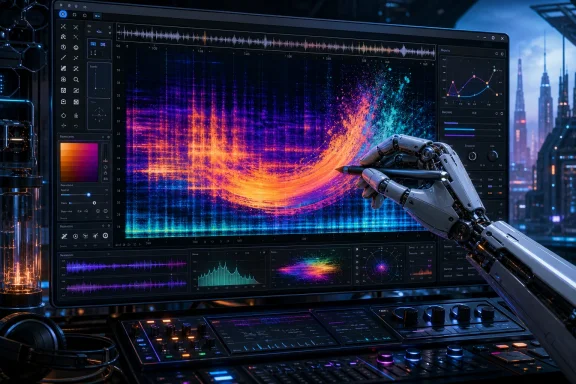
A spectrogram maps audio across time and frequency. Noise Canvas turns that representation into its principal editing surface. Its documented coordinate system puts beats on the horizontal axis and semitones on the vertical axis, so edits can be placed in musically meaningful positions rather than only by raw time and Hertz values.
The program uses Constant-Q Transform, or CQT, analysis rather than conventional FFT analysis. The project’s rationale is that a semitone-oriented frequency layout makes the canvas more naturally aligned with pitched musical material. That is a reasonable design goal: harmonic partials, notes, and melodic changes can be easier to relate to when the vertical scale behaves more like musical pitch.
However, users should treat “more musical” as a workflow preference and the developer’s stated rationale, not as a universally proven quality advantage. No independent comparative benchmark or listening study in the supplied material establishes that CQT produces better results than FFT-based spectral tools in every task. Restoration work, noisy field recordings, atonal sound effects, dense mixes, and highly transient material can each expose different trade-offs in any spectral representation.
The more important point is practical. Noise Canvas is designed to let an editor paint transformations and effects across particular regions of time and pitch. In principle, that permits highly localized interventions: emphasizing a band of harmonics during one phrase, affecting a rising component over several beats, or applying a process only where a selected visual pattern appears. It is an editing language that may feel more like image manipulation than conventional audio automation.
Layered effects, modulation, and non-linear experimentation
Noise Canvas documents a modular feature set built around palettes, brushes, steps, effects, macros, and presets. The available evidence does not confirm every named palette category or every prebuilt brush attributed to a particular shipped build, so prospective users should avoid assuming a specific list of bundled creative tools before installing it.
What is supported is the broader working model. Effects can be stacked, and the program supports per-pixel two-dimensional modulation. In plain terms, an effect does not necessarily have to behave as one fixed setting across a whole clip or selection. Its behavior can vary over the painted area, potentially changing along both the time and pitch dimensions.
That is a meaningful distinction from applying a standard plug-in to an entire audio region. A producer might use conventional effects when the aim is a repeatable, global result: compression on a vocal, equalization on a drum loop, or delay on a send channel. Noise Canvas is potentially more useful when the desired result is selective and gestural—transforming only portions of a sound, then allowing the treatment to develop differently across the canvas.
The application also documents branching edit history and the ability to export branches. That matters for exploratory sound design. Spectral manipulation can quickly lead to an interesting texture that is difficult to recreate from a conventional parameter list. A branching history lets a user pursue incompatible directions without necessarily committing to one and losing the other.
For Windows users, this makes the software a plausible companion to, rather than a replacement for, a DAW. It may be especially appealing for preparing source material before arrangement: making alternate versions of a sample, building transitions, extracting unusual textures, or creating variations that can be returned to a project as rendered audio.
Stem splitting is promising, but not a guaranteed cleanup button
Noise Canvas documents several stem-splitting approaches: harmonic/percussive separation, non-negative matrix factorization (NMF), and AI separation. It also describes merge-back support, intended to preserve a route back to the original combined material.
These options expand the program’s potential beyond purely visual effects. Harmonic/percussive separation, for example, is conceptually relevant when separating sustained tonal elements from attacks and rhythmic content. NMF and AI-assisted approaches can offer other routes to decomposing a source before editing individual elements.
Still, prospective users should be careful with expectations. The available documentation establishes that these modes and a lossless merge mechanism are part of the project’s stated capabilities; it does not independently establish the separation quality on vocals, completed songs, percussion-heavy music, ambience, or any other particular material. Source separation remains inherently difficult, especially where sounds overlap in frequency and time. Artifacts, leakage, softened attacks, unstable tones, and imperfect isolation are realistic possibilities in this class of processing.
The sensible workflow is therefore nondestructive and comparative. Keep the original file, audition separated components in context, and judge a result against the full mix rather than only in solo. If a split does not sound clean on its own but supports the intended creative treatment once recombined, it may still be useful. Conversely, a visually neat separation should not be trusted automatically if it damages the musical result.
What Windows users should know before installing
The Windows version carries one conspicuous practical warning: it is unsigned. The project documentation says Windows may show warnings such as “Windows protected your PC” or identify an unknown publisher.
An unsigned warning is not, by itself, proof that software is malicious. But neither does the project’s open-source status make a downloaded installer automatically safe. The supplied evidence includes no independent security audit, malware analysis, code-signing verification, or reproducible checksum verification. That means users should make a deliberate trust decision rather than reflexively dismissing Windows security prompts.
A cautious approach is appropriate:
- Obtain the installer only from the project’s official distribution path.
- Confirm that the file and release context match the project you intended to download.
- Keep Microsoft security protections enabled and pay attention to any warning rather than treating it as routine friction.
- Preserve an original copy of important sessions and audio before introducing a new editor into production work.
- Test the application first with disposable copies of files, not the only copy of a client recording or active project asset.
The project also flags GPU dependence as a real usability consideration. Older graphics hardware may paint slowly on long files or run out of graphics memory. This is more than a minor performance footnote because the interactive canvas is central to the program’s appeal. If brush strokes lag or a large file exhausts available graphics memory, the core experience can become frustrating.
That warning does not prove that any particular older Windows PC will fail. It does mean prospective users should begin with shorter samples and modest projects, then scale up after observing how their own hardware behaves. Users working with lengthy recordings, high-resolution source material, or elaborate multi-stage edits should plan for the possibility that a dedicated modern GPU will make the program substantially more practical.
DAW integration: external editor first, Ableton beta second
Noise Canvas is not documented as a universally integrated plug-in for every workstation. Its general DAW route is external sample editing: a DAW must be able to pass an audio file or sample to an external editor, after which the edited result can return to the production workflow.
That qualification is important. The application’s usefulness inside a particular DAW depends on the host’s own external-editor support, not simply on the ability to install Noise Canvas on the same computer. Compatibility beyond the specifically documented cases should be checked in the DAW’s manuals and tested with a duplicate file.
Logic Pro provides an independently documented example of this kind of workflow on the Mac: it can be configured to open an audio region or file in an external sample editing application. The relevant lesson for Windows DAWs is not that they are all supported, but that external editing is a standard enough model to be viable where the host exposes the necessary handoff.
Ableton users should be especially precise about the current limitation. Noise Canvas documents a Live 12 extension, but that extension is beta. Ableton says Extensions are available only in Live 12 Suite Beta version 12.4.5 or later; they are not available in Live Standard, Intro, or Lite. Therefore, the extension should not be presented as a feature available to every Live 12 owner.
For most users—and particularly for work where reliability matters—the standalone application is the safer starting point. The project itself describes the standalone route as more stable than the beta Ableton extension. That may be less seamless, but it is a more honest fit for a young tool: export or hand off a sample, experiment in Noise Canvas, render or save the result, and bring it back into the DAW.
Free software, open source, and the maturity question
The developer states that Noise Canvas is free at present, and the repository identifies the AGPL-3.0 license. Those are related but different facts. “Free” describes the current price to use the application. AGPL-3.0 is an open-source copyleft license that establishes rights around the source code and modifications under its terms.
For users, the open-source aspect can be valuable because the project is not merely a black-box binary from an unknown vendor. It may also be meaningful to technically capable users who want to inspect code or participate in development. Yet open source does not substitute for commercial support, broad hardware validation, formal security review, or a promise of long-term maintenance.
That is particularly relevant because the project remains solo-developed. The developer considers the 1.0 release finished, but explicitly does not guarantee stability. The documentation also has a version-boundary caveat: some detailed feature descriptions come from development-branch material that had moved beyond the cited release. As a result, an installed build may not match every fine-grained behavior described in evolving documentation.
None of this makes Noise Canvas unsuitable. It simply defines the audience most likely to benefit now: people willing to experiment, verify workflows, and keep a fallback path. Sound designers, electronic musicians, sample-focused producers, and technically curious editors may find that trade-off attractive. Editors with tight delivery schedules, fragile session compatibility requirements, or no tolerance for unexpected behavior may want to test it outside critical work first.
The practical case for trying it
Noise Canvas has been in development since at least March 2026, when Rob Clouth described it as a frequency-domain tool for painting into a spectrogram. Its creative premise is clear and unusual enough to justify attention: musical time and semitone-aware frequency positioning, paintable transformations, stacked effects, and editable branches provide a tactile alternative to a conventional plug-in chain.
On Windows, the decisive question is not whether a free spectral editor sounds appealing. It is whether the user can accommodate its current realities: an unsigned installer, potentially demanding GPU behavior, and a project whose finished-status claim is tempered by an explicit stability disclaimer.
For those prepared to work carefully, the standalone application offers a low-cost way to explore a distinctive sound-design workflow. Start small, retain originals, treat separation and CQT advantages as material-dependent rather than automatic, and use the beta Ableton extension only if the required Live 12 Suite Beta environment is actually in place. With those boundaries understood, Noise Canvas looks less like a universal editor and more like what it may be best at becoming: a compelling specialized canvas for transforming sound by sight as well as by ear.