
csrss.exe persistence mechanism, credential theft, proxy-botnet enrollment, cryptocurrency mining, and infrastructure apparently suited to hands-on corporate intrusion. Its strength lies in the way those components reinforce one another: a single compromised Windows PC can be monetized immediately, repurposed later, and used to support broader criminal activity. Cyber Press
 Overview: a loader built for many criminal outcomes
The first-stage file identified in reporting is setupx86x64install.exe, a 32-bit NSIS installer that functions less like a conventional one-purpose malware sample and more like a distribution hub. Rather than committing the operator to one payload, it can seed a victim machine with multiple well-known malware families and utilities. Cyber Press
That distinction matters. A classic banking Trojan may have one immediate objective: steal credentials. Operation STANDOFF, by contrast, reportedly creates several opportunities for profit and follow-on compromise at the same time:
- Browser and wallet credential theft
- Cryptocurrency mining
- Proxy-botnet enrollment
- Secondary malware delivery
- Access brokerage or targeted corporate intrusion
- Long-lived Windows persistence
The reported payload collection includes RedLine Stealer, Raccoon Stealer, Amadey, SmokeLoader, Socelars, Glupteba, XMRig, and credential-recovery tools. These are not redundant components. They give an operator the freedom to turn a victim into a source of stolen passwords, a resource for Monero mining, a relay node for network traffic, or a launch point for later access. Cyber Press
For Windows users and administrators, that makes this campaign more concerning than an isolated “stealer” infection. The original compromise may be only the beginning. A system that appears merely slow because of cryptomining may also contain stolen browser sessions, saved VPN credentials, or a proxy component that creates reputational and network-security problems for the victim organization.
The loader’s noisy deployment behavior is also a detection opportunity
VMRay’s reported execution analysis found the installer creating approximately 40 to 50 executable files in a randomized directory beneath %LOCALAPPDATA%. It then used repeated hidden cmd.exe processes to launch those files. Cyber Press
That behavior is operationally useful to attackers because it creates separation between the initial installer, dropped components, persistence tooling, and revenue-generating payloads. It also makes manual cleanup harder. Removing one visible executable does not necessarily remove the scheduled startup mechanism, the hidden staging folder, a service registration, or the additional malware delivered afterward.
Yet this activity is not invisible. For defenders, the sequence presents a valuable behavioral pattern:
- A newly introduced installer or unsigned executable runs from an unusual location.
- It creates a high volume of executable content under a user-writable folder.
- Hidden command shells launch those executables in quick succession.
- Endpoint protection preferences or Windows services change shortly afterward.
- A process named
csrss.exeappears outside the legitimate Windows system directories.
A detection program built solely around file hashes will struggle when a loader generates randomized filenames or stages components dynamically. A program built around process ancestry, command-line telemetry, file-creation bursts, service creation, and Microsoft Defender configuration changes stands a much better chance.
This is one reason endpoint detection and response telemetry remains so important on Windows. The malware’s individual pieces may be familiar commodity tools, but the combination and order of actions can be distinctive.
Why the fake csrss.exe is especially dangerous
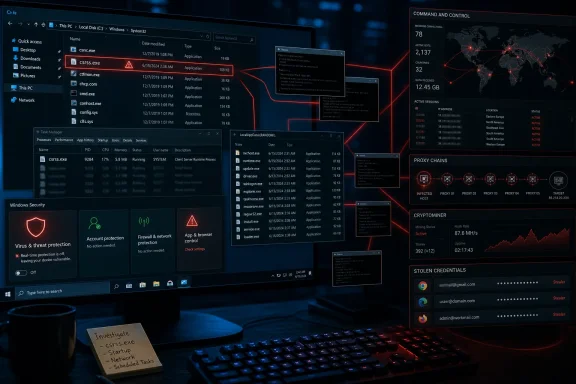
The most visible persistence detail in Operation STANDOFF is the use of a fake csrss.exe. The legitimate Client Server Runtime Process is a core Windows process, making its name an effective disguise in Task Manager and in hurried incident-response reviews. The campaign reportedly places its imitation in C:\Windows\rss\csrss.exe and installs it for startup using service names that resemble VirtualBox components. Cyber Press
The folder path is the key distinction. A file called csrss.exe should never be trusted just because it has a familiar process name. Legitimate Windows components use expected protected system locations; a similarly named executable under an unusual subfolder such as C:\Windows\rss\ deserves immediate investigation.
The tactic also has historical resonance. Earlier analysis of Glupteba documented a self-copied malware instance at the same C:\Windows\rss\csrss.exe location, accompanied by Defender-exclusion abuse and persistence behavior. K7 Labs That does not by itself prove that every suspicious csrss.exe belongs to Operation STANDOFF. It does show that the path and masquerading convention are established malware tradecraft rather than an innocuous Windows quirk.
What makes a fake CSRSS implant effective
A process masquerade of this kind succeeds when defenders look only at the filename. Malware authors understand that help-desk teams and users are trained to avoid terminating system processes with names such as csrss.exe, winlogon.exe, lsass.exe, and svchost.exe.
The fake process therefore benefits from several layers of confusion:
- The name resembles a legitimate and essential Windows process.
- The executable is placed beneath the Windows directory, which can look trustworthy at a glance.
- Service-based persistence starts the process early and repeatedly.
- Additional malware can continue operating even if one payload is discovered.
- Security tooling may already have been weakened before the fake process is established.
The practical lesson is straightforward: verify the full image path, command line, parent process, signature status, and service configuration—not merely the process name.
Defender disabling turns an infection into a platform
Operation STANDOFF reportedly uses PowerShell to weaken Microsoft Defender through several changes: disabling real-time monitoring, limiting automatic sample submission, blocking MAPS cloud reporting, and adding the malware staging location to Defender exclusions. It also checks for numerous third-party security products, including Avast, AVG, Bitdefender, ESET, Kaspersky, Norton, Panda, and Sophos. Cyber Press
The campaign’s anti-Defender activity is not a minor side effect. It is central to its operating model.
Microsoft explains that real-time protection monitors files and processes as Windows encounters them, while behavior monitoring watches for known malicious behavior in running applications. Microsoft also recommends cloud-delivered protection, sample submission, and Block at First Sight to reduce the window in which new malware can run unchecked. Microsoft Learn Disabling or degrading those layers removes exactly the safeguards that could identify a loader’s suspicious script execution, dropped files, and rapid payload deployment.
Exclusions are often more valuable than a temporary shutdown
Attackers frequently do not need to completely remove antivirus protection. A custom exclusion for the folder where malware stages its files can be enough to create a reliable blind spot.
Microsoft’s documentation notes that custom exclusions take precedence over built-in and automatic exclusions. It also distinguishes custom exclusions from the role-based exclusions Windows Server applies for supported server roles. Microsoft Learn In an enterprise context, that means an unexpected new exclusion should be treated as a security event, especially when it targets an obscure %LOCALAPPDATA% directory, a temporary folder, or a nonstandard path under C:\Windows.
The defensive issue is broader than Defender alone. A malware family that inventories endpoint products can alter its behavior depending on what it sees. It may stop, delay, or change payload delivery on machines with certain products, reducing the consistency of detections across an estate.
Disabling Windows Update compounds the risk
The operation reportedly attempts to stop or delete the Windows Update service. Cyber Press That is a significant escalation because it can strand an infected machine on older security intelligence, outdated components, and unpatched vulnerabilities.
Microsoft states that Defender signature updates typically arrive through Windows Update daily by default. Microsoft Learn Interfering with that update route can therefore affect both ordinary Windows servicing and malware detection freshness.
A compromised device with a disabled update service is not merely missing a patch cycle. It is potentially being held in a degraded security state intentionally, enabling the operator to preserve access while reducing the likelihood of future detection.
Commodity malware, unified infrastructure, and hands-on intrusion
The alleged use of multiple commodity malware families reveals a pragmatic criminal design. Commodity malware is attractive because it is cheap, proven, adaptable, and easy to distribute through affiliate or pay-per-install ecosystems. The operators do not need to develop every function internally when they can combine existing stealers, loaders, miners, and botnet components.
What elevates Operation STANDOFF above a routine bundler is the reported STANDOFF COORD web interface. The platform appears intended for multi-operator corporate intrusion, with inventories of targets, agent check-ins, credential storage, evidence uploads, tasks, shared playbooks, and information organized by internal, DMZ, and external network segments. It reportedly tracks passwords, NTLM hashes, Kerberos tickets, API tokens, cookies, and private keys. Cyber Press
That description implies an operation with a bridge between opportunistic malware distribution and more deliberate enterprise compromise. It is an important distinction.
From stolen browser data to organizational access
A browser stealer can harvest passwords and cookies from an individual workstation. In isolation, that may lead to account takeover or cryptocurrency theft. But an operator platform that centrally stores credentials, tokens, tickets, and target notes creates a pathway toward more structured action.
For an organization, the material most worth protecting includes:
- Saved enterprise passwords in browsers and password managers
- Cloud-session cookies and refresh tokens
- VPN credentials
- API keys embedded in developer tools or scripts
- Private SSH keys
- NTLM hashes and Kerberos material
- Domain administrator and privileged-account credentials
- Documentation that exposes network segmentation or administrative workflows
Not every infected endpoint will lead to a domain compromise. However, the campaign’s apparent organization of victims by network zone indicates that the operators understand the value of mapping an environment and separating high-value enterprise access from lower-value consumer infections.
This is the strategic risk. The malware stack can generate revenue from a home user immediately, but it may generate considerably more value if it lands on a corporate endpoint connected to internal resources.
GitHub redirects are camouflage, not a GitHub compromise
The campaign infrastructure reportedly uses a deceptive HTTP redirection pattern in which numerous servers return an HTTP 301 redirect to github.com. VMRay stressed that GitHub itself is not compromised; the trusted destination is being used to make the attackers’ own infrastructure appear less suspicious during routine scans. Cyber Press
That nuance is crucial. Security teams should not interpret the presence of a GitHub redirect as proof that GitHub is serving malware in this case. The malicious value lies in the attacker-controlled server before the redirect occurs.
This technique can frustrate simplistic reputation checks. An analyst or automated scanner may receive a familiar redirect destination and prematurely categorize the infrastructure as harmless, particularly if the scan does not retain the original source IP, HTTP response behavior, request path, user agent, and timing.
Independent sandbox evidence from an earlier analysis also recorded requests to 212.193.30.29/server.txt and 212.193.30.45/proxies.txt, with HTTP redirect behavior and a suspiciously malformed User-Agent signature. ANY.RUN The infrastructure detail should be treated as a hunting lead rather than a standalone verdict: legitimate systems can contact many destinations, but endpoint telemetry tying these requests to a suspicious loader, newly created executables, or a fake csrss.exe materially raises confidence.
Anti-analysis behavior signals an operation built to last
The reported loader performs checks for virtual machines, Wine, Sandboxie, debuggers, and security-tool DLLs. It also uses timestamp tampering, file deletion, runtime unpacking, and system-call techniques intended to complicate analysis and detection. Cyber Press
None of those techniques is individually extraordinary. Together, they are a signal that the operation expects to encounter automated detonation systems, malware researchers, and endpoint controls.
This has two implications for defenders.
First, a clean sandbox run does not necessarily mean a file is safe. Malware may reduce functionality or exit early when it detects an analysis environment. Second, organizations should prioritize behavioral telemetry collected on real endpoints, where the malware is more likely to reveal its actual persistence, process-launch, and network behavior.
The campaign’s reported preference for hidden cmd.exe, PowerShell-based defense impairment, and multiple dropped executables underscores the value of logging native Windows administration tools. These tools are legitimate and indispensable, but their use should be correlated with the initiating process, user context, script content, and resulting changes.
Practical Windows defenses against Operation STANDOFF tactics
A response plan should focus on both prevention and verification. Simply ensuring that Microsoft Defender shows as enabled in the Windows Security interface is not enough if exclusions, cloud settings, service configurations, or persistence entries have been altered.
Priority checks for administrators
- Audit Microsoft Defender preferences and exclusions.
Review real-time protection status, cloud protection participation, sample-submission settings, tamper protection, and every custom path, process, extension, and IP exclusion. Microsoft documentsGet-MpPreferenceas a means of reviewing Defender settings, and provides examples for enumerating configured exclusion types. Microsoft Learn Microsoft Learn - Investigate any
csrss.exeoutside expected Windows system locations.
Confirm its image path, signer, parent process, service registration, hash, and network behavior. The reportedC:\Windows\rss\csrss.exelocation should be treated as highly suspicious. Cyber Press - Review newly created or modified Windows services.
Pay close attention to services created under names resembling virtualization components, hardware utilities, or generic system processes. Correlate service creation with files created under%LOCALAPPDATA%,%TEMP%, and unexpected Windows subdirectories. - Monitor abnormal PowerShell and hidden command-shell activity.
Alert on PowerShell invoked by nonstandard installers, scripts that alter endpoint-security settings, and rapid bursts of hiddencmd.exeprocesses that launch newly dropped executables. - Verify the Windows Update service state and update health.
Unexpected service deletion, disabled startup configuration, repeated stopping, or prolonged failure to receive updates requires investigation. This is particularly urgent when it coincides with Defender configuration changes. - Hunt for unusual outbound requests.
Search proxy, firewall, DNS, and EDR data for requests involving the campaign’s reportedserver.txtandproxies.txtpaths, while preserving full context around the initiating process and host. Cyber Press - Rotate exposed credentials after confirmed compromise.
If a stealer may have run, assume browser-stored passwords, active cookies, tokens, wallet data, and accessible credentials may be compromised. Reset passwords, revoke sessions, rotate API keys, review privileged accounts, and examine identity-provider logs.
Prevention is not only an antivirus setting
Microsoft recommends enabling attack surface reduction rules in appropriate block, warn, or audit modes, with testing before broader enforcement where necessary. It also notes that centrally managed endpoint-security policies can supersede conflicting local policy or PowerShell changes at startup. Microsoft Learn
That makes centrally managed security configuration particularly valuable against a campaign that attempts local security tampering. Strong controls include:
- Tamper protection for Defender-managed devices
- Cloud-delivered protection and sample submission where policy allows
- Attack surface reduction rules with staged testing
- Application control for installers and unsigned binaries
- Least privilege to limit local administrator access
- PowerShell logging and constrained administration policies
- EDR alerts for service creation, defense evasion, and credential-access behavior
- Network egress controls that identify anomalous direct-to-IP HTTP traffic
Why Operation STANDOFF deserves attention
The defining feature of Operation STANDOFF is not one malware family or one persistence trick. It is the campaign’s commercial flexibility. A compromised Windows device can be monetized through stolen credentials, proxy traffic, cryptomining, affiliate payloads, or later intrusion activity. If a target provides higher-value enterprise access, the reported STANDOFF COORD infrastructure suggests the operation can shift from automated infection to coordinated human-driven activity. Cyber Press
Its fake csrss.exe also demonstrates why filename-based trust is inadequate. Windows defenders must validate where a process runs from, how it began, what it changed, and which network activity followed. An executable named csrss.exe in an unexpected folder is not a benign system process simply because it resembles one.
For organizations, the immediate priority is to hunt for the behavioral chain: suspicious installers, executable bursts in user-writable folders, hidden shell activity, Microsoft Defender configuration changes, Windows Update disruption, rogue services, and csrss.exe instances outside legitimate locations. Detecting that chain early can prevent a commodity-loader infection from becoming a lasting foothold, a credential breach, or a corporate network intrusion.
