
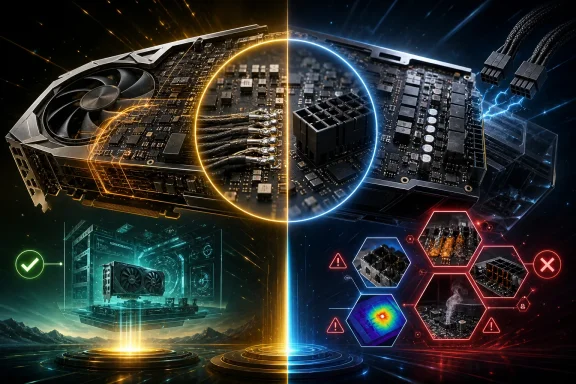
The distinction matters because the card in question was not a typical gaming GPU. It was a GALAX GeForce RTX 5090 D HOF OC LAB XOC, a specialist dual-16-pin model aimed at extreme overclocking. Its layout, intended use, and power headroom make it a poor stand-in for the ordinary single-connector RTX 5090 in a Windows gaming PC. For most owners, the important takeaway is not that soldering is a new fix. It is that high-power GPU installation still depends on the whole electrical path: PSU, cable, connector seating, current distribution, board design, cooling, and operating conditions.
What the modification actually demonstrated
TecLab reportedly attached power wiring directly to PCB areas around the two original 16-pin inputs on the GALAX card. In effect, this removed the detachable GPU-side connector from that particular part of the circuit. The modified card was operated with external cooling and two additional fans, then booted and underwent unspecified testing.
That is enough to establish that the modified setup functioned for at least some period under those conditions. It does not establish the following:
- safe operation over days, months, or years;
- stable current sharing across all conductors;
- safe temperatures at the solder joints, wires, PCB traces, and PSU-side connections;
- suitability for stock retail cards, standard PC cases, or normal desk-side use;
- prevention of every form of connector or cable damage.
The reports do not supply key measurements needed to make a stronger conclusion. There is no stated test duration, detailed workload, board power figure, cable gauge, solder-joint temperature, current-distribution data, or long-term reliability result. A machine that powers on and runs a test is not necessarily a machine whose power path has been validated.
Calling the modification a solution to connector melting therefore goes beyond the evidence. It bypasses one detachable connection on the GPU end. It does not eliminate the need to deliver very high current through wires, other connectors, a power supply, and the graphics card’s own copper traces and soldered interfaces.
Why this RTX 5090 is not representative
The GALAX RTX 5090 D HOF OC LAB XOC is an extreme-overclocking-oriented product with two 16-pin inputs. That alone separates it from the common mental picture of an RTX 5090 with one power connector in an ordinary enclosed PC.
PCI-SIG describes the 12V-2x6 connector family as supporting up to 600 W through one 12 V auxiliary wire-to-board connector. A dual-input arrangement consequently signals a design intended to accommodate a very different power-delivery scenario than a normal single-input card. The presence of two inputs likely gives an overclocking board more available power capacity, but it does not prove that either the card or the soldered conversion is safer under every load.
The “D” designation and HOF OC LAB XOC branding also matter. This was not presented as a mainstream reference-style RTX 5090. It was developed for extreme overclocking and the Chinese market. Hardware built for specialists can use unusual PCB routing, power stages, BIOS options, cooling methods, and bench-top test practices that do not translate to a consumer Windows desktop.
That means an owner of a conventional RTX 5090 should not infer that their card has a comparable pair of power inputs, equivalent electrical margins, or a practical route to replicate this work. Even if a physical modification were possible, it could create new risks specific to a different board layout.
Bypassing a plug moves the question—it does not erase it
At a basic level, the appeal of direct wiring is understandable. If thermal stress is concentrated at a detachable connector interface, removing that interface could remove one potential point of resistance or poor contact. This is a reasonable engineering hypothesis for the GPU-side plug involved in the demonstration.
But it remains only one part of a larger circuit. High-power delivery still has to pass through conductors and junctions. Depending on the installation, possible stress points may include:
- the solder joints added during the modification;
- the cable itself and the way individual conductors share current;
- the PCB area receiving the soldered wires;
- the PSU-side socket or connector;
- any adapter or extension in the path;
- components on the graphics card that receive and regulate the incoming power.
A direct solder joint can be electrically sound when designed, assembled, strain-relieved, inspected, and tested to an appropriate standard. It can also be a weak point if workmanship, wire selection, mechanical support, or heat management is poor. The available material does not characterize any of those factors for this conversion.
This is especially relevant in a PC case. Movement during installation, cable tension, vibration, repeated heating and cooling, and restricted airflow can place stresses on wiring that are less obvious on an open test bench. The external GPU cooling and extra fans used in the demonstration are part of the reported conditions, not incidental details to ignore.
High current is a real concern, even without a proven failure rate
Skepticism about the claimed fix should not be mistaken for dismissing the underlying concern. Independent reporting on an RTX 5090 Founders Edition stress test described a substantial power-delivery hotspot. During a FurMark run at roughly 570 W GPU draw, one of six 12 V wires reportedly carried more than 22 A. After four minutes, a hotspot on the PSU side exceeded 150°C.
That report does not prove that every RTX 5090 cable behaves this way, nor does it provide an overall incident rate for RTX 5090 or RTX 5090 D hardware. But it does demonstrate why connector installation, cable quality, and current balance deserve serious attention at this class of power draw.
The significant detail is that the reported hotspot was on the PSU side. It illustrates the central limitation of the soldered-card narrative: deleting the detachable connector on one end cannot, by itself, prove safety elsewhere. If uneven current distribution, a stressed cable, or a PSU-side interface is contributing to heating, the GPU-side modification does not automatically address it.
For Windows users building or upgrading high-end systems, that changes the practical question from “Can I eliminate the plug?” to “Is every component of my approved power-delivery path correctly specified and installed?” That is less dramatic, but much more useful.
What NVIDIA officially specifies for RTX 5090 Founders Edition
NVIDIA’s RTX 5090 Founders Edition guidance calls for a minimum 1000 W power supply. It specifies two supported power arrangements: at least four independent PCIe 8-pin cables used with the included adapter, or one PCIe Gen 5 16-pin cable rated for 600 W or more.
The guide also instructs owners to use the included adapter for the Founders Edition where applicable and to ensure the 16-pin plug is fully inserted and sits flush. Those instructions are not merely cosmetic. In a high-current connection, incomplete seating or improper cable arrangements can create conditions that deserve avoidance.
None of this guidance endorses soldering power wires directly onto a GPU PCB. It applies specifically to Founders Edition hardware, so it should not be treated as a complete installation manual for the unusual GALAX XOC card. Still, it provides a clear baseline for mainstream RTX 5090 owners: use a PSU with sufficient capacity, use the supported cable configuration, avoid improvised power paths, and verify the connector is properly seated.
A user should also be careful with the word “independent.” The guidance calls for four independent PCIe 8-pin cables when using the supplied adapter—not a casual assumption that any available daisy-chained arrangement is equivalent.
Warranty risk is not hypothetical
Direct PCB soldering is also a warranty decision, not merely a cooling or cable-management experiment. GALAX’s published policy excludes products that are physically altered, modified outside factory specifications, or have solder used on the PCB. It further says modified products must be returned to original factory condition for warranty service.
Warranty terms can vary by region, and the exact coverage applicable to TecLab’s particular card and purchase location is not established here. Nonetheless, the policy states the manufacturer’s general position plainly enough: soldering to the board is likely to jeopardize support.
For an expensive GPU, that should substantially raise the threshold for experimentation. Reversing a modification may itself be difficult, and returning a PCB to a condition that satisfies a manufacturer can be harder than simply removing a cable. Even an otherwise successful mod could leave an owner responsible for later repair costs.
Monitoring can help, but it is not a guarantee
In-line monitoring products may be useful for observing power, current, and temperature behavior, and some advertise protective mechanisms. That can help an enthusiast detect conditions worth investigating. It should not be confused with proof that a system cannot overheat or that a connector cannot be damaged.
The available documentation for Thermal Grizzly’s WireView Pro II, for example, describes monitoring and protection features along with conditional extended coverage in certain circumstances. The presence of conditional coverage for connector or socket damage is itself a reminder that monitoring is risk management, not a universal prevention guarantee. Modified cards and increased-power-target XOC BIOS use may also fall outside relevant coverage conditions.
If a monitoring device reports abnormal temperatures or current behavior, the prudent response is to shut down and diagnose the system—not to regard the device as permission to continue running an unsafe setup.
Practical guidance for RTX 5090 owners
For nearly all RTX 5090 users, direct-to-PCB soldering is not a sensible maintenance step or a consumer safety upgrade. It is an extreme modification demonstrated on an exceptional overclocking board, with insufficient published data to establish long-term reliability.
A more defensible checklist is straightforward:
- Use a PSU that meets the GPU maker’s stated requirements; for NVIDIA’s RTX 5090 Founders Edition guidance, that means at least 1000 W.
- Use the supported connector arrangement for the specific graphics card and PSU. Do not assume a configuration intended for another model is compatible.
- Fully insert the 16-pin plug so it sits flush, following the card maker’s instructions.
- Use the included adapter where the manufacturer directs it, and use the required number of independent PCIe cables rather than an unverified substitute.
- Avoid unnecessary adapters, extensions, and modified cabling unless their suitability for the exact hardware is clearly established.
- Treat unexpected heat, discoloration, odor, instability, or monitoring alerts as reasons to stop using the system and inspect the entire power path.
- Preserve warranty coverage by avoiding PCB alterations unless you knowingly accept the likely loss of manufacturer support.
The TecLab demonstration is interesting because it makes an invisible electrical problem visible: at extreme power levels, the connector is only one component in a demanding system. But the experiment has not shown that soldering wires to an RTX 5090 PCB prevents melting in general. For ordinary Windows PC owners, careful use of the manufacturer-supported power configuration remains the evidence-based choice.
