

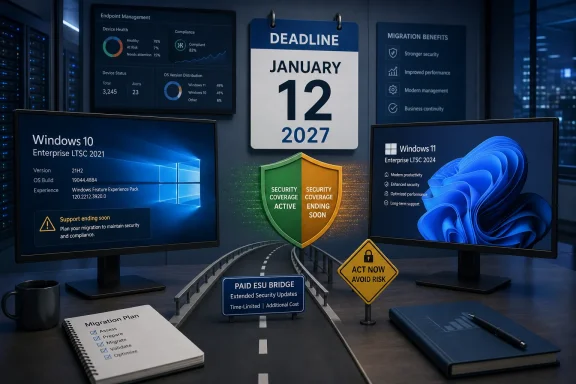
The practical message for IT teams is more urgent than the date alone suggests. Windows 10 Enterprise LTSC 2021 is build 19044, released in November 2021, and it is now the last Windows 10 Enterprise LTSC release. After January 12, 2027, it receives no free security patches, quality fixes, technical support, or updates to Microsoft’s online support content. The normal Windows 10 22H2 servicing deadline passed on October 14, 2025; LTSC 2021 has provided a longer runway, but that runway is now down to five months.
Microsoft’s Lifecycle and Windows release-health documentation independently lists January 12, 2027 as the end-of-updates date for the non-IoT Enterprise LTSC 2021 edition. The company’s August 5 announcement supplies the missing operational detail: organizations will be able to purchase up to three years of security-only coverage rather than being forced into an unsupported state on the deadline.
ESU is a security bridge, not extended Windows support
The Extended Security Updates program for Windows 10 Enterprise LTSC 2021 will cover only Microsoft Security Response Center-rated critical and important security updates. Microsoft says support is limited to activating ESU licenses, installing the monthly ESU updates, and addressing problems caused by an update itself.
That excludes feature work, general quality fixes, design changes, and ordinary product support. A device with a line-of-business application failure, driver regression, or compatibility issue that is unrelated to a delivered ESU patch is still outside the offer’s support boundary. ESU reduces exposure to newly disclosed Windows vulnerabilities; it does not restore the operating system to a fully serviced platform.
The distinction deserves particular attention for fixed-function systems, where LTSC is commonly deployed. A kiosk, production workstation, lab instrument, point-of-sale terminal, or control-room PC may have a tightly controlled application stack, but it still depends on hardware drivers, certificates, network protocols, endpoint agents, browsers, and management tools that continue to change around it. Security patches alone cannot guarantee that those dependencies will keep supporting Windows 10 build 19044 through 2030.
Microsoft has described ESU as a temporary bridge, and the program’s structure reinforces that point. It is a way to buy time for systems that need validation, replacement hardware, vendor recertification, or a scheduled maintenance window—not an economical substitute for a migration program.
The price escalator changes the cost of delay
Microsoft says Year 1 ESU coverage will cost $61 per device through Volume Licensing or a Microsoft Cloud Solution Provider. Organizations managing devices through Microsoft Intune or Windows Autopatch qualify for a roughly 25 percent reduction, bringing Year 1 to $45 per device.
The license price doubles each consecutive year. On Microsoft’s stated schedule, that means a device kept enrolled for all three years costs $61 in Year 1, $122 in Year 2, and $244 in Year 3: $427 per device before regional pricing variations. At the advertised Intune or Autopatch rate, the corresponding three-year total is $315 per device.
The more punitive detail is that ESU is cumulative. An organization that skips Year 1 cannot simply begin with Year 2 pricing when it finally decides a machine will miss the migration deadline. It must also pay the Year 1 cost. Delaying the enrollment decision therefore does not avoid the earlier charge; it only leaves the device unprotected until an organization commits.
For a 1,000-device LTSC 2021 estate, the standard-price maximum is $427,000 across the three ESU years, excluding taxes and regional currency adjustments. The Intune or Autopatch route would put the same three-year license exposure at $315,000. Those figures do not include the operational cost of managing a legacy OS, testing every monthly update against specialized applications, or maintaining compensating controls for machines that cannot be patched promptly.
Microsoft has not yet published the SKU-level ordering process, activation workflow, or whether any minimum purchase terms will apply beyond saying sales begin September 1, 2026 through Volume Licensing and CSP partners. Organizations should obtain quotes early rather than assuming the listed U.S. dollar figures map directly to their agreements or regions.
Do not confuse Enterprise LTSC with IoT Enterprise LTSC
The most consequential inventory error in this transition will be treating all “LTSC 2021” installations as though they share the same deadline. They do not.
Windows 10 Enterprise LTSC 2021 reaches end of updates on January 12, 2027 and is the edition covered by the new ESU offer. Windows 10 IoT Enterprise LTSC 2021, despite sharing the 21H2 codebase and build family, remains supported through January 13, 2032 under its existing lifecycle. Microsoft explicitly says the new ESU offer does not apply to IoT Enterprise LTSC.
That five-year difference means asset reporting must distinguish the licensed edition, not merely report “Windows 10 21H2” or “LTSC 2021.” The two editions can be easily conflated in vulnerability dashboards and endpoint-management exports because both identify with version 21H2 and the 19044 build train. Yet one needs a funded migration or ESU plan by January, while the other does not.
Microsoft’s release-health documentation has already had to correct an end-of-support notification that appeared erroneously on LTSC 2021 systems after the October 2025 Windows 10 deadline. The company said those messages did not affect the servicing status of either Enterprise LTSC 2021 or IoT Enterprise LTSC 2021. Administrators should verify activation and edition data through their management inventory rather than rely on a Windows Update banner—especially when deciding which devices belong in an ESU purchase order.
There is also no legitimate shortcut in relabeling ordinary Enterprise LTSC installations as IoT systems to inherit the 2032 date. IoT Enterprise licensing and distribution are intended for dedicated, fixed-purpose devices and follow different commercial channels. The fact that the operating systems are closely related does not make their licenses interchangeable.
Windows 11 Enterprise LTSC 2024 is the supported destination—with a shorter horizon than many expect
Microsoft recommends Windows 11 Enterprise LTSC 2024 as the destination for compatible Windows 10 Enterprise LTSC 2021 devices. It is based on Windows 11 version 24H2, build 26100, and includes the cumulative platform changes from Windows 11 releases 21H2 through 24H2. For specialized deployments, relevant additions include newer kiosk and restricted-user-experience controls, Windows LAPS improvements, Credential Guard changes, enhanced phishing protection, and support for modern hardware security capabilities.
But Windows 11 Enterprise LTSC 2024 itself has a five-year lifecycle ending on October 9, 2029. That is an important planning constraint: the recommended replacement reaches end of support less than three years after the Windows 10 LTSC 2021 deadline, and about three months before a fully used three-year ESU term would end on January 8, 2030.
For a purpose-built device with a long replacement cycle, the right outcome may still be Windows 11 Enterprise LTSC 2024. It moves the system to a current Windows platform, removes the annual ESU cost, and makes the device eligible for security capabilities that depend on newer firmware and hardware. But it is not a ten-year desktop LTSC release. Microsoft’s own lifecycle materials make clear that the 10-year servicing model continues with Windows 11 IoT Enterprise LTSC 2024, not the regular Enterprise edition.
Hardware eligibility is another gate. Windows 11 requires a supported 64-bit processor, 4 GB of memory, 64 GB of storage, UEFI firmware capable of Secure Boot, and TPM 2.0. Many LTSC installations were deliberately retained on older industrial PCs and peripherals precisely because their workloads did not benefit from frequent OS feature updates. Those are also the devices most likely to need a hardware-refresh decision rather than a straightforward operating-system deployment.
Microsoft’s upgrade-path documentation also warns that in-place upgrades between servicing channels and editions are not universally supported. Before committing to a broad migration, test the precise source edition, target media, language pack, architecture, application stack, drivers, management agent, and licensing activation path. For devices that require a wipe-and-load deployment, the migration effort is fundamentally different from a monthly-update project.
What should happen before September
Organizations have less than a month before Microsoft begins ESU sales and roughly five months before the free-update cutoff. The immediate work is not purchasing licenses; it is establishing which machines truly require them.
A defensible plan should separate devices into three groups:
- Devices that meet Windows 11 requirements and have validated application and peripheral support should be scheduled for Windows 11 Enterprise LTSC 2024 migration.
- Devices that cannot move by January 12, 2027 but have a documented retirement or remediation date should be budgeted for ESU and enrolled before the final free update.
- Devices licensed as Windows 10 IoT Enterprise LTSC 2021 should be recorded separately, because they remain under standard support until January 13, 2032 and are not part of this ESU purchase.
The deadline that matters is no longer Windows 10’s broad 2025 retirement, which has already passed. For the specific Enterprise LTSC 2021 fleet, January 12, 2027 is the last day of normal servicing. ESU can defer the security-update cliff, but every device that enters the program becomes a paid exception that should already have an exit date.
Update: Additional details (August 6, 2026)
Windows Latest notes that Windows 10 Enterprise LTSC 2019 remains supported until January 9, 2029—later than Enterprise LTSC 2021’s January 12, 2027 deadline. That lifecycle difference may affect retirement planning for fleets already licensed for the older release, although moving a 2021 deployment backward is not a conventional upgrade path.
The report also places Windows 10 Enterprise LTSB 2016 and IoT Enterprise LTSB 2016 at their October 13, 2026 end-of-support date. Microsoft’s separate ESU offering for those 2016 editions is distinct from the new Enterprise LTSC 2021 program.