
The practical benefit is straightforward. A user who routinely works from a project folder under C:\Work, a custom Downloads destination, or another non-library path may no longer have to choose between Windows Search’s limited Classic scope and Enhanced mode’s device-wide crawl. Microsoft says Windows Search will use activity signals—including recent files and frequently accessed locations—to expand its indexing scope, and that the control lives under Settings > Privacy & security > Search.
Windows Latest first reported the setting as “Automatically find additional relevant locations,” and Windows Report subsequently repeated the finding. Microsoft’s own release notes do not publish that exact label, nor do they spell out the precise criteria that cause a folder to be selected. They do, however, independently confirm the mechanism: Windows will choose additional locations from user activity rather than from a fixed set of folders.
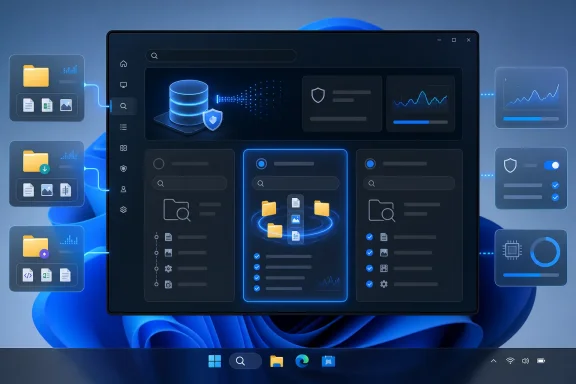 The missing middle option between Classic and Enhanced indexing
Windows Search has long forced a blunt configuration decision. Classic mode indexes Desktop, Documents, Pictures, and Music by default, with additional folders available through the legacy Indexing Options interface. Enhanced mode indexes the entire PC, including all user folders and files.
Microsoft’s current support documentation is unusually clear about the tradeoff: Enhanced provides broader results but can consume more system resources. Classic gives better resource discipline, but users who place working files outside the default scope discover its limit the unpleasant way—by searching for a known filename and getting nothing back.
The new activity-driven option appears designed to occupy the gap between those choices. Rather than crawling every location on every fixed or removable volume, it should add locations that Windows considers relevant to the person actually using the PC. For a personal device, that is a sensible correction to a decades-old assumption that important files live in the familiar profile folders.
It also changes the burden of configuration. Today, the person who understands where the data is stored must know that indexing has a scope, find the Search settings, enter the advanced interface, and add the right directory. In reality, most users never do. The system instead learns from file access, which makes the feature more likely to solve the problem that prompted it.
But it means Search scope is no longer entirely static or obvious. A folder that becomes part of a user’s regular work pattern could become searchable without that user explicitly selecting it in the traditional indexing dialog. Windows Latest reports that users can block locations selected by the automated system, which is essential, but Microsoft has not yet documented how those exclusions are surfaced, whether exclusions persist across profile changes or resets, or whether a user can review a history of automatically added paths.
Microsoft confirms the feature, but not its operational boundaries
Microsoft’s release notes establish the build number, channel, date, and core behavior. Build 26300.9032 was released on July 31, 2026, and its Search change is listed among improvements “gradually being rolled out.” The same notes say Experimental-channel features can change, be removed, or never ship beyond Windows Insiders.
That language is more than ordinary preview boilerplate in this case. Microsoft has confirmed the what—index expansion based on recent files and frequently accessed locations—but omitted several facts that decide whether the feature is ready for workstations handling large or sensitive data sets.
Microsoft has not said:
- Whether automatic selection is limited to local NTFS/ReFS storage or can include SMB shares, mapped drives, WSL file paths, removable media, or cloud-provider sync roots.
- Whether Windows applies guardrails for folder count, file count, file type, free disk space, battery state, or available CPU time before expanding the scope.
- Whether a folder selected by one Windows user is isolated to that user’s search experience or affects the machine-wide Windows Search catalog for other local accounts.
- Whether the behavior is manageable through Group Policy, mobile device management, or an existing Windows Search policy for organizations.
- Whether the feature will be part of a cumulative update for supported retail builds, a future feature update, or remain Experimental-only.
For IT departments, those absences are the story behind the announcement. A feature that learns from user activity may work well on a lightly managed laptop, but it needs an administrative control plane before it belongs on developer workstations, shared PCs, lab machines, or endpoints where indexing exclusions are part of data-handling policy.
The existing Windows Search index is not a per-app convenience cache. Microsoft says File Explorer, Edge, Outlook in offline mode, and other components use it. Expanding the index therefore improves more than the Start menu’s file results; it may affect searches across Windows features that draw from the underlying catalog.
More searchable files also means more indexed metadata and content
The key consequence is not that Windows will merely remember a few folder names. Indexing catalogs file properties such as names and full paths, and for supported text-based file types it can index contents so users can search words inside documents. Microsoft’s support documentation says that content indexing is configurable by file type, and Windows Latest’s report says the new option makes locations searchable by properties and content.
That is useful for locating a document when the filename is forgotten. It also means the scope decision affects what information Windows stores in its local search database. A worktree containing source code, an archive of exported reports, or a folder full of small text files can generate a substantial index relative to the data itself.
Microsoft’s rule of thumb is that an index is normally less than 10 percent of the indexed file size. The company specifically warns that the percentage can rise sharply for very small files and for computer code. That makes automatic scope expansion worth watching on developer systems, build machines, and devices that work with package caches, logs, source trees, or large collections of tiny documents.
The resource effect should be most noticeable immediately after Windows adds a newly relevant folder. Microsoft says indexing runs in the background and reindexes changed data, while its troubleshooting guidance notes that the service reduces indexing speed during active use and can wait for the PC to become idle. In other words, this is not necessarily a constant performance drain—but it can create a period of sustained disk and CPU activity when a folder first enters scope.
The feature should not be confused with the semantic indexing offered on Copilot+ PCs. Microsoft describes semantic indexing as an additional local capability that can return conceptually related results, such as finding lasagna for a search involving pasta. The new Experimental feature is about deciding where ordinary Windows Search should look. Microsoft has not said that automatic location selection requires a Copilot+ PC, an NPU, or semantic indexing.
The privacy question is local exposure, not a new cloud upload claim
Microsoft’s Search support documentation says data gathered from semantic indexing is stored locally on the PC, or locally in Cloud PC storage for AI-enabled Windows 365 devices, and is not stored by Microsoft or used to train AI models. That statement is helpful context, but it is specifically about semantic indexing; Microsoft has not published a corresponding privacy explainer for activity-driven location selection in Build 26300.9032.
There is no evidence in the release notes that this feature uploads file activity or file contents to Microsoft. The available record instead points to local Windows Search behavior. Still, users and administrators should assess the more immediate privacy issue: adding a folder to the local search index can make its filenames, paths, metadata, and—in supported formats—contents easier to retrieve from Windows Search and applications that access the index.
That matters on systems where sensitive material is stored outside Documents precisely because it is treated as a specialist or temporary work area. Think finance exports, case materials, source repositories, forensic collections, staging folders, or folders used by line-of-business software. File permissions remain the primary access boundary; indexing should not grant an account access it lacks. Yet better discoverability for the signed-in user is still a meaningful change, and exclusions should be reviewed rather than assumed.
The sensible initial approach for Experimental-channel testers is to leave the feature enabled only if they want the convenience, then inspect any newly indexed locations in Advanced indexing options. Exclude directories containing volatile build output, large archives, package caches, sensitive work products, or datasets whose full-text search value does not justify the resource cost.
A useful change that still needs enterprise controls
Microsoft’s July 13 Experimental-channel Search announcement focused on cleaner results, typo tolerance for app names, two-character file searches, better Settings ranking, and prioritizing local results when they are the stronger match. Automatic indexing scope is the infrastructure piece that makes those front-end improvements more credible: ranking cannot surface a file that the system never indexed.
For ordinary Windows users, this may become one of the more practical Search improvements Microsoft has shipped in years. It addresses a routine failure mode without demanding that people understand the distinction between Classic indexing, Enhanced indexing, file types, and crawl scope.
For administrators, it remains a preview feature with unresolved manageability and scope questions. Build 26300.9032’s release notes confirm the capability is being tested on Windows 11 26H2 in the Experimental channel and delivered gradually through Controlled Feature Rollout. Until Microsoft documents supported paths, exclusion behavior, policies, and a stable-build delivery plan, this should be treated as a promising personal-productivity feature—not a configuration change to standardize across managed fleets.
