
As reported by Neowin and detailed in Microsoft’s Insider release notes, the pair also renews the Windows Insider flight certificate. Insiders should install either build, or a later release containing the new certificate, before the existing certificate expires on August 11, 2026 to ensure their PCs can continue receiving preview flights.
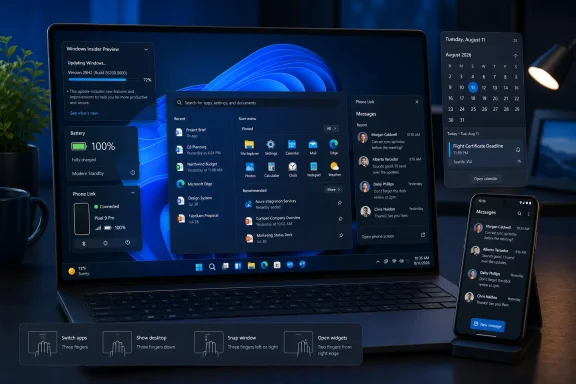 Search shifts toward recent activity
Build 26300.9032 introduces activity-based Search indexing, an attempt to make Windows Search more useful when users are trying to resume work rather than retrieve a file by its exact name. The change is intended to surface content based on recent activity and context, although it is rolling out gradually rather than arriving for every Experimental-channel PC at once.
That gradual delivery matters. Microsoft commonly uses controlled feature rollouts in this channel, so two machines on the same build can expose different functionality while the company measures reliability and feedback.
The build is delivered on the Windows 11 version 26H2 code line through an enablement package, making it an especially early testing ground rather than a preview to deploy broadly.
Phone Link moves closer to the Start menu
The more visible addition in Build 26300.9032 is a Phone Link integration that lets users preview recent phone messages and notifications by hovering over recent activity in Start. It reduces the number of clicks needed to check a mobile alert, but it also continues Microsoft’s push to make Start a hub for account, cloud, and cross-device activity.
The feature requires Phone Link version 1.26021.3.0 or newer. Eligible users can manage it in Phone Link > Settings > Start menu personalization once it has reached their device.
Microsoft is also testing new touchpad gesture controls in the Experimental build. For laptop users, the practical value will depend on whether the added mappings offer meaningful shortcuts rather than another layer of configuration alongside existing three- and four-finger gestures.
The 26H1 build targets the sleep-versus-battery tradeoff
Experimental (26H1) Build 28120.2630 focuses more on platform behavior. Microsoft says it has updated the adaptive hibernate policy to increase the chances of an instant-on resume from Modern Standby while preserving battery more aggressively at low charge levels.
Adaptive hibernate moves a Modern Standby system from sleep into hibernation based on battery-drain behavior rather than relying solely on a fixed timer. The challenge is balancing a quick resume against the familiar complaint of opening a sleeping laptop to find a nearly depleted battery. Microsoft’s stated goal here is to keep systems responsive while reducing that low-battery risk.
The 26H1 release also fixes an issue affecting File History automatic backups to SMB network shares. That is a modest but relevant enterprise correction for organizations still using File History against network storage.
Administrators testing Build 28120.2630 should also note a known issue involving DFS locations: File Explorer’s Preview pane can warn that a file may harm the PC, and files copied from a DFS drive may receive an unexpected Mark of the Web.
For ordinary Windows 11 users, these builds are not a reason to join the Experimental channel. For Insiders already there, the immediate action is simpler: update before August 11, then watch which of the staged Search and Phone Link features actually arrive on the device.
Update: Additional details (August 1, 2026)
WindowsReport says the adaptive-hibernate tuning keeps Modern Standby PCs out of hibernation less often above 80% battery, while moving them into hibernation sooner below 10%. It also reports improved Settings-search ranking, designed to place more relevant results nearer the top.
The report additionally lists fixes for a Start menu crash while dragging apps, disappearing taskbar overflow thumbnails, File Explorer Home section preferences, and SMB File History backups that incorrectly reported invalid credentials. It says Windows Spotlight has also received under-the-hood reliability work.
