

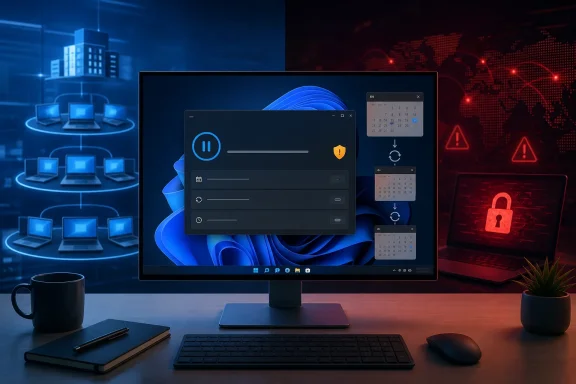
That distinction changes the security argument made in a new How-To Geek commentary. Its central concern is sound: a patch that exists but is not installed remains a usable opening for attackers. But the policy Microsoft is changing is less a retreat from automatic patching than a concession that people should be able to postpone installation repeatedly — including, in practice, forever — rather than be trapped by the former 35-day pause ceiling.
For home PCs, that is a real reduction in Microsoft’s ability to compel timely patching. For businesses, it is not a replacement for an update-management program, and Microsoft has not yet explained how the new consumer-style controls will map to commercial Windows deployments.
Windows 11 is adding an indefinite pause, not an “off” switch
Microsoft’s April 24 announcement introduced four Windows Update changes: an option to skip updates during initial setup, a calendar-based pause control, standard Restart and Shut down commands even while updates are pending, and clearer names for driver updates. The pause mechanism still works in blocks of up to 35 days, but users can reset it as often as they want.
That makes the practical effect an indefinite pause. A PC owner who deliberately revisits Settings every five weeks can keep quality updates, including monthly security fixes, from installing. Tom’s Hardware and PC Gamer both reported the same key detail from Microsoft’s announcement: the limit is no longer the number of days a PC can remain paused, but whether the user continues renewing the pause.
Microsoft’s language also makes clear what has not changed. Updates may download in the background; if the user neither takes an update early nor maintains a pause, Windows will apply updates with the next scheduled monthly quality update. The company is also combining driver, .NET, and firmware servicing with the Windows quality update where possible, aiming for one coordinated restart rather than several interruptions in a month.
The important change is therefore the removal of an enforcement backstop for people who consciously defer. It is not a decision to make Windows Update opt-in by default, nor a return to the older Windows model where users chose every hotfix one by one.
There is another limitation missing from much of the coverage. Microsoft said these controls began rolling out to the Dev and new Experimental Insider channels. Its public announcement did not supply an ordinary retail Windows 11 build number, a firm general-availability date, or the commercial-management rules administrators will receive. Windows Central reported in April that Microsoft expected broader availability around the May 2026 security update, but Microsoft’s own post stops short of committing to a retail rollout schedule and says commercial controls will be discussed later.
As of August 8, the safe reading is that Microsoft has announced the policy direction and begun testing or staging it, but has not published a complete deployment matrix for every supported Windows 11 edition and management scenario.
WannaCry is the right warning — and an incomplete analogy
How-To Geek invokes WannaCry as the case for keeping Windows users on a tight update leash. The timeline is incontestable. Microsoft published MS17-010 on March 14, 2017, fixing critical SMBv1 remote-code-execution vulnerabilities including CVE-2017-0144. WannaCry began spreading on May 12, almost two months later, using the EternalBlue exploit against systems that had not received the fix.
Microsoft said at the time that supported Windows systems with Windows Update enabled were protected by the March update. The company took the unusual further step of releasing emergency patches for unsupported Windows XP, Windows 8, and Windows Server 2003 systems after the outbreak began. The UK National Audit Office’s investigation of the NHS disruption found that affected organizations had unpatched or unsupported Windows installations, despite NHS Digital issuing critical alerts in March and April urging organizations to patch.
The lesson is not merely that users procrastinate. The case showed what happens when several failures compound: unsupported operating systems, unpatched supported systems, exposed SMBv1 services, and insufficient network resilience. Automatic updates would have reduced one major source of exposure, but they would not have upgraded retired operating systems, removed a legacy protocol from a network, or made an unsegmented estate safe.
That distinction matters for Windows administrators because the most consequential systems in a ransomware incident are frequently not personal laptops governed by default consumer settings. They are servers, clinical workstations, line-of-business terminals, VPN gateways, identity systems, and machines whose application dependencies have made patching difficult. Those devices need ownership, inventory, deployment rings, maintenance windows, rollback plans, vulnerability prioritization, and controls that limit lateral movement when one endpoint is missed.
WannaCry supports the case for fast patching. It does not support handing every environment the same reboot behavior. A forced restart in the middle of a clinical workflow, manufacturing process, financial close, remote support session, or overnight maintenance task can cause its own outage. The operational problem is not whether security updates are good; it is whether the organization can prove that the right update reached the right machine within an acceptable period.
Enterprise Windows already has a middle path
The idea that administrators must choose between Microsoft-imposed restarts and voluntary manual patching is outdated. Windows Update for Business policies already let organizations defer feature updates for up to 365 days and quality updates for up to 30 days. More important, organizations can use compliance deadlines to require installation after a defined period and configure a grace period before a restart becomes mandatory.
Microsoft’s current deployment guidance still recommends automatic download, installation, and restart as the normal baseline when no restart policy is configured. But that is a management default, not an instruction to deploy every patch blindly to every endpoint on Patch Tuesday. Admins can sequence updates through pilot groups, broad deployment rings, and critical-device cohorts; set active hours; suppress user pause controls; set deadlines; and use tools such as Intune, Windows Autopatch, Configuration Manager, or third-party endpoint-management platforms to measure compliance.
The new Windows 11 pause option is therefore more disruptive to the security posture of unmanaged PCs than to a well-run corporate estate. In a managed organization, a user’s Settings page should not be the authority that determines when a security update is installed. If it is, the problem predates Microsoft’s new interface.
Microsoft has also acknowledged the gap. Its Insider announcement says the out-of-box skip option does not apply where commercial-device setup is managed, and it promises more information on commercial controls later. That restraint is appropriate. Consumer convenience settings cannot simply be copied into a managed fleet without defining which policy wins, how exceptions are logged, and what happens when a device misses a critical update deadline.
The missing details are material. Microsoft has not yet said whether an IT administrator will be able to prevent repeated pauses on Windows 11 devices once these features reach broader channels, how pause status will surface in compliance reporting, or whether the controls distinguish ordinary monthly updates from actively exploited vulnerabilities and emergency out-of-band releases.
The security cost now depends on who owns the decision
The strongest criticism of an indefinite pause is not that every user will abuse it. Most will not. It is that the feature makes the least security-conscious or least technically confident users responsible for a recurring risk decision they may barely understand.
Monthly Windows quality updates include security fixes, and Microsoft occasionally releases out-of-band updates when a serious defect needs attention outside the regular schedule. Once a vendor publishes a security patch, attackers gain a roadmap: reverse-engineering an update can reveal the flaw and help produce a working exploit. Delaying an update is not always reckless — a problematic driver or line-of-business compatibility issue can justify it — but delay should have a reason, an owner, and an end date.
The old Windows 10-era experience was unpopular because it often treated a person using a PC as an obstacle to be worked around. Microsoft’s revised design recognizes that a restart command should restart, and a shutdown command should shut down. Those are sensible fixes. A laptop owner should not need to gamble on whether “Update and shut down” will turn into a lengthy installation when they are trying to leave.
Microsoft should keep the usability improvements while restoring a meaningful security nudge: clearly show how long a device has been paused, distinguish security updates from optional drivers and feature changes, and make repeated pauses visibly intentional rather than a frictionless way to forget the issue indefinitely. A user who chooses to postpone a display-driver update is making a different decision from one who has deferred a critical remote-code-execution fix for six months.
For IT departments, the actionable conclusion is more direct. Do not wait for Microsoft’s consumer controls to settle into retail Windows 11 before checking update policy. Confirm that user pauses are disabled or governed where appropriate, quality-update deadlines exist, restart grace periods match the organization’s operating reality, and reporting identifies devices that are missing current security updates. Test patches before broad deployment, but treat “test” as a timed stage, not a permanent holding pattern.
Microsoft has made Windows Update less coercive. It has not made patch management less necessary. The organizations that avoid the next WannaCry-scale failure will be the ones that can answer a basic question faster than an attacker can exploit it: which devices are still unpatched, and who is responsible for fixing them?