
Windows 11 Insider Experimental (Future Platforms) Preview Build 29639.1000 now lets testers keep Windows Update paused by extending the pause repeatedly, removing the practical end point imposed by the familiar 35-day pause window. The change applies only to the earliest Windows Insider track for now, but it signals a significant shift in Microsoft’s approach to update timing.
As reported by Windows Report, the July 31 build also adds controller navigation to the Bluetooth page in Quick Settings and expands a smart-card security policy for Azure Virtual Desktop and Windows 365 sessions.
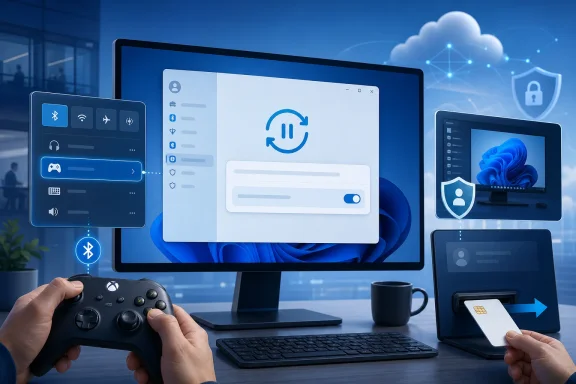
Windows Update has traditionally allowed users to choose a pause end date no more than 35 days away. Build 29639.1000 retains the pause mechanism but allows it to be extended again when the current period expires, effectively enabling an indefinite hold for an Insider who continues renewing it.
That is more meaningful than merely adding a longer calendar range. It gives users running fragile peripherals, specialized applications, or a carefully validated desktop configuration an escape hatch from feature and quality updates without repeatedly resorting to policy edits, metered connections, or third-party tools.
It should not be mistaken for a recommendation to avoid servicing altogether. Security fixes are still a core part of Windows maintenance, and organizations subject to compliance rules will need documented exception processes rather than an open-ended collection of paused PCs. For home enthusiasts, though, the feature offers a less adversarial way to wait out a problematic rollout.
It is a small addition, but it closes an awkward gap: Windows increasingly supports controller-first navigation in interfaces such as the Xbox app and gaming-focused hardware, while individual system-settings surfaces have not always followed suit.
The policy is aimed at remote desktop environments in which smart cards serve as a physical authentication factor. Automatically ending the session when that credential disappears reduces the chance that an unattended virtual desktop remains accessible after a user walks away or removes the card.
Microsoft positions the capability as a security and compliance improvement, and it will be most relevant to organizations already using redirected smart cards with Entra-authenticated Remote Desktop sessions. Administrators will still need to test the disconnect behavior against their session-reconnect rules and line-of-business applications before treating it as a blanket lock-screen replacement.
Build 29639.1000 is an Experimental (Future Platforms) release, not a build aligned to a committed retail version of Windows 11. The renewable update pause may eventually reach broader channels, but Microsoft has not attached a public shipping date to it.
The 35-day limit becomes a renewable pause
Windows Update has traditionally allowed users to choose a pause end date no more than 35 days away. Build 29639.1000 retains the pause mechanism but allows it to be extended again when the current period expires, effectively enabling an indefinite hold for an Insider who continues renewing it.That is more meaningful than merely adding a longer calendar range. It gives users running fragile peripherals, specialized applications, or a carefully validated desktop configuration an escape hatch from feature and quality updates without repeatedly resorting to policy edits, metered connections, or third-party tools.
It should not be mistaken for a recommendation to avoid servicing altogether. Security fixes are still a core part of Windows maintenance, and organizations subject to compliance rules will need documented exception processes rather than an open-ended collection of paused PCs. For home enthusiasts, though, the feature offers a less adversarial way to wait out a problematic rollout.
Controller users get one less mouse-only settings pane
Microsoft has also added gamepad navigation to Bluetooth controls in Quick Settings. That change should make it easier to pair and manage Bluetooth devices from a controller-driven Windows setup, particularly on gaming PCs, handheld-style devices, and living-room systems where a keyboard and mouse may not be immediately available.It is a small addition, but it closes an awkward gap: Windows increasingly supports controller-first navigation in interfaces such as the Xbox app and gaming-focused hardware, while individual system-settings surfaces have not always followed suit.
Smart-card removal can now end remote sessions
For enterprise deployments, Build 29639.1000 enables administrators to configure Azure Virtual Desktop and Windows 365 sessions using Microsoft Entra ID authentication to disconnect automatically when a redirected smart card is removed.The policy is aimed at remote desktop environments in which smart cards serve as a physical authentication factor. Automatically ending the session when that credential disappears reduces the chance that an unattended virtual desktop remains accessible after a user walks away or removes the card.
Microsoft positions the capability as a security and compliance improvement, and it will be most relevant to organizations already using redirected smart cards with Entra-authenticated Remote Desktop sessions. Administrators will still need to test the disconnect behavior against their session-reconnect rules and line-of-business applications before treating it as a blanket lock-screen replacement.
Build 29639.1000 is an Experimental (Future Platforms) release, not a build aligned to a committed retail version of Windows 11. The renewable update pause may eventually reach broader channels, but Microsoft has not attached a public shipping date to it.
References
- Primary source: Windows Report
Published: 2026-07-31T18:33:37+00:00
Windows 11 Experimental Future Platforms Build 29639 Lets You Pause Updates Indefinitely
Windows 11 Experimental Build 29639.1000 adds unlimited update pause extensions, Bluetooth tweaks, and smart card security.
windowsreport.com
- Related coverage: blogs.windows.com
Announcing Windows 11 Insider Preview Build 29634.1000 for Experimental (Future Platforms)
Hello Windows Insiders, Today we’re releasing build 29634.1000 for the Experimental (Future Platforms) channel. Release notes can be found over in theblogs.windows.com - Related coverage: learn.microsoft.com
Windows 11 Insider Experimental (Future Platforms) Preview Build 29617.1000 - Windows Insider Program | Microsoft Learn
Release notes for Windows 11 Insider Experimental (Future Platforms) Preview Build 29617.1000learn.microsoft.com - Related coverage: support.microsoft.com
Pause updates in Windows | Microsoft Support
Under Settings, you can pause the Windows Update from being downloaded and installed for a period of time. You can also select a convenient time to restart your device after the updates are downloaded and installed.
support.microsoft.com
- Related coverage: windowscentral.com
Windows 11's latest update will let you pause updates indefinitely | Windows Central
The July 2026 Patch Tuesday update is one of the biggest of the year, bringing Point-in-time Restore and major Windows Update changes.www.windowscentral.com - Related coverage: tomshardware.com
Microsoft will allow users to indefinitely pause updates in Windows 11 — first change in over a decade to the mandatory update policy | Tom's Hardware
No more automatic restarts during important meetings or gaming sessionswww.tomshardware.com