
The list contains genuinely useful software. 7-Zip, VLC Media Player, Bitwarden, Everything, Obsidian, Flow Launcher, Ditto, and Microsoft PowerToys all solve real problems for particular users. But a “must install” guide needs to distinguish between software that fixes a Windows gap, software that reflects an individual workflow preference, and software that is being recommended ahead of competing tools without a meaningful feature-and-price comparison.
The biggest takeaway for anyone setting up a new PC is simpler: install security and recovery updates first, establish backups and accounts, then add software only when a specific workflow calls for it. A lean setup is easier to patch, easier to troubleshoot, and less likely to load the machine with overlapping background processes, browser extensions, sync clients, and update agents.
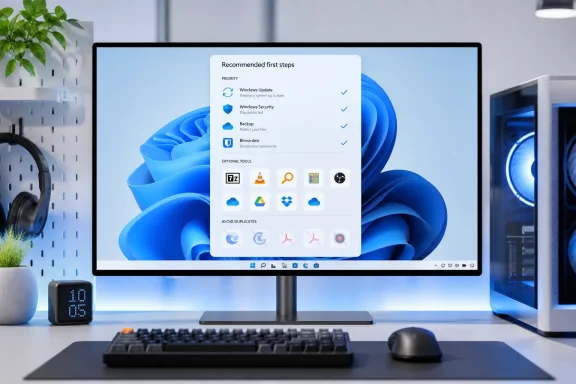 Windows setup should begin with protection and recovery
The article is right to put Windows Update and a recovery plan before application installation. Microsoft says Windows Security includes Defender Antivirus, firewall protection, and real-time scanning built into Windows 10 and Windows 11. Installing a second real-time antivirus package by default is unnecessary for most home PCs and can introduce the compatibility and performance problems the advice purports to avoid.
The better first-day checklist is to run Windows Update repeatedly until there are no remaining security, firmware, driver, or cumulative updates; verify that Microsoft Defender’s real-time and cloud-delivered protection are enabled; and make sure a recovery mechanism is available. On current unmanaged Windows 11 installations, Microsoft’s newer Point-in-time restore feature is enabled by default when supported, but users should still verify it under Settings > System > Recovery. It is not a substitute for a backup: it can roll back local apps, settings, files, passwords, certificates, and keys, and Microsoft says restore points are retained for only 72 hours.
That last point is where the supplied list falls short. Google Drive can synchronize files, but sync is not automatically a complete backup strategy. A deleted or corrupted file can synchronize too. Users should decide whether they need OneDrive, Google Drive, another cloud provider, File History, an external drive, or some combination — before installing a second cloud client simply because it appears on a generic essentials list.
The strongest recommendations are the ones that fill clear gaps
7-Zip remains a sensible install for users who handle archives beyond ordinary ZIP files. Windows can open ZIP archives, but 7-Zip adds broad format support and powerful compression without turning archive handling into a subscription product or advertising surface. It earns its place on many machines.
VLC is similarly defensible. Windows’ own media stack has improved, but VLC remains a reliable way to open uncommon video and audio files, handle subtitles, and avoid the codec hunt that follows an old camera file or downloaded MKV. It is useful without needing to become the default player for every file type.
Bitwarden is the most important recommendation in the article. Its free individual plan includes unlimited storage for logins, notes, cards, and identities; cross-device access and synchronization; a password generator; and support for hardware security keys or authenticator apps for two-step login. Bitwarden itself documents that advanced time-based one-time-password generation, encrypted file attachments, emergency access, and health reports are paid features, but the free tier is enough to get most new-PC owners out of the dangerous habit of reusing passwords or saving them only in a browser.
Everything is also a compelling utility, particularly for local-heavy users with years of documents, downloads, photos, source code, virtual machines, or media files. Windows Search is adequate for many casual searches and has improved, but Everything’s file-name index can produce results almost immediately on large NTFS volumes. The limitation belongs in any responsible recommendation: its value is highest for local file discovery, while it is less of an answer for content inside cloud-only files, encrypted containers, or services that do not expose a normal local file system.
Microsoft PowerToys deserves to be in this category, with one qualification. Its utilities — FancyZones, PowerRename, Image Resizer, Text Extractor, Keyboard Manager, and others — can improve daily work immediately. Microsoft supports Windows 10 version 2004 and newer as well as Windows 11, on x64 and Arm64 hardware, and offers installation through the Microsoft Store, GitHub, or WinGet. It is best treated as a modular toolkit: enable the utilities you will use and leave the rest off.
Several “essentials” duplicate software already on the PC
Google Chrome is a browser choice, not a new-PC requirement. Chrome may be the right fit for a user already invested in Google account synchronization, Chrome extensions, Android devices, and Google Workspace. But Microsoft Edge is present, maintained with Windows, supports modern extension compatibility, and includes PDF viewing. Firefox, Brave, Vivaldi, and others are equally legitimate choices depending on privacy, management, compatibility, and sync priorities.
Calling Adobe Acrobat Reader an essential is also too broad. Acrobat Reader has a place where a workflow requires Adobe-specific signing, commenting, protected-document compatibility, or enterprise document controls. Yet Microsoft documents that PDFs can be viewed and printed directly in modern browser PDF readers, including Edge and Chrome, without an additional local viewer. A basic PDF viewer should not be another installer on a clean machine unless the user has a job it must perform.
Ditto and Flow Launcher are useful, but they are enthusiast tools rather than universal baseline software. Windows already includes clipboard history through Win+V, making Ditto a step up for users who need deeper history, search, persistence, and cross-device behavior — not a prerequisite for ordinary copy-and-paste. Flow Launcher can be a significant productivity boost for keyboard-first users, but it asks a user to learn a new command workflow instead of simply improving Windows for everyone out of the box.
Obsidian is powerful precisely because it is opinionated: local Markdown files, links between notes, and a knowledge-base model. Students, researchers, technical writers, and people building durable personal documentation may love it. Someone who just needs shared shopping lists, short meeting notes, or Office-integrated documents may be better served by an existing app and fewer sync decisions.
The Eassiy recommendation does not survive the comparison the article avoids
The list’s sixth entry, Eassiy Screen Recorder Ultimate, is presented as a standout paid installation at $39.99 per year and receives far more space than the other eleven applications. The feature claims in the article — scheduled recording, webcam and screen capture, microphone and system audio, annotations, basic editing, compression, conversion, and high-resolution recording — closely match Eassiy’s own product marketing.
Those features may make Eassiy appropriate for someone who specifically wants its recording scheduler, window exclusion, phone capture, annotation tools, or bundled conversion utilities. But the article does not establish why a new-PC owner should pay for it before considering what Windows and free software already provide.
Microsoft has made this comparison much less one-sided than the article suggests. Snipping Tool on Windows 11 records a selected screen region and can hand the result to Clipchamp. Microsoft’s Clipchamp can record a screen, webcam, or both together, captures microphone audio, and supplies editing features including trimming, captions, and audio work. Xbox Game Bar remains available for game clips. Microsoft itself points users toward Snipping Tool, Game Bar, and Clipchamp as alternatives when migrating away from the deprecated Steps Recorder.
For advanced capture and streaming, OBS Studio is a material omission. The OBS Project describes OBS Studio as free, open-source software for video recording and live streaming, with multiple capture sources, webcam support, source-level audio mixing, noise suppression, hotkeys, scenes, and plugins. It is less approachable than a turnkey recorder, but it directly challenges the article’s implication that professional-grade screen recording requires an annual paid application.
The practical conclusion is not that Eassiy is unusable or that paid recording tools lack value. It is that the paid recommendation is optional, not foundational. A user recording occasional tutorials, problem reports, or game clips should begin with the inbox tools. A creator who needs reusable scenes, multi-source recording, filters, and streaming should evaluate OBS Studio. Only then does it make sense to pay for a recorder based on a specific missing feature.
A new PC needs fewer defaults and better choices
A sensible baseline for most Windows users is Windows Update, Windows Security, a verified recovery and backup plan, a password manager such as Bitwarden, and a browser selected for the user’s actual account and extension needs. Add 7-Zip, VLC, Everything, and PowerToys when their capabilities match the way the machine will be used.
Cloud storage should follow the account and collaboration system already in use, rather than automatically adding Google Drive alongside Windows’ OneDrive integration. Acrobat Reader, Obsidian, Ditto, Flow Launcher, Chrome, and an advanced recorder belong in the second wave, after a user can name the task they solve.
That approach does not make for a tidy list of twelve applications. It does leave a new Windows PC with fewer redundant agents, fewer accounts to secure, and software installed because it earns its place rather than because a generic checklist says it should.
