
BGR’s list of five reasons people are “ditching” Windows 11 identifies several real frustrations, but its central premise goes further than the evidence supplied. Windows 11 is still gaining share among Windows installations, and neither BGR nor Microsoft publishes a reliable measure of how many people installed Windows 11, reverted to Windows 10, or replaced it with Linux. What the record does show is more specific: Microsoft’s design and platform decisions have imposed costs on particular groups of users, especially owners of older PCs, local-account users, and people who want a desktop OS with fewer recommendations and less AI built into its surface.
Windows 11 launched on October 5, 2021, so on August 2, 2026 it is four years and 10 months old — close to five years, but not a product stuck in its initial release state. The important change is that some of the complaints BGR groups together as reasons to leave are now being addressed, while others are deliberate Microsoft policy. That division tells Windows users and administrators which problems may improve through normal servicing and which require accepting the platform’s direction or choosing another OS.
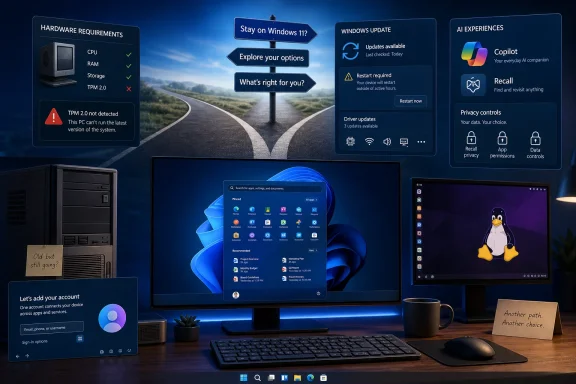
The clearest reason some people have stayed off Windows 11 is its hardware gatekeeping. Microsoft still requires TPM 2.0, Secure Boot capability, a supported CPU, 4 GB of RAM, and 64 GB of storage for a supported installation. Those requirements are separate from whether a machine can run Windows 11 after a workaround, and they particularly affect otherwise usable Windows 10-era PCs.
BGR frames the performance complaint as Windows 11 feeling slower on older hardware. That can be true in individual cases, but it needs separating from the support question. A Windows 11 PC operating near the minimum specification, short on RAM, using a slow hard drive, or carrying an unsupported CPU is not a useful basis for judging performance on a current supported system. Windows 11 also adds background services, security features, and increasingly AI-related components that can make weak hardware feel constrained even when the desktop itself is technically usable.
The practical consequence is more consequential than a slower Start menu. Microsoft’s official Windows 10 Extended Security Updates program now gives consumer devices running Windows 10 version 22H2 critical and important security updates through October 12, 2027, but it does not provide feature improvements, ordinary fixes, or technical support. That extension gives households and small businesses time to plan rather than rush a hardware replacement — yet it does not turn Windows 10 into a long-term platform.
For IT departments, the distinction is operational. An unsupported Windows 11 installation may continue to boot and receive many updates, but it is not a sound endpoint-management strategy. A documented Windows 10 ESU plan, hardware refresh schedule, or move to a supported alternative is more defensible than relying on installation bypasses across a fleet.
That is not proof that Windows Update is broadly broken. It is proof that the modern Windows servicing model still has meaningful failure modes, including driver interactions that are difficult for a home user to diagnose and costly for an administrator to test. Microsoft’s use of safeguard holds, Known Issue Rollback, phased deployment, and separate preview updates exists precisely because a monthly patch cannot be assumed harmless on every hardware and driver combination.
The complaint becomes sharper because Windows 11 is more aggressively cumulative than older Windows releases. Security, quality, component, and experience changes often arrive through overlapping channels: monthly cumulative updates, optional previews, Store updates, feature enablement packages, and web-delivered changes. Users who want a stable, predictable workstation can reasonably view that pace as a loss of control, particularly after a troublesome patch lands.
The appropriate response is not to disable updates indefinitely. Administrators should keep preview updates out of production unless there is a specific fix they need, use staged rings, watch Microsoft’s Release Health notices, and ensure rollback paths are tested. Home users should be cautious with the “Get the latest updates as soon as they’re available” switch, which can move a device closer to the front of a rollout queue.
Recall remains exclusive to Copilot+ PCs, which require a 40+ TOPS neural processing unit, 16 GB of memory, and at least 256 GB of storage. Microsoft says Recall is off by default until a user opts in, stores snapshots locally, encrypts that data, requires Windows Hello authentication, and allows users to pause capture, filter apps and sites, and remove the feature completely. Microsoft also says Recall snapshots are not sent to Microsoft or third parties.
Those safeguards matter and materially improve the picture from Recall’s original 2024 announcement, when the feature prompted legitimate concern about searchable archives of on-screen activity. But the feature still asks users to accept a different computing model: a system service that can periodically record what appears on the screen and make it searchable later. A security-conscious organization may conclude that the safest configuration is never to enable it, regardless of Microsoft’s encryption claims and controls.
The broader concern is not limited to Recall. Microsoft has made Windows 11 the launch point for Copilot+ experiences, improved AI search, Click to Do, and further Copilot integration. Users who simply do not want AI features in the taskbar, Start, search experience, or daily workflow are reacting to a visible product strategy, not a misunderstanding of one optional app.
For managed devices, this is a policy issue rather than a culture-war argument. Organizations should decide whether Recall is permitted, configure it centrally where applicable, document an approved AI-feature posture, and communicate it before employees discover new prompts or taskbar entries on their own.
Microsoft’s own documentation says that Windows diagnostic data can be used for tailored experiences, including tips, recommendations, and ads. Windows also has an advertising ID that apps and advertising networks can use for personalized experiences. Turning off the advertising ID does not remove ads; Microsoft explicitly notes that it can only make those ads less tailored. Recommendations and promotional surfaces can also appear through Start, device-usage settings, Microsoft account integration, Edge, and first-party apps.
This does not establish that Windows 11 is secretly harvesting Recall data or selling a user’s private files. Microsoft draws a clear distinction between diagnostic data, advertising controls, cloud services, and Recall’s local snapshot store. The stronger criticism is simpler: the default Windows experience increasingly includes promotional and personalized layers that users must actively manage if they prefer a quieter machine.
A clean deployment should therefore include a privacy baseline rather than assuming the default setup matches the organization’s policy. Disable tailored experiences where appropriate, review diagnostic-data settings, control consumer experiences through policy on managed editions, and audit the Microsoft account and cloud synchronization choices made during enrollment.
That is an admission in practice that the original Windows 11 taskbar removed workflows that power users valued. But there is a critical limitation BGR does not mention: the restored taskbar positions are rolling out to Windows Insiders in the Experimental channel, not to the general stable release. They also still lack some features in alternate positions, including auto-hide, tablet optimization, touch gestures, and full search-box support.
The same pattern applies to Start and search. Microsoft has said it is working on a more consistent search experience across the taskbar, Start, File Explorer, and Settings, while also adding more Start personalization. That work may improve the current experience, but it does not help someone deploying Windows 11 today who needs a predictable, familiar desktop without experimental features or third-party customization tools.
The decisive point is that Windows 11’s customization gap is real, but it is no longer static. Microsoft is moving back toward some of the flexibility it removed, though its choice to test the restoration first in Experimental builds means stable-channel users should not plan around it yet.
There are workarounds and edition-specific deployment paths, especially for business-managed Pro and Enterprise systems. But the supported consumer setup flow expresses Microsoft’s intended model: an online Windows installation connected to a Microsoft identity. That is unlikely to be reversed by a future quality update because it is part of the company’s service strategy, not an overlooked interface regression.
BGR is right that these choices can send users toward Windows 10, Linux, or a stripped-down Windows setup. What it does not establish is a mass exodus from Windows 11. Available market-share reporting has instead shown Windows 11 rising sharply since Windows 10 left ordinary support in October 2025. Market share, however, cannot reveal whether that rise reflects enthusiasm, forced hardware replacement, corporate refresh cycles, or users choosing the least disruptive supported option.
For anyone deciding now, the choice is practical. A supported Windows 11 PC offers the widest compatibility with current Windows software and hardware, but it comes with Microsoft’s account, update, recommendation, and AI direction. Windows 10 ESU can safely buy eligible consumer devices time until October 12, 2027. Users who regard those tradeoffs as unacceptable should treat an alternative operating system as a deliberate migration project — not as an assumption that Windows 11’s next cumulative update will become a different kind of Windows.
Hardware eligibility is the first split, not a footnote
The clearest reason some people have stayed off Windows 11 is its hardware gatekeeping. Microsoft still requires TPM 2.0, Secure Boot capability, a supported CPU, 4 GB of RAM, and 64 GB of storage for a supported installation. Those requirements are separate from whether a machine can run Windows 11 after a workaround, and they particularly affect otherwise usable Windows 10-era PCs.BGR frames the performance complaint as Windows 11 feeling slower on older hardware. That can be true in individual cases, but it needs separating from the support question. A Windows 11 PC operating near the minimum specification, short on RAM, using a slow hard drive, or carrying an unsupported CPU is not a useful basis for judging performance on a current supported system. Windows 11 also adds background services, security features, and increasingly AI-related components that can make weak hardware feel constrained even when the desktop itself is technically usable.
The practical consequence is more consequential than a slower Start menu. Microsoft’s official Windows 10 Extended Security Updates program now gives consumer devices running Windows 10 version 22H2 critical and important security updates through October 12, 2027, but it does not provide feature improvements, ordinary fixes, or technical support. That extension gives households and small businesses time to plan rather than rush a hardware replacement — yet it does not turn Windows 10 into a long-term platform.
For IT departments, the distinction is operational. An unsupported Windows 11 installation may continue to boot and receive many updates, but it is not a sound endpoint-management strategy. A documented Windows 10 ESU plan, hardware refresh schedule, or move to a supported alternative is more defensible than relying on installation bypasses across a fleet.
Windows Update complaints have a factual basis
BGR is on firmer ground when it points to update problems. Microsoft’s own Windows 11 Release Health dashboard has continued to document hardware-specific failures and compatibility holds. One recent example involved certain Dell systems where a June 23, 2026 preview update, KB5095093, could create an Intel Innovation Platform Framework driver warning and potentially affect performance, power use, or system behavior. Microsoft temporarily withheld the July 14, 2026 security update, KB5101650, from affected machines while it worked on the issue.That is not proof that Windows Update is broadly broken. It is proof that the modern Windows servicing model still has meaningful failure modes, including driver interactions that are difficult for a home user to diagnose and costly for an administrator to test. Microsoft’s use of safeguard holds, Known Issue Rollback, phased deployment, and separate preview updates exists precisely because a monthly patch cannot be assumed harmless on every hardware and driver combination.
The complaint becomes sharper because Windows 11 is more aggressively cumulative than older Windows releases. Security, quality, component, and experience changes often arrive through overlapping channels: monthly cumulative updates, optional previews, Store updates, feature enablement packages, and web-delivered changes. Users who want a stable, predictable workstation can reasonably view that pace as a loss of control, particularly after a troublesome patch lands.
The appropriate response is not to disable updates indefinitely. Administrators should keep preview updates out of production unless there is a specific fix they need, use staged rings, watch Microsoft’s Release Health notices, and ensure rollback paths are tested. Home users should be cautious with the “Get the latest updates as soon as they’re available” switch, which can move a device closer to the front of a rollout queue.
Recall is opt-in, but AI integration is still a policy choice
The most politically charged part of BGR’s case is the growing presence of Copilot and Recall. Those are related, but they should not be treated as the same feature.Recall remains exclusive to Copilot+ PCs, which require a 40+ TOPS neural processing unit, 16 GB of memory, and at least 256 GB of storage. Microsoft says Recall is off by default until a user opts in, stores snapshots locally, encrypts that data, requires Windows Hello authentication, and allows users to pause capture, filter apps and sites, and remove the feature completely. Microsoft also says Recall snapshots are not sent to Microsoft or third parties.
Those safeguards matter and materially improve the picture from Recall’s original 2024 announcement, when the feature prompted legitimate concern about searchable archives of on-screen activity. But the feature still asks users to accept a different computing model: a system service that can periodically record what appears on the screen and make it searchable later. A security-conscious organization may conclude that the safest configuration is never to enable it, regardless of Microsoft’s encryption claims and controls.
The broader concern is not limited to Recall. Microsoft has made Windows 11 the launch point for Copilot+ experiences, improved AI search, Click to Do, and further Copilot integration. Users who simply do not want AI features in the taskbar, Start, search experience, or daily workflow are reacting to a visible product strategy, not a misunderstanding of one optional app.
For managed devices, this is a policy issue rather than a culture-war argument. Organizations should decide whether Recall is permitted, configure it centrally where applicable, document an approved AI-feature posture, and communicate it before employees discover new prompts or taskbar entries on their own.
Privacy and ads are configurable, not absent
BGR’s privacy critique also contains a real tension: Windows 11 provides controls, but many users object to needing to discover and disable them after setup.Microsoft’s own documentation says that Windows diagnostic data can be used for tailored experiences, including tips, recommendations, and ads. Windows also has an advertising ID that apps and advertising networks can use for personalized experiences. Turning off the advertising ID does not remove ads; Microsoft explicitly notes that it can only make those ads less tailored. Recommendations and promotional surfaces can also appear through Start, device-usage settings, Microsoft account integration, Edge, and first-party apps.
This does not establish that Windows 11 is secretly harvesting Recall data or selling a user’s private files. Microsoft draws a clear distinction between diagnostic data, advertising controls, cloud services, and Recall’s local snapshot store. The stronger criticism is simpler: the default Windows experience increasingly includes promotional and personalized layers that users must actively manage if they prefer a quieter machine.
A clean deployment should therefore include a privacy baseline rather than assuming the default setup matches the organization’s policy. Disable tailored experiences where appropriate, review diagnostic-data settings, control consumer experiences through policy on managed editions, and audit the Microsoft account and cloud synchronization choices made during enrollment.
Start and taskbar complaints are being validated — slowly
The Start menu, search, and taskbar complaints can sound subjective until Microsoft itself starts restoring the controls users have requested. In May, the Windows Insider team announced that Windows 11 taskbars could again be placed at the top, left, or right of the screen, with vertical layouts, labels, and “Never combine” behavior. Microsoft called alternate taskbar placement one of the most requested features.That is an admission in practice that the original Windows 11 taskbar removed workflows that power users valued. But there is a critical limitation BGR does not mention: the restored taskbar positions are rolling out to Windows Insiders in the Experimental channel, not to the general stable release. They also still lack some features in alternate positions, including auto-hide, tablet optimization, touch gestures, and full search-box support.
The same pattern applies to Start and search. Microsoft has said it is working on a more consistent search experience across the taskbar, Start, File Explorer, and Settings, while also adding more Start personalization. That work may improve the current experience, but it does not help someone deploying Windows 11 today who needs a predictable, familiar desktop without experimental features or third-party customization tools.
The decisive point is that Windows 11’s customization gap is real, but it is no longer static. Microsoft is moving back toward some of the flexibility it removed, though its choice to test the restoration first in Experimental builds means stable-channel users should not plan around it yet.
The account requirement makes Microsoft’s priorities unmistakable
Windows 11 Home and Windows 11 Pro for personal use require an internet connection and Microsoft account during initial setup. Microsoft’s requirements page is unambiguous on this point. The company ties that identity layer to cloud backup, synchronization, Store services, device management, recommendations, and consumer AI features; users who prefer a local-first machine see it as an unnecessary dependency at the exact moment they are trying to make a new PC their own.There are workarounds and edition-specific deployment paths, especially for business-managed Pro and Enterprise systems. But the supported consumer setup flow expresses Microsoft’s intended model: an online Windows installation connected to a Microsoft identity. That is unlikely to be reversed by a future quality update because it is part of the company’s service strategy, not an overlooked interface regression.
BGR is right that these choices can send users toward Windows 10, Linux, or a stripped-down Windows setup. What it does not establish is a mass exodus from Windows 11. Available market-share reporting has instead shown Windows 11 rising sharply since Windows 10 left ordinary support in October 2025. Market share, however, cannot reveal whether that rise reflects enthusiasm, forced hardware replacement, corporate refresh cycles, or users choosing the least disruptive supported option.
For anyone deciding now, the choice is practical. A supported Windows 11 PC offers the widest compatibility with current Windows software and hardware, but it comes with Microsoft’s account, update, recommendation, and AI direction. Windows 10 ESU can safely buy eligible consumer devices time until October 12, 2027. Users who regard those tradeoffs as unacceptable should treat an alternative operating system as a deliberate migration project — not as an assumption that Windows 11’s next cumulative update will become a different kind of Windows.
References
- Primary source: bgr.com
Published: 2026-08-02T00:47:00+00:00
Loading…
www.bgr.com - Related coverage: learn.microsoft.com
Windows 11 requirements | Microsoft Learn
Hardware requirements to deploy Windows 11.learn.microsoft.com - Related coverage: microsoft.com
Windows 10 Extended Security Updates | Microsoft Windows
Use Windows 10 securely with the Extended Security Updates program. See how it helps protect your PC and find out how to get it.www.microsoft.com - Related coverage: learn.microsoft.com
Windows 10 - release information | Microsoft Learn
Learn release information for Windows 10 releaseslearn.microsoft.com - Related coverage: microsoft.com
Loading…
www.microsoft.com - Related coverage: support.microsoft.com
Loading…
support.microsoft.com - Related coverage: support.microsoft.com
Loading…
support.microsoft.com - Related coverage: blogs.windows.com
Stay secure with Windows 11, Copilot+ PCs and Windows 365 before support ends for Windows 10
When we launched Windows in 1985, we set out to revolutionize computing—guided by the belief that technology should be accessible, intuitive and powerful for everyone. Nearly 40 years later, that same vision continues to drive us forward. Today, Wiblogs.windows.com - Related coverage: blogs.windows.com
Improving Windows quality: Making Taskbar and Start more personal
In our commitment to Windows quality, we outlined our plans to deliver improvements in performance, reliability, and craft. We are also committed toblogs.windows.com - Related coverage: news.microsoft.com
- Related coverage: adoption.microsoft.com
- Related coverage: aha.org
- Related coverage: windowscentral.com
Microsoft confirms plans to integrate Copilot with the Taskbar on Windows 11 this summer: Ask Copilot expected to debut "mid-2026" | Windows Central
First announced last year, a new document has confirmed that Microsoft's upcoming "Ask Copilot" feature for Windows 11's Taskbar is arriving mid-2026.www.windowscentral.com - Related coverage: tomshardware.com
Microsoft launches Recall to Windows 11 general availability — Click to Do and Improved Search also coming | Tom's Hardware
It's been a long road, but the long-awaited — and maligned — AI feature is finally here.www.tomshardware.com - Related coverage: techradar.com
Loading…
www.techradar.com - Related coverage: tomshardware.com
Windows 11 continues gaining traction, nears 75% market share — Windows 10 finally on the way out, some five months after Microsoft axes support | Tom's Hardware
More people are getting into Windows 11, but is this by choice?www.tomshardware.com - Related coverage: windowscentral.com
Windows 11's market share is now up to 73% in February 2026 | Windows Central
It seems that Windows 11's growth has finally hit a tipping point.www.windowscentral.com - Related coverage: techradar.com
Loading…
www.techradar.com - Related coverage: tomsguide.com
Windows 10 support officially ends — are you upgrading to Windows 11? | Tom's Guide
Windows 10 has reached its end of life, but millions of PCs are still using Microsoft's older OS. Tell us if you're upgrading to Windows 11 or keeping your Windows 10 PC!www.tomsguide.com - Related coverage: itpro.com
'We are focused on fundamentals, prioritizing quality, and serving our core users better': Satya Nadella teases big Windows improvements – and changes could come this year | IT Pro
Microsoft CEO Satya Nadella appears to have extended an olive branch to Windows users following months of backlash over the direction of the operating system.www.itpro.com - Related coverage: laptopmag.com
Microsoft recommends a drastic move for Windows 11 upgrade, report says | Laptop Mag
Windows 11 is a free upgrade for Windows 10 users, but Microsoft has a suggestion for those PC owners who need to update their operating system.www.laptopmag.com