
 Overview: Xbox Was Not Working Normally for a Large Group of Players
The clearest answer to the question “Is Xbox Network down?” is that a material Xbox service incident affected a large number of users on July 27, even though the public-facing status dashboard did not initially reflect it. That distinction matters. An outage can be real and disruptive before a company’s incident-management process has identified the affected component, validated the scope, and published a customer-facing notice.
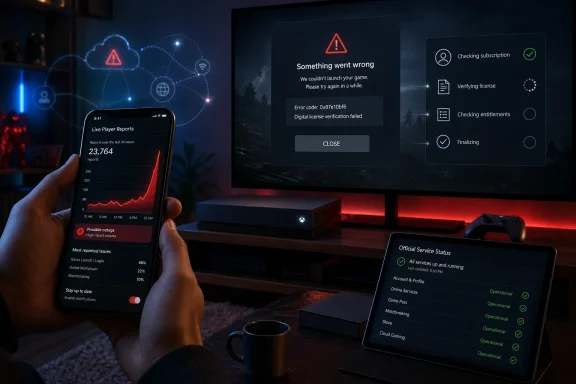
The most visible early signal was a sharp jump in user-submitted outage reports. Downdetector’s Xbox Network page showed that users were primarily reporting game-launch problems, rather than a uniform loss of all Xbox functions. In other words, this looked less like every Xbox endpoint vanished from the internet and more like a failure in a critical service layer that sits between a user’s account, entitlement data, and a game’s ability to start.
That framing is supported by player reports. Some users could still reach certain apps, access particular games, or use cloud functionality, while other titles failed to launch or returned them to the dashboard. A fast-moving Reddit discussion captured this uneven behavior: players described digital games refusing to open, online titles failing, and some games continuing to work while others did not. The community thread also documented reports of the console displaying an outage-related “Try Again Later” message.
The result was a familiar but deeply frustrating modern-console scenario: an Xbox could appear to be connected to the internet, pass at least some connectivity checks, and still be unable to start a purchased game.
Why the Official Xbox Status Page and Player Reports Did Not Match
The most confusing element of the outage was the discrepancy between what players were experiencing and what the official dashboard appeared to say. Microsoft’s public Xbox Status page is intended to identify known problems affecting major services. During the early portion of this incident, however, users reported seeing no listed Xbox Network outage despite widespread trouble.
That mismatch does not automatically mean either source was useless. It highlights the different jobs performed by official status communications and crowd-sourced detection.
Official status pages are confirmation tools, not always first-warning systems
An official service dashboard is usually the most authoritative place to find an acknowledged incident. It is also where customers should expect to find Microsoft’s eventual mitigation updates, impact details, and restoration notice. But it is not necessarily the first source to recognize an emerging failure.
Before an incident can be posted publicly, a company may need to establish:
- Which service is failing.
- Whether the issue is regional, global, or restricted to a particular platform.
- Whether users are encountering a Microsoft platform failure, a partner-service problem, or a title-specific issue.
- Whether an apparent spike represents a persistent technical incident rather than transient traffic or unrelated errors.
- What customer-facing language accurately describes the impact without overstating the scope.
That process creates a delay. In the meantime, users can be left staring at an “all services available” page while their consoles tell a different story.
Downdetector can expose the pattern faster
Crowd-sourced services do not wait for a provider to acknowledge an incident. They identify unusual rises in user complaints relative to normal reporting patterns. Downdetector explains that it flags incidents when reports are significantly higher than the typical volume for that time period, and its reports map is designed to show where submissions are concentrated. Its methodology description is important context: the platform is an early-warning indicator, not a root-cause analysis platform.
That means an outage spike is meaningful, but it does not prove the exact cause. It can reveal that people are struggling with Xbox Network at the same time; it cannot, on its own, establish whether the underlying fault lies in authentication, content licensing, a backend API, a network route, an individual game publisher, or another dependent system.
Still, more than 3,200 reports appearing in a rapid cluster is difficult to dismiss as routine. Windows Report described complaints rising within minutes, a pattern far more consistent with a shared service problem than with unrelated customer router failures.
The Symptoms Point Toward a Service Dependency Problem
The most revealing detail from this Xbox outage was not simply that players could not join multiplayer sessions. It was that some reportedly could not launch games at all, including titles they had already purchased and downloaded.
That is a crucial distinction in the Xbox ecosystem.
Game launch is no longer a purely local action
For many console owners, inserting a disc or selecting an installed icon carries a simple expectation: the game should open. In practice, modern game access can involve several online checks and dependencies, including:
- Xbox account sign-in.
- Ownership and license validation.
- Subscription entitlement checks for Xbox Game Pass titles.
- Online-only game authentication.
- Publisher account sign-in.
- Cloud-save synchronization.
- Game updates and mandatory service checks.
- Console sharing and Home Xbox entitlement rules.
A temporary failure in one of those layers can produce a confusing situation. The console is online. Streaming apps may work. The game is already installed. Yet the game refuses to begin because the system cannot complete an entitlement or service check.
Reports from the incident suggest that this is exactly why the outage felt more severe than a standard multiplayer disruption. In the Xbox community discussion, some users said their digital library would not work, while others noted that individual games or services remained available. That inconsistency is a hallmark of a partial service problem rather than a total platform blackout.
Error code 0x87e107df became part of the outage picture
One error mentioned repeatedly during the disruption was 0x87e107df. Hindustan Times’ coverage linked the code to reports of games failing to load while consoles still appeared connected to Xbox services.
The exact technical meaning of an Xbox error code can vary with the context in which it appears, and Microsoft had not publicly provided a detailed root-cause explanation for the larger incident at the time of the early reporting. It would therefore be premature to declare that every 0x87e107df report came from one single backend failure.
However, the timing is significant. When many users receive similar game-launch or service-validation errors at once, the sensible working assumption is that the shared service deserves scrutiny before users begin factory-resetting consoles or changing router settings.
Uneven availability is not evidence that the outage was minor
One player may have been able to launch a locally installed title while another could not access a digital purchase. A cloud feature might function while an online game login fails. A store page may load while game licensing does not.
That does not make the event any less real. It means the Xbox Network is not one monolithic service.
Xbox’s online environment spans account identity, commerce, matchmaking, social features, cloud services, game distribution, subscription entitlements, developer-operated servers, and title-specific integrations. A disruption in one shared dependency can strand some users while leaving other parts of the experience apparently intact.
For players, that distinction is academically interesting but practically irrelevant. If a console cannot start the game they sat down to play, the service has failed in the moment that matters.
What Players Should Do During an Xbox Network Outage
The first principle during a suspected widespread Xbox outage is simple: do not make destructive changes to solve what may be a remote service issue.
A restart is reasonable. Repeatedly deleting games, removing accounts, resetting the console, or changing network settings without evidence is not. Those steps can introduce new problems and make it harder to distinguish the original outage from a local configuration issue.
Start with a quick, non-destructive checklist
When Xbox services appear to be failing, use this order of operations:
- Check the official Xbox Status page.
Microsoft’s Xbox Status portal remains the primary place to look for a confirmed incident or a service-specific update. - Compare with independent outage signals.
Review the Xbox page on Downdetector to see whether reports are elevated and which categories are dominating. A sharp rise in “Game Launch,” “Login,” or “Server Connection” reports is a useful clue. - Try one known-good action.
Open an already installed offline-capable game, test a different online title, or check whether the Xbox Store and a streaming app function. The goal is diagnosis, not repeated retrying. - Restart the affected game once.
Fully quit the game and relaunch it. If the failure persists and reports are widespread, more aggressive local repairs are unlikely to help. - Restart the console once if necessary.
A normal restart can clear a stuck session or local cache issue. It is a proportionate troubleshooting step; repeated power cycles are not. - Avoid deleting games or resetting the console.
During a platform-side incident, reinstalling a title can create an additional download problem without restoring service access. - Wait for service recovery if the evidence points to a broad outage.
This is not passive troubleshooting. It is the correct response when the dependency that must respond is outside the home.
Check whether the problem follows the account, console, or network
If the public reports are ambiguous, a limited comparison can help identify a local fault:
- Sign into the Xbox mobile app or Xbox website using the same account.
- Test the account on a second console if one is available.
- Test a different Xbox profile on the affected console.
- Try a mobile hotspot only if practical and data limits allow.
- Verify whether non-Xbox devices on the same home network are working normally.
These tests can clarify the scope. They cannot repair a service-side authentication or licensing failure, but they can prevent a player from spending an hour troubleshooting a router that was never the problem.
The Digital Ownership Problem That Outages Keep Exposing
This outage also reignited a recurring concern around digital libraries. In the community discussion, some players reacted with alarm after discovering that a service disruption could interfere with access to games they believed should be playable locally. The player reports were understandably emotional, but the underlying issue is serious.
A digital purchase gives a customer a license to access content under a platform’s terms and technical systems. That is convenient in normal circumstances: purchases are tied to an account, downloads are easy to manage, and a library can follow the user across compatible hardware. Yet it also means access can depend on successful license checks, a valid account session, a designated home console, or other online systems.
Home Xbox settings matter more than many owners realize
Xbox’s Home Xbox feature is designed to support offline access and sharing rules on one designated console. It can reduce the likelihood that a player is blocked from their digital collection during a temporary service interruption.
It is not a universal outage-proofing switch. Games that are fundamentally online-only, subscription-dependent, or tied to a publisher’s own servers can still fail when those dependencies are unavailable. But for eligible downloaded purchases, maintaining the correct home-console configuration can be a practical resilience measure.
The lesson is not that digital games are inherently unusable. It is that digital convenience comes with dependencies that are mostly invisible until a backend problem occurs.
Physical media has limits, too
It would also be too simplistic to present physical discs as a complete solution. Many modern games require large downloads, patches, online authentication, publisher accounts, or active server access. A disc can provide a useful local-install and ownership component, but it cannot make an online-only game playable when the necessary servers are unavailable.
The more useful takeaway is that consumers should understand which games in their library are:
- Fully playable offline.
- Playable offline only on a designated home console.
- Dependent on an active subscription.
- Dependent on publisher-owned servers.
- Dependent on a recurring license or online check.
- Functionally unusable without network access.
That knowledge turns a mysterious outage into a manageable limitation rather than an unpleasant surprise.
Microsoft’s Communication Challenge
The technical failure is only one part of an incident. The other part is communication.
When thousands of people report errors but the official dashboard remains green, users begin to doubt the status page, retry actions that will not work, and direct their frustration at support channels. The incident becomes harder to navigate because customers lack a shared, trusted explanation of what is happening.
“All clear” can be worse than no information
A delayed status update is frustrating. An apparently healthy status page during a visible problem can be more damaging because it encourages customers to assume the fault is local.
That can lead to unnecessary actions:
- Router resets.
- DNS changes.
- Game reinstalls.
- Account removal and re-addition.
- Console resets.
- Support tickets for a platform-wide event.
- Confusion about whether a digital purchase has been lost.
Microsoft does not need to publish a full postmortem the moment reports appear. But an early acknowledgment such as “We are investigating reports of problems launching games” would give players a meaningful next step and reduce futile troubleshooting.
Specificity should follow as soon as it is available
The best incident notices answer three questions:
- What is affected?
For example: game launches, sign-in, matchmaking, purchases, cloud saves, or social features. - Who is affected?
A particular region, platform generation, subscription tier, game catalog, or all Xbox users. - What should users do now?
Retry later, avoid making changes, use offline mode where supported, or follow a defined workaround.
This is especially important for Xbox because the platform encompasses console owners, Windows PC players, cloud gaming users, Game Pass subscribers, and games operating through external publisher infrastructure. A broad “Xbox is down” notice can be too vague; a green dashboard can be misleading. The ideal message sits between those extremes.
What the Outage Means for Xbox Players
The July 27 disruption was a reminder that Xbox Network reliability is not measured only by whether a multiplayer lobby is online. A modern gaming platform also has to make account sign-in, digital entitlement, cloud synchronization, purchases, and game launch validation dependable.
The good news is that rapid spikes in user reports can make a broad incident visible before a provider has posted a formal status update. Downdetector’s live status presentation showed a heavy concentration of reports in the game-launch category, a useful clue that many failures were linked to access rather than merely slow internet connections.
The risk is that users may mistake a platform-side problem for a local equipment failure. That can waste time, result in needless reinstalls, and create further disruption in a library that may have been perfectly healthy before the outage began.
For now, the practical answer is clear: when Xbox consoles across the community begin showing the same launch, sign-in, or service errors at the same time, treat the official dashboard as one signal—not the only signal. Check independent reporting, preserve the console’s existing configuration, perform only basic non-destructive troubleshooting, and let the affected service recover rather than trying to repair the unrepairable from the living room.
Update: Microsoft confirms Xbox sign-in, library, and game-launch outage (July 27, 2026)
Microsoft has now formally acknowledged the July 27 disruption. In a post from the official Xbox account, the company said some users were encountering errors signing in, viewing their game libraries, and launching games, and that engineers were actively working to mitigate the issue.
The Xbox Status page has since listed outages affecting Account & Profile, Store & Subscriptions, and App & Mobile functions. That official confirmation supports the earlier pattern reported by players: this was a platform-side incident affecting account access and digital entitlements, not simply a collection of local network failures.
For affected users, the practical guidance remains unchanged: avoid reinstalling games, removing accounts, or resetting the console while Microsoft works on restoration.
Update: Xbox says service recovery is slowly improving (August 4, 2026)
Xbox Support later apologized for the extended disruption and said service recovery was “slowly improving,” although players worldwide could still encounter game-launch failures as well as sign-in and purchase issues.
Mashable reported that Xbox’s status page expanded the incident to four major-outage categories: Account & Profile, Games & Gaming, Store & Subscriptions, and Apps & Mobile. Each was marked as identified, with a fix still pending at the time of reporting.
The updated status details also clarify the user impact: affected players could be disconnected mid-session, lose access to sign-in-dependent games and social features, encounter missing Store listings, or be unable to launch apps. Downdetector data cited by Mashable showed game launches accounting for 65 percent of reports, compared with 13 percent for gameplay problems and 12 percent for server connections.
