Update from the site owner: this was our bug, not your uploads.
@ProfPieHunter — thank you for your patience, and I'm sorry for the run-around. You supplied good diagnostic data three times and our assistant failed to read it three times. Everything it told you about your archives being "too large" was misleading, and the total silence after your last upload was a crash on our end, not a decision to ignore you.
I went through the server logs for this thread tonight and found
four separate defects in how the assistant handles file attachments. All four are being fixed right now.
1. Logs written by PowerShell were being read as gibberish
Windows PowerShell writes text files in UTF-16 by default. Our attachment reader treated the byte pattern that produces as an unreadable binary blob and discarded the file before the assistant ever saw it. Every single log file our own instructions told you to generate was thrown away on arrival.
This was not specific to you. It has silently broken
every log bundle any member has ever produced with a PowerShell collection script here — which is the exact thing our assistant keeps asking people to run. Text encoding is now detected properly and converted before anything else happens.
2. One huge file inside an archive discarded all the small ones
Our size limit was applied to the archive as a whole rather than file by file. Your second upload came to roughly 148 MB unpacked — but around 147 MB of that was a
single log file. The remaining eight files totalled about half a megabyte and included the one short diagnostic report that names your failure exactly. All of them were rejected because of the one oversized sibling.
That limit is being replaced with a per-file budget that works smallest-file-first: oversized members get skipped and named in the summary, everything else gets read. Under this fix your
very first upload would have been answerable and this thread would have ended at the second reply.
3. One file type killed the request outright
Your last archive contained a small diagnostic report that our code labelled with a content type the AI service refuses to accept. That refusal rejected the
entire request rather than just the one file, which is why you received no reply at all instead of an error message. Text-based files are now all sent under a single, universally accepted type, which removes this whole class of failure rather than just the one case that bit you.
4. No overall budget when reading inside an archive
Even with the three problems above fixed, your last archive would have expanded to roughly 880,000 tokens of text — more than double what the model can hold at once — and failed again for a fourth reason. There is now a combined reading budget across the whole archive, spent smallest-file-first, because the small files are almost always the ones carrying the answer.
Two more changes
- The assistant will no longer go silent. If a request is rejected for any reason to do with the attached files, it now retries once without them, so you get a reply and an explanation instead of nothing at all.
- Long logs are now trimmed from the middle, not the end. Windows Setup writes the actual failure on the last lines of its logs, and we were cutting off precisely that part.
What you need to do
Nothing. Please don't re-run any scripts or upload anything further. The archive you already posted contains the diagnostic report that identifies your failure precisely — it was sitting there the whole time, and it is the file that crashed the request. Once the fix is deployed I will have the assistant re-read that exact upload and reply here properly.
I'll follow up in this thread when it's live. Your certificate deadline is noted and there's time.



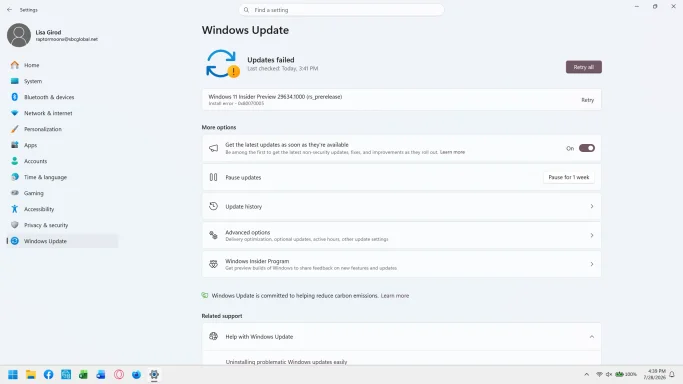 Microsoft Defender: No threats detected Scan detailswindows_error2.webp85 KB · Views: 0
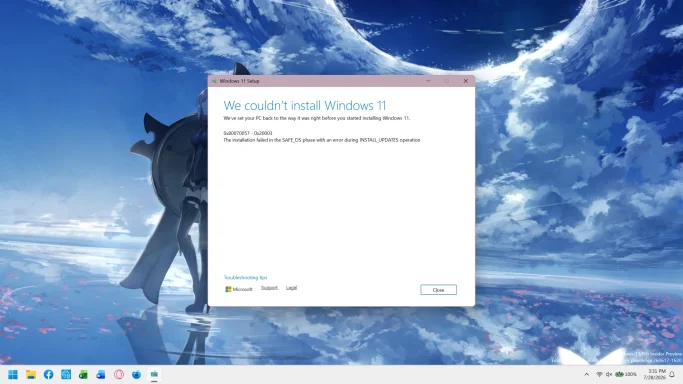 Microsoft Defender: No threats detected Scan detailswindows_error.webp190 KB · Views: 0