📎 AI Summary:
The thread discusses a user’s issues after installing Windows 7, including incorrect color display and frequent restarts with black screens. Respondents advise installing the proper drivers for graphics, audio, and motherboard components, emphasizing that generic drivers may cause such problems. The overall consensus suggests that updating or reinstalling the correct drivers should resolve the display and stability issues.

gajulasidhu

New Member
Joined
Nov 7, 2013
Messages
1
Thread Author #1
Hi All,

I have a problem after installing windows 7 in my pc.

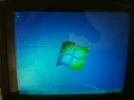
1) Colors are not displaying corectly.
2) it it restarting if you use PC 1 or 2 min. i am gettng one black screen before restarting. attached image..

Please take a look at attached images and provide your inputs.

Thanks

 

Attachments

  • IMG_2340.webp
    IMG_2340.webp
    115.4 KB · Views: 394
  • IMG_2339.webp
    IMG_2339.webp
    220.8 KB · Views: 388

Jimbo22

Essential Member
Joined
Aug 27, 2008
Messages
5,035
After installing a new OS or reinstalling same OS, you need to install the drivers for it....eg...audio, display, network and so on. The OS will use it's generic drivers for basic functionality but those generic drivers sometimes do not work correctly or at all.
 

Pauli

Fantastic Member
Premium Supporter
Joined
Mar 1, 2012
Messages
2,486
I second bassfisher. You need to install drivers for your motherboard, drivers for your video and audio, these all should have come with your computer. Or you can get them online.

Black screen is black screen, it's black, you don't present one in your images, but it's usually about some missing file. In that case I would recommend a reinstallation of Windows.

I would say, install the necessary video and audio drivers. It should do it.