

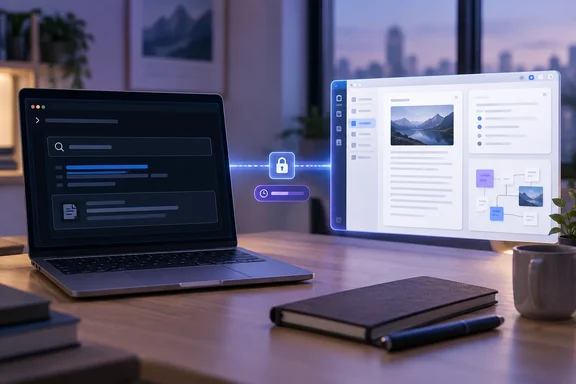
For developers who keep project context outside their repositories, the case is simple. Notes stay in the notes app, repository rules stay in CLAUDE.md, and a scoped, read-only credential connects the two. The rest of this piece covers how that connection works, what AFFiNE's server can and cannot do, and how to set it up without handing an AI agent more access than it needs.
Claude Code and AFFiNE's Built-In MCP Server Replace the Copy-Paste Loop
Abidi describes a common problem. Claude Code works well with files, but his projects rarely start inside a repository. Requirements, research, troubleshooting notes, and half-formed plans live in AFFiNE, an open-source note-taking and whiteboard app. Before he connected the two, getting Claude to follow an outline meant copying that section out of AFFiNE into a prompt. Keeping a useful research summary from Claude meant copying it back into a note.
That loop created what he calls three versions of the truth. The AFFiNE note said one thing, a Markdown file in the project held a slightly newer version, and the Claude Code conversation sat somewhere else. Anthropic's own guidance describes the same situation as the moment to add an integration: its documentation advises developers to connect a server when you find yourself copying data into chat from another tool, like an issue tracker or a monitoring dashboard. Once connected, Claude can read and act on that system directly instead of working from what you paste.
MCP is the mechanism that makes this work. Claude Code can connect to hundreds of external tools and data sources through the Model Context Protocol (MCP), an open source standard for AI-tool integrations. MCP servers give Claude Code access to your tools, databases, and APIs. A server exposes a set of named tools, and the client (Claude Code here) decides when to call them during a task.
On AFFiNE's side, no extra software is needed. AFFiNE's official MCP server is built directly into AFFiNE Cloud and self-hosted instances: no separate service to install, no third-party bridge between your AI tools and your notes. AFFiNE's product page, last updated August 20, 2026, lists the endpoint as a per-workspace path using stateless Streamable HTTP, authenticated with a bearer credential that carries an aff_mcp_v1. prefix. The page also says the server is free on AFFiNE Cloud and on self-hosted instances that have AI features turned on.
Why CLAUDE.md Stays Small When AFFiNE Holds the Knowledge Base
Claude Code already has persistent memory, and Abidi still uses it. Anthropic documents two mechanisms. CLAUDE.md files hold instructions you write yourself. Auto memory holds notes Claude writes based on your corrections and preferences. Anthropic's documentation says both load at the start of every conversation, and Claude treats them as context, not as enforced configuration.
That loading behavior is why the author didn't just paste his whole knowledge base into CLAUDE.md. Anthropic's memory documentation says CLAUDE.md content goes into the context window at session start and uses tokens alongside the conversation. It recommends keeping each file under 200 lines, because longer files use more context and Claude follows them less reliably. A large file of research notes, sensor inventories, and old experiments would cost context in every session, including sessions where none of it matters.
The split Abidi settled on follows those scopes. CLAUDE.md holds repository-specific rules, commands, and coding conventions. AFFiNE holds research, project history, ideas, test results, and anything shared across repositories. Anthropic's guidance for CLAUDE.md fits the first half: build and test commands, coding standards, architectural decisions, and naming conventions that everyone working on the project should know.
The practical result is that Claude fetches detailed material only when a task needs it. Retrieval through MCP also avoids a problem with auto memory, which Anthropic scopes to each repository. It doesn't serve as a knowledge base shared across projects.
AFFiNE's doc_search and read_document Turn Vague Prompts Into Retrieval
AFFiNE's read-only mode exposes two tools. doc_search runs keyword and semantic search across workspace documents, returning bounded passages with page or canvas locators, and AFFiNE says it never searches files, blobs, or the web. read_document fetches the full content of a document by ID, within the user's current workspace permissions. Search also covers whiteboards. AFFiNE says text on its Edgeless canvases is indexed, though full-document reads return page content and whiteboard content only appears through search.
This two-step design explains why Abidi's loosely worded requests worked. He reports asking Claude to check his ESP32 sensor notes and continue with the firmware plan, and Claude found the right pages, read them, and carried on with the code. Because he also keeps an inventory of his sensors and microcontrollers in AFFiNE, Claude can query it and suggest parts he already owns for a new project. In practice, Claude searches, gets back short passages with locators, and reads in full only the documents that look relevant.
Keep the evidence in proportion. These results come from one writer's workflow, not a controlled comparison, and how well retrieval works will depend on how a workspace is organized and how clearly notes are titled. The mechanism itself is documented, though: search returns candidates, reads return content, and the credential limits both.
Read-Only Credentials Make the First AFFiNE Connection Low-Risk
Abidi calls security a major concern, and the reason is simple. An MCP connection can expose sensitive notes and, with write access, could change them. He argues for limited, recoverable credentials, and AFFiNE's server is built around that idea.
The controls AFFiNE documents are:
- Each credential reaches exactly one workspace and respects the user's existing document permissions.
- Credentials are created per client, so access for Claude Code can be revoked without touching a separate Cursor or Cline credential.
- Every credential gets an expiry date at creation.
- Read-only is the default access mode.
- Rotating a token keeps the old one valid for up to 24 hours, so a client can be updated without downtime.
That rotation window has a security consequence. AFFiNE designed it for convenience, but it means rotating a credential doesn't cut off the old token immediately. If you suspect a credential has leaked, revoking it is the stronger response. AFFiNE describes revocation and rotation as separate actions but doesn't say how quickly revocation takes effect.
Anthropic adds a warning of its own. Its Claude Code MCP documentation tells users to verify they trust a server before connecting it, and notes that servers fetching external content can expose users to prompt-injection risk. For a notes workspace, the inference is straightforward: anything pasted into a note, such as a clipped web page or a forwarded message, becomes content Claude may read and act on. Read-only access limits what a bad instruction hidden in a note could do through AFFiNE, but it doesn't stop that content from influencing what Claude does elsewhere in the session.
Write Access Is the Gap: AFFiNE Rolls It Out While Community Servers Fill In
Abidi's main complaint concerns writing. AFFiNE's built-in server handles search and reading well, he writes, but it isn't yet set up for Claude to create or edit documents in his workspace. AFFiNE confirms the staged rollout: a read-and-write mode, which adds creating documents and updating document content and metadata, is rolling out progressively. Where available, you choose the mode per credential when you create it. The planned tools are create_document, which takes a title and Markdown content, update_document, which AFFiNE says rewrites a body using structural diffing so history is kept and live collaborators aren't disrupted, and update_document_meta for properties such as the title.
Availability varies by workspace, so some readers may already see the read-and-write option when they create a credential. Abidi's workaround shows what to do if it's missing. He doesn't want Claude reorganizing his notes, but he does want discoveries and bug fixes recorded next to everything else. For now, he has Claude write findings to Markdown files and imports them into AFFiNE by hand.
He names two alternatives, each with a cost. The first is a community MCP server from GitHub that talks to AFFiNE's collaboration APIs over stdio or HTTP. His article doesn't name the project, but one well-known candidate matches that description: DAWNCR0W's affine-mcp-server, which describes itself as connecting AI assistants to AFFiNE workspaces, documents, databases, and collaboration APIs over stdio or HTTP. A directory listing reviewed in June 2026 describes much broader capabilities than the official server's two default tools. According to that listing, it covers API token, saved config, cookie, and self-hosted email/password auth modes, with tool profiles that include a read-only option.
The trade-off is trust and upkeep. Abidi points out that a community server means trusting third-party code with workspace credentials and running and maintaining it yourself. Those authentication modes also show the difference in exposure: a session cookie or account password gives much broader access than AFFiNE's single-workspace, expiring MCP credential. Anyone who goes this route should pick the narrowest tool profile that does the job.
The second alternative is signing into AFFiNE through Claude Code's built-in browser. Abidi rejects it because it would put his AFFiNE credentials in a browser he doesn't fully control, and because he finds it less reliable than an MCP connection. That is his own assessment, not a documented vulnerability, but it follows the same logic as the rest of his setup: give the agent a narrow tool, not a logged-in session.
Connecting Claude Code to an AFFiNE Workspace, Step by Step
The steps below come from AFFiNE's and Anthropic's documentation. Abidi's article doesn't say which AFFiNE deployment or client configuration he used. The steps work on AFFiNE Cloud. On a self-hosted instance, AI features must be enabled and the endpoint uses your own server address instead of app.affine.pro.
Create the AFFiNE credential
- In AFFiNE, open the workspace you want to connect and go to Settings → Integrations → MCP Server → Create credential.
- AFFiNE's own walkthrough recommends that you label it "Claude Code" (one credential per client makes revocation painless), keep the default read-only access, set an expiry.
- Copy the token right away and store it somewhere secure. The token is shown once.
Register it with Claude Code
- Run AFFiNE's documented command, replacing the workspace ID and credential with your own:
claude mcp add --transport http affine "[url]https://app.affine.pro/api/workspaces/[/url]<workspace-id>/mcp" --header "Authorization: Bearer <your-credential>". - To paste AFFiNE's "Copy JSON" output instead, note that Anthropic's documentation says Claude Code accepts
streamable-httpas an alias forhttpin thetypefield. An entry with aurlbut notypeis read as a local stdio server and skipped, with an error saying so. - Decide on scope. Anthropic says
claude mcp addwrites to local scope unless you pass--scope projector--scope user. Project scope shares the server through a committed.mcp.jsonfile, so, as an inference from that design, don't put a bearer token in any file that goes into version control. Abidi uses AFFiNE as knowledge shared across repositories, which fits user scope, where the connection applies across all your projects.
Verify and manage
- Run
claude mcp listto check health. Anthropic's documentation shows statuses such as Connected, Needs authentication, or Failed to connect next to each server.claude mcp get affineshows details for a single server, including the HTTP status or error code when a connection fails. - Inside a session,
/mcpshows server status.claude mcp remove affineremoves the configuration. - Test with a narrow request, such as asking Claude to search the workspace for a note you know exists. It working means Claude calls
doc_searchand quotes a passage from the right page.
When the credential expires, create a new one in AFFiNE and update the Claude Code entry. Revoking it in AFFiNE cuts off the connection no matter what the client still has configured.
What this means for you
If you already write project context in AFFiNE and keep pasting it into Claude Code, connect the built-in server now with a read-only, expiring credential. If you need Claude to write notes back, check whether your workspace offers the read-and-write mode first, and only then weigh a community server's convenience against its broader credentials and upkeep.
- AFFiNE's official MCP server is built into AFFiNE Cloud and self-hosted instances with AI features enabled, so connecting Claude Code takes one credential and one
claude mcp addcommand. - The default read-only mode gives Claude two tools:
doc_searchfor keyword and semantic search across documents and whiteboards, andread_documentfor full page content. - Create one credential per client, set an expiry, and revoke instead of rotate if you suspect a leak, because a rotated token stays valid for up to 24 hours.
- Keep
CLAUDE.mdfor repository rules and commands under Anthropic's suggested 200 lines, and leave research, history, and inventories in AFFiNE for Claude to fetch when needed. - Read-and-write tools (
create_document,update_document,update_document_meta) are rolling out gradually. Until you have them, having Claude write Markdown files that you import is the lowest-risk way to capture findings. - Treat note content as untrusted input, since anything Claude retrieves can carry prompt-injection instructions into a coding session.
Abidi's setup works because it adds a narrow retrieval path and keeps each system in its own role. His notes stay editable by hand in AFFiNE, repository rules stay in CLAUDE.md, and Claude reads across both through a credential that expires and can be revoked. The next change comes from AFFiNE: once read-and-write credentials reach a workspace, Claude can record findings directly in notes, and the owner then has to decide how much write access is worth granting.