

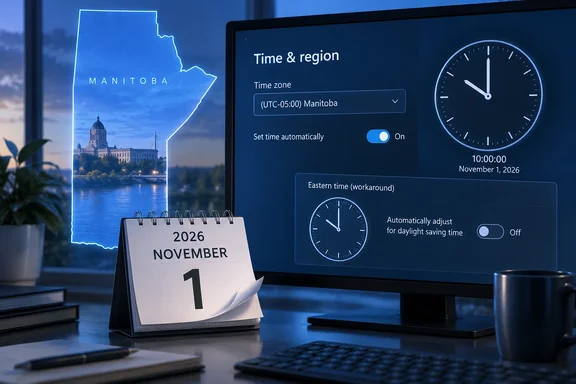
The deadline is short. If you manage PCs or servers in Manitoba, you have until early on Sunday, November 1, 2026. This guide explains what changes, how to check your devices, and what the guidance leaves unanswered.
What Manitoba changed
On September 17, Premier Wab Kinew announced that Manitoba would stay on daylight saving time permanently. Global News also reported that British Columbia, Alberta, the Northwest Territories and Manitoba all announced this year that they would adopt permanent year-round daylight time.
The provincial announcement followed a public consultation. The consultation received nearly 72,000 votes. According to the Manitoba government, 92 per cent of respondents wanted to end the twice-yearly clock changes, while 58 per cent preferred staying on permanent Daylight Saving Time compared with 34 per cent who preferred permanent Standard Time.
The practical effect is simple. According to Microsoft's DST blog, clocks will not be set back by an hour at 02:00 a.m. on November 01, 2026, for the Manitoba time zone, and the Manitoba Region time zone will permanently remain on the UTC-5 time zone. Access Winnipeg put it this way: Manitoba will remain one hour ahead of Central Standard Time throughout the winter.
Here is why that matters for Windows. Manitoba currently uses the shared Central Time (US & Canada) zone. That zone falls back to UTC-06:00 in November. A Manitoba PC that keeps using it after November 1 will show the wrong time by one hour. That affects calendars, scheduled tasks, timestamps and anything else that depends on local time.
Section summary: Manitoba stays at UTC-05:00 permanently from November 1. The existing Central zone in Windows will be wrong for Manitoba after that date.
Microsoft's fix: a new "Manitoba Standard Time" zone
Microsoft says the supported platforms will receive an update to support this time zone change as part of the October 2026 Windows security update, scheduled for October 13, 2026. When the guidance was published on October 7, that update was still scheduled, not yet released. Treat it as a plan until Patch Tuesday arrives.
The listed platforms are:
| Platform | In the October 2026 update? |
|---|---|
| Windows 11, version 25H2 | Yes |
| Windows 11, version 24H2 | Yes |
| Windows Server 2025 | Yes |
| Windows Server 2022 | Yes |
| Windows Server 2019 | Yes |
| Windows Server 2016 | Yes |
Customers must install the update before permanent time changes take effect on November 1st, 2026.
Notice what is missing. The guidance does not mention Windows 10 or any other older release. One commenter under Microsoft's post asked about legacy systems, and the post offered no answer. If you run unlisted systems, don't assume they will get the new zone. Plan to use the workaround below on them.
The update adds a new time zone instead of changing the old one:
| Area | Display name in Settings | Registry time-zone ID |
|---|---|---|
| Manitoba | (UTC-05:00) Manitoba | Manitoba Standard Time |
Microsoft's general DST policy explains why. When only part of a region that shares a time zone changes its rules, Microsoft creates a new zone. The existing zone stays the same for everyone else. Minnesota, Texas and the rest of the Central zone still fall back in November, so Central Time (US & Canada) cannot change for Manitoba alone.
The same policy says standalone DST updates are no longer offered. Time zone changes now arrive only in the monthly cumulative update for each Windows version. That means you get the Manitoba fix only by installing the October security update.
A note on the naming: the ID says "Standard Time" even though Manitobans will call this permanent daylight time. Windows uses "Standard Time" in most of its time zone IDs regardless of DST rules. The ID is for scripts and tooling. Users will see the display name, (UTC-05:00) Manitoba.
Section summary: Patch Tuesday on October 13 is scheduled to add "(UTC-05:00) Manitoba" to Windows 11 24H2 and 25H2 and Windows Server 2016 through 2025. Unlisted versions are not covered.
Checking a device after the update
Once the October update is installed, check the setting at Settings > Time & language > Date & time. There are two possible cases.
Case 1: Automatic time zone is on
If Set time zone automatically is turned on and location services are available, Microsoft says Windows will choose the correct zone from the device's location. The device should show (UTC-05:00) Manitoba.
Both conditions must be true. Desktops, VMs and locked-down devices often have location services turned off. On those machines, automatic selection may not pick up the new zone, so check the display name rather than assuming it changed.
Case 2: Automatic time zone is off
If the setting is off, choose the zone manually:
- Open Settings > Time & language > Date & time.
- Turn off Set time zone automatically if it is on.
- Under Time zone, select (UTC-05:00) Manitoba.
- Check that the date and time shown are correct.
If (UTC-05:00) Manitoba doesn't appear in the list, the October update probably isn't installed on that device.
The workaround if you can't patch in time
Some devices won't get the October update by November 1. Change freezes, offline kiosks, appliance servers and unsupported machines are common reasons. For those devices, Microsoft offers a temporary fixed-offset workaround.
| Zone | |
|---|---|
| Current choice for Manitoba | (UTC-06:00) Central Time (US & Canada), ID Central Standard Time |
| Temporary choice after the transition | (UTC-05:00) Eastern Time (US & Canada), ID Eastern Standard Time |
The key step is turning off DST for that zone. Microsoft's guidance says to set "Adjust for daylight saving time automatically" to Off, then re-enable this setting once the October 2026 Windows security update with Manitoba Standard Time is installed.
Here is why the workaround is correct. Eastern Time's base offset is UTC-05:00. With DST adjustment off, the device stays at UTC-05:00 all year and never moves to UTC-04:00 in March. That matches Manitoba's new permanent offset.
You also don't have to wait until November 1 to apply it. Manitoba is on Central Daylight Time, which is UTC-05:00, until the transition. Microsoft says the Eastern-with-DST-off setting gives the right offset both before and after the change. You can set it on unpatched devices now.
Microsoft also lists the limits:
- This is not a permanent fix. The substitute zone has a different name, different geographic mapping and different historical rules.
- The name will confuse people. A Winnipeg user will see "Eastern Time" in the clock settings. Expect help desk calls unless you explain the change in advance.
- Past dates may be calculated differently. This point is general industry knowledge rather than something Microsoft spelled out. Software that converts old timestamps with the device's time zone rules may produce different results under the substitute zone.
- Remember to reverse it. Once a device has the October update, move it to (UTC-05:00) Manitoba and turn the DST setting back on. Microsoft recommends switching to the region-specific zone as soon as possible.
The workaround uses the Settings app on individual devices. Microsoft's post includes no scripts, Group Policy, Intune policies or server commands for applying it across many machines. Fleet administrators will need their own tested methods.
Section summary: Patch first. If you can't, set unpatched devices to Eastern Time with DST adjustment off, which you can do now, then switch them to the Manitoba zone after updating.
What the guidance doesn't answer: cloud services
A commenter on Microsoft's post asked about Microsoft 365 (Exchange) and Dynamics 365. They wanted to know whether cloud administrators still need to bulk-change user time zones, since Central Time (US & Canada) itself won't be changed. The post did not answer.
Microsoft's support policy says many applications and cloud services rely on Windows for DST and time zone data. That doesn't tell us whether Exchange Online, Dynamics 365 or other services will offer the new Manitoba zone, or when.
These services also keep their own time zone settings. Microsoft Graph documentation says users choose a mailbox time zone in Outlook clients, and Dynamics 365 Finance & Operations has its own user time zone preference. Changing a PC's Windows time zone doesn't change those settings.
What admins can do now, based on general industry practice:
- List where Manitoba users' time zones are stored: mailbox settings, ERP or CRM user profiles, scheduling systems, and server-side jobs.
- Check recurring meetings and scheduled jobs that run after November 1. Those are the most likely to shift by an hour.
- Don't make mass tenant-wide changes based on guesses. Watch Microsoft's DST blog and service announcements for product-specific guidance before changing settings for thousands of users.
How this compares with past changes
Microsoft's policy asks governments to give at least a year's notice before a time zone change. Manitoba gave about six weeks. When there isn't time to build and test an update, Microsoft publishes interim guidance like this.
Manitoba's case went better than many short-notice changes. The fix is scheduled for a Patch Tuesday that falls before the deadline, so supported, well-maintained devices should be ready.
The main risks are the usual weak spots: devices that don't get patched, systems with their own time zone settings, and old versions of Windows. Several other Canadian provinces and territories have announced permanent time this year, so more changes like this are likely.
Checklist for Manitoba admins
- October 13: Install the October 2026 security update on Windows 11 24H2 and 25H2 and Windows Server 2016–2025.
- Check: Make sure devices show (UTC-05:00) Manitoba, especially those with location services off.
- Workaround: Set unpatched or unsupported devices to Eastern Time (US & Canada) with DST adjustment off. This can be done before November 1.
- Reverse: Move updated devices back to the Manitoba zone and turn DST adjustment back on.
- Cloud services: Review mailbox and line-of-business time zone settings, and wait for official Microsoft guidance before bulk changes.
- November 1, after 2:00 a.m.: Check a sample of PCs, servers and recurring calendar items for one-hour errors.
References
- Interim guidance for Manitoba time zone changes Microsoft - Message Center · 2026-10-07 11:00 PT
- Clocks stay in daylight saving, but analysis backs permanent standard time globalnews.ca
- Manitoba Will Stay on Daylight Saving Time Permanently: What It Means for Clocks, Phones and Technology accesswinnipeg.com