

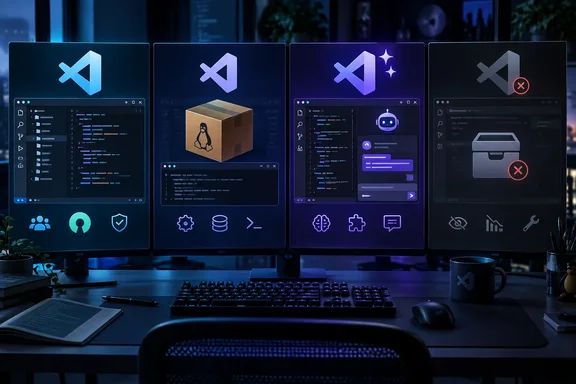
How-To Geek’s September 21 comparison highlights these four options. Microsoft’s own explanation of its editor architecture supports the underlying distinction: the MIT-licensed Code - OSS repository is separate from the downloadable Visual Studio Code product, which adds Microsoft branding, services and some proprietary components. However, the projects differ substantially in what they distribute and who maintains them.
What changes when you leave Microsoft’s VS Code build?
Microsoft develops the open-source editor in the Code - OSS repository, then builds its Visual Studio Code distribution with additional customizations. These include Visual Studio Marketplace integration, update services, telemetry configuration and support for certain proprietary components. Microsoft documents that separation explicitly; the availability of alternative builds follows from its decision to publish the editor’s source under the MIT license. Microsoft’s architecture explanation
Consequently, “open-source VS Code fork” can describe quite different things: a community-built distribution that stays close to Microsoft’s source, a Linux distribution’s package, or an editor with a substantially different AI interface.
The most consequential compatibility boundary is often outside the editing interface. Microsoft says some components, including its C#/.NET debugger and Visual Studio Code Server, have licenses restricting their use to the Visual Studio family. Some functionality also uses a technical handshake to enforce that boundary. A familiar interface therefore does not guarantee that an existing debugging or remote-development setup will transfer.
| Option | Main reason to consider it | Principal qualification |
|---|---|---|
| VSCodium | Familiar editing with community-distributed, MIT-licensed binaries and Microsoft telemetry disabled. | Its extension distribution and proprietary-component compatibility differ from Microsoft’s build. |
| Code - OSS | Access to the upstream open-source editor, including through distributor packages. | Packaging, gallery configuration and update delivery depend on the distributor. |
| Void | Open-source AI-editor implementation with local or external model connections. | The original project is deprecated and archived. |
| PearAI | A bundled AI workflow rather than assembling individual integrations. | The reported feature set needs to be distinguished from independently established compatibility and maintenance. |
VSCodium: the closest fit for a conventional editor
VSCodium’s project explains that its build scripts clone Microsoft’s repository, compile the editor and publish binaries so users do not need to build it themselves. Those binaries are MIT-licensed, and Microsoft telemetry is disabled. Windows, macOS and Linux builds are available. VSCodium’s project description
This makes VSCodium the clearest starting point for someone who wants the familiar editor rather than a new AI-focused workflow. Its purpose is primarily distribution and configuration, not a wholesale redesign of coding.
According to How-To Geek, VSCodium uses Open VSX as its extension gallery. The practical question is whether the particular extensions your projects require are available there and licensed for this environment. The number of extensions in a gallery is less useful than whether your language server, debugger and remote-development tools work together.
Microsoft’s architecture documentation establishes that Marketplace access is governed separately from the open-source editor. Treat changing a gallery endpoint as a service-access and licensing issue, rather than a routine fix for a missing extension. Similarly, obtaining an extension package does not remove restrictions on the components inside it.
For Windows users with Windows Package Manager already installed, VSCodium publishes this installation command:
winget install vscodium
That installs the editor; it does not establish that a VS Code workspace is fully compatible. A sensible evaluation is to open a representative project and check the operations you actually depend on—especially debugging and remote access—before replacing the existing installation.
There is also a narrower option for users whose sole concern is Microsoft telemetry: Microsoft documents that telemetry collection can be disabled in its own distribution. Switching editors makes more sense when the distribution’s licensing, bundled integrations or service dependencies are also part of the decision.
Code - OSS: the upstream project, not one uniform alternative
Code - OSS needs different treatment from the other entries. Microsoft identifies it as the upstream repository from which Visual Studio Code is built. Calling it another independent fork obscures that relationship.
Its upstream product configuration identifies the application as code-oss and the license as MIT. Microsoft also explains that Visual Studio Marketplace integration is a customization of its own distribution. Microsoft’s Code - OSS product configuration
For Linux users, a distributor-provided build can be convenient because the editor follows the package-management process already used for other software. According to How-To Geek, however, gallery configuration can differ between packages, and updates arrive when the relevant maintainers package them.
That does not establish a universal delay or a particular level of risk. It means “Code - OSS” alone is insufficient to identify the update channel, installed version or extension experience.
For an IT team, the useful unit of evaluation is therefore the actual package and its maintainer. Two builds based on the same repository need not have identical service configuration or release timing. There is no single, safely generalizable gallery-setup procedure for every Code - OSS package.
Void: useful source code, but a deprecated editor
Void’s maintenance status changes the recommendation materially. Its GitHub repository says, “Void is deprecated and no longer accepting contributions,” and records that the owner archived it on June 2, 2026. The project directs users to old releases and newer forks. Void’s deprecation notice
The September comparison acknowledges a long period without updates, but the explicit deprecation is stronger information. The original Void should not be evaluated as an actively maintained alternative.
Its implementation still has value for developers studying how to extend VS Code. The README describes AI agents, change checkpoints, model-provider connections and local hosting. It also documents architectural work such as streaming code diffs and services that synchronize background file edits with editor buffers.
Void’s privacy model also needs careful wording. The project says it sends messages directly to providers without retaining the data itself. That does not mean every configuration keeps code on the computer: an external provider still receives the material sent to it.
Local-only operation is a separate design choice. For comparison, the Dark Matter editor project explicitly describes a local-AI design requiring no cloud APIs; that is a narrower claim than offering both local hosting and external provider connections. Neither description constitutes an independent privacy audit.
For Void, the responsible conclusion is limited but clear: its source remains available for study and reuse, while the archived upstream project provides no basis for assuming continued security or compatibility updates. A newer fork would need its own evaluation.
PearAI: a bundled AI workflow with less-established detail
According to How-To Geek, PearAI integrates AI tools into the editor, offering chat, autocomplete, an agent mode and search, with support for local and cloud providers. The publication describes an approach that resembles a preassembled AI toolchain rather than a conventional editor with one optional chat extension.
That packaging can appeal to developers who would otherwise spend time combining extensions. The corresponding trade-off, How-To Geek reports, is that replacing the integrated choices can be harder than building a preferred combination in VSCodium.
Those feature and customization claims lack independent corroboration here. They should guide an evaluation rather than be treated as proof that PearAI supports a particular provider, workflow or enterprise requirement.
In particular, open-source editor licensing does not establish the price or data-handling rules of an external AI service. A cloud-connected configuration must be assessed separately from a locally hosted one. The same distinction applies regardless of whether the integration arrives bundled or is installed afterward.
Choose around the workflow you must preserve
For a Windows developer seeking familiar editing with a different distribution model, VSCodium is the most straightforward candidate among these four. Code - OSS is more naturally evaluated through the specific package or build being offered. PearAI’s reported appeal is its integrated AI workflow; Void’s deprecated status makes it primarily a source-code reference rather than a default recommendation.
Before switching, identify the extensions that are essential, distinguish local AI execution from external provider access, and establish who supplies editor updates. If a project depends on Microsoft’s proprietary debugging or remote-development components, remaining with the official Visual Studio Code distribution may avoid a much larger workflow change than the similar-looking editor interfaces suggest.