

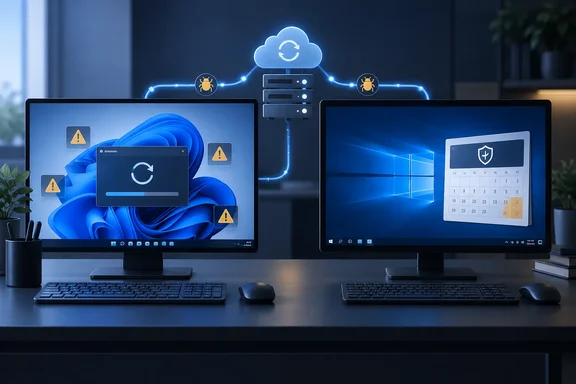
Windows Latest's Nine-Month Update Log Puts Windows 11 on the Defensive
Windows Latest didn't benchmark anything. It went back through Microsoft's monthly patches for both operating systems and listed what broke. The Windows 11 list is long, and most entries have KB numbers you can check against Microsoft's update history.
- In January, KB5074109 was linked to black screens, frozen POP profiles in classic Outlook, broken Azure Virtual Desktop authentication, and File Explorer ignoring desktop.ini customizations. Microsoft later confirmed BSODs and boot failures on some commercial PCs.
- In March, KB5079473 broke Microsoft account sign-in across Teams, OneDrive, Edge, and Office. Out-of-band update KB5085516 fixed it 11 days later. Microsoft also pulled the optional KB5079391 preview after it caused an install error loop.
- In April, KB5083769 could trigger BitLocker recovery on some PCs and needed multiple reboots to install. Windows Latest checked and found it was not causing the BSODs some reports claimed.
- In May, KB5089549 failed to install on systems with 10MB or less of free EFI System Partition space, rolling back with error 0x800f0922 until Microsoft released an emergency patch.
- In June, KB5094126 caused boot failures and BitLocker recovery loops on HP business PCs, with more than 150 reports in under 48 hours, plus OneDrive sync and Recycle Bin bugs.
- In July, Microsoft blocked KB5101650 on Dell PCs after an Intel driver conflict caused unexpected shutdowns, overheating, and battery drain.
- In September, KB5124008 prompted an emergency follow-up and several known-issue investigations, covered in detail below.
The review is fair about the months that didn't fit. It gives Windows 11 a clean February. In March, Windows Latest traced viral reports of BSODs and an inaccessible C: drive to fewer than 10 reports plus at least one AI-generated summary, and cleared the update. In August, game crashes in ARC Raiders and The Finals first seemed to come from KB5121003, but Microsoft traced them to a third-party driver bundled with RGB lighting software. PCWorld's shorter version says August "broke printers and PDFs". The month-by-month log it relies on records the RGB driver incident for August, not a printer failure.
So "eight of nine months" means eight months with at least one significant reported issue. Many of those issues hit specific hardware (HP business PCs, Dell systems with a particular Intel driver) or specific setups (small EFI partitions, POP mail profiles). The count doesn't measure how many PCs failed.
KB5124008 Shows What a Bad Windows 11 Patch Tuesday Looks Like
September deserves a closer look because Microsoft documented it in detail. KB5124008 shipped on September 8, 2026, for Windows 11 versions 24H2 and 25H2 (OS builds 26100.9445 and 26200.9445). Within two weeks, its release notes listed five known issues.
The Remote Desktop Services (RDS) problem hit organizations hardest. In affected environments, RDP connections dropped after several minutes, sign-ins failed, or servers hung at "Please wait for the Remote Desktop Configuration." Microsoft Management Console, RDS Licensing Diagnoser, and File Explorer could stop responding, and the Windows Update settings page could get stuck on a loading spinner. Microsoft says Windows 365 and Azure Virtual Desktop were not affected. Updates released on or after September 14 fixed it, starting with the out-of-band update KB5129195.
The USB audio bug hit consumers. After the September update, some USB Audio Class 1.0 devices failed to start. Symptoms included Device Manager showing "This device cannot start (Code 10)," no sound, volume controls stuck at zero, or unresponsive sound settings. Other devices worked in stereo but failed in 8-channel or 3D audio modes, and some users got sound back by switching to 2-channel mode. Microsoft limits the issue to USB Audio Class 1.0 hardware, not every USB headset or DAC. KB5129195 fixed only the multichannel symptoms. Microsoft says it is still working on the rest and tells IT admins who need an immediate workaround to contact Microsoft Support for Business. For home users with a failing Class 1.0 device, no fix is available yet.
Developers ran into a third problem. Apps that use Host Compute Service (HCS)-managed virtual machines lost access to Windows host folders shared into Linux VMs over Plan9. The VMs booted normally, but the shares never appeared. Microsoft named the Windows Subsystem for Linux (WSL) and Claude Cowork as affected, and said standard Hyper-V VMs that don't use Plan9 were fine. KB5129195 and later updates fix it.
File History was the fourth issue, and PCWorld's attribution is correct. Microsoft's KB5124008 notes say some Windows 11 users couldn't create or update backups. The false "Reconnect your drive" message showed up even with a working drive attached, the "Last Backup" timestamp stopped updating, and backed-up files showed "No previous version available." Event Viewer sometimes logged crashes referencing FileHistory.exe and KERNELBASE.dll. Microsoft added the issue on September 19 and marked it resolved on September 22, in updates starting with KB5124010.
The fifth issue affects enterprises only. KB5124008 makes Windows start honoring existing Machine Identity Isolation enforcement settings. That feature is supported only with domain controllers at the Windows Server 2025 Domain Functional Level or higher. On other domains, some Credential Guard-protected machine accounts lose their secure channel to on-premises Active Directory, and users see a trust-relationship failure at sign-in. Cached credentials can still work offline. Microsoft plans a future update that temporarily blocks enforcement. Until then, admins have to disable the feature themselves (steps below).
The September Record Also Covers Windows 10
The case for Windows 10 is weaker than it looks here. Windows Latest says Windows 10's September update, KB5122878, was a routine security release with "no comparable wave" of problems. That's accurate if you only read the Windows 10 KB page. Microsoft's Windows release health dashboard gives a different picture. Its entries for the RDS instability and the USB Audio Class 1.0 failure list Windows 10 versions 22H2 and 21H2, plus Windows 10 Enterprise LTSC 2019 and LTSC 2016, among affected client platforms. The Plan9 host-share bug lists Windows 10 22H2 and 21H2 as well.
Windows 10 also got its own emergency patch on the same day as Windows 11. Microsoft published KB5129236, an out-of-band update released on September 14, 2026, for Windows 10 versions 22H2 and 21H2, affecting OS Builds 19045.7727 and 19044.7727. Patch tracker Senserva describes it as a non-security out-of-band update for Windows 10, and says that Microsoft's support article for KB5129236 on 2026-09-15 lists no known issues.
The obvious explanation is shared code. Both operating systems get monthly fixes built from a common Patch Tuesday base, and Windows Latest itself says Windows 10's June and July issues, including the Recycle Bin and BitLocker bugs, came from that shared base. Windows 10 PCs don't get the Windows 11-only feature changes, but they do get the shared components. September's audio and Remote Desktop failures were in that shared layer.
Windows 10's 2026 record was also not clean before September. Windows Latest says January's KB5073724 stopped some Secure Launch-capable PCs with Virtual Secure Mode enabled from shutting down or hibernating, and February's KB5075912 fixed it. Microsoft's notes for the June 9 update, KB5094127, list two issues. Some third-party apps that use OLE automation couldn't launch Office apps or open documents; reports named CCH Engagement, Workpaper Manager, Dentrix, Softdent, and Zotero, and updates from July 14 onward fixed it. Separately, a limited number of systems with a non-recommended Group Policy configuration got BitLocker recovery-key prompts, which unmanaged home PCs were unlikely to hit.
Put fairly, Windows 10's 2026 issues were fewer and more tightly scoped. Microsoft's Windows 10 notes more often describe managed or unusual configurations than broad consumer failures. That's a real difference. It doesn't make Windows 10 immune.
Why Windows 11 Breaks More: Feature Churn Against a Frozen Windows 10
Windows Latest explains the gap bluntly: Windows 10 is stable partly because Microsoft has mostly stopped changing it. Microsoft's own documents support the premise. Windows 10's general support ended October 14, 2025. The Extended Security Updates (ESU) program that followed delivers critical and important security fixes only. It doesn't add features, doesn't include general non-security fixes, and doesn't provide standard support for unrelated problems.
Windows 11 gets a lot more per update. KB5124008 alone included security fixes, Secure Boot certificate targeting, fixes for mouse cursor settings and black desktop backgrounds, a Morocco time zone change, Remote Desktop audio redirection changes, new OMA-DM logging, and AI component updates for Copilot+ PCs. Windows Latest also counts the movable taskbar and redesigned Search from the same cycle, and says September's patches addressed 723 vulnerabilities across Windows. With more changes in every package, more can go wrong.
That reasoning makes sense, but it's an interpretation, not a proven cause. Nobody has published failure rates per change, and the September record shows shared components failing on both platforms. It's fair to conclude that Windows 11 carries more regression risk because it changes more. It isn't fair to conclude that Windows 10 is safe because it changes less.
The Windows 10 ESU Deadline Undercuts the Case for Staying Put
PCWorld concludes that anyone happy with Windows 10's features, with no interest in Copilot, is "clearly better off" staying on it. Whether that works depends on the calendar and on how you get updates.
Microsoft's lifecycle table ends year one of Windows 10 ESU on October 13, 2026, and year two on October 12, 2027. Windows Latest says the program now covers consumers and organizations through October 12, 2027, after two extensions. What you actually get depends on your enrollment and edition. A Windows 10 PC that isn't enrolled in ESU and isn't on a separately serviced edition stopped receiving security fixes last October, and a lack of new bugs doesn't make up for that. Not every Windows 10 machine is on ESU, either. The September KB5122878 page also applies to Windows 10 Enterprise LTSC 2021 and IoT Enterprise LTSC 2021, which have their own servicing timelines.
The Windows 11 side has its own deadline. KB5124008's notes say Windows 11 version 24H2 Home and Pro editions reach end of updates on October 13, 2026, the same day ESU year one ends. Enterprise and Education editions of 24H2 stay supported until October 12, 2027. Home and Pro users on 24H2 who want to keep getting fixes will need to move to 25H2, which brings another feature update just after a rough month.
How Known Issue Rollback Differs From Uninstalling a Windows 11 Update
PCWorld recommends rolling back a troublesome update and mentions Known Issue Rollback (KIR). The two are very different tools, and it helps to know which one applies.
Uninstalling a cumulative update removes all of it, including that month's security fixes. KIR is narrower. Microsoft describes it as a way to switch off one specific non-security change inside an update and leave everything else installed. On consumer PCs that get updates from Windows Update, Microsoft turns KIR on remotely and users usually don't need to do anything. PCs that aren't connected to Windows Update don't receive it. Managed fleets may need to deploy a special Group Policy that Microsoft publishes for each incident.
A current example shows how it works. On September 24, Microsoft opened an issue where devices running the August 27 preview update KB5120996 or later could show a black screen after sign-in. It mostly affected Azure Virtual Desktop hosts using FSLogix, and some existing user profiles were more likely to hit it. Users can start the desktop manually by opening Task Manager with Ctrl+Shift+Esc, choosing Run new task, entering explorer.exe, and selecting OK. For managed devices, Microsoft published a KIR policy called "KB5124010 260924_20021 Known Issue Rollback" for Windows 11 24H2 and 25H2. It installs under Computer Configuration > Administrative Templates and needs a restart to take effect. The policy disables the offending change until a permanent fix ships.
KIR can't fix everything. September's USB audio bug, for example, has no KIR in Microsoft's documentation, only a partial fix and a support escalation path for businesses.
Disabling Machine Identity Isolation on affected domain-joined Windows 11 PCs
This applies only to Windows 11 24H2 and 25H2 devices where Machine Identity Isolation was previously enabled and whose domain controllers are below the Windows Server 2025 Domain Functional Level. Microsoft's workaround is to disable the feature the same way it was enabled.
- If Intune policy enabled Machine Identity Isolation, disable it in Intune. If Group Policy enabled it, disable it in Group Policy.
- If it was set directly in the registry, back up the registry first. Then check
HKLM\SYSTEM\CurrentControlSet\Control\Lsa\MachineIdentityIsolationandHKLM\SOFTWARE\Policies\Microsoft\Windows\DeviceGuard\MachineIdentityIsolation. Wherever theMachineIdentityIsolationvalue is 2, change it to 0. - Restart the device.
- Reset the secure channel with
Test-ComputerSecureChannel -Repair -Credential (Get-Credential).
It worked if users can sign in interactively with domain credentials again and no longer see the trust-relationship error.
What this means for you
Don't switch operating systems because of this story. Change how quickly you take updates, and match any fix to the exact KB and the exact symptom. Windows 11 users who hit trouble after a Patch Tuesday should look up the known issues for their update first. Several September problems were fixed within a week, and a later cumulative update is usually safer than uninstalling one and losing its security fixes. Windows 10 users should confirm they're actually covered by ESU or an LTSC servicing track before they call the platform "stable."
- Windows 11 24H2 and 25H2 PCs should have KB5129195 or a later update to fix the Remote Desktop Services and WSL/Plan9 failures from KB5124008, and KB5124010 or later to fix the File History backup failure.
- Owners of USB Audio Class 1.0 devices still getting Code 10 errors or no sound should know that Microsoft has fixed only the multichannel symptoms so far. Businesses can escalate through Microsoft Support for Business.
- Windows 10 22H2 and 21H2 machines were also listed as affected by September's RDS and USB audio issues, and got their own out-of-band update, KB5129236, on September 14.
- Windows 10 ESU year one ends October 13, 2026, and year two runs to October 12, 2027. Coverage depends on enrollment and edition, not on the PC simply running Windows 10.
- Windows 11 24H2 Home and Pro stop getting updates on October 13, 2026, so those users will need to move to 25H2 to stay patched.
- Admins of Active Directory domains below the Windows Server 2025 Domain Functional Level should check whether Machine Identity Isolation is enabled anywhere before September's changes lock users out.
Windows Latest's nine-month log points to a real pattern: Windows 11 updates in 2026 have broken more things, in more places, than Windows 10's security-only patches. The same record shows that the shared code underneath both systems failed in September, and that Windows 10's quiet comes with a support deadline. On October 13, ESU year one ends and Windows 11 24H2 Home and Pro stop getting updates. Many readers will have to choose between staying on Windows 10 with paid security coverage and moving to Windows 11 25H2. Checking each update's known issues before deploying it will do more for stability than either operating system.