

The public record is unusually thin at publication. Microsoft’s Security Update Guide identifies the component and impact category, but does not publicly spell out the vulnerable Windows builds, the affected Windows Hello modality, the attack prerequisites, a proof of concept, or evidence of active exploitation. Searches of the National Vulnerability Database did not yet return a matching indexed record when this article was prepared, a common lag on Patch Tuesday but one that leaves third-party vulnerability-management tools with less metadata than administrators normally expect.
That absence changes the appropriate response. This is a patch-verification event with a real security consequence, but not evidence that Windows Hello face recognition, fingerprint readers, PINs, passkeys, TPM-backed keys, and Enhanced Sign-in Security are all affected by the same flaw.
“Tampering” Does Not Mean a Generic Windows Hello Bypass
Microsoft’s use of tampering is meaningful: it describes an integrity problem rather than automatically describing remote code execution, credential theft, or a lock-screen bypass. It signals that an attacker may be able to alter a security-relevant condition or object, but it does not reveal what is being modified, when it can happen, or what access the attacker must already hold.
Those distinctions are especially important for Windows Hello. The name covers several different authentication paths: local PIN sign-in, facial recognition, fingerprint recognition, passkeys and Windows Hello for Business credentials. A Windows Hello flaw can sit in a sensor driver, the biometric framework, credential enrollment, policy enforcement, a sign-in UI path, or the protected key material behind the credential. The advisory title alone does not identify which boundary CVE-2026-61928 crosses.
Microsoft’s consumer Windows Hello documentation describes PINs as device-bound and TPM-backed, while its Windows hardware documentation explains that Enhanced Sign-in Security, or ESS, uses virtualization-based security and approved biometric hardware to protect the connection between a sensor and the authentication stack. Those are different mechanisms with different dependencies. There is no basis in Microsoft’s current CVE listing to declare either the TPM-protected PIN design or ESS broken by CVE-2026-61928.
That may sound like a narrow semantic point. It is not. IT teams that read “Windows Hello vulnerability” as “biometrics are unsafe” can make their environment worse by reverting users to passwords, clearing credentials unnecessarily, or switching off controls that reduce phishing exposure. The evidence supports installing the security update and checking deployment—not dismantling passwordless sign-in.
Recent Windows Hello CVEs Show Why the Missing Details Matter
Windows Hello has already appeared in several 2026 advisories, and the official NVD descriptions demonstrate how much the attack model can vary even when the affected product label is nearly identical.
CVE-2026-20852, released in January, was described by NVD as an incorrect privilege-assignment issue that allowed an unauthorized attacker to perform tampering locally. CVE-2026-27906, released in April, was described as improper input validation that allowed an authorized attacker to bypass a security feature locally. CVE-2026-27928, also released in April, was described as improper input validation enabling an unauthorized attacker to bypass a security feature over a network.
Those are three materially different risks: a local attacker without authorization, a local attacker who already has authorization, and an unauthenticated network path. Their product labels do not tell an administrator whether a device needs physical protection, least-privilege controls, network isolation, a particular configuration change, or simply the normal cumulative update.
CVE-2026-61928 has not yet received enough public technical detail to put it responsibly into one of those buckets. Microsoft has confirmed the vulnerability exists by issuing the advisory; it has not publicly given defenders the information needed to infer a comparable exploit path. No independent technical analysis or public exploit report for CVE-2026-61928 was available at publication.
The correct reading is therefore more restrained than the advisory’s title might invite: Windows Hello has another Microsoft-confirmed security fix in the August 2026 release, but the vulnerability’s reach across Hello features and hardware remains undisclosed.
Patch Compliance Is the Actionable Control
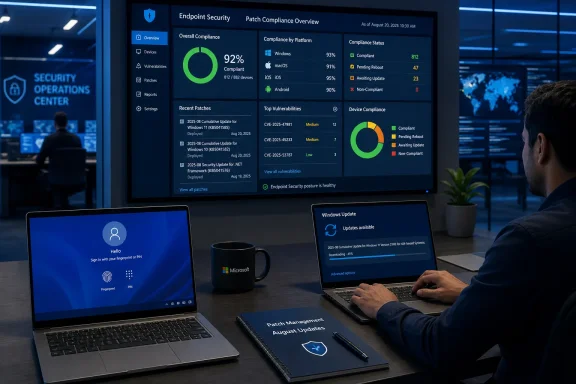
For organizations using Windows Update for Business, Microsoft Intune, Windows Autopatch, WSUS, Configuration Manager, or a third-party patch platform, the operational question is whether devices have received the August 11 security update for their supported Windows release. A device merely configured to download updates is not necessarily remediated; it must report the current cumulative update installed and, where required, complete its restart.
Administrators should prioritize verification on devices where Windows Hello is part of the normal access-control model:
- Windows 11 laptops using face or fingerprint authentication should be checked first, particularly mobile systems routinely used outside controlled offices.
- Shared workstations, front-desk devices, engineering systems, and privileged administrator endpoints deserve separate attention because sign-in configuration and local physical access vary sharply between them.
- Windows Hello for Business deployments should be included in the normal monthly patch compliance report, rather than handled as a standalone credential-reset project.
- Devices held back by update rings, compatibility safeguards, or failed cumulative-update installations need an exception report and a documented remediation date.
The most useful evidence is build-level compliance from the management plane, corroborated on a sample of endpoints with winver or installed-update inventory. Windows Update history can help consumer and small-business users, but fleet reporting is more reliable because it shows devices that never checked in, downloaded but did not install, or rolled back after a servicing failure.
Microsoft’s own release-health documentation has repeatedly shown that security-update availability and installation success are separate problems. July’s Windows 11 security update, KB5101650, was temporarily withheld from a limited group of Dell systems with Intel processors after reports of unexpected shutdowns, heat, performance problems, and battery drain. That incident was unrelated to Windows Hello, but it is a reminder that a policy requiring “August patches within 24 hours” needs an exception path for devices under an active safeguard or update hold.
Do Not Confuse Vulnerability Coverage With Credential Recovery
There is no current indication from Microsoft that CVE-2026-61928 requires users to change passwords, reset Windows Hello PINs, re-enroll fingerprints, remove facial-recognition data, rotate Windows Hello for Business keys, or disable ESS. Those are disruptive actions, and they can create help-desk load and authentication outages without addressing the underlying defect.
The same restraint applies to hardware. Microsoft’s guidance says ESS-capable biometric sensors rely on a Microsoft-issued certificate embedded during manufacturing and use a protected connection to the operating system. A new Windows Hello CVE does not establish that a laptop’s infrared camera, a fingerprint sensor firmware image, or an external biometric reader needs replacement. If Microsoft later identifies affected hardware, drivers, or enrollment states, that will be a separate and specific support action.
Security teams should also avoid relying on endpoint-detection products to substitute for patching. If the flaw concerns a trust decision, credential state, or protected authentication component, an EDR alert may never be the control that prevents it. The durable remedy is the Microsoft security update identified for the affected Windows product, followed by ordinary confirmation that devices restarted and are reporting a patched build.
Microsoft Still Owes Administrators the Mapping
The central gap is not whether CVE-2026-61928 is real. Microsoft has acknowledged it in the Security Update Guide. The gap is the mapping between that CVE and the products, builds, update packages, prerequisites, exploitability assessment, and authentication paths that security teams use to decide patch urgency and to explain risk to leadership.
That information usually emerges through Microsoft’s Security Update Guide entries and CVRF data, then reaches NVD and the major vulnerability-scanning platforms. Until that happens, scanner results showing no match for CVE-2026-61928 should not be mistaken for a clean bill of health. They may simply reflect incomplete vulnerability intelligence on the day of disclosure.
For now, the concrete consequence is straightforward: treat CVE-2026-61928 as an August 11 patch-compliance requirement for supported Windows systems using Windows Hello, preserve existing passwordless controls, and track Microsoft’s advisory for the missing product-and-build detail before making broader configuration changes.