


rbeldua
Essential Member
Member details
- Joined
- May 28, 2011
- Messages
- 2,506
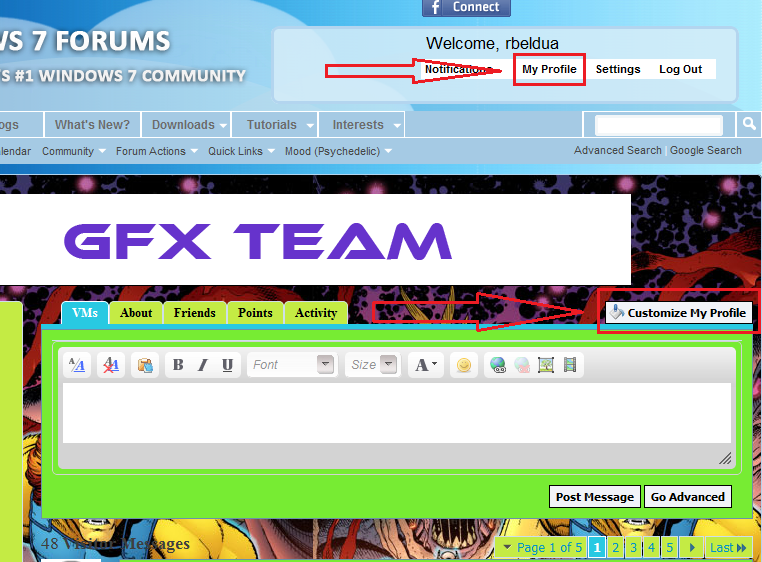
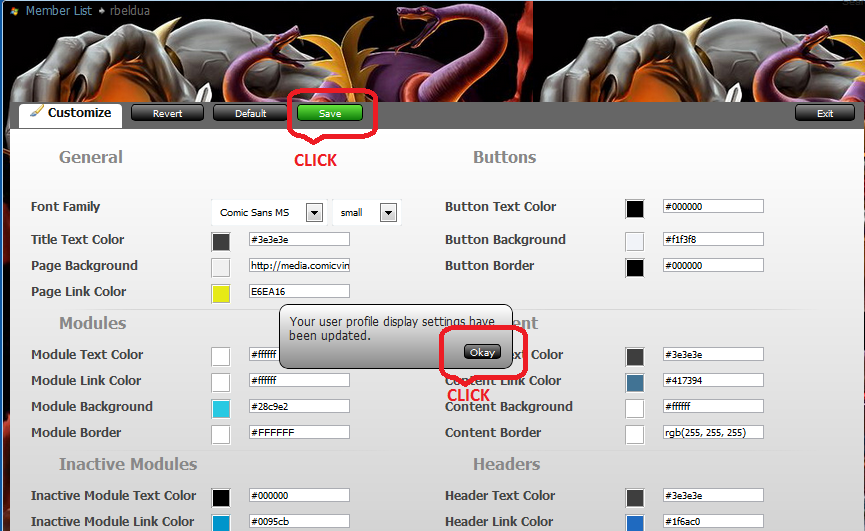
Click My Profile>Customize My Profile In this page you can change multiple tab colors.
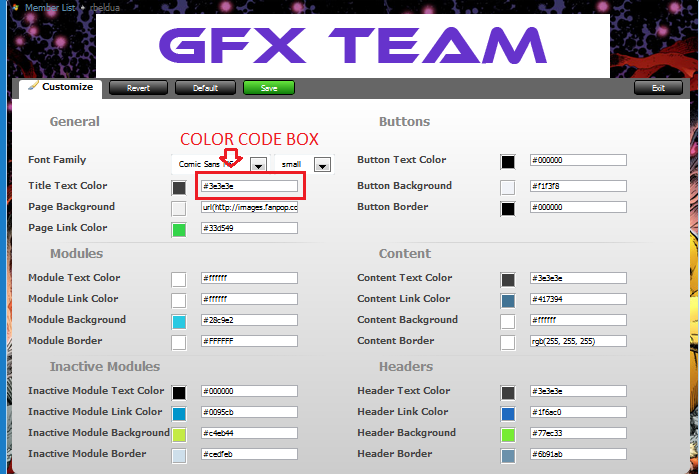
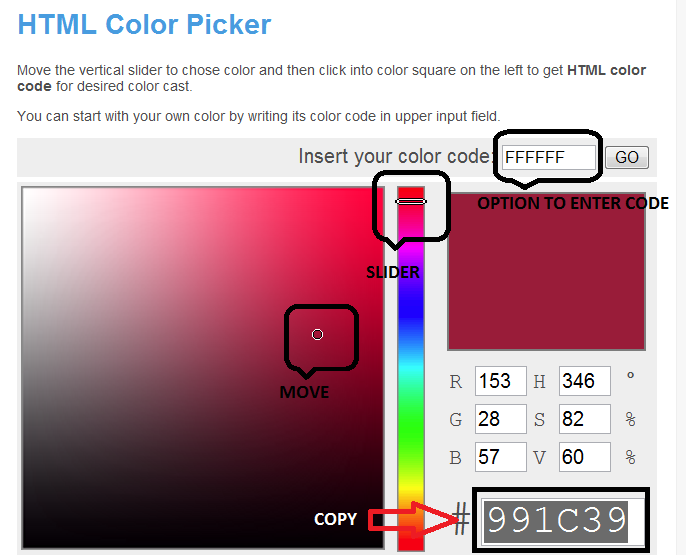
* Here is the link for color code charts Html Color Codes you can pick any color of choice then copy and paste the color code in the color code box.
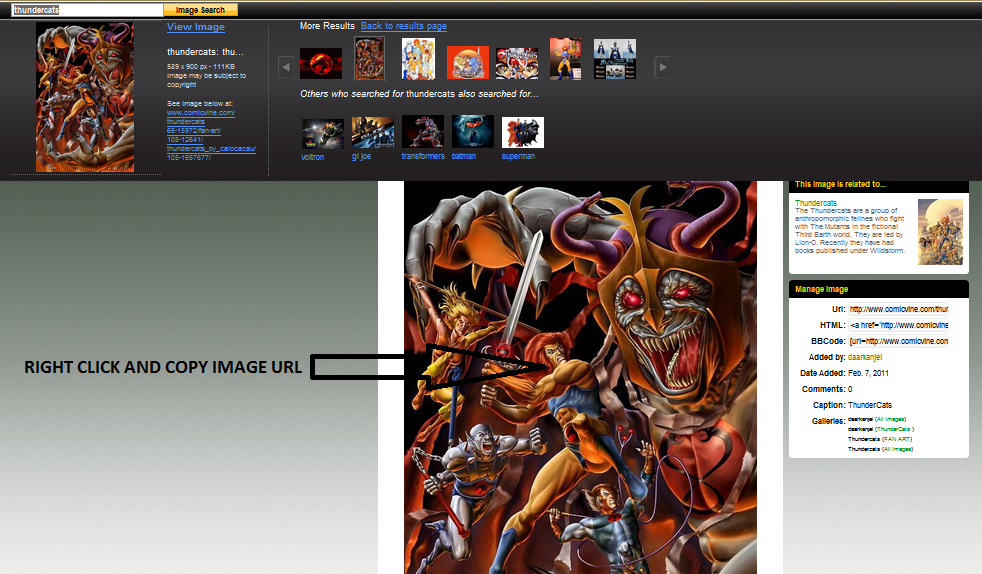
* For the profile background you can change the color or choose an image from any website, photobucket or imageshack then copy and paste the image URL in the color code box.
* Click Save * Click Okay
Screenshot 1:
Screenshot 2:
Link> Html Color Codes
Screenshot 3:
Screenshot 4:
Lastly don't forget to order me a pizza
-END-
Thanks to David (alfred01) for this idea
* Here is the link for color code charts Html Color Codes you can pick any color of choice then copy and paste the color code in the color code box.
* For the profile background you can change the color or choose an image from any website, photobucket or imageshack then copy and paste the image URL in the color code box.
* Click Save * Click Okay
Screenshot 1:
Screenshot 2:
Link> Html Color Codes
Screenshot 3:
Screenshot 4:
Lastly don't forget to order me a pizza
-END-
Thanks to David (alfred01) for this idea