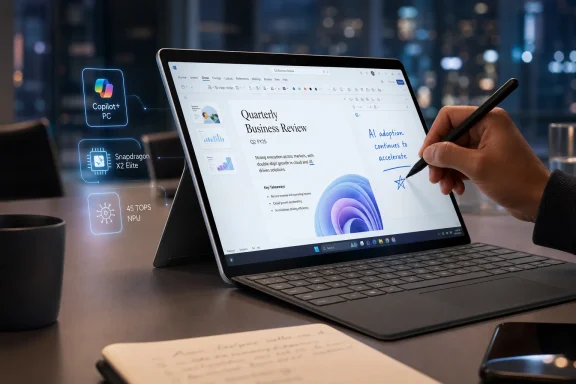
Microsoft’s 2024 Surface Pro arrived as the first mainstream consumer Surface built around Qualcomm’s Snapdragon X chips and Microsoft’s Copilot+ PC strategy, trading the expected Surface Pro 10 branding for a cleaner “Surface Pro” name and a much bigger bet on Windows on Arm. The result is not just another detachable with a nicer screen. It is Microsoft’s most convincing attempt yet to prove that a Windows tablet can be fast, long-lived, and laptop-like without Intel inside. It is also a reminder that the future of Windows still arrives with footnotes.
The Surface Pro has always been less a tablet than an argument. Since the first version, Microsoft has insisted that the right Windows machine could collapse the laptop and tablet into one device, even if the early hardware often made users feel the compromise more than the ambition. Thinness came with heat, mobility came with battery anxiety, and the keyboard that made the whole idea work was almost always sold separately.
The 2024 Surface Pro changes the center of that argument. The defining upgrade is not the kickstand, the detachable keyboard, or even the optional OLED display, though all of those matter. The defining change is that Microsoft has moved its flagship consumer detachable onto Qualcomm’s Snapdragon X platform and is trying to make Windows on Arm feel normal.
That is a bigger shift than a spec-sheet refresh. For years, Windows on Arm has lived in the uncanny valley of PC computing: attractive battery life, instant-on dreams, and frustrating reminders that the software ecosystem was still built for x86. Microsoft has been here before with earlier Arm-based Surface devices, and the result was usually a product that made sense in a demo but less sense after the first incompatible app, driver, or utility got in the way.
This time, the case is stronger. Native Arm versions of Chrome, Microsoft 365, Slack, Zoom, Spotify, and other everyday apps mean that a large slice of mainstream work no longer feels like a compatibility experiment. Microsoft’s Prism emulation layer is also good enough that many older x86 apps can run without the user needing to care what instruction set the processor speaks. That is the whole point: the best version of Windows on Arm is the one ordinary buyers never have to think about.
But “never” is doing too much work. The new Surface Pro is a major step forward because it makes the Windows-on-Arm tradeoff smaller, not because it makes the tradeoff disappear.
That matters because Surface Pro buyers have historically been asked to tolerate a little less. A little less sustained performance than a conventional laptop. A little less lap comfort. A little less endurance than the fantasy of an all-day mobile PC. The new Surface Pro does not erase every ergonomic compromise of a detachable, but it attacks the most important technical weakness.
In CNN Underscored’s testing, the Snapdragon X Elite version handled heavy multitasking with dozens of Chrome tabs, communications apps, and office work without bogging down. That is the workload that actually defines many modern PCs, not synthetic demos of AI-generated art or stage-managed productivity clips. If a Surface Pro can live inside Chrome, Outlook, Slack, Discord, and Microsoft 365 all day without becoming a hot, tired slab, it has solved a problem users genuinely notice.
The benchmarks tell a more nuanced story. Multi-core performance is strong enough to put the Snapdragon X Elite Surface Pro in the same conversation as respected ultraportables, while single-core and graphics results leave Apple’s M-series Macs looking more polished in several tests. That is not a fatal problem for a detachable tablet, but it does clarify the machine’s identity. This is not a hidden gaming rig or a workstation pretending to be a tablet. It is a mobility-first PC that finally has enough CPU headroom to avoid feeling like a compromise during normal work.
The more interesting benchmark failure is not a low score but a non-result. PCMark 10, a familiar Windows benchmark, failed to run because it was not designed for Arm systems. That kind of moment is instructive. The Surface Pro can feel like the future in one window and like an edge case in the next.
Video rundown tests are not real life, and the review’s anecdotal workday result was less dramatic: under heavier use with video calls and normal multitasking, the device ran down in under seven hours from an 88 percent charge. That gap matters. A tablet that lasts forever playing video in airplane mode is not the same thing as a tablet that can survive a chaotic day of meetings, browser tabs, cloud apps, and screen brightness changes.
Still, the direction of travel is obvious. The new Surface Pro is no longer making a weak battery argument with elegant hardware wrapped around it. It is finally entering the territory where battery life becomes a reason to buy, not a flaw to rationalize.
That also explains why the Surface Laptop built on the same generation of chips may be the more sensible purchase for many people. CNN’s testing put the new Surface Laptop close to 18 hours in the same video rundown scenario, while other Snapdragon X laptops have gone even longer. A traditional clamshell has more room for battery and cooling, and it avoids the lapability awkwardness that detachable designs can never fully escape.
But the Surface Pro is not trying to be the best laptop for everyone. It is trying to be the best Windows tablet that can credibly become a laptop when asked. On that narrower but still important promise, battery life changes the conversation.
That matters because Microsoft is not just competing with Windows laptops. It is also competing with the iPad Pro, a device that has trained buyers to expect spectacular displays, excellent speakers, and a kind of physical immediacy that many Windows machines still lack. The Surface Pro’s OLED option helps close that gap while retaining the software flexibility that iPadOS still struggles to match for desktop-style work.
The display is not flawless. CNN’s reviewer noticed a grain-like texture on bright Windows backgrounds, especially in white-heavy apps such as Google Docs and the taskbar. OLED panels can bring their own artifacts, and a glossy 13-inch screen can also turn outdoor use into a negotiation with reflections. Those are not dealbreakers for most buyers, but they complicate the premium story.
The more strategic omission is size. A 13-inch tablet is portable and elegant, but Windows multitasking benefits from space. Snap layouts are useful, but splitting a 13-inch display into several panes still feels like working inside a carefully organized shoebox. A 15-inch Surface Pro would be less tablet-like, but for the kind of buyer who wants this device as a primary computer, it would make the detachable idea more credible.
That matters because the Surface Pro without a keyboard is not really the product Microsoft is selling in practice. It is a Windows tablet, yes, but Windows remains at its best when a keyboard and pointing device are nearby. The Type Cover and its descendants have always been the bridge between Microsoft’s tablet rhetoric and laptop reality.
The Flex Keyboard improves that bridge. A larger haptic touchpad and a sturdier typing platform may not sound transformative, but the cumulative effect is a Surface Pro that behaves more like a serious work machine. Being able to detach the keyboard and keep typing while the display sits farther away is a clever option for desks, cramped trays, and accessibility scenarios.
Then comes the price. The Flex Keyboard with Slim Pen costs hundreds of dollars, and once it is added to the Surface Pro itself, the “tablet” becomes a premium laptop purchase wearing modular clothing. The old joke about the Apple tax becomes harder to tell when Microsoft is charging iPad Pro accessory money for the keyboard-and-pen experience required to make its own device feel complete.
This is the central tension of Surface. Microsoft designs the machine as a modular object, then prices the modules as if they were luxuries rather than essentials. That may preserve attractive starting prices on product pages, but it makes the real-world cost of ownership much harder to ignore.
But the phrase “many buyers” is not the same as “all buyers.” Compatibility remains the tax that Windows on Arm collects at unpredictable times. Some apps are not native. Some apps run through emulation but lose performance, features, or reliability. Some utilities and benchmarks simply refuse to participate. Some games crash, stutter, or never launch.
Drivers are the bigger concern for business and home users with older hardware. Printers, scanners, specialty USB devices, security tools, VPN clients, audio interfaces, lab equipment, and line-of-business peripherals can all turn a modern Arm PC into a support ticket. Microsoft can emulate many applications, but it cannot magically produce Arm-compatible drivers for hardware whose vendors have not done the work.
That is why the Surface Pro requires a different buying process than a standard Intel or AMD Windows laptop. On a conventional x86 PC, most users assume their existing Windows software and accessories will work unless told otherwise. On the Surface Pro, the safer assumption is that critical apps and devices should be checked before purchase.
For enthusiasts, that is annoying but manageable. For IT departments, it is a deployment issue. A machine can be excellent for executives, mobile staff, and Microsoft 365-heavy workers while still being risky for teams tied to legacy utilities, niche security agents, or specialized peripherals. The Surface Pro is no longer an experiment, but it is still not a drop-in replacement for every Windows fleet.
CNN’s experience with Shadow of the Tomb Raider is telling. The benchmark crashed, and actual gameplay struggled around the 30 frames-per-second threshold with stutters and tearing. That is a five-year-old game in the review’s framing, and while it is not trivial to run, it is exactly the kind of title buyers might reasonably expect a modern premium Windows device to handle at modest settings.
The issue is not just GPU horsepower. It is the combined reality of Arm compatibility, graphics drivers, anti-cheat systems, emulation, and developer priorities. A game may be old enough to seem easy yet awkward enough to expose all the rough edges of the platform. Another lighter game, such as Rocket League, may run acceptably and make the problem seem inconsistent rather than universal.
That inconsistency is what makes advice difficult. If a user plays cloud games, casual titles, browser games, or a few known-compatible releases, the Surface Pro may be fine. If gaming is a major reason they buy Windows instead of macOS or iPadOS, the Surface Pro is the wrong machine to buy on faith.
Microsoft knows this, which is why the Surface Pro is not marketed as a gaming device. But Windows carries expectations that the marketing department does not fully control. The platform’s greatest strength has always been its enormous software library. Windows on Arm inherits that promise selectively.
Recall was supposed to be the signature feature. Microsoft pitched it as a kind of searchable memory for your PC, using periodic snapshots to help users find things they had seen or done. Then security researchers, privacy advocates, journalists, and users looked more closely, and Microsoft pulled the feature from the broad launch path before Copilot+ PCs reached buyers.
That delay was more than a public-relations stumble. It exposed the mismatch between Microsoft’s urgency to brand a new PC era and the trust required to make that era acceptable. A feature that records user activity across apps and websites is not just another convenience toggle. It touches corporate data, personal privacy, regulated industries, domestic safety, credential exposure, and the basic expectation that a PC is not quietly building a searchable diary of everything on screen.
Microsoft later reworked Recall as opt-in and routed it through Windows Insider testing before broader rollout. That was the right direction, but it also meant the first Copilot+ PCs launched without the feature that was meant to define them. Buyers got the badge before they got the reason for the badge.
The remaining AI tools are less controversial and less compelling. Paint image generation, Cocreator-style sketch assistance, camera effects, transcription, and other local AI features may be useful to some users. They are not yet the kind of thing that should drive a $1,400-plus hardware purchase.
The Surface Pro therefore becomes an accidental referendum on the AI PC. The best AI PC may be the one that succeeds even when its AI story is ignored.
That advantage is not theoretical. A tablet that can run full desktop browsers, multiple overlapping windows, Microsoft 365, Slack, creative tools, remote access utilities, and enterprise apps has a practical edge over even the most powerful iPad. Apple’s tablet hardware may be extraordinary, but iPadOS still asks too many professional users to adapt their work to the device. Windows lets more of the existing work come along.
Then Windows 11 undermines itself with clutter. The widgets panel, promotional tiles, suggested content, Edge nudges, Microsoft 365 offers, Xbox Game Pass prompts, taskbar distractions, and low-grade MSN detritus all send the same message: the user’s attention is available inventory. On a premium Surface device, that feels especially cheap.
This is not just aesthetic snobbery. For sysadmins and power users, unwanted consumer experiences are friction. They create setup work, policy work, user confusion, and a general sense that Microsoft is never fully willing to let Windows be quiet. The operating system’s productivity features are strong enough to sell the Surface Pro; its engagement machinery is annoying enough to make some users consider leaving.
Microsoft should understand this better than anyone. Surface is supposed to be the cleanest expression of Windows hardware. If the first-run experience on Microsoft’s own flagship device feels like walking through a mall kiosk gauntlet, the company has confused monetization with product design.
Apple starts with the tablet and tries to add enough computing structure to satisfy laptop-like workflows. Microsoft starts with the PC and tries to make it thin, touchable, detachable, and battery-efficient enough to satisfy tablet expectations. The iPad Pro is the better pure tablet. The Surface Pro is the better computer.
The OLED iPad Pro remains a marvel of hardware design, and Apple’s M-series chips continue to set the standard for performance-per-watt. Apple’s accessory integration is polished, its app ecosystem is strong for drawing and media consumption, and the overall device feels more coherent when used as a tablet first.
But the Surface Pro wins the moment the workload becomes a tangle of windows, web apps, external displays, downloaded utilities, file pickers, enterprise authentication flows, and desktop habits. For many professionals, that is not an edge case. That is Tuesday.
The catch is that Microsoft’s victory comes with Windows baggage and Arm uncertainty. Apple’s limitation is often conceptual: iPadOS does not want to become macOS. Microsoft’s limitation is operational: Windows can do almost everything, but this version of Windows on this processor may not do every old thing a buyer expects. Different walls, same room.
But IT departments should treat the 2024 Surface Pro as a candidate for targeted deployment, not a universal endpoint. The reason is not that Windows on Arm is bad. It is that enterprise environments are full of exceptions, and exceptions are where compatibility claims go to die.
A company that lives mostly in Edge or Chrome, Microsoft 365, Teams, web apps, Entra ID, OneDrive, and cloud-managed workflows may find the Surface Pro surprisingly easy to support. A company with legacy VPN clients, kernel-level security agents, old printer fleets, custom x86 utilities, manufacturing software, medical peripherals, or specialized drivers needs testing before enthusiasm.
There is also the AI governance layer. Features like Recall, even when opt-in and hardened, will raise policy questions in regulated environments. Legal, security, compliance, and HR teams may all have opinions about whether a PC should store retrievable snapshots of user activity. Microsoft’s controls matter, but so does the fact that administrators must now think about the feature at all.
The right enterprise posture is cautious optimism. Pilot the hardware with users whose workflows are modern and well understood. Validate the security stack. Test peripherals. Confirm management policies. Then expand where the Surface Pro’s mobility and battery life actually solve a business problem.
Yet the device is also a map of Microsoft’s unresolved tensions. Windows on Arm is much better, but not invisible. Copilot+ branding is loud, but the best features are not necessarily AI features. Windows 11 is powerful, but too often tacky. The detachable design is flexible, but the full package is expensive. Surface feels reborn, but the ecosystem around it is still catching up.
That is why the Surface Pro is both easy to recommend and difficult to recommend broadly. For the right user, it may be the best Windows tablet Microsoft has ever made and one of the most compelling detachable PCs available. For the wrong user, it may be a premium lesson in why app compatibility, drivers, and gaming support still matter.
The most honest buying advice is not glamorous: check your apps, check your accessories, and be realistic about how much tablet use you actually want. If your day is built around modern productivity apps, web services, video calls, writing, browsing, streaming, and Microsoft’s ecosystem, the new Surface Pro is a serious machine. If your Windows life depends on older hardware, niche software, or PC gaming, an Intel or AMD laptop remains the safer bet.
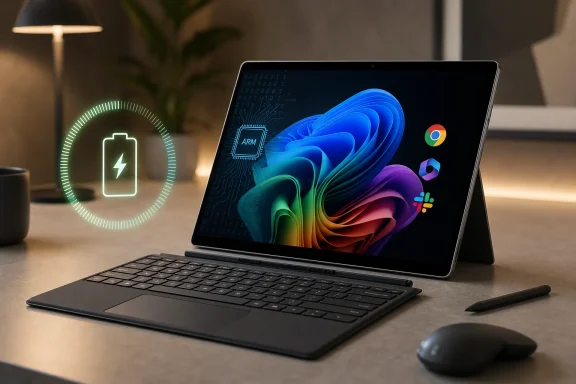 Microsoft Finally Builds the Surface It Has Been Promising for a Decade
The Surface Pro has always been less a tablet than an argument. Since the first version, Microsoft has insisted that the right Windows machine could collapse the laptop and tablet into one device, even if the early hardware often made users feel the compromise more than the ambition. Thinness came with heat, mobility came with battery anxiety, and the keyboard that made the whole idea work was almost always sold separately.The 2024 Surface Pro changes the center of that argument. The defining upgrade is not the kickstand, the detachable keyboard, or even the optional OLED display, though all of those matter. The defining change is that Microsoft has moved its flagship consumer detachable onto Qualcomm’s Snapdragon X platform and is trying to make Windows on Arm feel normal.
That is a bigger shift than a spec-sheet refresh. For years, Windows on Arm has lived in the uncanny valley of PC computing: attractive battery life, instant-on dreams, and frustrating reminders that the software ecosystem was still built for x86. Microsoft has been here before with earlier Arm-based Surface devices, and the result was usually a product that made sense in a demo but less sense after the first incompatible app, driver, or utility got in the way.
This time, the case is stronger. Native Arm versions of Chrome, Microsoft 365, Slack, Zoom, Spotify, and other everyday apps mean that a large slice of mainstream work no longer feels like a compatibility experiment. Microsoft’s Prism emulation layer is also good enough that many older x86 apps can run without the user needing to care what instruction set the processor speaks. That is the whole point: the best version of Windows on Arm is the one ordinary buyers never have to think about.
But “never” is doing too much work. The new Surface Pro is a major step forward because it makes the Windows-on-Arm tradeoff smaller, not because it makes the tradeoff disappear.
The Processor Swap Is the Product Story, Whether Microsoft Says So or Not
Microsoft would prefer buyers to think of the Surface Pro as a Copilot+ PC: a new category of Windows hardware with a neural processing unit, local AI features, and a marketing promise that the PC is entering a fresh era. That is the launch narrative. The more practical story is that Qualcomm’s Snapdragon X Elite and X Plus chips give Microsoft something it has badly needed: credible performance without surrendering battery life.That matters because Surface Pro buyers have historically been asked to tolerate a little less. A little less sustained performance than a conventional laptop. A little less lap comfort. A little less endurance than the fantasy of an all-day mobile PC. The new Surface Pro does not erase every ergonomic compromise of a detachable, but it attacks the most important technical weakness.
In CNN Underscored’s testing, the Snapdragon X Elite version handled heavy multitasking with dozens of Chrome tabs, communications apps, and office work without bogging down. That is the workload that actually defines many modern PCs, not synthetic demos of AI-generated art or stage-managed productivity clips. If a Surface Pro can live inside Chrome, Outlook, Slack, Discord, and Microsoft 365 all day without becoming a hot, tired slab, it has solved a problem users genuinely notice.
The benchmarks tell a more nuanced story. Multi-core performance is strong enough to put the Snapdragon X Elite Surface Pro in the same conversation as respected ultraportables, while single-core and graphics results leave Apple’s M-series Macs looking more polished in several tests. That is not a fatal problem for a detachable tablet, but it does clarify the machine’s identity. This is not a hidden gaming rig or a workstation pretending to be a tablet. It is a mobility-first PC that finally has enough CPU headroom to avoid feeling like a compromise during normal work.
The more interesting benchmark failure is not a low score but a non-result. PCMark 10, a familiar Windows benchmark, failed to run because it was not designed for Arm systems. That kind of moment is instructive. The Surface Pro can feel like the future in one window and like an edge case in the next.
Battery Life Is the Feature That Makes the Whole Bet Plausible
The strongest argument for the new Surface Pro is not AI. It is battery life. CNN Underscored measured 13 hours and 13 minutes in a looping 4K video test, a meaningful improvement over prior Arm-based Surface hardware and a huge jump over older Intel Surface Pro results.Video rundown tests are not real life, and the review’s anecdotal workday result was less dramatic: under heavier use with video calls and normal multitasking, the device ran down in under seven hours from an 88 percent charge. That gap matters. A tablet that lasts forever playing video in airplane mode is not the same thing as a tablet that can survive a chaotic day of meetings, browser tabs, cloud apps, and screen brightness changes.
Still, the direction of travel is obvious. The new Surface Pro is no longer making a weak battery argument with elegant hardware wrapped around it. It is finally entering the territory where battery life becomes a reason to buy, not a flaw to rationalize.
That also explains why the Surface Laptop built on the same generation of chips may be the more sensible purchase for many people. CNN’s testing put the new Surface Laptop close to 18 hours in the same video rundown scenario, while other Snapdragon X laptops have gone even longer. A traditional clamshell has more room for battery and cooling, and it avoids the lapability awkwardness that detachable designs can never fully escape.
But the Surface Pro is not trying to be the best laptop for everyone. It is trying to be the best Windows tablet that can credibly become a laptop when asked. On that narrower but still important promise, battery life changes the conversation.
OLED Gives the Surface Pro Its Premium Moment
The optional OLED display is the kind of upgrade that makes a device feel expensive before the user remembers what it cost. Deep blacks, strong contrast, and enough brightness for outdoor readability help the Surface Pro feel like a premium tablet rather than a laptop screen with a kickstand attached. For movies, photo work, and general visual polish, the screen is one of the machine’s clearest wins.That matters because Microsoft is not just competing with Windows laptops. It is also competing with the iPad Pro, a device that has trained buyers to expect spectacular displays, excellent speakers, and a kind of physical immediacy that many Windows machines still lack. The Surface Pro’s OLED option helps close that gap while retaining the software flexibility that iPadOS still struggles to match for desktop-style work.
The display is not flawless. CNN’s reviewer noticed a grain-like texture on bright Windows backgrounds, especially in white-heavy apps such as Google Docs and the taskbar. OLED panels can bring their own artifacts, and a glossy 13-inch screen can also turn outdoor use into a negotiation with reflections. Those are not dealbreakers for most buyers, but they complicate the premium story.
The more strategic omission is size. A 13-inch tablet is portable and elegant, but Windows multitasking benefits from space. Snap layouts are useful, but splitting a 13-inch display into several panes still feels like working inside a carefully organized shoebox. A 15-inch Surface Pro would be less tablet-like, but for the kind of buyer who wants this device as a primary computer, it would make the detachable idea more credible.
The Flex Keyboard Is Better, and the Pricing Is Brutal
Microsoft’s new Surface Pro Flex Keyboard is one of the most important accessories the company has made for the Surface line because it attacks the design’s oldest weakness. The ability to use the keyboard detached from the tablet gives the Surface Pro more flexibility on a desk, and improved stability makes typing feel less like a concession to the form factor.That matters because the Surface Pro without a keyboard is not really the product Microsoft is selling in practice. It is a Windows tablet, yes, but Windows remains at its best when a keyboard and pointing device are nearby. The Type Cover and its descendants have always been the bridge between Microsoft’s tablet rhetoric and laptop reality.
The Flex Keyboard improves that bridge. A larger haptic touchpad and a sturdier typing platform may not sound transformative, but the cumulative effect is a Surface Pro that behaves more like a serious work machine. Being able to detach the keyboard and keep typing while the display sits farther away is a clever option for desks, cramped trays, and accessibility scenarios.
Then comes the price. The Flex Keyboard with Slim Pen costs hundreds of dollars, and once it is added to the Surface Pro itself, the “tablet” becomes a premium laptop purchase wearing modular clothing. The old joke about the Apple tax becomes harder to tell when Microsoft is charging iPad Pro accessory money for the keyboard-and-pen experience required to make its own device feel complete.
This is the central tension of Surface. Microsoft designs the machine as a modular object, then prices the modules as if they were luxuries rather than essentials. That may preserve attractive starting prices on product pages, but it makes the real-world cost of ownership much harder to ignore.
Windows on Arm Is Ready for Some People, Not Ready to Be Ignored
The Surface Pro’s greatest technical achievement is that many buyers can use it for days without thinking about Arm compatibility. That was not true of earlier Windows-on-Arm devices. The arrival of native apps for major productivity, browser, and communication workloads changes the daily experience.But the phrase “many buyers” is not the same as “all buyers.” Compatibility remains the tax that Windows on Arm collects at unpredictable times. Some apps are not native. Some apps run through emulation but lose performance, features, or reliability. Some utilities and benchmarks simply refuse to participate. Some games crash, stutter, or never launch.
Drivers are the bigger concern for business and home users with older hardware. Printers, scanners, specialty USB devices, security tools, VPN clients, audio interfaces, lab equipment, and line-of-business peripherals can all turn a modern Arm PC into a support ticket. Microsoft can emulate many applications, but it cannot magically produce Arm-compatible drivers for hardware whose vendors have not done the work.
That is why the Surface Pro requires a different buying process than a standard Intel or AMD Windows laptop. On a conventional x86 PC, most users assume their existing Windows software and accessories will work unless told otherwise. On the Surface Pro, the safer assumption is that critical apps and devices should be checked before purchase.
For enthusiasts, that is annoying but manageable. For IT departments, it is a deployment issue. A machine can be excellent for executives, mobile staff, and Microsoft 365-heavy workers while still being risky for teams tied to legacy utilities, niche security agents, or specialized peripherals. The Surface Pro is no longer an experiment, but it is still not a drop-in replacement for every Windows fleet.
Gaming Remains the Fastest Way to Find the Edge of the Future
Gaming is where the Surface Pro’s promise runs into the hardest wall. The problem is not simply that the device is not designed as a gaming machine. Most thin-and-light PCs are not gaming machines either, yet users still expect a baseline ability to run older or lighter titles because they are Windows PCs.CNN’s experience with Shadow of the Tomb Raider is telling. The benchmark crashed, and actual gameplay struggled around the 30 frames-per-second threshold with stutters and tearing. That is a five-year-old game in the review’s framing, and while it is not trivial to run, it is exactly the kind of title buyers might reasonably expect a modern premium Windows device to handle at modest settings.
The issue is not just GPU horsepower. It is the combined reality of Arm compatibility, graphics drivers, anti-cheat systems, emulation, and developer priorities. A game may be old enough to seem easy yet awkward enough to expose all the rough edges of the platform. Another lighter game, such as Rocket League, may run acceptably and make the problem seem inconsistent rather than universal.
That inconsistency is what makes advice difficult. If a user plays cloud games, casual titles, browser games, or a few known-compatible releases, the Surface Pro may be fine. If gaming is a major reason they buy Windows instead of macOS or iPadOS, the Surface Pro is the wrong machine to buy on faith.
Microsoft knows this, which is why the Surface Pro is not marketed as a gaming device. But Windows carries expectations that the marketing department does not fully control. The platform’s greatest strength has always been its enormous software library. Windows on Arm inherits that promise selectively.
The AI PC Launch Was Weaker Than the PC
The strangest thing about the Surface Pro is that the hardware makes a better case for itself than the category Microsoft built around it. Copilot+ PCs were introduced as AI-first machines, but the most persuasive reasons to buy the Surface Pro are conventional: performance, battery life, display quality, portability, and a better keyboard.Recall was supposed to be the signature feature. Microsoft pitched it as a kind of searchable memory for your PC, using periodic snapshots to help users find things they had seen or done. Then security researchers, privacy advocates, journalists, and users looked more closely, and Microsoft pulled the feature from the broad launch path before Copilot+ PCs reached buyers.
That delay was more than a public-relations stumble. It exposed the mismatch between Microsoft’s urgency to brand a new PC era and the trust required to make that era acceptable. A feature that records user activity across apps and websites is not just another convenience toggle. It touches corporate data, personal privacy, regulated industries, domestic safety, credential exposure, and the basic expectation that a PC is not quietly building a searchable diary of everything on screen.
Microsoft later reworked Recall as opt-in and routed it through Windows Insider testing before broader rollout. That was the right direction, but it also meant the first Copilot+ PCs launched without the feature that was meant to define them. Buyers got the badge before they got the reason for the badge.
The remaining AI tools are less controversial and less compelling. Paint image generation, Cocreator-style sketch assistance, camera effects, transcription, and other local AI features may be useful to some users. They are not yet the kind of thing that should drive a $1,400-plus hardware purchase.
The Surface Pro therefore becomes an accidental referendum on the AI PC. The best AI PC may be the one that succeeds even when its AI story is ignored.
Windows 11 Is Still Microsoft’s Best and Worst Surface Feature
The Surface Pro benefits enormously from running real Windows. Compared with iPadOS, Windows 11 remains far better suited to desktop-style multitasking, file management, browser workflows, external display setups, and the messy reality of work. Snap layouts alone make the Surface Pro feel more like a real computer than Apple’s Stage Manager often does.That advantage is not theoretical. A tablet that can run full desktop browsers, multiple overlapping windows, Microsoft 365, Slack, creative tools, remote access utilities, and enterprise apps has a practical edge over even the most powerful iPad. Apple’s tablet hardware may be extraordinary, but iPadOS still asks too many professional users to adapt their work to the device. Windows lets more of the existing work come along.
Then Windows 11 undermines itself with clutter. The widgets panel, promotional tiles, suggested content, Edge nudges, Microsoft 365 offers, Xbox Game Pass prompts, taskbar distractions, and low-grade MSN detritus all send the same message: the user’s attention is available inventory. On a premium Surface device, that feels especially cheap.
This is not just aesthetic snobbery. For sysadmins and power users, unwanted consumer experiences are friction. They create setup work, policy work, user confusion, and a general sense that Microsoft is never fully willing to let Windows be quiet. The operating system’s productivity features are strong enough to sell the Surface Pro; its engagement machinery is annoying enough to make some users consider leaving.
Microsoft should understand this better than anyone. Surface is supposed to be the cleanest expression of Windows hardware. If the first-run experience on Microsoft’s own flagship device feels like walking through a mall kiosk gauntlet, the company has confused monetization with product design.
The iPad Pro Comparison Cuts Both Ways
The Surface Pro is frequently compared with the iPad Pro because both are premium tablets with expensive keyboard and pen ecosystems. That comparison is useful, but only if we admit the devices are trying to solve the problem from opposite directions.Apple starts with the tablet and tries to add enough computing structure to satisfy laptop-like workflows. Microsoft starts with the PC and tries to make it thin, touchable, detachable, and battery-efficient enough to satisfy tablet expectations. The iPad Pro is the better pure tablet. The Surface Pro is the better computer.
The OLED iPad Pro remains a marvel of hardware design, and Apple’s M-series chips continue to set the standard for performance-per-watt. Apple’s accessory integration is polished, its app ecosystem is strong for drawing and media consumption, and the overall device feels more coherent when used as a tablet first.
But the Surface Pro wins the moment the workload becomes a tangle of windows, web apps, external displays, downloaded utilities, file pickers, enterprise authentication flows, and desktop habits. For many professionals, that is not an edge case. That is Tuesday.
The catch is that Microsoft’s victory comes with Windows baggage and Arm uncertainty. Apple’s limitation is often conceptual: iPadOS does not want to become macOS. Microsoft’s limitation is operational: Windows can do almost everything, but this version of Windows on this processor may not do every old thing a buyer expects. Different walls, same room.
Enterprise IT Should See a Pilot Program, Not a Fleet Refresh
For business buyers, the Surface Pro is attractive in obvious ways. It is portable, premium, webcam-friendly, and well suited to Microsoft 365-centric work. The improved battery life and performance make it more credible for executives, consultants, field staff, and hybrid workers who want one machine that can move from meeting room to airplane tray to desk dock.But IT departments should treat the 2024 Surface Pro as a candidate for targeted deployment, not a universal endpoint. The reason is not that Windows on Arm is bad. It is that enterprise environments are full of exceptions, and exceptions are where compatibility claims go to die.
A company that lives mostly in Edge or Chrome, Microsoft 365, Teams, web apps, Entra ID, OneDrive, and cloud-managed workflows may find the Surface Pro surprisingly easy to support. A company with legacy VPN clients, kernel-level security agents, old printer fleets, custom x86 utilities, manufacturing software, medical peripherals, or specialized drivers needs testing before enthusiasm.
There is also the AI governance layer. Features like Recall, even when opt-in and hardened, will raise policy questions in regulated environments. Legal, security, compliance, and HR teams may all have opinions about whether a PC should store retrievable snapshots of user activity. Microsoft’s controls matter, but so does the fact that administrators must now think about the feature at all.
The right enterprise posture is cautious optimism. Pilot the hardware with users whose workflows are modern and well understood. Validate the security stack. Test peripherals. Confirm management policies. Then expand where the Surface Pro’s mobility and battery life actually solve a business problem.
The Surface Pro Is No Longer Chasing the Future; It Is Negotiating With It
The 2024 Surface Pro feels important because it is the first version in years that does not seem trapped by the same old compromises. The performance is good enough for mainstream productivity. The battery life is finally a feature. The display can be excellent. The keyboard is better. The webcam is strong. The form factor still has a reason to exist.Yet the device is also a map of Microsoft’s unresolved tensions. Windows on Arm is much better, but not invisible. Copilot+ branding is loud, but the best features are not necessarily AI features. Windows 11 is powerful, but too often tacky. The detachable design is flexible, but the full package is expensive. Surface feels reborn, but the ecosystem around it is still catching up.
That is why the Surface Pro is both easy to recommend and difficult to recommend broadly. For the right user, it may be the best Windows tablet Microsoft has ever made and one of the most compelling detachable PCs available. For the wrong user, it may be a premium lesson in why app compatibility, drivers, and gaming support still matter.
The most honest buying advice is not glamorous: check your apps, check your accessories, and be realistic about how much tablet use you actually want. If your day is built around modern productivity apps, web services, video calls, writing, browsing, streaming, and Microsoft’s ecosystem, the new Surface Pro is a serious machine. If your Windows life depends on older hardware, niche software, or PC gaming, an Intel or AMD laptop remains the safer bet.
The Real Surface Pro Story Fits in Five Uncomfortable Truths
The Surface Pro’s achievement is not that it makes every competing tablet obsolete. It is that it makes Microsoft’s oldest hardware idea feel technically plausible again while exposing the platform work still left to do.- The 2024 Surface Pro is a major leap because Snapdragon X finally gives Microsoft the battery-and-performance story that earlier detachable Surfaces often lacked.
- Windows on Arm is now good enough for many mainstream users, but app, driver, benchmark, and game compatibility still need to be checked before purchase.
- The OLED display, improved webcam, and better Flex Keyboard make the device feel premium, but the real price climbs quickly once essential accessories are included.
- Copilot+ remains a weaker reason to buy than conventional PC fundamentals, especially after Recall’s troubled launch path made Microsoft’s AI ambitions look rushed.
- Windows 11 gives the Surface Pro a productivity advantage over the iPad Pro, but Microsoft’s own ads, prompts, widgets, and default clutter cheapen the experience.
- Enterprise buyers should pilot the Surface Pro carefully, because modern cloud workflows are a good fit while legacy peripherals and specialized software remain potential blockers.
References
- Primary source: CNN
Published: Fri, 03 Jul 2026 00:01:14 GMT
- Official source: support.microsoft.com
Surface Pro (11th Edition) features | Microsoft Support
Learn what features are included with Surface Pro (11th Edition).support.microsoft.com - Related coverage: tomshardware.com
Microsoft recalls Recall: Controversial AI feature won't be in Copilot+ Windows build at launch | Tom's Hardware
Copilot+ PCs will launch without their only interesting feature.www.tomshardware.com - Related coverage: rtings.com
Microsoft Surface Pro 11th Edition (2024) Review - RTINGS.com
The Microsoft Surface Pro 11th Edition (2024) is a premium Windows tablet PC. This 2024 model replaces the Microsoft Surface Pro 9 from 2022, as the Surface Pro ... www.rtings.com
- Related coverage: arstechnica.com
Microsoft delays Recall again, won’t debut it with new Copilot+ PCs after all - Ars Technica
Recall will go through Windows Insider pipeline like any other Windows feature.arstechnica.com - Related coverage: geekwire.com
Recall arrives: Windows Insiders on Copilot+ PCs finally getting preview of key Microsoft AI feature – GeekWire
The privacy and security settings page for Windows Recall (Microsoft Image; click to enlarge). After a series of delays, Microsoft is releasing a newwww.geekwire.com
- Related coverage: pcworld.com
Microsoft Surface Pro (2024) review: A tantalizing glimpse of the future | PCWorld
Microsoft's first Copilot+ tablet, the Surface Pro (2024) 11th Edition, kicks butt while plugged into the wall. But the race for performance can leave battery life and software compatibility wanting.www.pcworld.com - Related coverage: notebookcheck.net
Microsoft releases new Surface Pro 11 with optional 120 Hz OLED display and Snapdragon X Plus or Snapdragon X Elite chipsets - Notebookcheck News
Microsoft has finally replaced the Surface Pro 9 that it announced in 2022. Arriving in the wake of the 'for Business' Surface Pro 10, Microsoft has decided to jump straight to the Surface Pro 11 for its first full ARM-powered consumer release. Other exclusives to the Surface Pro 11 in... www.notebookcheck.net
- Related coverage: bleepingcomputer.com
Microsoft rolls out Recall to Windows Insiders with Copilot+ PCs
Microsoft announced today that its controversial AI-powered Recall feature is finally rolling out to Windows Insiders in the Dev Channel using Snapdragon-powered Copilot+ PCs.www.bleepingcomputer.com
- Related coverage: windowscentral.com
Surface Pro 11 review: A stunning achievement by Microsoft and Qualcomm, making it one of the best Windows PCs of 2024 | Windows Central
Thanks to Qualcomm's new processor, Microsoft's original vision for the Surface Pro is finally a reality, making it the most exciting release since 2012.www.windowscentral.com - Official source: microsoft.com
Surface Pro for Business Fact Sheet May 2024
</rdf:Alt> </dc:description> <dc:creator><rdf:Seq><rdf:li>Joseph Galbraith (MBO Partners, Inc.)www.microsoft.com
- Related coverage: axios.com
Microsoft pushes back roll out of Recall feature on AI PCs
The firm has faced mounting scrutiny in both Washington and Silicon Valley over the feature.www.axios.com
- Official source: news.microsoft.com
- Related coverage: na.ingrammicro.com
- Official source: download.microsoft.com