

Microsoft introduced Copilot Mode for Edge on July 28, 2025, as an experimental, opt-in browsing experience for Windows and Mac that combines web navigation, search, AI chat, voice control, and information from open tabs inside a single interface wherever Microsoft Copilot is available. The immediate change is a redesigned new-tab page, but Microsoft’s larger ambition is to turn Edge from a passive container for websites into an assistant that interprets browsing activity and eventually acts on the user’s behalf. That makes Copilot Mode less a cosmetic AI addition than an early test of how much context and authority people will give their browser. It also opens difficult questions about privacy, administrative control, reliability, and what happens after Microsoft’s promise that the experiment will be “free for a limited time” expires.
A conventional browser waits for instructions. The user enters an address, opens a search engine, follows links, compares pages, copies information between tabs, and decides what to do next. Copilot Mode is designed to collapse that sequence by asking the user to express an objective rather than manage every individual browser operation.
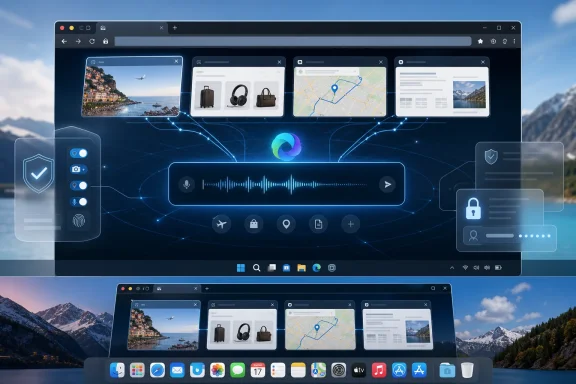
When the mode is enabled, a new Edge tab displays one central input box. The same field can accept a website address, a conventional topic search, or a request directed at Copilot, removing the visible boundary between navigating to a destination, looking for information, and asking AI to synthesize an answer.
That distinction matters because the address bar has traditionally been one of the browser’s clearest controls. Even after browsers began mixing addresses and searches in one field, the user was still generally issuing a narrow command: open this page or find pages matching these words. Copilot Mode introduces a third possibility in which Edge interprets what the user is trying to accomplish and chooses how to proceed.
Microsoft describes the goal as helping people “compare, decide, and get things done with ease.” The operative word is not search but decide. Microsoft wants Edge to occupy the layer between information retrieval and user action, the territory where someone evaluates products, plans a trip, chooses a service, or organizes research scattered across multiple pages.
PCMag characterized the feature as giving Microsoft’s assistant greater control over the browsing experience. That framing captures the stakes, although Copilot Mode at launch is not unrestricted control over the entire PC. Its immediate power comes from its position inside Edge: it can see relevant browser context, reason across open tabs, respond through a common interface, and handle some tasks when instructed.
The browser is an unusually valuable place to install such an assistant. It already sits between the user and most online services, including search engines, stores, banks, travel sites, workplace applications, documents, communications platforms, and identity systems. An AI assistant embedded there does not need every Windows application to expose a special integration; it can instead observe and interact with the web interfaces people already use.
This is why the new-tab redesign should not be dismissed as another Copilot button. Microsoft is changing the conceptual starting point of browsing. Rather than asking, “Where do you want to go?” Edge increasingly asks, “What are you trying to do?”
That could solve a real and familiar problem. Modern browsing often turns into an improvised workspace: one tab contains a hotel, another a map, another a restaurant menu, another a review, and several more hold alternatives the user intends to revisit. The browser preserves all the raw material but provides little help understanding it.
Copilot Mode attempts to make the tab strip computational rather than merely organizational. If a user is researching a vacation across multiple pages, for example, Copilot could connect an activity near a beach with accommodation or location information opened elsewhere. Instead of forcing the user to repeatedly switch pages and reconstruct the comparison mentally, the assistant can reportedly use the collection as a single body of context.
That approach has more practical value than placing a generic chatbot beside a web page. A chatbot that sees only the current page can summarize it or answer questions about it. An assistant that sees several pages can compare claims, reconcile options, identify conflicts, and infer the larger project the user is pursuing.
TechCrunch’s launch coverage emphasized this transformation of Edge into an AI-assisted browser rather than a browser with an isolated chatbot attached. Tom’s Hardware similarly focused on the combination of chat, search, navigation, and selected actions. The common thread is context: Copilot Mode is intended to understand not simply what appears on one screen, but how several browsing steps fit together.
The benefit is easiest to see in high-friction research. Shopping comparisons, travel planning, apartment searches, insurance research, product compatibility checks, and technical troubleshooting frequently require information from many sites with inconsistent layouts. An assistant capable of reading those pages as a group could reduce repetitive work significantly.
But the same contextual reach creates the feature’s central privacy problem. Tabs are not a curated project folder. A browser window can contain a product review beside personal email, an internal company page, a medical portal, a financial account, or a document intended for a limited audience.
Users rarely organize tabs according to a security classification. They organize them according to convenience, urgency, or not at all. Giving an assistant visibility across tabs therefore risks collapsing boundaries that people assumed still existed simply because the pages were not active at the same moment.
Microsoft says Copilot Mode is opt-in, and the company presents its access as permission-based. That is an important safeguard, but consent at activation is only the beginning of meaningful control. Users also need to understand what information is being considered for each request, when tab context is active, and whether a sensitive page should be closed, isolated, or excluded before Copilot is asked to help.
The difference between “Copilot can use open tabs” and “Copilot is using these particular tabs right now” is crucial. The former is a feature description. The latter is the information a person needs to make an informed decision during real browsing.
That logic is technically persuasive. A query such as “Which one is best?” is almost meaningless to an ordinary search engine, but it becomes answerable when the browser knows that “one” refers to several open product pages. Likewise, “Which hotel is closest?” can be resolved if Copilot can connect hotel listings with an open page describing the user’s planned destination.
The difficulty is that better context and broader observation are two descriptions of the same mechanism. The more Edge knows about the browsing session, the more precisely it can help; the more precisely it can help, the more users may become comfortable exposing additional context.
This produces a gradual permissions problem rather than a single dramatic decision. At launch, someone might enable Copilot Mode because the unified new-tab page is convenient. Later, they may use multi-tab analysis. Eventually, Microsoft wants the assistant to incorporate search history and credentials so that it can carry out more advanced tasks.
Each step can be presented as a modest extension of the previous one. Together, however, they move the browser from answering questions about visible pages toward constructing a continuing model of the user’s interests, habits, accounts, and intended actions.
The mode’s experimental label is therefore doing substantial work. It signals that the interface, capabilities, access model, and commercial terms may all change. It also gives Microsoft room to observe which permissions users will accept before the experience becomes a standard part of Edge.
For consumers, the experiment tests whether convenience outweighs discomfort with cross-tab awareness. For Microsoft, it tests whether Edge can become the preferred control surface for online AI tasks. For organizations, it tests whether existing browser governance is prepared for a tool that can reason over content rather than simply display it.
Typing a web address is precise. Speaking an objective is often not. A request such as “help me choose a hotel near the conference” leaves the assistant to determine which pages matter, what “near” means, which criteria should be compared, and how the result should be presented.
That ambiguity is part of the product’s appeal. Users do not have to translate their goals into a series of searches and clicks. Copilot can attempt to break down the objective, gather context from open pages, and suggest the next step.
Voice also makes the experience more accessible when someone cannot easily type or is working hands-free. Microsoft’s examples envision users talking through a task while Copilot locates information on pages or opens tabs for comparison, turning the browser into something closer to an interactive operator.
The danger is that conversation can make powerful actions feel less consequential than they are. Clicking through a booking flow exposes the checkpoints at which dates, prices, and personal details can be verified. A spoken instruction can compress that process into a sentence, potentially hiding assumptions the assistant made along the way.
At launch, Copilot Mode’s action capabilities remain limited relative to Microsoft’s broader vision. Yet the interface is already being designed for a future in which the user states an outcome and the browser chooses several intermediate steps. Voice is not merely another input method; it is training for a delegation model.
That model requires stronger confirmation practices than ordinary browsing. The more steps the assistant performs, the more important it becomes to show what it plans to do before it does it, identify which information it will use, and stop before an irreversible action unless the user explicitly approves.
Search history would give the assistant continuity beyond the currently open window. It could use earlier research to interpret a new request, recover a project the user abandoned, or personalize recommendations based on previous interests. That could eliminate the need to reconstruct context every time the browser is reopened.
Credentials would be more consequential. Access to authenticated sessions or stored account information could let Copilot move through services that require the user to be signed in, potentially completing bookings, managing purchases, or interacting with personalized systems.
Microsoft illustrates that direction with a paddleboard-rental scenario. In the company’s example, Copilot would find a rental near the user’s workplace, check the weather, make the booking, and suggest related items or instructional material. The request sounds straightforward, but fulfilling it requires several categories of information and authority.
The assistant needs to understand what “near work” means, which implies access to some location context. It must evaluate rental providers, check availability, compare options, interpret weather information, choose an appropriate date or infer one from the conversation, and enter a transaction flow. It may also need contact information, account access, and a payment method before a booking can be completed.
That is the dividing line between an AI that recommends and an AI that commits. A recommendation can be ignored. A reservation can create a financial obligation, reserve scarce inventory, expose personal information, and become subject to cancellation terms.
The future described by Microsoft is therefore not just more powerful search. It is delegated execution across multiple web services. The browser would use identity and stored context to translate a broad instruction into a chain of actions.
The technical challenge is not simply protecting credentials from theft. Microsoft must also constrain how an authorized assistant uses them. A system can be correctly authenticated and still make the wrong purchase, choose the wrong account, enter information into the wrong page, or obey malicious instructions hidden in web content.
This is where browser agents face a harder environment than traditional assistants. The open web is adversarial, inconsistent, and filled with pages designed to influence user behavior. An agent reading those pages must distinguish legitimate instructions from advertisements, deceptive interfaces, irrelevant content, and text intended to manipulate automated systems.
For that reason, credentials cannot be treated as just another source of contextual data. They represent authority. Any implementation must make the distinction visible through granular consent, clear previews, transaction confirmations, and records of what the assistant accessed and changed.
Experimental software can still encounter production data. A user who activates the mode may open workplace documents, health information, account dashboards, or private communications in the same browser window. The feature’s preview status does not make those pages less sensitive.
Nor does an experimental label tell administrators exactly how the experience should be governed. Organizations need to distinguish between a lab feature tested with synthetic data and a user-facing preview running in the default browser on managed endpoints. Copilot Mode sits much closer to the second category.
The practical issue is that browsers have become primary enterprise clients. Employees use them to access cloud administration consoles, customer records, source repositories, collaboration platforms, financial tools, and internal web applications. Cross-tab reasoning can potentially connect information from several of those systems even when the systems themselves were designed with separate access controls.
Those underlying permissions still matter: Copilot cannot legitimately see a page the signed-in user cannot open. But an AI layer can alter how information is combined after access is granted. Data that was separated by application boundaries can be brought into one generated response, comparison, or task plan.
That possibility complicates established ideas about least privilege. Traditional access control asks whether a user may view a resource. Agentic browsing adds further questions: may an AI process it, combine it with another resource, use it to infer a decision, or carry information from one site into an action on another?
Organizations dealing with regulated, confidential, or customer-controlled data should not wait for credentials-based actions before considering those questions. Open-tab analysis is already sufficient to create a new data path, even if the assistant is only summarizing or comparing content.
Microsoft’s own promise that data will not be shared without permission is necessary but broader than the operational detail administrators require. IT teams need clear answers about what constitutes permission, how it is recorded, whether context is retained, what users can exclude, and what controls are available at the device or organizational level.
The absence of a full-release date makes a cautious pilot more appropriate than general adoption. Microsoft has not said how long the feature will remain experimental, and it has not established the eventual pricing model. That uncertainty affects both risk planning and procurement.
AI-assisted browsing carries ongoing computational costs that conventional navigation does not. Summarizing several tabs, interpreting voice, planning tasks, and performing actions all require model inference and supporting infrastructure. It would be unsurprising if Microsoft ultimately linked some capabilities to a subscription, usage allowance, or broader Copilot offering.
The important issue for users is not merely whether a charge eventually appears. It is whether the browser’s workflow becomes dependent on Copilot before the commercial terms are known. Once someone routinely relies on multi-tab comparisons or conversational task completion, returning to manual browsing creates friction.
Microsoft has used Edge as a distribution channel for services before, but Copilot Mode increases the potential lock-in because it targets user habits rather than file formats. The browser can become the place where people begin research, preserve context, compare options, and delegate tasks. Paying later may feel less like purchasing an optional feature and more like restoring a workflow that has become familiar.
For organizations, the ambiguity makes budgeting difficult. A successful pilot could reveal substantial productivity benefits but still leave IT unable to calculate the cost of broad deployment. The final offering could also differ between consumer and managed environments, although Microsoft had not provided those details at launch.
The experimental period should therefore be treated as both a product preview and a market test. Microsoft is learning which features people value, what data access they permit, how frequently they use AI inside Edge, and potentially how much they might pay to keep the experience.
This does not make the offer inherently deceptive. Free previews are common, and Microsoft has disclosed the limited nature of the pricing. But users should recognize that the mode’s value proposition and its business model are being developed together.
That changes what browser differentiation looks like. Chromium compatibility means competing browsers can render most sites similarly. AI gives vendors a new layer above the rendering engine where they can build proprietary context systems, assistants, identity integrations, and paid services.
Microsoft has a strategic advantage because Edge is distributed with Windows and Copilot is being developed across the company’s consumer and workplace products. Connecting those systems could give the browser access to a broader understanding of user activity, provided customers grant the necessary permissions.
But distribution is not the same as trust. Edge’s position on Windows may increase exposure to Copilot Mode, while also making users more sensitive to prompts that feel promotional or difficult to escape. The opt-in design is therefore important not only for privacy but for the credibility of the experiment.
The pop-up activation prompt will be many users’ first encounter with the feature. That moment must communicate more than a generic promise of smarter browsing. People need to know that Copilot can use information across open tabs and that future functionality may involve history and credentials.
A weak consent screen would reduce a structural change in browser behavior to another feature toggle. A strong one would explain the contextual access in plain language and make it easy to decline without repeated pressure.
PC Gamer’s skeptical coverage reflected the unease likely to accompany any claim that an AI can inspect a wider slice of browsing activity. Other outlets emphasized productivity and convenience. Both reactions are reasonable because the benefit and the risk come from the same capability.
Copilot Mode is useful precisely because the assistant is not isolated. It is potentially intrusive for precisely the same reason. Microsoft will not resolve that tension by describing the feature as either magical or safe; it must give users enough visibility and control to decide when the trade is worthwhile.
The immediate task is to determine whether the mode is appropriate for managed devices and data. A creative agency researching public material faces a different risk profile from a healthcare provider, financial institution, government contractor, or company whose employees routinely keep privileged administrative consoles open.
A pilot should begin with low-sensitivity workflows and a limited group of informed users. The purpose is not merely to ask whether Copilot gives good answers. Administrators should observe what context people expose, whether they understand when multiple tabs are involved, and whether the browser makes those boundaries sufficiently visible.
Testing should include failure cases. The assistant may misunderstand an instruction, omit an important comparison factor, treat marketing language as fact, or combine unrelated tabs. Voice requests should be tested for ambiguity, particularly when similar product names, locations, dates, or accounts are involved.
IT teams should also anticipate the future credential question now. If browser agents eventually act inside authenticated sessions, organizations will need rules separating low-risk actions from transactions or changes that always require human approval.
Administrators should also avoid assuming that opt-in automatically resolves compliance concerns. An employee can consent to a feature without having organizational authority to expose customer data, confidential documents, or regulated information to a new processing workflow.
A credible deployment plan will need both technical restrictions and user guidance. Employees must understand not only how to activate Copilot Mode but when they should not use it.
Microsoft should make contextual scope explicit. If Copilot is drawing from five open tabs, the user should be able to see which five, remove one, and rerun the request. If history is later included, the relevant entries should be identifiable rather than represented by a vague statement that history improved the answer.
The same principle applies to planned actions. Before booking a service, Copilot should show the provider, date, location, price, cancellation terms, account, and payment method. It should distinguish confirmed information from assumptions and ask for clarification when the instruction is incomplete.
This level of transparency can make the experience feel slower, but that is not necessarily a defect. Friction is valuable at the point where a system moves from reversible research to an external commitment.
Microsoft must also account for erroneous confidence. Generative AI can produce a fluent explanation even when it has misunderstood a page or missed a crucial condition. Multi-tab access expands the available evidence, but it also expands the number of details the system can confuse.
A browser assistant should preserve traceability back to the underlying pages. Users need to verify prices, policies, technical claims, and availability rather than receiving a synthesized conclusion detached from its source material.
The experimental phase is Microsoft’s opportunity to establish those habits before more authority is introduced. If history and credentials arrive first and strong visibility follows later, the company will have inverted the responsible order of development.
For Microsoft, the test is larger than whether Copilot can save a few clicks. The company must prove that Edge can become more aware without becoming inscrutable, and more capable without encouraging careless delegation.
Copilot Mode points toward a browser that no longer waits quietly for URLs but watches the work taking shape, interprets the user’s objective, and offers to carry part of it forward. Whether that becomes a genuine improvement or another layer of unwanted AI will depend on the controls Microsoft builds before history, credentials, and transactions turn an experimental assistant into a browser with the authority to act.
 Microsoft Is Replacing the Search Box With an Intent Box
A conventional browser waits for instructions. The user enters an address, opens a search engine, follows links, compares pages, copies information between tabs, and decides what to do next. Copilot Mode is designed to collapse that sequence by asking the user to express an objective rather than manage every individual browser operation.When the mode is enabled, a new Edge tab displays one central input box. The same field can accept a website address, a conventional topic search, or a request directed at Copilot, removing the visible boundary between navigating to a destination, looking for information, and asking AI to synthesize an answer.
That distinction matters because the address bar has traditionally been one of the browser’s clearest controls. Even after browsers began mixing addresses and searches in one field, the user was still generally issuing a narrow command: open this page or find pages matching these words. Copilot Mode introduces a third possibility in which Edge interprets what the user is trying to accomplish and chooses how to proceed.
Microsoft describes the goal as helping people “compare, decide, and get things done with ease.” The operative word is not search but decide. Microsoft wants Edge to occupy the layer between information retrieval and user action, the territory where someone evaluates products, plans a trip, chooses a service, or organizes research scattered across multiple pages.
PCMag characterized the feature as giving Microsoft’s assistant greater control over the browsing experience. That framing captures the stakes, although Copilot Mode at launch is not unrestricted control over the entire PC. Its immediate power comes from its position inside Edge: it can see relevant browser context, reason across open tabs, respond through a common interface, and handle some tasks when instructed.
The browser is an unusually valuable place to install such an assistant. It already sits between the user and most online services, including search engines, stores, banks, travel sites, workplace applications, documents, communications platforms, and identity systems. An AI assistant embedded there does not need every Windows application to expose a special integration; it can instead observe and interact with the web interfaces people already use.
This is why the new-tab redesign should not be dismissed as another Copilot button. Microsoft is changing the conceptual starting point of browsing. Rather than asking, “Where do you want to go?” Edge increasingly asks, “What are you trying to do?”
Open Tabs Become a Shared Context Window
Copilot Mode’s most consequential launch feature is its ability to use information across open tabs. Microsoft says the assistant can see the broader picture of what the user has open, identify relationships among those pages, and suggest ways to move the task forward.That could solve a real and familiar problem. Modern browsing often turns into an improvised workspace: one tab contains a hotel, another a map, another a restaurant menu, another a review, and several more hold alternatives the user intends to revisit. The browser preserves all the raw material but provides little help understanding it.
Copilot Mode attempts to make the tab strip computational rather than merely organizational. If a user is researching a vacation across multiple pages, for example, Copilot could connect an activity near a beach with accommodation or location information opened elsewhere. Instead of forcing the user to repeatedly switch pages and reconstruct the comparison mentally, the assistant can reportedly use the collection as a single body of context.
That approach has more practical value than placing a generic chatbot beside a web page. A chatbot that sees only the current page can summarize it or answer questions about it. An assistant that sees several pages can compare claims, reconcile options, identify conflicts, and infer the larger project the user is pursuing.
TechCrunch’s launch coverage emphasized this transformation of Edge into an AI-assisted browser rather than a browser with an isolated chatbot attached. Tom’s Hardware similarly focused on the combination of chat, search, navigation, and selected actions. The common thread is context: Copilot Mode is intended to understand not simply what appears on one screen, but how several browsing steps fit together.
The benefit is easiest to see in high-friction research. Shopping comparisons, travel planning, apartment searches, insurance research, product compatibility checks, and technical troubleshooting frequently require information from many sites with inconsistent layouts. An assistant capable of reading those pages as a group could reduce repetitive work significantly.
But the same contextual reach creates the feature’s central privacy problem. Tabs are not a curated project folder. A browser window can contain a product review beside personal email, an internal company page, a medical portal, a financial account, or a document intended for a limited audience.
Users rarely organize tabs according to a security classification. They organize them according to convenience, urgency, or not at all. Giving an assistant visibility across tabs therefore risks collapsing boundaries that people assumed still existed simply because the pages were not active at the same moment.
Microsoft says Copilot Mode is opt-in, and the company presents its access as permission-based. That is an important safeguard, but consent at activation is only the beginning of meaningful control. Users also need to understand what information is being considered for each request, when tab context is active, and whether a sensitive page should be closed, isolated, or excluded before Copilot is asked to help.
The difference between “Copilot can use open tabs” and “Copilot is using these particular tabs right now” is crucial. The former is a feature description. The latter is the information a person needs to make an informed decision during real browsing.
The Assistant Is Useful Because It Watches More
Microsoft’s pitch rests on a trade: provide more context and receive more useful assistance. Copilot can infer intent more accurately when it sees the pages that produced the question, just as a human colleague can give better advice after seeing the research rather than hearing a vague summary of it.That logic is technically persuasive. A query such as “Which one is best?” is almost meaningless to an ordinary search engine, but it becomes answerable when the browser knows that “one” refers to several open product pages. Likewise, “Which hotel is closest?” can be resolved if Copilot can connect hotel listings with an open page describing the user’s planned destination.
The difficulty is that better context and broader observation are two descriptions of the same mechanism. The more Edge knows about the browsing session, the more precisely it can help; the more precisely it can help, the more users may become comfortable exposing additional context.
This produces a gradual permissions problem rather than a single dramatic decision. At launch, someone might enable Copilot Mode because the unified new-tab page is convenient. Later, they may use multi-tab analysis. Eventually, Microsoft wants the assistant to incorporate search history and credentials so that it can carry out more advanced tasks.
Each step can be presented as a modest extension of the previous one. Together, however, they move the browser from answering questions about visible pages toward constructing a continuing model of the user’s interests, habits, accounts, and intended actions.
The mode’s experimental label is therefore doing substantial work. It signals that the interface, capabilities, access model, and commercial terms may all change. It also gives Microsoft room to observe which permissions users will accept before the experience becomes a standard part of Edge.
For consumers, the experiment tests whether convenience outweighs discomfort with cross-tab awareness. For Microsoft, it tests whether Edge can become the preferred control surface for online AI tasks. For organizations, it tests whether existing browser governance is prepared for a tool that can reason over content rather than simply display it.
Voice Turns Browsing Into Delegation
Copilot Mode also includes voice navigation, allowing users to speak directly to Copilot from Edge. Voice input may appear secondary to the multi-tab feature, but it reinforces Microsoft’s larger shift from browser commands toward conversational delegation.Typing a web address is precise. Speaking an objective is often not. A request such as “help me choose a hotel near the conference” leaves the assistant to determine which pages matter, what “near” means, which criteria should be compared, and how the result should be presented.
That ambiguity is part of the product’s appeal. Users do not have to translate their goals into a series of searches and clicks. Copilot can attempt to break down the objective, gather context from open pages, and suggest the next step.
Voice also makes the experience more accessible when someone cannot easily type or is working hands-free. Microsoft’s examples envision users talking through a task while Copilot locates information on pages or opens tabs for comparison, turning the browser into something closer to an interactive operator.
The danger is that conversation can make powerful actions feel less consequential than they are. Clicking through a booking flow exposes the checkpoints at which dates, prices, and personal details can be verified. A spoken instruction can compress that process into a sentence, potentially hiding assumptions the assistant made along the way.
At launch, Copilot Mode’s action capabilities remain limited relative to Microsoft’s broader vision. Yet the interface is already being designed for a future in which the user states an outcome and the browser chooses several intermediate steps. Voice is not merely another input method; it is training for a delegation model.
That model requires stronger confirmation practices than ordinary browsing. The more steps the assistant performs, the more important it becomes to show what it plans to do before it does it, identify which information it will use, and stop before an irreversible action unless the user explicitly approves.
Credentials Are the Line Between Assistance and Agency
Microsoft says it is working on future capabilities that would allow Copilot to use search history and credentials. Those additions would be the point at which Copilot Mode becomes not merely an intelligent reading layer but a genuinely agentic browser.Search history would give the assistant continuity beyond the currently open window. It could use earlier research to interpret a new request, recover a project the user abandoned, or personalize recommendations based on previous interests. That could eliminate the need to reconstruct context every time the browser is reopened.
Credentials would be more consequential. Access to authenticated sessions or stored account information could let Copilot move through services that require the user to be signed in, potentially completing bookings, managing purchases, or interacting with personalized systems.
Microsoft illustrates that direction with a paddleboard-rental scenario. In the company’s example, Copilot would find a rental near the user’s workplace, check the weather, make the booking, and suggest related items or instructional material. The request sounds straightforward, but fulfilling it requires several categories of information and authority.
The assistant needs to understand what “near work” means, which implies access to some location context. It must evaluate rental providers, check availability, compare options, interpret weather information, choose an appropriate date or infer one from the conversation, and enter a transaction flow. It may also need contact information, account access, and a payment method before a booking can be completed.
That is the dividing line between an AI that recommends and an AI that commits. A recommendation can be ignored. A reservation can create a financial obligation, reserve scarce inventory, expose personal information, and become subject to cancellation terms.
The future described by Microsoft is therefore not just more powerful search. It is delegated execution across multiple web services. The browser would use identity and stored context to translate a broad instruction into a chain of actions.
| Capability area | Available at launch | Future direction described by Microsoft | Main user or IT concern |
|---|---|---|---|
| New-tab interface | One box for navigation, search, and Copilot chat | Deeper task-oriented interaction | Users may not always know whether they are navigating, searching, or prompting AI |
| Browser context | Information across open tabs | Search history may provide longer-term context | Sensitive pages or previous activity may become part of an AI request |
| Input | Typed requests and voice navigation | More natural delegation of multi-step work | Ambiguous instructions can produce unintended assumptions |
| Task handling | Copilot can handle some instructed tasks | Credentials could enable bookings and other authenticated actions | Account access, transaction approval, and auditability |
| Commercial model | Free for a limited time | Final pricing has not been announced | Features may later require a subscription or different entitlement |
This is where browser agents face a harder environment than traditional assistants. The open web is adversarial, inconsistent, and filled with pages designed to influence user behavior. An agent reading those pages must distinguish legitimate instructions from advertisements, deceptive interfaces, irrelevant content, and text intended to manipulate automated systems.
For that reason, credentials cannot be treated as just another source of contextual data. They represent authority. Any implementation must make the distinction visible through granular consent, clear previews, transaction confirmations, and records of what the assistant accessed and changed.
Experimental Does Not Mean Consequence-Free
Microsoft explicitly calls Copilot Mode experimental, and the release is opt-in. Both qualifications reduce the immediate risk of imposing an unfamiliar AI workflow on every Edge user. They do not eliminate the consequences of testing it in real browsing sessions.Experimental software can still encounter production data. A user who activates the mode may open workplace documents, health information, account dashboards, or private communications in the same browser window. The feature’s preview status does not make those pages less sensitive.
Nor does an experimental label tell administrators exactly how the experience should be governed. Organizations need to distinguish between a lab feature tested with synthetic data and a user-facing preview running in the default browser on managed endpoints. Copilot Mode sits much closer to the second category.
The practical issue is that browsers have become primary enterprise clients. Employees use them to access cloud administration consoles, customer records, source repositories, collaboration platforms, financial tools, and internal web applications. Cross-tab reasoning can potentially connect information from several of those systems even when the systems themselves were designed with separate access controls.
Those underlying permissions still matter: Copilot cannot legitimately see a page the signed-in user cannot open. But an AI layer can alter how information is combined after access is granted. Data that was separated by application boundaries can be brought into one generated response, comparison, or task plan.
That possibility complicates established ideas about least privilege. Traditional access control asks whether a user may view a resource. Agentic browsing adds further questions: may an AI process it, combine it with another resource, use it to infer a decision, or carry information from one site into an action on another?
Organizations dealing with regulated, confidential, or customer-controlled data should not wait for credentials-based actions before considering those questions. Open-tab analysis is already sufficient to create a new data path, even if the assistant is only summarizing or comparing content.
Microsoft’s own promise that data will not be shared without permission is necessary but broader than the operational detail administrators require. IT teams need clear answers about what constitutes permission, how it is recorded, whether context is retained, what users can exclude, and what controls are available at the device or organizational level.
The absence of a full-release date makes a cautious pilot more appropriate than general adoption. Microsoft has not said how long the feature will remain experimental, and it has not established the eventual pricing model. That uncertainty affects both risk planning and procurement.
The Price Warning Is Part of the Product Strategy
“Free for a limited time” is not a minor footnote. It suggests Microsoft is using the experimental period to build usage habits before deciding how Copilot Mode’s more expensive or advanced capabilities will be packaged.AI-assisted browsing carries ongoing computational costs that conventional navigation does not. Summarizing several tabs, interpreting voice, planning tasks, and performing actions all require model inference and supporting infrastructure. It would be unsurprising if Microsoft ultimately linked some capabilities to a subscription, usage allowance, or broader Copilot offering.
The important issue for users is not merely whether a charge eventually appears. It is whether the browser’s workflow becomes dependent on Copilot before the commercial terms are known. Once someone routinely relies on multi-tab comparisons or conversational task completion, returning to manual browsing creates friction.
Microsoft has used Edge as a distribution channel for services before, but Copilot Mode increases the potential lock-in because it targets user habits rather than file formats. The browser can become the place where people begin research, preserve context, compare options, and delegate tasks. Paying later may feel less like purchasing an optional feature and more like restoring a workflow that has become familiar.
For organizations, the ambiguity makes budgeting difficult. A successful pilot could reveal substantial productivity benefits but still leave IT unable to calculate the cost of broad deployment. The final offering could also differ between consumer and managed environments, although Microsoft had not provided those details at launch.
The experimental period should therefore be treated as both a product preview and a market test. Microsoft is learning which features people value, what data access they permit, how frequently they use AI inside Edge, and potentially how much they might pay to keep the experience.
This does not make the offer inherently deceptive. Free previews are common, and Microsoft has disclosed the limited nature of the pricing. But users should recognize that the mode’s value proposition and its business model are being developed together.
Edge Enters a Browser War About Who Acts for the User
The traditional browser market has often been framed around speed, compatibility, extensions, memory consumption, privacy, and integration with operating systems. Copilot Mode shifts the competition toward agency: which browser can best understand a task and complete more of it for the user?That changes what browser differentiation looks like. Chromium compatibility means competing browsers can render most sites similarly. AI gives vendors a new layer above the rendering engine where they can build proprietary context systems, assistants, identity integrations, and paid services.
Microsoft has a strategic advantage because Edge is distributed with Windows and Copilot is being developed across the company’s consumer and workplace products. Connecting those systems could give the browser access to a broader understanding of user activity, provided customers grant the necessary permissions.
But distribution is not the same as trust. Edge’s position on Windows may increase exposure to Copilot Mode, while also making users more sensitive to prompts that feel promotional or difficult to escape. The opt-in design is therefore important not only for privacy but for the credibility of the experiment.
The pop-up activation prompt will be many users’ first encounter with the feature. That moment must communicate more than a generic promise of smarter browsing. People need to know that Copilot can use information across open tabs and that future functionality may involve history and credentials.
A weak consent screen would reduce a structural change in browser behavior to another feature toggle. A strong one would explain the contextual access in plain language and make it easy to decline without repeated pressure.
PC Gamer’s skeptical coverage reflected the unease likely to accompany any claim that an AI can inspect a wider slice of browsing activity. Other outlets emphasized productivity and convenience. Both reactions are reasonable because the benefit and the risk come from the same capability.
Copilot Mode is useful precisely because the assistant is not isolated. It is potentially intrusive for precisely the same reason. Microsoft will not resolve that tension by describing the feature as either magical or safe; it must give users enough visibility and control to decide when the trade is worthwhile.
Admins Need a Browser-AI Policy Before the Agent Arrives
Enterprise administrators should view Copilot Mode as an early governance exercise for agentic browsing. Even if an organization does not intend to deploy the experimental mode widely, its launch shows where Microsoft believes browser interaction is going.The immediate task is to determine whether the mode is appropriate for managed devices and data. A creative agency researching public material faces a different risk profile from a healthcare provider, financial institution, government contractor, or company whose employees routinely keep privileged administrative consoles open.
A pilot should begin with low-sensitivity workflows and a limited group of informed users. The purpose is not merely to ask whether Copilot gives good answers. Administrators should observe what context people expose, whether they understand when multiple tabs are involved, and whether the browser makes those boundaries sufficiently visible.
Testing should include failure cases. The assistant may misunderstand an instruction, omit an important comparison factor, treat marketing language as fact, or combine unrelated tabs. Voice requests should be tested for ambiguity, particularly when similar product names, locations, dates, or accounts are involved.
IT teams should also anticipate the future credential question now. If browser agents eventually act inside authenticated sessions, organizations will need rules separating low-risk actions from transactions or changes that always require human approval.
Action checklist for admins
- Decide whether experimental browser AI is permitted on managed endpoints before users encounter the activation prompt.
- Limit initial testing to public or low-sensitivity browsing workflows and a small, informed pilot group.
- Tell participants that open tabs may provide context and require them to separate sensitive sessions from Copilot-assisted research.
- Test inaccurate summaries, ambiguous voice requests, unrelated open tabs, and misleading page content rather than evaluating only ideal demonstrations.
- Document which actions must always require human verification, especially bookings, purchases, account changes, and submissions.
- Track Microsoft’s eventual release status, administrative controls, data-handling details, and pricing before approving broad deployment.
- Reassess the pilot if access expands from open tabs to search history or credentials.
Administrators should also avoid assuming that opt-in automatically resolves compliance concerns. An employee can consent to a feature without having organizational authority to expose customer data, confidential documents, or regulated information to a new processing workflow.
A credible deployment plan will need both technical restrictions and user guidance. Employees must understand not only how to activate Copilot Mode but when they should not use it.
Microsoft Must Make the Invisible Work Visible
The long-term success of Copilot Mode will depend less on whether the assistant can produce an impressive comparison and more on whether users can understand how that comparison was produced. Agentic interfaces conceal complexity by design, but hidden complexity becomes dangerous when it includes sensitive data or consequential actions.Microsoft should make contextual scope explicit. If Copilot is drawing from five open tabs, the user should be able to see which five, remove one, and rerun the request. If history is later included, the relevant entries should be identifiable rather than represented by a vague statement that history improved the answer.
The same principle applies to planned actions. Before booking a service, Copilot should show the provider, date, location, price, cancellation terms, account, and payment method. It should distinguish confirmed information from assumptions and ask for clarification when the instruction is incomplete.
This level of transparency can make the experience feel slower, but that is not necessarily a defect. Friction is valuable at the point where a system moves from reversible research to an external commitment.
Microsoft must also account for erroneous confidence. Generative AI can produce a fluent explanation even when it has misunderstood a page or missed a crucial condition. Multi-tab access expands the available evidence, but it also expands the number of details the system can confuse.
A browser assistant should preserve traceability back to the underlying pages. Users need to verify prices, policies, technical claims, and availability rather than receiving a synthesized conclusion detached from its source material.
The experimental phase is Microsoft’s opportunity to establish those habits before more authority is introduced. If history and credentials arrive first and strong visibility follows later, the company will have inverted the responsible order of development.
What Edge Users Should Carry Into the Experiment
Copilot Mode is neither merely a chatbot shortcut nor yet the autonomous browser implied by Microsoft’s most ambitious examples. It is the transitional product between those two states: an opt-in Edge experience that can understand several tabs, accept conversational and voice requests, and begin handling selected tasks while Microsoft works toward deeper context and account access.- Copilot Mode launched experimentally in Edge on July 28, 2025, for Windows and Mac users in regions where Copilot is available.
- Enabling it replaces the ordinary new-tab experience with one box for navigation, search, and AI conversation.
- Its defining launch capability is reasoning across open tabs, which can simplify comparisons but may expose unrelated sensitive context.
- Voice navigation encourages users to describe outcomes rather than issue precise browser commands.
- Microsoft’s planned access to search history and credentials would move the feature from assistance toward authenticated action.
- The mode is free only for a limited time, while its full-release schedule and eventual pricing remain unclear.
For Microsoft, the test is larger than whether Copilot can save a few clicks. The company must prove that Edge can become more aware without becoming inscrutable, and more capable without encouraging careless delegation.
Copilot Mode points toward a browser that no longer waits quietly for URLs but watches the work taking shape, interprets the user’s objective, and offers to carry part of it forward. Whether that becomes a genuine improvement or another layer of unwanted AI will depend on the controls Microsoft builds before history, credentials, and transactions turn an experimental assistant into a browser with the authority to act.
References
- Primary source: PCMag
Published: 2026-07-10T00:50:14.901006
New Microsoft Edge Copilot Mode Gives AI More Control Over Your PC | PCMag
Microsoft's AI assistant can take control, offer suggestions, and find shortcuts to your queries.www.pcmag.com - Related coverage: techradar.com
What would be your worst nightmare for Windows? Leaked Microsoft video from 2024 shows what many would regard with pure horror: a Copilot OS | TechRadar
Microsoft does ChromeOS — with added AIwww.techradar.com - Official source: support.microsoft.com
Using Microsoft Copilot in Edge at work | Microsoft Support
Learn how to use Microsoft Copilot in Edge at work.support.microsoft.com - Official source: blogs.windows.com
Introducing Copilot Mode in Edge: A new way to browse the web
For decades, the way we’ve used browsers has remained linear: open a tab (or 20), search for something, read a page, repeat. It’s a model that’s worked well, but it hasn’t fundamentally changed. Until now. As AI begins to reshape nearly everyblogs.windows.com - Official source: microsoft.com

Copilot in Edge | Microsoft Edge
Compare, decide, and finish tasks without leaving your browser. Copilot in Microsoft Edge works across tabs to help you stay in your flow and move forward.
www.microsoft.com
- Official source: learn.microsoft.com
User data and privacy in Microsoft Edge | Microsoft Learn
Privacy aspects of features of Microsoft Edge, including how your data is shared with Microsoft and how to change settings for this data sharing.learn.microsoft.com
- Related coverage: techcrunch.com
Microsoft Edge is now an AI browser with launch of 'Copilot Mode' | TechCrunch
Microsoft's Edge browser introduces an AI-powered "Copilot Mode" for smarter web browsing.techcrunch.com - Official source: adoption.microsoft.com
- Related coverage: bpb-us-e1.wpmucdn.com
- Related coverage: selectagents.gov
- Related coverage: tomsguide.com
Microsoft’s Edge just got a major AI makeover — meet Copilot Mode | Tom's Guide
Microsoft’s Edge browser just launched Copilot Mode — a voice-enabled AI assistant that helps you plan, research, and multitask across tabs. Here’s how it workswww.tomsguide.com - Related coverage: pcgamer.com
Microsoft rolls out 'experimental' AI mode for the Edge browser you can ask to spy on all your internetting and lend a helping hand. Yikes! | PC Gamer
But it's optional, for now. Phew!www.pcgamer.com - Related coverage: windowscentral.com
How to get started with Microsoft Copilot — your new AI assistant that’s everywhere and nowhere | Windows Central
Copilot is more than just an app on Windows 11, and in this guide, I'll outline the steps to get started with the AI chatbot and actions with the app and the integration across the desktop.www.windowscentral.com - Related coverage: tomshardware.com
Edge browser's new Copilot Mode lets you talk to AI about your tabs if you opt in — but it's only free for 'a limited time' | Tom's Hardware
Copilot Mode in Edge will be available on Windows and macOSwww.tomshardware.com - Related coverage: axios.com
Microsoft Windows Copilot gets new features
The company moves to define the AI PC it first introduced in 2024.www.axios.com
