

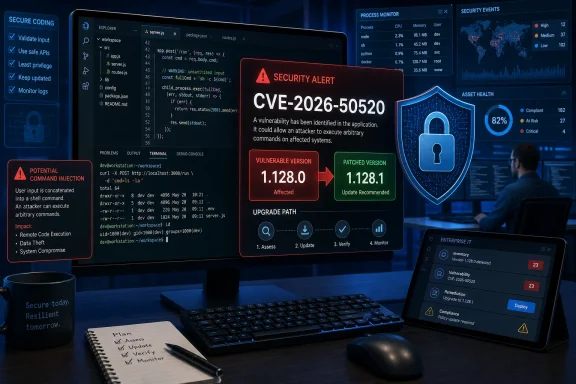
Microsoft has fixed CVE-2026-50520, a high-severity command-injection vulnerability affecting Visual Studio Code versions earlier than 1.128.1. The flaw can allow an unauthorized attacker to execute commands with the privileges of the user running the editor, making an immediate update the safest response for developers and managed workstation fleets.
Microsoft disclosed the vulnerability through the Microsoft Security Response Center on July 14, 2026. The CVE record describes improper neutralization of special command elements in Visual Studio Code, while the National Vulnerability Database identifies affected releases as version 1.0.0 through 1.128.0.
Visual Studio Code 1.128.1 is the corrected release. Users can install it through the editor’s built-in update mechanism or replace an older deployment using Microsoft’s current installer packages.
CVE-2026-50520 carries a CVSS 3.1 base score of 8.4, placing it in the High severity range. Microsoft’s vector is
That vector provides more useful operational detail than the broad “remote code execution” title. Microsoft classifies the attack vector as local rather than network-based, meaning the flaw is not described as an internet-facing service vulnerability that can be exploited simply by reaching a listening VS Code process.
At the same time, the assessment says exploitation requires low complexity, no existing privileges and no additional user interaction once the necessary attack conditions have been established. A successful attack could have a high impact on confidentiality, integrity and availability, although the security boundary does not change.
In practical terms, code would execute within the security context of the affected Visual Studio Code user. On a standard Windows development machine, that can expose source code, locally stored credentials, environment variables, SSH material, cloud command-line sessions and any files accessible to that account. If developers routinely operate the editor with administrative privileges, the consequences become correspondingly more serious.
The weakness is categorized as CWE-77, Improper Neutralization of Special Elements used in a Command. This class of bug generally appears when untrusted or insufficiently validated values are incorporated into a shell command, allowing command separators or other special syntax to alter what the system executes.
Microsoft has not yet provided enough public technical detail to identify the exact VS Code feature, input path or command construction involved. Administrators should therefore avoid assuming that Workspace Trust, extension restrictions or another individual control completely blocks the vulnerability.
VS Code 1.128.0 was released on July 8, only six days before the security disclosure. Microsoft’s release notes highlighted additions including multi-chat agent sessions, generally available image support in Chat, configurable integrated-browser placement and operating-system-level keyboard shortcuts. Those feature changes should not distract from the security baseline: 1.128.0 remains inside the affected range.
Users can confirm their installed release by opening the Help menu and selecting About on Windows or Linux. They can then use Help > Check for Updates, although update behavior may differ when VS Code was installed through the Microsoft Store, a package manager or an organization’s software-management platform.
Version 1.128.1 was already appearing through software distribution channels on July 14. Because VS Code uses a gradual rollout model for normal releases, waiting for the editor to offer an automatic update may leave some installations on 1.128.0 longer than necessary. Microsoft’s own release guidance says users can invoke Check for Updates to retrieve the latest available build immediately.
Enterprise administrators should inventory more than the obvious per-machine installation. VS Code can be installed per user without administrative rights, meaning centrally managed Windows devices may contain copies under user profiles even when the product does not appear in the expected machine-wide software inventory.
Portable archives, development virtual machines, golden images and persistent virtual desktop profiles also deserve attention. So do developer workstations that are rarely connected to corporate networks and may not receive updates from Microsoft Intune, Configuration Manager or another endpoint platform on schedule.
A concise response plan is:
On Windows, potentially interesting child processes include
Context is therefore essential. An interactive PowerShell terminal opened by a developer is expected, while an encoded PowerShell command launched from an unfamiliar workflow, immediately followed by credential access or an outbound download, deserves investigation.
Defenders should also correlate process creation with recently opened repositories, downloaded project archives, cloned branches and newly installed extensions. Microsoft’s limited disclosure does not establish which of those paths, if any, can reach the vulnerable command handling, but preserving that context will be valuable if more technical information emerges.
VS Code’s Workspace Trust feature remains useful because it restricts tasks, debugging, workspace settings and other executable behavior in untrusted projects. Extension publisher trust, terminal sandboxing and least-privilege accounts likewise reduce general development-environment risk. None should be presented as a substitute for installing 1.128.1, however, because Microsoft has not documented a configuration-based mitigation for CVE-2026-50520.
The CVE is not currently described as publicly disclosed before Microsoft’s coordinated release, and no public proof-of-concept was identified alongside the July 14 advisory. Those are useful distinctions for triage, but they do not turn the flaw into a routine maintenance item.
The vulnerability’s attack prerequisites remain the largest unanswered issue. Microsoft has confirmed the weakness and supplied a fixed-version boundary, but the advisory does not yet explain what an attacker must control, how malicious data reaches the command invocation or whether common developer workflows expose that path.
That uncertainty argues for patching rather than speculation. Visual Studio Code is frequently positioned at the intersection of untrusted source repositories, developer credentials, build tooling and production deployment access. Even a local-vector flaw can become a meaningful initial-access or lateral-execution mechanism when an attacker can influence files, project configuration or another input consumed by the editor.
For Windows users and IT departments, the decision point is already clear despite the missing technical narrative: Visual Studio Code 1.128.0 and every earlier Microsoft release fall below the safe version. The immediate milestone is deployment of 1.128.1 across both managed and user-installed copies, followed by monitoring for any expanded guidance from MSRC about the vulnerable feature and its exploitation path.
Microsoft disclosed the vulnerability through the Microsoft Security Response Center on July 14, 2026. The CVE record describes improper neutralization of special command elements in Visual Studio Code, while the National Vulnerability Database identifies affected releases as version 1.0.0 through 1.128.0.
Visual Studio Code 1.128.1 is the corrected release. Users can install it through the editor’s built-in update mechanism or replace an older deployment using Microsoft’s current installer packages.
 The RCE Label Needs Some Qualification
CVE-2026-50520 carries a CVSS 3.1 base score of 8.4, placing it in the High severity range. Microsoft’s vector is CVSS:3.1/AV:L/AC:L/PR:N/UI:N/S:U/C:H/I:H/A:H.That vector provides more useful operational detail than the broad “remote code execution” title. Microsoft classifies the attack vector as local rather than network-based, meaning the flaw is not described as an internet-facing service vulnerability that can be exploited simply by reaching a listening VS Code process.
At the same time, the assessment says exploitation requires low complexity, no existing privileges and no additional user interaction once the necessary attack conditions have been established. A successful attack could have a high impact on confidentiality, integrity and availability, although the security boundary does not change.
In practical terms, code would execute within the security context of the affected Visual Studio Code user. On a standard Windows development machine, that can expose source code, locally stored credentials, environment variables, SSH material, cloud command-line sessions and any files accessible to that account. If developers routinely operate the editor with administrative privileges, the consequences become correspondingly more serious.
The weakness is categorized as CWE-77, Improper Neutralization of Special Elements used in a Command. This class of bug generally appears when untrusted or insufficiently validated values are incorporated into a shell command, allowing command separators or other special syntax to alter what the system executes.
Microsoft has not yet provided enough public technical detail to identify the exact VS Code feature, input path or command construction involved. Administrators should therefore avoid assuming that Workspace Trust, extension restrictions or another individual control completely blocks the vulnerability.
Every Release Before 1.128.1 Is in Scope
The published affected-version range is unusually broad: Visual Studio Code 1.0.0 and later, up to but not including 1.128.1. That makes the remediation threshold straightforward—any installation reporting a version below 1.128.1 should be treated as vulnerable.VS Code 1.128.0 was released on July 8, only six days before the security disclosure. Microsoft’s release notes highlighted additions including multi-chat agent sessions, generally available image support in Chat, configurable integrated-browser placement and operating-system-level keyboard shortcuts. Those feature changes should not distract from the security baseline: 1.128.0 remains inside the affected range.
Users can confirm their installed release by opening the Help menu and selecting About on Windows or Linux. They can then use Help > Check for Updates, although update behavior may differ when VS Code was installed through the Microsoft Store, a package manager or an organization’s software-management platform.
Version 1.128.1 was already appearing through software distribution channels on July 14. Because VS Code uses a gradual rollout model for normal releases, waiting for the editor to offer an automatic update may leave some installations on 1.128.0 longer than necessary. Microsoft’s own release guidance says users can invoke Check for Updates to retrieve the latest available build immediately.
Enterprise administrators should inventory more than the obvious per-machine installation. VS Code can be installed per user without administrative rights, meaning centrally managed Windows devices may contain copies under user profiles even when the product does not appear in the expected machine-wide software inventory.
Portable archives, development virtual machines, golden images and persistent virtual desktop profiles also deserve attention. So do developer workstations that are rarely connected to corporate networks and may not receive updates from Microsoft Intune, Configuration Manager or another endpoint platform on schedule.
A concise response plan is:
- Upgrade stable-channel installations to Visual Studio Code 1.128.1 or later.
- Search software inventory for user-scoped and portable installations that may evade machine-level deployment reports.
- Avoid running VS Code as an administrator, particularly while remediation is incomplete.
- Review application-control and endpoint alerts for suspicious child processes launched by
Code.exe. - Rebuild workstation and virtual-machine images that still package an older VS Code release.
Detection Must Focus on What Code.exe Launches
Command injection is often easier to observe through process behavior than through the vulnerable input itself. Security teams should look for unusual shells, scripting engines, download utilities or administrative tools appearing as descendants of Visual Studio Code processes.On Windows, potentially interesting child processes include
cmd.exe, powershell.exe, pwsh.exe, wscript.exe, cscript.exe, mshta.exe, rundll32.exe and unexpected package-management commands. Their presence is not automatically malicious: terminals, build tasks, debuggers and extensions routinely launch processes from VS Code.Context is therefore essential. An interactive PowerShell terminal opened by a developer is expected, while an encoded PowerShell command launched from an unfamiliar workflow, immediately followed by credential access or an outbound download, deserves investigation.
Defenders should also correlate process creation with recently opened repositories, downloaded project archives, cloned branches and newly installed extensions. Microsoft’s limited disclosure does not establish which of those paths, if any, can reach the vulnerable command handling, but preserving that context will be valuable if more technical information emerges.
VS Code’s Workspace Trust feature remains useful because it restricts tasks, debugging, workspace settings and other executable behavior in untrusted projects. Extension publisher trust, terminal sandboxing and least-privilege accounts likewise reduce general development-environment risk. None should be presented as a substitute for installing 1.128.1, however, because Microsoft has not documented a configuration-based mitigation for CVE-2026-50520.
No Known Exploitation, but Details Are Still Thin
CISA’s initial Stakeholder-Specific Vulnerability Categorization data lists no observed exploitation and assesses the vulnerability as not readily automatable. It nevertheless assigns a total technical impact, consistent with Microsoft’s high confidentiality, integrity and availability ratings.The CVE is not currently described as publicly disclosed before Microsoft’s coordinated release, and no public proof-of-concept was identified alongside the July 14 advisory. Those are useful distinctions for triage, but they do not turn the flaw into a routine maintenance item.
The vulnerability’s attack prerequisites remain the largest unanswered issue. Microsoft has confirmed the weakness and supplied a fixed-version boundary, but the advisory does not yet explain what an attacker must control, how malicious data reaches the command invocation or whether common developer workflows expose that path.
That uncertainty argues for patching rather than speculation. Visual Studio Code is frequently positioned at the intersection of untrusted source repositories, developer credentials, build tooling and production deployment access. Even a local-vector flaw can become a meaningful initial-access or lateral-execution mechanism when an attacker can influence files, project configuration or another input consumed by the editor.
For Windows users and IT departments, the decision point is already clear despite the missing technical narrative: Visual Studio Code 1.128.0 and every earlier Microsoft release fall below the safe version. The immediate milestone is deployment of 1.128.1 across both managed and user-installed copies, followed by monitoring for any expanded guidance from MSRC about the vulnerable feature and its exploitation path.
References
- Primary source: MSRC
Published: 2026-07-14T07:00:00-07:00
Security Update Guide - Microsoft Security Response Center
 msrc.microsoft.com
- Related coverage: formulae.brew.sh
