Windows 8 About Genuine validation

davidhk129

Senior Member
Joined
May 19, 2012
Messages
1,315
In Vista and Win 7, there is a Genuine label under System Properties to prove that it is genuine.

I don't see that in my Win 8 Pro which is an upgrade over my Vista computer.( Yes, my Vista was genuine.)
Is there an up-to-date Genuine Validation application for Windows 8?
The one available is only applicable to Win 7, Vista or lower versions.

Thank you.
 

davidhk129

Senior Member
Joined
May 19, 2012
Messages
1,315
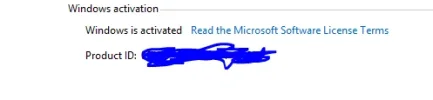
This is a screenshot of my System Properties window.................

Link Removed
 

Digerati

Excellent Member
Microsoft MVP
Joined
Oct 25, 2009
Messages
2,092
I think the absence of anything contrary is your proof. But for a warm fuzzy, press the Windows key + X and select System. Then under Windows activation, click "View Details in Windows Activation". If your Windows is activated, it is genuine.
 

Jimbo22

Essential Member
Joined
Aug 27, 2008
Messages
5,037
I'm not positive but this was one of the changes that came about in windows 8. Just checked my winodws 7 laptop....that logo just says "as for Genuine Microsoft software", it doesn't say that windows is genuine.
 

davidhk129

Senior Member
Joined
May 19, 2012
Messages
1,315
I think the absence of anything contrary is your proof. But for a warm fuzzy, press the Windows key + X and select System. Then under Windows activation, click "View Details in Windows Activation". If your Windows is activated, it is genuine.

I did that before posting.
I just want more reassurance.
Thank you.

Link Removed
 

davidhk129

Senior Member
Joined
May 19, 2012
Messages
1,315
I'm not positive but this was one of the changes that came about in windows 8. Just checked my winodws 7 laptop....that logo just says "as for Genuine Microsoft software", it doesn't say that windows is genuine.

Yes. That is what I have in my Win 7 laptop.
I took that label as proof of Genuine.
 

Jimbo22

Essential Member
Joined
Aug 27, 2008
Messages
5,037
I think the absence of anything contrary is your proof. But for a warm fuzzy, press the Windows key + X and select System. Then under Windows activation, click "View Details in Windows Activation". If your Windows is activated, it is genuine.

Must be different for 8.1 RTM....I don't have view details showing anywhere.


An image from 'About Genuine validation'. Windows 8.1 Pro on AMD Phenom II X4 965, 8GB RAM, 64-bit system named 'Burner.'
 

Last edited by a moderator:

Digerati

Excellent Member
Microsoft MVP
Joined
Oct 25, 2009
Messages
2,092
I just want more reassurance.
Be assured, Windows would not activate if not genuine.

Other than that, I guess I would wonder why such a worry? Did you not buy a legitimate copy?
 

davehc

Essential Member
Premium Supporter
Joined
May 1, 2008
Messages
5,554

Attachments

  • Activate.webp
    Activate.webp
    5.8 KB · Views: 581
Last edited by a moderator:

davidhk129

Senior Member
Joined
May 19, 2012
Messages
1,315
Be assured, Windows would not activate if not genuine.

Other than that, I guess I would wonder why such a worry? Did you not buy a legitimate copy?

Yes. I did.
Just that I am used to see the Genuine label in Win 7 and Vista, and that got me wondering.
 

davidhk129

Senior Member
Joined
May 19, 2012
Messages
1,315
I have the same as you, Bass. I am not sure what the path is that David has posted - cant see it anywhere??

Control Panel - System

I see the same thing as Bass as far as Win 7 is concerned.

As to the Win 8 Pro..............
Click at the blue link " View details on Windows Activation " and the next screen " Windows is activated " will appear.
see my 2 screenshots from previous posts.

Apparently, Win 8.1 shows a different link.
 

davehc

Essential Member
Premium Supporter
Joined
May 1, 2008
Messages
5,554
I see. Tks. I don't have Windows 8 installed at present. That explains it. I am using Windows 8.1 RTM
 

Back
Top