

Google released Android 17 on June 16, 2026, first for supported Pixel phones and tablets, with app bubbles, screen reactions, expanded dark theme controls, privacy changes, and a June Pixel Drop that folds more AI and device-specific features into the same rollout. The upgrade is real, but the drama around it is larger than the software itself. Android 17 is not a reinvention of Google’s mobile operating system; it is a carefully staged consolidation release that says more about Google’s Pixel strategy than about Android’s future as a universal platform. For WindowsForum readers, the interesting story is not whether a Pixel owner should tap “Download and install,” but how Google is turning Android updates into a tighter, more Pixel-shaped product cycle.
Android version numbers used to carry a certain swagger. They marked obvious eras: visual redesigns, permission resets, notification rewrites, power-management upheavals, and developer headaches that arrived with enough force to make IT departments and app teams take notice. Android 17 is not that kind of release.
The first wave of coverage has split in a familiar way. Some outlets frame Android 17 as a feature-rich launch for Pixel owners, pointing to floating app bubbles, creator-friendly screen recording, per-app dark theme exceptions, and a clutch of privacy and security improvements. Others, including Tech Advisor’s hands-on assessment, argue that the release feels oddly light once the headline items are actually used.
Both readings can be true. Android 17 has features that will be visible to everyday users, especially those with large-screen Pixels or creator workflows. But it does not feel like a platform rupture, and that is the point. Google has spent the last several Android cycles moving from annual spectacle toward a more continuous delivery model, where operating-system releases, Pixel Drops, Play services updates, Gemini features, and app updates blur into one stream.
That makes Android 17 harder to review in the old way. It is not just an operating system update; it is a delivery vehicle. Some of its most marketable additions belong as much to Pixel branding as to Android itself, and some of its most important changes are below the waterline where users will only notice them if something breaks, gets safer, or stops asking for permissions quite so casually.
But “first” undersells the shift. Pixel is no longer simply the earliest recipient of Android. It is increasingly the reference product for Android’s most visible features, the place where Google can blend OS functionality with its own launcher, AI services, camera stack, and device-specific hardware assumptions. Android 17 makes that convergence more obvious.
The eligibility list itself tells a strategic story. Pixel 6, Pixel 6 Pro, and Pixel 6a remain in the tent, as do the Pixel 7, 8, 9, and 10 families, the Pixel Tablet, and both generations of Pixel Fold devices. That gives Google a broad runway for a release that is partly about making Android more flexible across phone, tablet, and foldable form factors.
This is where Android 17’s modesty becomes more interesting. A small change on a slab phone can become a larger change on a foldable. A floating bubble is a convenience on a Pixel 9; on a Pixel Fold or Pixel Tablet, it starts to look like Google borrowing some of the windowing habits that desktop users have taken for granted for decades.
Windows users should recognize the pattern. Platform vendors rarely leap from phone metaphors to desktop metaphors in one clean motion. They creep there, one sanctioned window, one split-screen mode, one taskbar-like dock, one “bubble bar” at a time.
This is not new in the abstract. Samsung has had floating-window and pop-up-view ideas for years. Desktop operating systems have made overlapping windows the default mental model since before smartphones existed. Even Android power users have often relied on OEM skins, third-party launchers, or foldable-specific tricks to make multitasking feel less like a sequence of full-screen interruptions.
What matters is that Google is making the idea part of the baseline Android conversation. The implementation may still feel constrained, and early user reports suggest that launcher support and entry points matter more than Google’s marketing copy admits. But the direction is clear: Android is inching away from the one-app-at-a-time purity that defined the smartphone era.
That has practical consequences. A calendar floating above email, Gemini parked beside a browser, or a chat app hovering while a user checks a document are all familiar workflows for anyone who lives on Windows. On a phone, those workflows can become clutter quickly. On a foldable or tablet, they start to make sense.
The risk is that Google repeats a long-running Android pattern: introduce a promising multitasking concept, leave OEMs to interpret it differently, and watch developers optimize for the lowest common denominator. If Bubbles are to become more than a Pixel parlor trick, they need predictable behavior, launcher consistency, and enough developer confidence that apps do not treat the mode as an edge case.
This is Google acknowledging that the phone screen is now a stage. People do not merely use apps; they perform app use for TikTok, YouTube Shorts, Instagram Reels, Discord clips, tutorials, and private group chats. The operating system, once neutral plumbing, is being pulled into content production.
There is a practical elegance here. Built-in screen-and-camera recording lowers friction for educators, support staff, gamers, influencers, and anyone trying to explain a workflow visually. Windows users already know the value of native capture tools when they are good enough to avoid third-party utilities. Android 17 applies that same logic to mobile video commentary.
Yet the feature also reveals Google’s current design center. Android 17 is not pitched primarily around productivity, manageability, or enterprise consistency. It is pitched around the phone as a social media instrument. That does not make the feature frivolous, but it does show where consumer operating systems increasingly find their energy: not in making files easier to manage, but in making experiences easier to package and share.
The security angle should not be ignored. Any feature that records the screen more easily also raises the stakes for user education. Sensitive notifications, private chats, one-time codes, corporate apps, and personal data can all be captured accidentally. A good native tool should make recording obvious, bounded, and controllable; a bad one turns oversharing into a system feature.
This is a maintenance feature, not a glamour feature. It exists because platform-level consistency is hard when millions of apps, frameworks, embedded web views, and custom UI layers collide. Google can provide design guidance, but users live with the results.
Per-app exceptions are the right kind of compromise. They admit that one global toggle cannot solve every interface. That is an important philosophical shift: rather than pretending the system can impose elegance everywhere, Android 17 gives users a pressure valve.
There is a Windows analogy here too. Dark mode on Windows has long been an uneven truce between system surfaces, Win32 legacy, modern apps, browsers, and vendor utilities. Users do not care which toolkit caused the inconsistency; they care that one window blinds them at midnight. Android’s expanded dark theme controls are a mobile version of the same old problem.
For administrators and support teams, these small quality-of-life controls matter because they reduce weird tickets. Accessibility, eye strain, OLED battery habits, and simple user preference all intersect in theme settings. A release that makes bad app behavior easier to route around may not win keynote applause, but it can make devices less annoying in daily use.
Mobile operating systems have spent years correcting their original sin: they made permission grants too broad, too sticky, and too confusing. Users were asked to approve access in moments when they lacked context, and apps learned to ask for more than they needed. Android has improved this over time with runtime permissions, approximate location, auto-reset behavior, and more prominent privacy dashboards.
The direction in Android 17 is consistent with that arc. Permissions should be narrower, more temporary, and easier to reason about. Lost-device protections should assume that phones are not just communication tools but identity vaults containing banking apps, passkeys, work accounts, photos, messages, and recovery channels for everything else.
This is where version-number fatigue can become dangerous. A user who hears that Android 17 is “minor” may delay it because the visible features do not excite them. But security releases are often valuable precisely because they are boring. The best privacy improvement is the one that prevents a future compromise without ever becoming a TikTok demo.
Enterprise admins already understand this. The feature that matters most is not always the one on the marketing slide. It may be the change that narrows data exposure, improves device recovery, strengthens authentication boundaries, or reduces the blast radius when a phone is lost in a rideshare at 1 a.m.
In the old model, Android was the platform and OEM skins were the differentiation. In the current model, Android is one layer in a stacked product experience. Pixel Drops can deliver features that feel like operating-system upgrades. Google app updates can change core behaviors. Gemini can become an interface layer of its own. Play services can update capabilities outside the annual OS cadence.
This is good for velocity and bad for clarity. Users get features faster, but it becomes harder to know what “Android 17” actually means. Is a capability part of AOSP, part of Pixel Launcher, part of a Google app, part of Gemini, or part of a region-limited service rollout? The answer matters for anyone buying hardware, writing apps, supporting devices, or comparing Android phones across brands.
Google benefits from the ambiguity. Pixel gets to be “Android, but more so,” while other OEMs must translate the baseline release into their own product language. Samsung will make Android 17 feel like One UI. OnePlus will make it feel like OxygenOS. Xiaomi, Oppo, Vivo, and others will make their own calls about timing, design, and feature exposure.
For consumers, that means the question “When do I get Android 17?” is less useful than it used to be. The better question is: which parts of Android 17, which Pixel Drop-style features, and which AI services will arrive on my device, in my country, through my carrier, and with my launcher?
For non-Pixel devices, the wait is structural. Samsung, OnePlus, Oppo, Vivo, Xiaomi, Nothing, Motorola, and others must test Android 17 against their own hardware, skins, modems, cameras, enterprise features, regional requirements, and carrier certification pipelines. The result is the familiar Android ladder: Pixels first, flagships next, midrange devices later, budget devices if the support window permits.
This matters because Android’s biggest strength remains its diversity, and its biggest weakness remains its diversity. A release like Android 17 can be simultaneously available, unavailable, modified, delayed, and partially backported depending on the device in a user’s hand. That is not a bug in the Android ecosystem; it is the ecosystem.
The Pixel 6-and-newer eligibility list gives Google a strong story on its own hardware. But the broader Android world will judge the release not by Google’s announcement date, but by how quickly OEMs deliver stable builds and how many Android 17 features survive the trip through custom software.
For IT departments managing mixed Android fleets, the advice remains conservative. Do not treat the public Pixel rollout as proof that Android 17 is operationally ready across every managed device class. Watch OEM release notes, management-console behavior, app compatibility, VPN clients, authentication tools, and any line-of-business software that depends on device APIs or aggressive background behavior.
This is the hidden cost of annual platform churn. Users see bubbles and screen reactions. Developers see API levels, target requirements, compatibility matrices, crash reports, and bug reports from customers who updated overnight. The operating system’s surface may look familiar, but the runtime environment has shifted.
Google’s faster cadence makes this more pronounced. If Android is moving toward smaller but more frequent platform adjustments, developers need continuous testing rather than once-a-year panic. That is healthier in theory and more demanding in practice, especially for small teams whose Android app is one client among many.
The cross-device story adds another layer. Bubbles, foldable improvements, tablets, and interactive modes all push developers toward adaptable layouts and more resilient state management. Apps that assume one full-screen rectangle will increasingly feel old. Apps that handle interruption, resizing, partial visibility, and multi-window use gracefully will feel native to the next phase of Android.
This is not just a mobile developer issue. Many WindowsForum readers work in environments where web apps, identity providers, MDM tools, endpoint agents, and cross-platform clients all touch Android. A platform update that changes capture behavior, permissions, background execution, camera libraries, or windowing assumptions can ripple into support queues far from the Play Store listing.
That tension is not unique to Android. Windows 11 has wrestled with the same problem: a steady stream of small interface revisions, AI integrations, settings migrations, and security requirements that sometimes feel simultaneously incremental and disruptive. Apple faces it with iOS and macOS. The platform era has shifted from “new OS as event” to “OS as subscription-like maintenance channel,” even when users are not paying a separate subscription fee.
Android 17’s problem is that its most visible additions are useful but not universal. Bubbles will delight some multitaskers and irritate minimalists. Screen Reactions will help creators and mean nothing to users who never record their screens. Expanded dark theme controls will solve specific annoyances without changing the system’s identity. Privacy improvements are important, but they rarely produce an emotional upgrade moment.
That does not make Android 17 bad. It makes it mature. The danger for Google is marketing maturity as magic. Users can sense when an update is mostly refinement, and they resent being told it is transformative.
The more honest pitch is stronger: Android 17 makes Pixels more flexible, gives creators a native capture tool, tightens some privacy and security defaults, and continues Google’s slow effort to make Android work better across phones, tablets, and foldables. That is not nothing. It is also not a revolution.
These are familiar categories in the PC world. What is different is the packaging. On Android, each arrives inside a consumer update wrapped in Pixel marketing and AI-adjacent enthusiasm. On Windows, similar ideas tend to appear as productivity, manageability, or security improvements. The underlying platform pressures are increasingly the same.
The device categories are also converging. A Pixel Fold or Pixel Tablet is not a Windows laptop, but it competes for some of the same casual computing time. A phone connected to a keyboard, display, or cloud workspace can become a thin client for tasks that once required a PC. Android 17’s multitasking work should be viewed in that broader context.
Microsoft knows this terrain well. Its own Android efforts, from Phone Link integration to Microsoft 365 apps, Teams, Outlook, Edge, Intune, Defender, and authentication tools, depend on Android remaining both broadly available and predictable enough for enterprise use. Every Android release is therefore also part of the Windows-adjacent ecosystem.
For admins, the question is not whether Android 17 is exciting. It is whether it changes support assumptions. Can users record sensitive workflows more easily? Do managed apps behave correctly with new windowing features? Are permission prompts clearer or more confusing? Does the update affect battery life, VPN stability, camera scanning, passkeys, or compliance reporting? Those are the questions that outlive the launch-day feature list.
The story is that Google is using the simplicity of that process to advance a more complicated platform bet. Pixel gets Android first, but it also gets the clearest version of Google’s desired Android future: more AI services, more native creator tools, more adaptive multitasking, more foldable-aware interface design, and more security features delivered as part of a rolling product stream.
That future is appealing if you are inside Google’s hardware and services ecosystem. It is messier if you are outside it. Android’s openness means OEMs can differentiate, but differentiation now risks turning baseline Android features into uneven experiences. A Samsung user may eventually get the same platform version with a different interface philosophy. A budget Android user may get only parts of the story, months later.
This is why Android 17 feels both small and strategic. Its features do not overturn the mobile world. But they push Android toward a model where the OS is less a single annual artifact and more a negotiated bundle of platform code, vendor software, cloud services, AI subscriptions, launcher behavior, device class, and regional availability.
That is a rational model for Google. It is also one that requires more skepticism from users and administrators. “Android 17” is no longer enough information. The device, OEM, carrier, region, launcher, app ecosystem, and management posture all determine what the release actually means.
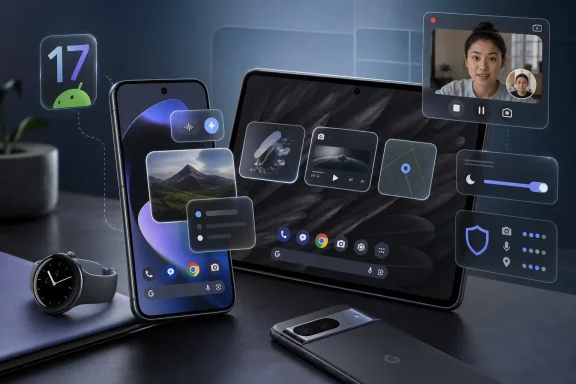 Android 17 Arrives With Less Thunder Than Its Version Number Suggests
Android version numbers used to carry a certain swagger. They marked obvious eras: visual redesigns, permission resets, notification rewrites, power-management upheavals, and developer headaches that arrived with enough force to make IT departments and app teams take notice. Android 17 is not that kind of release.The first wave of coverage has split in a familiar way. Some outlets frame Android 17 as a feature-rich launch for Pixel owners, pointing to floating app bubbles, creator-friendly screen recording, per-app dark theme exceptions, and a clutch of privacy and security improvements. Others, including Tech Advisor’s hands-on assessment, argue that the release feels oddly light once the headline items are actually used.
Both readings can be true. Android 17 has features that will be visible to everyday users, especially those with large-screen Pixels or creator workflows. But it does not feel like a platform rupture, and that is the point. Google has spent the last several Android cycles moving from annual spectacle toward a more continuous delivery model, where operating-system releases, Pixel Drops, Play services updates, Gemini features, and app updates blur into one stream.
That makes Android 17 harder to review in the old way. It is not just an operating system update; it is a delivery vehicle. Some of its most marketable additions belong as much to Pixel branding as to Android itself, and some of its most important changes are below the waterline where users will only notice them if something breaks, gets safer, or stops asking for permissions quite so casually.
The Pixel Is No Longer Just First in Line
The Gadget Bridge guide captures the consumer-facing version of the launch neatly: Pixel 6 and newer devices are eligible, users head to Settings, then System, then Software Update, and the installation arrives like any other over-the-air update. That sounds routine because, for Pixel owners, it mostly is. Google’s phones get Android first; everyone else waits for Samsung, OnePlus, Oppo, Vivo, Xiaomi, Motorola, Nothing, and the rest to fold the release into their own skins and schedules.But “first” undersells the shift. Pixel is no longer simply the earliest recipient of Android. It is increasingly the reference product for Android’s most visible features, the place where Google can blend OS functionality with its own launcher, AI services, camera stack, and device-specific hardware assumptions. Android 17 makes that convergence more obvious.
The eligibility list itself tells a strategic story. Pixel 6, Pixel 6 Pro, and Pixel 6a remain in the tent, as do the Pixel 7, 8, 9, and 10 families, the Pixel Tablet, and both generations of Pixel Fold devices. That gives Google a broad runway for a release that is partly about making Android more flexible across phone, tablet, and foldable form factors.
This is where Android 17’s modesty becomes more interesting. A small change on a slab phone can become a larger change on a foldable. A floating bubble is a convenience on a Pixel 9; on a Pixel Fold or Pixel Tablet, it starts to look like Google borrowing some of the windowing habits that desktop users have taken for granted for decades.
Windows users should recognize the pattern. Platform vendors rarely leap from phone metaphors to desktop metaphors in one clean motion. They creep there, one sanctioned window, one split-screen mode, one taskbar-like dock, one “bubble bar” at a time.
Bubbles Are Google’s Smallest Big Idea
The headline Android 17 feature is Bubbles, an expansion of Android’s earlier conversation-bubble concept into something closer to app-level floating windows. Instead of limiting the idea to messaging threads, Google is now pushing a broader model where apps can be popped into compact, persistent overlays for quick access.This is not new in the abstract. Samsung has had floating-window and pop-up-view ideas for years. Desktop operating systems have made overlapping windows the default mental model since before smartphones existed. Even Android power users have often relied on OEM skins, third-party launchers, or foldable-specific tricks to make multitasking feel less like a sequence of full-screen interruptions.
What matters is that Google is making the idea part of the baseline Android conversation. The implementation may still feel constrained, and early user reports suggest that launcher support and entry points matter more than Google’s marketing copy admits. But the direction is clear: Android is inching away from the one-app-at-a-time purity that defined the smartphone era.
That has practical consequences. A calendar floating above email, Gemini parked beside a browser, or a chat app hovering while a user checks a document are all familiar workflows for anyone who lives on Windows. On a phone, those workflows can become clutter quickly. On a foldable or tablet, they start to make sense.
The risk is that Google repeats a long-running Android pattern: introduce a promising multitasking concept, leave OEMs to interpret it differently, and watch developers optimize for the lowest common denominator. If Bubbles are to become more than a Pixel parlor trick, they need predictable behavior, launcher consistency, and enough developer confidence that apps do not treat the mode as an edge case.
Screen Reactions Show Android Chasing the Creator Economy
Screen Reactions is the most culturally specific feature in Android 17. It lets users record the screen and their front-facing camera at the same time, producing the sort of reaction-style video that usually requires extra software, careful editing, or a platform-specific creator tool. It is a small feature with a loud target audience.This is Google acknowledging that the phone screen is now a stage. People do not merely use apps; they perform app use for TikTok, YouTube Shorts, Instagram Reels, Discord clips, tutorials, and private group chats. The operating system, once neutral plumbing, is being pulled into content production.
There is a practical elegance here. Built-in screen-and-camera recording lowers friction for educators, support staff, gamers, influencers, and anyone trying to explain a workflow visually. Windows users already know the value of native capture tools when they are good enough to avoid third-party utilities. Android 17 applies that same logic to mobile video commentary.
Yet the feature also reveals Google’s current design center. Android 17 is not pitched primarily around productivity, manageability, or enterprise consistency. It is pitched around the phone as a social media instrument. That does not make the feature frivolous, but it does show where consumer operating systems increasingly find their energy: not in making files easier to manage, but in making experiences easier to package and share.
The security angle should not be ignored. Any feature that records the screen more easily also raises the stakes for user education. Sensitive notifications, private chats, one-time codes, corporate apps, and personal data can all be captured accidentally. A good native tool should make recording obvious, bounded, and controllable; a bad one turns oversharing into a system feature.
Expanded Dark Theme Is a Fix for Android’s Fragmented Reality
Expanded Dark Theme is one of those features that sounds cosmetic until you remember how uneven Android’s app ecosystem can be. Many apps support dark mode properly. Others fake it, resist it, or ship interfaces that look like they were designed under fluorescent lighting in 2016. Android 17 gives users more control over how dark theme behavior is applied, including the ability to exclude apps where forced darkening causes problems.This is a maintenance feature, not a glamour feature. It exists because platform-level consistency is hard when millions of apps, frameworks, embedded web views, and custom UI layers collide. Google can provide design guidance, but users live with the results.
Per-app exceptions are the right kind of compromise. They admit that one global toggle cannot solve every interface. That is an important philosophical shift: rather than pretending the system can impose elegance everywhere, Android 17 gives users a pressure valve.
There is a Windows analogy here too. Dark mode on Windows has long been an uneven truce between system surfaces, Win32 legacy, modern apps, browsers, and vendor utilities. Users do not care which toolkit caused the inconsistency; they care that one window blinds them at midnight. Android’s expanded dark theme controls are a mobile version of the same old problem.
For administrators and support teams, these small quality-of-life controls matter because they reduce weird tickets. Accessibility, eye strain, OLED battery habits, and simple user preference all intersect in theme settings. A release that makes bad app behavior easier to route around may not win keynote applause, but it can make devices less annoying in daily use.
Privacy Improvements Matter Most When They Are Boring
Android 17 also arrives with upgraded privacy and security measures, including changes around lost-device protection and tighter handling of sensitive permissions such as one-time location access. These are less photogenic than bubbles, but they are more important to the platform’s long-term credibility.Mobile operating systems have spent years correcting their original sin: they made permission grants too broad, too sticky, and too confusing. Users were asked to approve access in moments when they lacked context, and apps learned to ask for more than they needed. Android has improved this over time with runtime permissions, approximate location, auto-reset behavior, and more prominent privacy dashboards.
The direction in Android 17 is consistent with that arc. Permissions should be narrower, more temporary, and easier to reason about. Lost-device protections should assume that phones are not just communication tools but identity vaults containing banking apps, passkeys, work accounts, photos, messages, and recovery channels for everything else.
This is where version-number fatigue can become dangerous. A user who hears that Android 17 is “minor” may delay it because the visible features do not excite them. But security releases are often valuable precisely because they are boring. The best privacy improvement is the one that prevents a future compromise without ever becoming a TikTok demo.
Enterprise admins already understand this. The feature that matters most is not always the one on the marketing slide. It may be the change that narrows data exposure, improves device recovery, strengthens authentication boundaries, or reduces the blast radius when a phone is lost in a rideshare at 1 a.m.
The June Pixel Drop Blurs the Meaning of Android Itself
Android 17 did not arrive alone. It landed alongside Google’s June 2026 Pixel Drop, which adds another layer of features, AI services, and device-specific improvements. That pairing is now central to understanding Google’s mobile strategy.In the old model, Android was the platform and OEM skins were the differentiation. In the current model, Android is one layer in a stacked product experience. Pixel Drops can deliver features that feel like operating-system upgrades. Google app updates can change core behaviors. Gemini can become an interface layer of its own. Play services can update capabilities outside the annual OS cadence.
This is good for velocity and bad for clarity. Users get features faster, but it becomes harder to know what “Android 17” actually means. Is a capability part of AOSP, part of Pixel Launcher, part of a Google app, part of Gemini, or part of a region-limited service rollout? The answer matters for anyone buying hardware, writing apps, supporting devices, or comparing Android phones across brands.
Google benefits from the ambiguity. Pixel gets to be “Android, but more so,” while other OEMs must translate the baseline release into their own product language. Samsung will make Android 17 feel like One UI. OnePlus will make it feel like OxygenOS. Xiaomi, Oppo, Vivo, and others will make their own calls about timing, design, and feature exposure.
For consumers, that means the question “When do I get Android 17?” is less useful than it used to be. The better question is: which parts of Android 17, which Pixel Drop-style features, and which AI services will arrive on my device, in my country, through my carrier, and with my launcher?
Google’s Rollout Still Depends on the Old Android Machinery
The Gadget Bridge article rightly notes that rollout timing can be phased and, in the United States, may depend on network providers. That old friction has not gone away. Pixel owners get the cleanest version of Google’s plan, but even they may not all receive an update at the exact same moment.For non-Pixel devices, the wait is structural. Samsung, OnePlus, Oppo, Vivo, Xiaomi, Nothing, Motorola, and others must test Android 17 against their own hardware, skins, modems, cameras, enterprise features, regional requirements, and carrier certification pipelines. The result is the familiar Android ladder: Pixels first, flagships next, midrange devices later, budget devices if the support window permits.
This matters because Android’s biggest strength remains its diversity, and its biggest weakness remains its diversity. A release like Android 17 can be simultaneously available, unavailable, modified, delayed, and partially backported depending on the device in a user’s hand. That is not a bug in the Android ecosystem; it is the ecosystem.
The Pixel 6-and-newer eligibility list gives Google a strong story on its own hardware. But the broader Android world will judge the release not by Google’s announcement date, but by how quickly OEMs deliver stable builds and how many Android 17 features survive the trip through custom software.
For IT departments managing mixed Android fleets, the advice remains conservative. Do not treat the public Pixel rollout as proof that Android 17 is operationally ready across every managed device class. Watch OEM release notes, management-console behavior, app compatibility, VPN clients, authentication tools, and any line-of-business software that depends on device APIs or aggressive background behavior.
Developers Get the Quiet Work After the Public Launch
The most important Android 17 change for developers may not be the user-facing feature list. Google’s developer messaging around the release includes the usual reminder that apps need to be tested against behavior changes, updated libraries, and new platform assumptions. One specific note around CameraX compatibility underlines the point: even a release that feels mild to users can break an app in very concrete ways.This is the hidden cost of annual platform churn. Users see bubbles and screen reactions. Developers see API levels, target requirements, compatibility matrices, crash reports, and bug reports from customers who updated overnight. The operating system’s surface may look familiar, but the runtime environment has shifted.
Google’s faster cadence makes this more pronounced. If Android is moving toward smaller but more frequent platform adjustments, developers need continuous testing rather than once-a-year panic. That is healthier in theory and more demanding in practice, especially for small teams whose Android app is one client among many.
The cross-device story adds another layer. Bubbles, foldable improvements, tablets, and interactive modes all push developers toward adaptable layouts and more resilient state management. Apps that assume one full-screen rectangle will increasingly feel old. Apps that handle interruption, resizing, partial visibility, and multi-window use gracefully will feel native to the next phase of Android.
This is not just a mobile developer issue. Many WindowsForum readers work in environments where web apps, identity providers, MDM tools, endpoint agents, and cross-platform clients all touch Android. A platform update that changes capture behavior, permissions, background execution, camera libraries, or windowing assumptions can ripple into support queues far from the Play Store listing.
The Tech Advisor Complaint Is Really About Expectations
Tech Advisor’s skeptical framing — that after testing Android 17, users may be missing little — lands because it reflects a real fatigue. Modern operating systems are mature. Most users do not want their phone reinvented every summer. But they also do not want a full version-number bump to feel like a feature drop wearing a graduation cap.That tension is not unique to Android. Windows 11 has wrestled with the same problem: a steady stream of small interface revisions, AI integrations, settings migrations, and security requirements that sometimes feel simultaneously incremental and disruptive. Apple faces it with iOS and macOS. The platform era has shifted from “new OS as event” to “OS as subscription-like maintenance channel,” even when users are not paying a separate subscription fee.
Android 17’s problem is that its most visible additions are useful but not universal. Bubbles will delight some multitaskers and irritate minimalists. Screen Reactions will help creators and mean nothing to users who never record their screens. Expanded dark theme controls will solve specific annoyances without changing the system’s identity. Privacy improvements are important, but they rarely produce an emotional upgrade moment.
That does not make Android 17 bad. It makes it mature. The danger for Google is marketing maturity as magic. Users can sense when an update is mostly refinement, and they resent being told it is transformative.
The more honest pitch is stronger: Android 17 makes Pixels more flexible, gives creators a native capture tool, tightens some privacy and security defaults, and continues Google’s slow effort to make Android work better across phones, tablets, and foldables. That is not nothing. It is also not a revolution.
Where Windows People Should Pay Attention
For readers steeped in Windows, Android 17 is worth watching less as a phone update than as a signpost in the convergence of mobile and desktop habits. Floating app bubbles are a windowing idea. Foldable improvements are a screen-real-estate idea. Screen Reactions are a native capture workflow. Per-app theme exceptions are a compatibility concession. Privacy tightening is endpoint hardening.These are familiar categories in the PC world. What is different is the packaging. On Android, each arrives inside a consumer update wrapped in Pixel marketing and AI-adjacent enthusiasm. On Windows, similar ideas tend to appear as productivity, manageability, or security improvements. The underlying platform pressures are increasingly the same.
The device categories are also converging. A Pixel Fold or Pixel Tablet is not a Windows laptop, but it competes for some of the same casual computing time. A phone connected to a keyboard, display, or cloud workspace can become a thin client for tasks that once required a PC. Android 17’s multitasking work should be viewed in that broader context.
Microsoft knows this terrain well. Its own Android efforts, from Phone Link integration to Microsoft 365 apps, Teams, Outlook, Edge, Intune, Defender, and authentication tools, depend on Android remaining both broadly available and predictable enough for enterprise use. Every Android release is therefore also part of the Windows-adjacent ecosystem.
For admins, the question is not whether Android 17 is exciting. It is whether it changes support assumptions. Can users record sensitive workflows more easily? Do managed apps behave correctly with new windowing features? Are permission prompts clearer or more confusing? Does the update affect battery life, VPN stability, camera scanning, passkeys, or compliance reporting? Those are the questions that outlive the launch-day feature list.
The Upgrade Button Is Easy; The Platform Bet Is Harder
For Pixel owners, installing Android 17 is straightforward. Open Settings, go to System, check for a software update, download the release when it appears, and restart when prompted. The process is not the story.The story is that Google is using the simplicity of that process to advance a more complicated platform bet. Pixel gets Android first, but it also gets the clearest version of Google’s desired Android future: more AI services, more native creator tools, more adaptive multitasking, more foldable-aware interface design, and more security features delivered as part of a rolling product stream.
That future is appealing if you are inside Google’s hardware and services ecosystem. It is messier if you are outside it. Android’s openness means OEMs can differentiate, but differentiation now risks turning baseline Android features into uneven experiences. A Samsung user may eventually get the same platform version with a different interface philosophy. A budget Android user may get only parts of the story, months later.
This is why Android 17 feels both small and strategic. Its features do not overturn the mobile world. But they push Android toward a model where the OS is less a single annual artifact and more a negotiated bundle of platform code, vendor software, cloud services, AI subscriptions, launcher behavior, device class, and regional availability.
That is a rational model for Google. It is also one that requires more skepticism from users and administrators. “Android 17” is no longer enough information. The device, OEM, carrier, region, launcher, app ecosystem, and management posture all determine what the release actually means.
The Android 17 Reality Check for Pixel Owners and IT Shops
Android 17 deserves neither dismissal nor hype. It is a practical Pixel-first update with a few features that will matter a lot to certain users and barely register for others. The useful way to read it is as a platform-maintenance release with visible experiments attached.- Pixel 6 and newer devices are the first clear beneficiaries of Android 17, while non-Pixel phones will depend on OEM and carrier schedules.
- App Bubbles are the feature most likely to change daily behavior, especially on foldables and tablets, but their usefulness will depend on launcher support and app polish.
- Screen Reactions are a smart native tool for creators, educators, and support workflows, but they also make accidental capture of sensitive information easier.
- Expanded Dark Theme controls are a quiet admission that Android still needs per-app escape hatches for inconsistent software behavior.
- Privacy and security changes are the strongest reason to update even if the visible feature list feels thin.
- IT teams should validate managed apps, authentication flows, camera-dependent tools, VPN behavior, and compliance reporting before assuming Android 17 is frictionless across a fleet.
References
- Primary source: Tech Advisor
Published: Thu, 25 Jun 2026 09:01:00 GMT
I've Tested Android 17. Here's What You're Missing - Tech Advisor
With none of its best features available at launch, Android 17 is the definition of a placeholder update. Unless you’re an Instagrammer, that is.www.techadvisor.com - Independent coverage: gadgetbridge.com
Published: 2026-06-24T12:30:11.010418
How to get Android 17 on your Google Pixel
The new Android update is officially here. Here's how you can get Android 17 on your Google Pixel smartphone or tablet. www.gadgetbridge.com
- Related coverage: androidcentral.com
I finally enjoy multitasking on my Pixel thanks to Android 17's app bubbles | Android Central
I love Google's take on floating windows in Android 17, and they make multitasking fun. Here's how to use them.www.androidcentral.com - Related coverage: tomsguide.com
Android 17 officially rolls out to Pixel devices with new features — screen reactions, bubbles, gaming mode, and more | Tom's Guide
Google's massive June 2026 software drop delivers Android 17's productivity and security overhauls to Pixel devices, alongside new Wear OS 7 features.www.tomsguide.com - Related coverage: sammobile.com
Stable Android 17 is here with app bubbles, foldable improvements, and more - SamMobile
Google has released the stable version of Android 17 for Pixel devices. It brings app bubbles, improvements for foldable phones, and more. - SamMobilewww.sammobile.com - Related coverage: gadgets360.com
- Related coverage: techcrunch.com
Android 17 launches with new multitasking tools as Google expands Gemini features | TechCrunch
Google has released Android 17 and Wear OS 7, introducing new multitasking features, parental controls, security tools, and smartwatch upgrades. The launch is also accompanied by a Pixel Drop that brings Google’s latest AI models to its devices.techcrunch.com - Related coverage: androidauthority.com
Android 17 stable is officially rolling out to Google Pixels, here's what's new!
Google launches Android 17 stable for Pixel 6 and newer, bringing App Bubbles, enhanced privacy controls, and security improvements.www.androidauthority.com - Related coverage: android-developers.googleblog.com
Android Developers Blog: Android 17 is here
News and insights on the Android platform, developer tools, and events.android-developers.googleblog.com
- Related coverage: digitaltrends.com
Google's June 2026 Pixel Drop arrives with floating app bubbles, screen reactions and many new AI tools - Digital Trends
Google has started rolling out Android 17 and its June Pixel Drop update, which adds Bubbles, Screen Reactions, AI music creation, smarter calling features, and new Pixel Watch safety tools.www.digitaltrends.com - Related coverage: how2shout.com
Android 17 Launches: Floating Bubbles, Anti-Theft Security, and Pixel AI Drop
Android 17 brings floating app Bubbles, biometric "Mark as lost" theft protection, and foldable gaming. The June Pixel Drop adds Gemini video, music, and Hindi Voice Translate.www.how2shout.com - Related coverage: techspot.com
Android 17 arrives on Pixel with floating apps, foldable features, and new AI tools | TechSpot
That context matters for understanding what this update actually is. Android, at least in its pure form, is no longer what most users interact with. On Pixel...www.techspot.com - Related coverage: megamobilecontent.com
- Related coverage: gigazine.net
Android 17 has been released, packed with features such as App Bubbles, Post-Quantum Cryptography, Screen Reactions, and Interactive PiP. - GIGAZINE
Android 17 was released on June 16, 2026. It includes features such as 'App Bubbles,' which allows you to turn any app into a floating bubble; a function that strictly enforces app memory limits and forces processes that exceed those limits to terminate; and 'Screen Reactions,' which allows you...gigazine.net - Related coverage: techradar.com
7 of the best Android 17 features available now — from Bubbles to Screen Reactions | TechRadar
Expect new tools and upgraded abilitieswww.techradar.com - Related coverage: akerscloud.diskstation.me
