

Artificial intelligence on Android has moved from novelty to necessity: the current crop of mobile apps — from generalist chat assistants to citation-aware searchers and powerful image generators — now offer real productivity and creativity tools you can carry in your pocket. The roundup provided by the user captures the mainstream picks (ChatGPT, Google Gemini, Microsoft Copilot, Perplexity, Adobe Firefly, Otter, Notion AI, Lensa) and reflects a broader reality: Android’s best AI apps are judged not just by raw model quality but by multimodality, ecosystem integration, and data governance. This feature expands on that list, verifies key product claims, and evaluates strengths, pricing realities, and the practical risks Windows-focused readers should consider when folding these mobile assistants into cross-device workflows. Android matters for AI in 2026
Smartphones are now first-class AI devices. Modern Android assistants routinely accept voice, typed text, images, and short video as inputs; they also sync with cloud workspaces and desktop apps so a session started on mobile can be finished on a Windows PC. The practical result is the phone as a portable “AI workbench” — fast drafting, quick research with sources, meeting transcription, and image creation without a laptop. This transition is confirmed across contemporary vendor announcements and independent reporting: major platforms (OpenAI, Google, Microsoft, Adobe) now ship mobile-first features and subscription tiers that gate advanced capabilities.
Below is a concise, verified snapshot of each app from the user's list, followed by deeper analysis and practical recommendations for Windows users and IT teams.
Practical takeaway: For everyday productivity, an assistant that accepts screenshots and camera inputs makes the phone a faster productivity surface than a browser-only chat.
Source: nokiapoweruser.com Best AI apps for Android
Smartphones are now first-class AI devices. Modern Android assistants routinely accept voice, typed text, images, and short video as inputs; they also sync with cloud workspaces and desktop apps so a session started on mobile can be finished on a Windows PC. The practical result is the phone as a portable “AI workbench” — fast drafting, quick research with sources, meeting transcription, and image creation without a laptop. This transition is confirmed across contemporary vendor announcements and independent reporting: major platforms (OpenAI, Google, Microsoft, Adobe) now ship mobile-first features and subscription tiers that gate advanced capabilities.
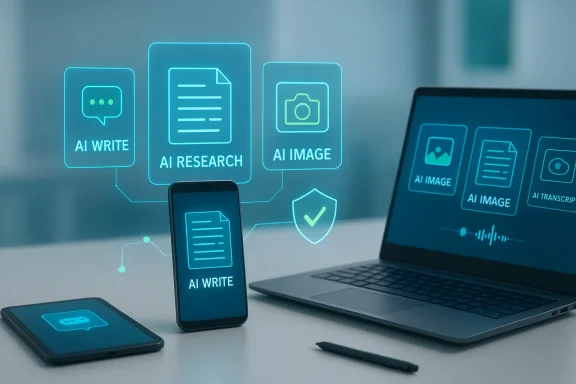 Overview of the top picks and what they do best
Below is a concise, verified snapshot of each app from the user's list, followed by deeper analysis and practical recommendations for Windows users and IT teams.ChatGPT for Android — Best for writing, ideation and multimodal help
- What it does: Natural-language drafting, coding help, iterative editing, and multimodal inputs (images, voice) in a single app.
- Verified capabilities: OpenAI documents that ChatGPT mobile supports voice conversations and image understanding, with voice and image features rolling out across platforms.
- Strength for Android users: Quick idea generation and the ability to start a draft on phone and finish on desktop maintain workflow continuity.
- Caveat: Advanced models and generation features (e.g., the highest-capability models, certain multimodal generators) a plans; enterprise non-training guarantees require contract-level agreements.
Google Gemini App — Best for deep Google integration and camera-first workflows
- What it does: Multimodal research, image and short-video generation, and deep links into Google Workspace apps (Gmail, Docs, Maps, Photos).
- Verified capabilities: Google’s official announcements detail Gemini Live (voice + camera + files), extensions that let Gemini act across apps, and tiered subscription plans (Google AI Pro and Ultra). Recent updates include "Answer now" controls and the rollout of Personal Intelligence features that can use Gmail/Photos context for personalized answers.
- Strength for Android users: Seamless actions (drafting email replies, saving to Keep or Samsung Notes, contextual camera Q&A) give Gemini practical edge on Pixel and many Samsung devices.
- Caveat and privacy note: Personal Intelligence-style features increase convenience but also raise privacy trade-offs when the assistant uses personal data to craft replies; review account-level controls before enabling.
Microsoft Copilot — Best where Microsoft 365 integration and governance matter
- What it does: AI chat with web access, writing and summarization inside Microsoft apps, image generation, and mobile editing for Word/Excel/PowerPoint.
- Verified capabilities: Microsoft documents the Copilot Android app and its deep integration with OneDrive, SharePoint, and Office apps; premium features require qualifying Microsoft 365 subscriptions.
- Strength for enterprise: Tenant-groundingtion, and Entra sign-in options make Copilot attractive when auditability and compliance matter.
- Caveat: Copilot’s enterprise-grade non-training guarantees and contractual protections are available at enterprise/tenant levels — consumer tiers are often cloud-processed. IT teams should procure the right license if sensitive data will be involved.
Perplexity AI — Best for source-backed answers and research
- What it does: Conversational search with visible citations, Deep Research modes, and a Pro tier for advanced models and uploads.
- Verified capabilities: Perplexity’s public changelog and coverage show Pro and Deep Research modes, live information handling, and new mobile/browser integrations like Comet. The app emphasizes citations for claims, which is useful for verification workflows.
- Strength: Source visibility makes Perplexity ideal for quick fact-checking and generating bibliographies.
- Caveat: Model and feature availability can differ between web, iOS, and Android clients; verify specific mobile features before relying on them in production.
Adobe Firefly (mobile) — Best for AI-driven image creation and design
- What it does: Text-to-image, image editing (Generative Fill/Expand), image-to-video capabilities, and Creative Cloud sync.
- Verified capabilities: Adobe has launched Firefly mobile with text-to-image, generative editing (fill/expand), and integrations with partner models; content syncs to Creative Cloud and commercial-use policies are documented by Adobe.
- Strength: Commercial-safe outputs and enterprise options (content credentials, IP protections) are strong differentiators for brands and creators.
- Caveat: Heavy usage may be credit- or subscription-gated; check current Creative Cloud or Firefly plan terms before committing to product Otter.ai — Best for meeting transcription and quick summaries
- What it does: Live voice-to-text, speaker identification, automated summaries, and integrations with Zoom/Teams/Meet.
- Verified capabilities: Otter’s pricing and product pages list live transcription, speaker detection, and tiered minute allocations (free tier with monthly minutes, paid plans with extended limits).
- Strength: Fast searchable transcripts that reduce human note-taking overhead.
- Caveat: Avoid sending regulated PHI/PCI to consumer tiers without enterprise contractual protections.
Notion AI — Best for note summarization, planning, and team knowledge
- What it does: Summaries, writing assistance, task extraction inside Notion pages.
- Verified capabilities: Notion’s 2025 pricing changes folded Notion AI into Business/Enterprise tiers; the availability of AI features depends on plan level.
- Strength: Works best when Notion is already your single source of truth.
- Caveat: Packaging and plan changes in 2025 mean some users who previously had Notion AI as an add-on may need to upgrade—check your billing cycle and plan before assuming availability.
Lensa AI — Best for portrait enhancement and avatar packs
- What it does: Portrait editing, the popular “Magic Avatars” packs, and subscription-based premium features.
- Verified capabilities: Lensa’s avatar packs and freemium-to-paid model have been widely documented; pricing and pack mechanics vary across time and regions and have changed since the original 2022 viral wave.
- Strength: Quick social assets and stylized portrait outputs.
- Caveat: Avatar-generation pricing, licensing, and commercial-use terms can be vendor-dependent and change frequently — verify in-app prices and rights before purchasing or using generated avatars commercially.
Deeper analysis: strengths, edge cases, and what to watch for
1. Multimodality and context: the biggest productivity win
The most tangible win from 2024–2026 has been multimodality: voice + image + text + short video. Apps that let you take a photo, ask a question about it, and receive a structured answer or create an edited asset are changing on-the-spot workflows — field research, quick design mockups, and meeting capture now live on mobile. Gemini and ChatGPT both highlight multimodal features as flagship capabilities.Practical takeaway: For everyday productivity, an assistant that accepts screenshots and camera inputs makes the phone a faster productivity surface than a browser-only chat.
2. Ecosystem integration beats raw IQ for many users
For Windows users and teams that already live in an ecosystem, the assistant that plugs in cleanly wins. Copilot is compelling inside Microsoft 365 where tenant grounding, auditing, and single sign-on are required. Gemini’s tight integration with Gmail/Drive/Maps similarly reduces friction for Google Workspace users. Real productivity is often about fewer clicks and fewer copy/pastes, not absolute model benchmarks.3. Citation-first search is a distinct, measurable space
Perplexity’s explicit citation model addresses a key problem: generative assistants can hallucinate. When accuracy matters, a tool that surfaces sources and lets you click through is functionally different from a closDeep Research and Comet browser integrations are examples of this focused utility.4. Creative tooling now demands governance
Image generar marketing but raise IP and moderation questions. Adobe’s Firefly positions itself for enterprise use by documenting training sources and offering contractual protections, which matters when brand risk is non-trivial. For creators who need defensible licensing, Firefly’s enterprise features are an advantage.5. Cost and subscription creep remain a practical risk
Most of these apps offer functional free tiers, but professional or high-volume use moves quickly into subscription or credit-based models. Expect combined monthly costs to climb if you adopt multiple paid assistants for different tasks. The common pattern: a free runway, then pay to remove caps or unlock high-capacity models. Independent coverage and vendor pages confirm frequent plan changes and gated features.Security, privacy and governance: a pragmatic checklist
- Verify data-use policies for each app: assume consumer tiers may use inputs to improve models unless the vendor explicitly promises non-training for paid/enterprise tiers.
- Enforce least-privilege on Android: audit app permissions (camera, microphone, full-access keyboard) and only enable what a use-case requires.
- Use tenant/enterprise contracts for regulated data: for PHI/PCI or client-confidential material, require documented non-training clauses and enterprise controls (Copilot for Microsoft 365 tenants is an example).
- Keep human review in loop: always validate AI outputs for legal, financial, or medical content; treat outputs as drafts not authoritative sources.
- Centralize billing and quotas: meter usage centrally to avoid runaway costs — export logs to Windows shares for auditing.
How to pick the right app for your needs (practical decision matrix)
- If you need draft writing and code help: choose ChatGPT (mopport).
- If you live inside Google Workspace and want camera-first help: choose Gemini.
- If you need enterprise-grade governance and Office integration: choose Microsoft Copilot.
- If you require traceable sources and research workflows: choose Perplexity.
- If you create brand assets and need commercial usage assurances: choose Adobe Firefly.
- For meeting transcription and searchable notes: choose Otter.ai.
- Pilot two apps for a 2–4 week window (one research/writing, one meetings/creative).
- Audit permissions and data handling policies.
- Enforce human sign-off for outputs destined for publication or contract use.
- Review billing and adjust subscriptions after trial.
Risks and blind spots — where vendor claims need verification
- Model capability claims (parameter counts, “state-of-the-art” marketing) are often marketing — treat them cautiously and verify agahmarks where available.
- Feature parity across platforms can lag: certain mobile clients may not have parity with web or desktop features; verify feature availability on Android before adopting a mobile-first workflow. Perplexity and other vendors have documented staggered rollouts across platforms.
- Pricing, free credits, and avatar bundles change frequently: verify in-app pricing and terms before purchasing credits or bulk avatars (Lensa and Firefly credit gating are common examples). Flagged claims about specific credit counts or prices should be checked in the Play Store and vendor billing pages.
- Personalization features that use Gmail/Photos (Gemini Personal Intelligence) increase the convenience-privacy tradeoff and should clear understanding of data posture.
Practical tips for Windows users who rely on Android AI apps
- Export and archive: Always export final drafts, transcripts, or image masters to Windows folders (DOCX, PNG, PDF) for version control and audit trails.
- Use cross-device continuity: Start brainstorming with ChatGPT or Gemini on mobile and finish in desktop apps where you can apply advanced editing and record keeping.
- Enforce enterprise connectors for regulated flows: When integrating an assistant into a business process, use connectors that allow tenant grounding and ensure model non-training guarantees.
- Maintain a fallback strategy: Popular services cep a secondary tool for critical tasks (e.g., Perplexity for citation checks if a generalist assistant is unavailable).
Final verdict — which apps are "must install" today (short list)
- ChatGPT: essential for flexible writing, ideation and voice/image-assisted troubleshooting.
- Google Gemini: essential for Google Workspace users and camera-first queries.
- Microsoft Copilot: essential for organizations that need governance inside Microsoft 365.
- Perplexity: essential for anyone who needs verifiable citations and research workflows.
- Adobe Firefly: essential for creators and brands that need defensible commercial outputs.
Conclusion
Android’s AI app landscape in 2026 is both mature and fragmented: mature in capability — with multimodal, cross-device experiences that genuinely accelerate work — and fragmented in business models, privacy postures, and platform-specific feature availability. The best strategy for individuals and Windows-centric teams is pragmatic: pick one assistant per job (writing, research, meetings, creative), verify feature and pricing details on the vendor pages before committing, and require human validation for any output that carries legal, financial, or reputational risk. The assistant that best fits your existing ecosystem and governance needs will provide the most reliable productivity gains — but only if you plan for permissions, billing, and oversight from day one.Source: nokiapoweruser.com Best AI apps for Android
