

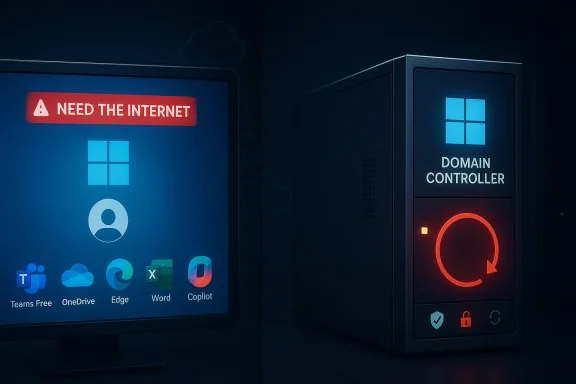
Microsoft’s April 2026 Patch Tuesday is already looking like a case study in how security updates can collide with identity and boot-time reliability at the worst possible moment. On one side, Microsoft has confirmed that Windows account sign-in can fail after March’s KB5079473 update, with a misleading “you need the internet” message even when the device is online. On the other, reports around KB5082063 point to Windows Server domain controllers entering reboot loops after the April security wave, a far more severe failure mode for infrastructure teams. The common thread is uncomfortable but familiar: the more deeply Windows ties security, identity, and servicing together, the more one bad state transition can ripple across the platform. soft’s April patch cycle arrived with the usual promise of security hardening and quality improvements, but the early story is being defined by regressions that touch core systems rather than edge-case tools. Windows 11 users hit by the Microsoft account sign-in bug are dealing with a frustrating, stateful problem that looks like a network outage but behaves more like a local authentication mismatch. At the same time, Windows Server administrators are worrying about reports that some domain controllers can fall into reboot loops after KB5082063, which is exactly the kind of failure that can turn a maintenance window into a midnight incident.
The two incidents are not identical, but lve a patch that was supposed to improve trust and stability, and both instead exposed how fragile the seams are between Windows servicing, identity, and the boot process. In consumer and small-business settings, the sign-in bug damages confidence in Microsoft’s cloud-first design because it breaks apps that people expect to “just work,” including Teams Free, OneDrive, Edge, Word, Excel, and Copilot. In server environments, a reboot loop on a domain controller is a different class of pain altogether: it can interrupt authentication, replication, and management in a way that feels much closer to a platform outage than a simple bug.
What makes the moment especially notable is that Microsoft has already been forced to update-related problems in 2026, including the earlier Microsoft account issue tied to KB5079473. That issue was not just a cosmetic annoyance; Microsoft said it could affect sign-in to Microsoft apps when the device enters a specific connectivity state, and that a restart while connected to the internet may resolve it. The practical lesson was clear then and remains clear now: Windows update regressions increasingly happen at the intersection of state, identity, and network assumptions.
For administrators, this is not just another Patch Tuesday headache. It is a reminder that every update has to be evaluated not on but for what it touches. A cumulative patch can be perfectly valid from a security standpoint and still introduce an operational hazard if it interacts badly with Secure Boot, token validation, or domain controller startup paths. That is why the April 2026 cycle deserves attention beyond the usual “install or delay” debate.
Microsoft’s monthly update cadence has long been a balancing act between urgency and caution. Patch Tuesday exists so that serious vulnerabilities get fixed on a predictable schedule, but that same predictability means one misbehaving package can affect millions of machines at once. The modern Windows stack amplifies this risk because authentication, cloud sync, licensing, and even browsing continuity are now interwoven in ways that were far less common a decade ago. A failure in one layer can cascade into several user-visible symptoms before anyone sees the root cause.
The March 2026 Microsoft account incident was an early warning. Microsoft said KB5079473 could break sign-in for consumer Microsoft accounts in Windows 11 24H2 and 25H2, whilre not affected. The visible symptom was especially misleading: users were told they needed the internet even when they were already connected. Microsoft’s workaround was to restart the device while online, which hints that the problem was tied to a local network or identity state rather than a cloud outage. That matters because it shows how easily a patch can disturb a state machine without visibly crashing the machine itself.
April’s server-side concern is a little different, but the same logic applies. KB5082063 is the April 14, 2026 cumulative update for Windows Server 2025, and Microsoft’s support pages describe it t security fixes and quality improvements. The challenge is that server security updates often change low-level boot, secure startup, or authentication behavior as part of broader hardening work. If something goes wrong in that layer, the outcome can be a reboot loop, not a friendly error dialog.
That distinction matters because domain controllers are not ordinary servers. They sit at the center of authentication, policy application, and directory services in many environments. When a domain controller cannot stay up, the blast radius is much larger than a failed application service. Even a narrow loop on a subset of machines can force administrators into recovery mode fast, especially if the affected controllers are critical to logon, replication, or site resilience.
There is also a broader trend worth noting. Microsoft has been using release health pages more aggressively to document live problems, and that transparency has become part of the servicing model. It is good operational hygiene, but it also makes failures more visible and therefore more reputationally costly. In other words, Microsoft is not hiding the mess; it is publishing the mess in real time, which is useful for admins but not exactly comfortio preserve update confidence.
The important detail is the wording of the error. Users can see a message telling them they need the internet even though the machine is already online, which means the bug is not just “the network is down.” It is a state recognition problem. The fix Microsoft recommends is similarly revealing: restart while connected to the internet so the device can rebuild the right connection state. That is a mitigation, not a permanent cure, and Microsoft warned that rebooting offline can bring the problril server issue, the public record is less detailed in the source material available here, but the support pages establish KB5082063 as the relevant Windows Server 2025 cumulative update and show that Microsoft is publishing release notes and follow-up materials for it. The same release family also includes other April 2026 security work, including Secure Boot-related changes and known issues around BitLocker recovery. That matters because it shows the April wave is not a trivial servicing release; it is touching foundational boot and trust components.
In practical terms, when a domain controller starts rebooting itself after a patch, the suspicion naturally falls on one of those foundational layers. It could be a boot chain issue, a driver interaction, a Secure Boot side effect, or a bad interaction with a security policy at startup. The point is not that Microsoft has fully published the root cause yet; the point is that the failure mode fits the kind of low-level interaction that Patch Tuesday sometimes exposes.
The broader operational message is simple. Microsoft may be fixing legitimate vulnerabilities, but the surface area for regressions becomes more security-conscious at the boot layer and more identity-aware at the app layer. That creates a brutal tradeoff: the very components meant to improve trust can become the source of new trust failures when a patch lands badly.
That is why the phrase “boot loop” matters so much in this context. It is not just a machine failing to start; it is a machine failing to remain in a usable state long enough for IT to remediate it in the normal way. If recovery requires isolation, rollback, or emergency console work, the issue instantly becomes more expensive. In a multi-site environment, even a narrow fault can look like a wider outage because authentication services are so foundational.
There is also the psychological dimension. Administrators are used to patching servers and expecting a known post-install state. A reboot loop violates that expectation and forces the team to question whether the patch is safe on all controllers, not just the one that failed. That can slow rollouts across the fleet even when the actual affected population is small. That kind of hesitation is rational, because domain controllers are the last place you want to improvise.
The Microsoft account sign-in bug might sound less dramatic than a domain controller loop, but for everyday users it is more visible and more confusing. The affected apps are not niche utilities; they are the tools many people use for storage, collaboration, browsing, and work documents. When a Windows machine tells a connected user to get online, it creates immediate doubt about the network, the accotself.
That confusion is a feature of the bug, not just a side effect. A misleading error message pushes users toward the wrong troubleshooting path, which means time is wasted checking Wi‑Fi, VPNs, routers, DNS, or firewalls. Microsoft’s workaround is simple enough, but it is also fragile because it depends on rebooting while connected. If the user restarts offline or in a poor state, the problem can recur.
This matters more in 2026 than it might have a few years ago because Microsoft account identity now underpins so many first-party workflows. OneDrive, Office activation, browsot features all sit close to the account layer. So a defect that once might have affected a single consumer service now disrupts the broader Windows experience.
That tradeoff is particularly sharp with server updates because administrators cannot safely ignore them. Security fixes exist for a reason, and refusing to patch is its own risk. But patching too quickly on the most sensitive systems can create downtime if the release has hidden interactions. The right answer is usually staging, not panic: test, validate, then roll out. That sounds boring because it is boring, and boring is exactly what infrastructure wants.
That does not mean Microsoft is doing the wrong thing. It means the platform’s defensive posture is getting more complex, and complexity creates opportunities for failure. The more security logic is embedded in boot and identity paths, the more careful the validation has to be. A patch that is technically correct can still be operationally painful if it lands in the wrong sequence. ([support.microsrt.microsoft.com/en-au/topic/april-14-2026-kb5083769-os-builds-26200-8246-and-26100-8246-22f90ae5-9f26-40ac-9134-6a586a71163b)
Competitively, this creates a subtle but real advantage for rivals that can frame their platforms as more predictable. The comparison is not entirely fair—every operating system has bugs, and every vendor has regressions—but reliability is part of the product conversation. If Microsoft wants customers to keep embracing cloud identity, managed boot security, and monthly patching, it has to se layers can coexist.
That is also why patch confidence matters so much in the enterprise. If users lose faith in monthly updates, patch compliance drops, and the organization inherits a bigger security problem than the original bug. Microsoft has every incentive to resolve these issues quickly because the reputational cost compounds when admins delay future rollouts. A small regression can become a large behavioral change.
The broader signal to watch is whether April’s releases become another example of Windows hardening creating temporary instability in the most sensitive parts of the platform. That pattern would not mean Microsoft is shipping reckless code. It would mean the platform has grown so interconnected that even well-intentioned fixes can produce visible collateral damage. If that sounds familiar, it is because Windows servicing has been living with that tradeoff for years, and 2026 is simply making it harder to ignore.
Source: cyberkendra.com Microsoft's April Patch Breaks Its Own Security Feature — Domain Controllers Are Stuck in Reboot Loops
Source: Windows Report https://windowsreport.com/microsoft-warns-kb5082063-triggers-boot-loops-on-some-windows-server-dcs/
Source: cyberpress.org Microsoft Confirms Windows Servers Enter Reboot Loops Following April Patches
The two incidents are not identical, but lve a patch that was supposed to improve trust and stability, and both instead exposed how fragile the seams are between Windows servicing, identity, and the boot process. In consumer and small-business settings, the sign-in bug damages confidence in Microsoft’s cloud-first design because it breaks apps that people expect to “just work,” including Teams Free, OneDrive, Edge, Word, Excel, and Copilot. In server environments, a reboot loop on a domain controller is a different class of pain altogether: it can interrupt authentication, replication, and management in a way that feels much closer to a platform outage than a simple bug.
What makes the moment especially notable is that Microsoft has already been forced to update-related problems in 2026, including the earlier Microsoft account issue tied to KB5079473. That issue was not just a cosmetic annoyance; Microsoft said it could affect sign-in to Microsoft apps when the device enters a specific connectivity state, and that a restart while connected to the internet may resolve it. The practical lesson was clear then and remains clear now: Windows update regressions increasingly happen at the intersection of state, identity, and network assumptions.
For administrators, this is not just another Patch Tuesday headache. It is a reminder that every update has to be evaluated not on but for what it touches. A cumulative patch can be perfectly valid from a security standpoint and still introduce an operational hazard if it interacts badly with Secure Boot, token validation, or domain controller startup paths. That is why the April 2026 cycle deserves attention beyond the usual “install or delay” debate.
 Background
Microsoft’s monthly update cadence has long been a balancing act between urgency and caution. Patch Tuesday exists so that serious vulnerabilities get fixed on a predictable schedule, but that same predictability means one misbehaving package can affect millions of machines at once. The modern Windows stack amplifies this risk because authentication, cloud sync, licensing, and even browsing continuity are now interwoven in ways that were far less common a decade ago. A failure in one layer can cascade into several user-visible symptoms before anyone sees the root cause.The March 2026 Microsoft account incident was an early warning. Microsoft said KB5079473 could break sign-in for consumer Microsoft accounts in Windows 11 24H2 and 25H2, whilre not affected. The visible symptom was especially misleading: users were told they needed the internet even when they were already connected. Microsoft’s workaround was to restart the device while online, which hints that the problem was tied to a local network or identity state rather than a cloud outage. That matters because it shows how easily a patch can disturb a state machine without visibly crashing the machine itself.
April’s server-side concern is a little different, but the same logic applies. KB5082063 is the April 14, 2026 cumulative update for Windows Server 2025, and Microsoft’s support pages describe it t security fixes and quality improvements. The challenge is that server security updates often change low-level boot, secure startup, or authentication behavior as part of broader hardening work. If something goes wrong in that layer, the outcome can be a reboot loop, not a friendly error dialog.
That distinction matters because domain controllers are not ordinary servers. They sit at the center of authentication, policy application, and directory services in many environments. When a domain controller cannot stay up, the blast radius is much larger than a failed application service. Even a narrow loop on a subset of machines can force administrators into recovery mode fast, especially if the affected controllers are critical to logon, replication, or site resilience.
There is also a broader trend worth noting. Microsoft has been using release health pages more aggressively to document live problems, and that transparency has become part of the servicing model. It is good operational hygiene, but it also makes failures more visible and therefore more reputationally costly. In other words, Microsoft is not hiding the mess; it is publishing the mess in real time, which is useful for admins but not exactly comfortio preserve update confidence.
What Microsoft Confirmed So Far
For the consumer identity problem, Microsoft’s confirmation is unusually specific. The company said the issue affects Microsoft account sign-in after installing the March 10, 2026 update, and that it can appear in apps such as Teams Free, OneDrive, Edge, Excel, Word, and Microsoft 365 Copilot. Microsoft also stated that Entra ID users are not affected, which sharply limits the issue to the consumer account path rather than enterprication.The important detail is the wording of the error. Users can see a message telling them they need the internet even though the machine is already online, which means the bug is not just “the network is down.” It is a state recognition problem. The fix Microsoft recommends is similarly revealing: restart while connected to the internet so the device can rebuild the right connection state. That is a mitigation, not a permanent cure, and Microsoft warned that rebooting offline can bring the problril server issue, the public record is less detailed in the source material available here, but the support pages establish KB5082063 as the relevant Windows Server 2025 cumulative update and show that Microsoft is publishing release notes and follow-up materials for it. The same release family also includes other April 2026 security work, including Secure Boot-related changes and known issues around BitLocker recovery. That matters because it shows the April wave is not a trivial servicing release; it is touching foundational boot and trust components.
In practical terms, when a domain controller starts rebooting itself after a patch, the suspicion naturally falls on one of those foundational layers. It could be a boot chain issue, a driver interaction, a Secure Boot side effect, or a bad interaction with a security policy at startup. The point is not that Microsoft has fully published the root cause yet; the point is that the failure mode fits the kind of low-level interaction that Patch Tuesday sometimes exposes.
The broader operational message is simple. Microsoft may be fixing legitimate vulnerabilities, but the surface area for regressions becomes more security-conscious at the boot layer and more identity-aware at the app layer. That creates a brutal tradeoff: the very components meant to improve trust can become the source of new trust failures when a patch lands badly.
Why Domain Controllers Make This Worse
A reboot loop on a workstation is annoying. A reboot loop on a domain controller is an infrastructure event. Domain controllers are central to logons, Kerberos, directory lookups, and in many environments the everyday flow of authentication across the network. If one begins looping after a patch, administrators can lose not only a server but confidence in the entire update path.That is why the phrase “boot loop” matters so much in this context. It is not just a machine failing to start; it is a machine failing to remain in a usable state long enough for IT to remediate it in the normal way. If recovery requires isolation, rollback, or emergency console work, the issue instantly becomes more expensive. In a multi-site environment, even a narrow fault can look like a wider outage because authentication services are so foundational.
The service impact
When a domain controller keeps restarting, the obvious risk is availability. But the less obvious risk is timing. If the loop starts during a maintenance window, the team may catch it quickly; if it begins after a restart that was supposed to complete a routine update, it may be discovered only when users begin reporting failed logons or replication anomalies. That delay can turn a contained issue into an incident with follow-on effects.There is also the psychological dimension. Administrators are used to patching servers and expecting a known post-install state. A reboot loop violates that expectation and forces the team to question whether the patch is safe on all controllers, not just the one that failed. That can slow rollouts across the fleet even when the actual affected population is small. That kind of hesitation is rational, because domain controllers are the last place you want to improvise.
- Authentication can be interrupted before users ever see the server.
- Replication can be delayed if multiple controllers are staggered.
- Recovery may require out-of-band access or rollback.
- The incident can spread confidence damage far beyond the affected box.
- Even a narrow bug can force a broader patch pause.
Why domain controllers are uniquely sensitive
Domain controllers carry more operational weight than ordinary member servers. They often live in protected subnets, receive tighter change control, and support the veryrs need to log in and fix them. That makes any update-induced reboot loop feel especially cruel: the machine that authenticates the estate may be the one that becomes unreachable. That is the kind of failure that keeps infrastructure teams up at night. ([support.microsoft.com](March 12, 2024—KB5035857 (OS Build 20348.2340) - Microsoft Support Consumer Side Still MattersThe Microsoft account sign-in bug might sound less dramatic than a domain controller loop, but for everyday users it is more visible and more confusing. The affected apps are not niche utilities; they are the tools many people use for storage, collaboration, browsing, and work documents. When a Windows machine tells a connected user to get online, it creates immediate doubt about the network, the accotself.
That confusion is a feature of the bug, not just a side effect. A misleading error message pushes users toward the wrong troubleshooting path, which means time is wasted checking Wi‑Fi, VPNs, routers, DNS, or firewalls. Microsoft’s workaround is simple enough, but it is also fragile because it depends on rebooting while connected. If the user restarts offline or in a poor state, the problem can recur.
Why the error message is so damaging
The reason the message hurts confidence is that it looks like a basic connectivity failure. If the device can browse the web but not sign into Microsoft apps, users naturally assume their account is wrong, the router is broken, or the service is down. That means the bug behaves like a support trap: it sends people in circles before they discover it is tied to a Windows update state issue.This matters more in 2026 than it might have a few years ago because Microsoft account identity now underpins so many first-party workflows. OneDrive, Office activation, browsot features all sit close to the account layer. So a defect that once might have affected a single consumer service now disrupts the broader Windows experience.
- OneDrive sign-in can stop personal cloud workflows.
- Office apps can lose account-backed functionality.
- Edge profiles may stop behaving normally.
- Teams Free can become unreliable for personal use.
- Copilot features can fail when account validation breaks.
Why home users feel the pain longer
Enterprise users usually have help desks, update rings, and identity tooling that can narrow the problem quickly. Home users do not. That makes a misleading prompt especially corrosive in consumer environments because the first round of self-help is usually wrong. The bug may be temporary, but the frustration is very real.The Security Tradeoff Behind April’s Patches
April’s updates are not “bad” simply because they caused trouble. They are part of Microsoft’s ongoing effort to fix vulnerabilities and tighten the platform, including Secure Boot-related changes that aim to improve trust at startup. The problem is that hardening one layer can expose assumptions in another. In a system as large as Windows, that is less an exception than a recurring engineering cost.That tradeoff is particularly sharp with server updates because administrators cannot safely ignore them. Security fixes exist for a reason, and refusing to patch is its own risk. But patching too quickly on the most sensitive systems can create downtime if the release has hidden interactions. The right answer is usually staging, not panic: test, validate, then roll out. That sounds boring because it is boring, and boring is exactly what infrastructure wants.
Why Secure Boot changes matter
Secure Boot updates are inherently delicate because they touch trust at the earliest stage of system startup. Microsoft’s April material also references BitLocker recovery behavior in the same release family, which reinforces the point that these are not superficial changes. If an update changes how a machine verifies its boot path, a small regression can become a major operational problem fast.That does not mean Microsoft is doing the wrong thing. It means the platform’s defensive posture is getting more complex, and complexity creates opportunities for failure. The more security logic is embedded in boot and identity paths, the more careful the validation has to be. A patch that is technically correct can still be operationally painful if it lands in the wrong sequence. ([support.microsrt.microsoft.com/en-au/topic/april-14-2026-kb5083769-os-builds-26200-8246-and-26100-8246-22f90ae5-9f26-40ac-9134-6a586a71163b)
- Secure Boot changes can affect startup trust.
- BitLocker recovery prompts are a known consequence of boot-layer shifts.
- Domain controllers are more sensitive to startup regressions than client PCs.
- Security fixes can create temporary instability if validation is incomplete.
- Testingst components are involved.
The real-world consequence
For enterprises, this is where policy meets reality. Security teams want rapid deployment; infrastructure teams want proof that the update does not destabilize directory services or recovery. Those goals are not contradictory, but they do require sequencing and discipline. Microsoft’s April release shows why that discipline exists.Competitive and Market Implications
Microsoft is not the only vendor to ship buggy updates, but it carries a larger burden because Windows is the substrate for so much enterprise identity, productivity, and endpoint management. When a Windows patch misbehaves, the consequences are not confined to one app ecosystem. They hit everything built on top of it. That scale makes every post-update failure more visible and more damaging to trust.Competitively, this creates a subtle but real advantage for rivals that can frame their platforms as more predictable. The comparison is not entirely fair—every operating system has bugs, and every vendor has regressions—but reliability is part of the product conversation. If Microsoft wants customers to keep embracing cloud identity, managed boot security, and monthly patching, it has to se layers can coexist.
Why trust is now a selling point
Ten years ago, most users judged Windows updates by whether the machine still booted. Today, they judge them by whether files sync, profiles load, and accounts still authenticate across apps. That is a more fragile standard because the desktop is no longer just an interface; it is a chain of services. Once that chain breaks, the user experience degrades in ways that feel systemic even if the fault is narrow.That is also why patch confidence matters so much in the enterprise. If users lose faith in monthly updates, patch compliance drops, and the organization inherits a bigger security problem than the original bug. Microsoft has every incentive to resolve these issues quickly because the reputational cost compounds when admins delay future rollouts. A small regression can become a large behavioral change.
Strengths and Opportunities
Microsoft still has several things going sy patch cycle. The company is acknowledging issues quickly, scoping them clearly, and publishing workarounds that do not require obscure registry hacks or destructive recovery steps. In the consumer case, the workaround is at least straightforward. In the server case, the existence of official release notes and update history gives administrators a place to anchor triage rather than relying on rumor.- Microsoft is documenting issues publicly instead of letting them fester.
- The consumer bug is scoped to Microsoft accounts, not Entra ID.
- The workaround for the sign-in issue is simple to explain.
- Release-health and update-history pages improve triage.
- Security fixes still arrive in the same updates, so the patch train continues.
- Admins can separate consumer identity problems from enterprise directory issues.
- The server update trail makes it easier to monitor follow-up fixes.
Risks and Concerns
The biggest risk is not that eve it is that the failure modes are confusing and easy to misdiagnose. A user who thinks their network is down may waste hours. An admin who sees a reboot loop on a domain controller may have to treat the issue as a service emergency. In both cases, the problem is magnified because the patch symptoms look like a different layer of the stack is at fault.- Misleading error messages sng troubleshooting path.
- Reboot loops on domain controllers can threaten directory availability.
- Offline restarts can reintroduce the Microsoft account bug.
- Mixed personal/work account environments are harder to diagnose.
- Patch hesitancy can grow if users experience repeated regressions.
- Security teams may hesitate to deploy future updates aggressively.
- Recovery and rollback steps can be more disruptive than the original issue.
Looking Ahead
The immediate question is whether Microsoft will resolve both problem classes with the next servicing move or whether these issues will require more targeted follow-up. For the consumer sign-in bug, the company has already framed the issue as state-related and potentially transient, which suggests a fix may arrive as a standard servicing update rather than a dramatic out-of-band release. For the server issue, the evidence so far points to a higher-stakes remediation path because reboot loops on domain controllers are not something Microsoft can leave ambiguous for long.The broader signal to watch is whether April’s releases become another example of Windows hardening creating temporary instability in the most sensitive parts of the platform. That pattern would not mean Microsoft is shipping reckless code. It would mean the platform has grown so interconnected that even well-intentioned fixes can produce visible collateral damage. If that sounds familiar, it is because Windows servicing has been living with that tradeoff for years, and 2026 is simply making it harder to ignore.
What to watch next
- A Microsoft follow-up fix for the Microsoft account sign-in issue.
- Any official clarification on the KB5082063 reboot-loop reports.
- Whether the domain controller issue is limited to specific roles or builds.
- New release-health entries that tie the April updates to boot or trust components.
- Signs that admins are delaying deployment because of April’s regressions.
Source: cyberkendra.com Microsoft's April Patch Breaks Its Own Security Feature — Domain Controllers Are Stuck in Reboot Loops
Source: Windows Report https://windowsreport.com/microsoft-warns-kb5082063-triggers-boot-loops-on-some-windows-server-dcs/
Source: cyberpress.org Microsoft Confirms Windows Servers Enter Reboot Loops Following April Patches
