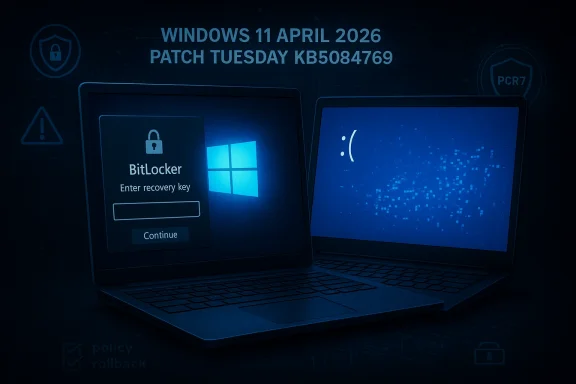
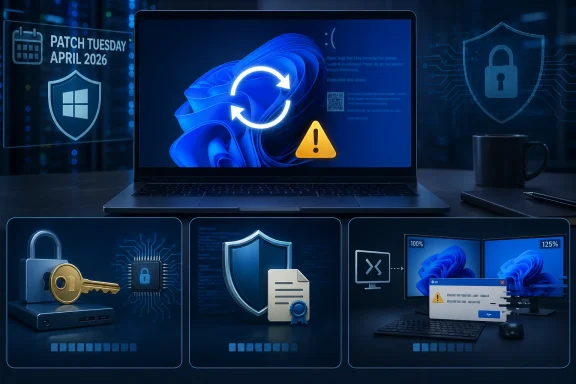
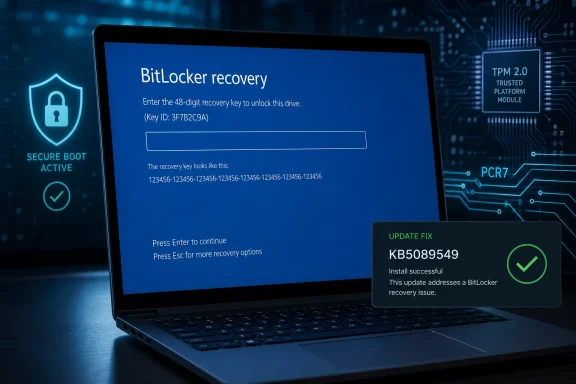
Microsoft’s April 2026 Windows 11 cumulative update, KB5083769, is shaping up to be one of those Patch Tuesday releases that looks routine on paper but still manages to unsettle administrators and consumers in practice. Microsoft has now confirmed a BitLocker recovery prompt issue affecting a narrow class of PCs, while users and observers are also reporting multiple reboots during installation on regular Windows 11 devices. That combination matters because it hits two of the most sensitive parts of the Windows servicing experience: boot reliability and update predictability. It also arrives just as Microsoft is juggling the broader shift to newer boot components and a fresh monthly cadence of security and quality fixes.
April’s Patch Tuesday is usually a predictable checkpoint for Windows users, but the 2026 cycle is different because it lands in the middle of several overlapping platform changes. KB5083769 is the monthly cumulative update for Windows 11 version 24H2 and 25H2, and Microsoft says it rolls in security fixes plus non-security improvements from prior preview releases. That means the update is not just a thin security patch; it is also a servicing milestone that can carry forward changes accumulated across multiple earlier releases.
At the same time, Microsoft has been warning for months about Secure Boot certificate expiration in June 2026, which has nudged boot-chain topics higher on the priority list. Any update that touches the boot flow, boot manager selection, or device protection state is therefore going to draw extra scrutiny from enterprise admins and power users. In practice, that makes even a limited bug feel larger than its raw affected-device count would suggest.
BitLocker itself is not new territory for Windows troubleshooting, but it remains a sensitive layer because it is designed to surface exactly when something at the boot boundary changes. Microsoft’s own guidance on BitLocker recovery issues shows that recovery prompts can be tied to TPM settings, Secure Boot configuration, group policy, firmware changes, and other conditions that alter the platform measurement profile. In other words, BitLocker is not merely “broken” when recovery appears; it is often reacting to the system deciding that a trusted boot baseline has changed.
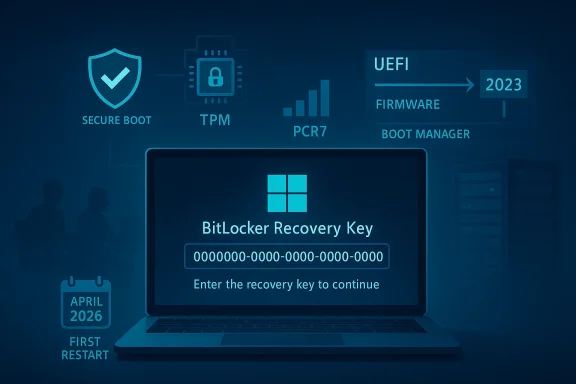
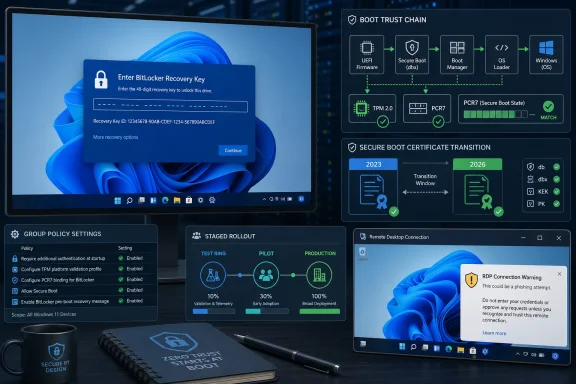
That makes Microsoft’s April 2026 admission notable for a second reason: the company is not describing a broad consumer catastrophe, but rather a specific policy-and-firmware edge case. The affected systems are those where an unrecommended BitLocker Group Policy configuration collides with a device state in which PCR7 binding is “Not Possible,” the Windows UEFI CA 2023 certificate is present, and the device is not yet using the 2023-signed Windows Boot Manager. That is a highly specific failure mode, which suggests the underlying bug lives in the seam between policy, boot trust, and update orchestration.
Microsoft’s recommended mitigation is equally explicit. It advises enterprises to audit BitLocker group policies for explicit PCR7 inclusion and to check msinfo32.exe for PCR7 binding status before installing the update. It also gives a step-by-step workaround involving Group Policy Editor, gpupdate /force, and BitLocker protector suspension and re-enablement to refresh the bindings. That is classic Microsoft enterprise guidance: precise, somewhat procedural, and clearly aimed at managed fleets rather than home users.
That said, plausible is not the same as proven. Microsoft has not publicly tied the reboot behavior to.NET, and Windows Update’s servicing model can require multiple reboots for reasons that are not obvious to the user. Component servicing, pending file replacement, boot environment updates, and driver coordination can all extend a restart sequence without representing a user-facing failure. The challenge is that from the outside, a valid servicing workflow can look identical to a broken one.
The broader significance is that a cumulative update can fail in different ways on different machines for reasons that have little to do with the update itself. Hardware variation, OEM images, third-party security software, deferred servicing state, and previous optional updates all influence the outcome. That is why Patch Tuesday sometimes feels less like a single event and more like a compatibility stress test. The same package can be smooth on one machine and chaotic on another.
For admins, the lesson is that boot policy and patch policy are now intertwined. You can no longer treat BitLocker as a fixed on/off protection layer that just sits there quietly. Its binding to platform measurements means every firmware and boot-chain change can become an operational event, especially in older fleets with accumulated policy drift.
The catch is that KIRs are not a magic wand. They require business support processes, deployment planning, and enough lead time to apply them before the affected devices install the update. That means the best-case outcome depends on organizations being proactive, not reactive. The more decentralized the environment, the harder that gets.
This also affects support desk planning. If an organization rolls out the update broadly without inspecting policy drift, the first wave of calls may not be about app compatibility or driver issues at all. They may be about recovery keys, delayed boot completion, and users who simply want to know whether their PC is safe to restart again. That kind of support load is expensive because it combines urgency with low user understanding.
What matters more is the precedent. Microsoft is already showing that Windows 11 updates increasingly touch boot trust, recovery behavior, and policy-managed encryption in the same maintenance cycle. That suggests future Patch Tuesday releases will continue to demand more preflight validation, more update staging, and more careful fleet segmentation than the average consumer ever sees. In a world of encrypted endpoints and evolving boot certificates, restart is no longer a trivial button click.
Source: Windows Latest Microsoft confirms Windows 11 KB5083769 issues, BitLocker alert on a few PCs, and multiple reboots for installation
 Background
April’s Patch Tuesday is usually a predictable checkpoint for Windows users, but the 2026 cycle is different because it lands in the middle of several overlapping platform changes. KB5083769 is the monthly cumulative update for Windows 11 version 24H2 and 25H2, and Microsoft says it rolls in security fixes plus non-security improvements from prior preview releases. That means the update is not just a thin security patch; it is also a servicing milestone that can carry forward changes accumulated across multiple earlier releases.At the same time, Microsoft has been warning for months about Secure Boot certificate expiration in June 2026, which has nudged boot-chain topics higher on the priority list. Any update that touches the boot flow, boot manager selection, or device protection state is therefore going to draw extra scrutiny from enterprise admins and power users. In practice, that makes even a limited bug feel larger than its raw affected-device count would suggest.
BitLocker itself is not new territory for Windows troubleshooting, but it remains a sensitive layer because it is designed to surface exactly when something at the boot boundary changes. Microsoft’s own guidance on BitLocker recovery issues shows that recovery prompts can be tied to TPM settings, Secure Boot configuration, group policy, firmware changes, and other conditions that alter the platform measurement profile. In other words, BitLocker is not merely “broken” when recovery appears; it is often reacting to the system deciding that a trusted boot baseline has changed.
That makes Microsoft’s April 2026 admission notable for a second reason: the company is not describing a broad consumer catastrophe, but rather a specific policy-and-firmware edge case. The affected systems are those where an unrecommended BitLocker Group Policy configuration collides with a device state in which PCR7 binding is “Not Possible,” the Windows UEFI CA 2023 certificate is present, and the device is not yet using the 2023-signed Windows Boot Manager. That is a highly specific failure mode, which suggests the underlying bug lives in the seam between policy, boot trust, and update orchestration.
What Microsoft Has Confirmed
Microsoft’s support document for KB5083769 now explicitly lists a known issue for devices with an unrecommended BitLocker Group Policy configuration. The company says some devices may be required to enter their BitLocker recovery key on the first restart after installing the update, and it emphasizes that the affected population is limited. Importantly, Microsoft also says that once the recovery key is entered, subsequent restarts will not trigger the screen again unless the group policy remains unchanged.The exact trigger conditions
The support page lays out five conditions that must all be true for the issue to occur. BitLocker must be enabled on the OS drive, the TPM platform validation profile policy must include PCR7, Secure Boot State PCR7 Binding must show “Not Possible” in System Information, the Windows UEFI CA 2023 certificate must be present in the Secure Boot database, and the device must not already be running the 2023-signed Windows Boot Manager. That level of specificity is helpful because it tells administrators where to look instead of treating every BitLocker prompt as a generic Windows bug.Microsoft’s recommended mitigation is equally explicit. It advises enterprises to audit BitLocker group policies for explicit PCR7 inclusion and to check msinfo32.exe for PCR7 binding status before installing the update. It also gives a step-by-step workaround involving Group Policy Editor, gpupdate /force, and BitLocker protector suspension and re-enablement to refresh the bindings. That is classic Microsoft enterprise guidance: precise, somewhat procedural, and clearly aimed at managed fleets rather than home users.
Why this matters for admins
For IT teams, the bigger lesson is that policy hygiene now matters as much as patch hygiene. A device can be technically healthy, fully encrypted, and still get shoved into recovery if its PCR binding state and boot manager eligibility drift out of alignment. That creates a maintenance burden that is easy to overlook until a monthly update exposes it.- The issue is narrow, but it is high friction for affected users.
- The recovery prompt appears on the first restart after installation.
- Subsequent restarts should be normal if the policy does not change.
- Enterprises have a concrete remediation path before deployment.
- Microsoft says a Known Issue Rollback is available for organizations that cannot change the policy immediately.
The Multiple Reboot Mystery
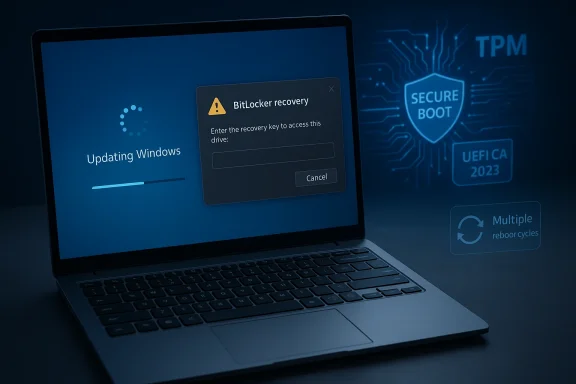
Separate from the BitLocker problem, Windows Latest reported that installing KB5083769 on some PCs led to multiple reboot cycles before the lock screen finally appeared. That behavior is unusual for a standard cumulative update, where users typically expect one restart and then a return to the desktop. The report also notes that Microsoft is looking into the complaints but has not confirmed a root cause.Possible connection to.NET Framework
One plausible explanation is the concurrent April 14.NET Framework cumulative update wave. Microsoft’s own.NET release notes show that April 2026 includes a set of framework updates for Windows 11 and Windows Server versions, including 24H2 and 25H2 channels. The same release notes do not list known issues, but that does not rule out interaction effects when the OS cumulative update and framework update are staged together on the same device.That said, plausible is not the same as proven. Microsoft has not publicly tied the reboot behavior to.NET, and Windows Update’s servicing model can require multiple reboots for reasons that are not obvious to the user. Component servicing, pending file replacement, boot environment updates, and driver coordination can all extend a restart sequence without representing a user-facing failure. The challenge is that from the outside, a valid servicing workflow can look identical to a broken one.
Why consumers notice it immediately
For enterprise deployment teams, one extra reboot may be an inconvenience. For consumers, especially laptop users, it feels more alarming because it creates uncertainty about whether the installation completed successfully or whether the machine is stuck in an update loop. That emotional impact is amplified when the screen shows a progress percentage that appears to stall or restart, even if the backend servicing process is simply transitioning through more than one phase.- Multiple restarts are not normal-looking for users.
- They are especially noticeable on laptops and tablets.
- The behavior can be mistaken for a failed installation.
- A concurrent.NET update may be involved, but that remains unconfirmed.
- Microsoft says it is investigating reports from the field.
Installation Failures and Error Codes
The reboot issue is only one side of the story. Windows Latest also observed reports from users who could not install KB5083769 at all, with repeated error codes such as 0x800736b3, 0x800f0991, 0x800f081f, 0x800719e4, 0x800f0823, and 0x80071a2d. The pattern suggests a mix of servicing stack, component store, and update applicability problems rather than one clean universal failure.What those failures usually signal
In Windows servicing, those codes often point to missing payloads, corruption, or update dependency problems. They are the kinds of codes that frustrate users because they provide evidence that something failed but not a simple plain-English explanation of what to do next. In many cases, the fix is mundane — reset update components, repair the component store, or re-run the update after a reboot — but the path to that fix is rarely obvious to a non-admin user.The broader significance is that a cumulative update can fail in different ways on different machines for reasons that have little to do with the update itself. Hardware variation, OEM images, third-party security software, deferred servicing state, and previous optional updates all influence the outcome. That is why Patch Tuesday sometimes feels less like a single event and more like a compatibility stress test. The same package can be smooth on one machine and chaotic on another.
Consumer versus enterprise impact
Consumers are usually hit first by visible symptoms: failed installs, repeated restarts, or a surprise recovery screen. Enterprises, by contrast, care more about scale and repeatability, which is why Microsoft’s guidance is focused on auditing policy state and using KIRs or policy changes ahead of deployment. In a managed environment, one bad interaction can become a fleet issue; in a home environment, it is often a single-device nuisance that still feels serious because it interrupts work.- Update failures often reflect local servicing state.
- Error codes are diagnostics, not explanations.
- The same update can fail for multiple unrelated reasons.
- OEM-specific configurations can change the outcome.
- Enterprise and consumer impacts differ in scale, not in inconvenience.
Why BitLocker Keeps Showing Up in Update Stories
BitLocker is meant to be invisible until the moment Windows thinks the platform trust chain has changed. That is why it keeps appearing in update stories: updates are exactly when boot measurements, firmware coordination, and boot manager logic are most likely to shift. Microsoft’s own BitLocker troubleshooting documentation shows how often recovery prompts are tied to Secure Boot state, TPM version, Secure Launch, and policy-controlled PCR settings.PCR7 and boot trust, in plain English
PCR7 is part of the measured boot process. When group policy explicitly includes PCR7 in the TPM validation profile, the device becomes more sensitive to changes in the boot chain. If Secure Boot state says PCR7 binding is “Not Possible,” but policy insists on including it, then an update that nudges boot components toward a newer signed boot manager can trip the trust check and push the machine into recovery. That is not a random Windows tantrum; it is a trust mismatch.Why the 2023-signed boot manager matters
Microsoft’s KB5083769 issue page specifically mentions the Windows UEFI CA 2023 certificate and the 2023-signed Windows Boot Manager. That detail matters because boot trust transitions are rarely visible to ordinary users, yet they can determine whether an update feels seamless or whether it interrupts startup. In practice, Microsoft appears to be managing a staged migration of boot trust components while also trying not to break encrypted devices that depend on older assumptions.For admins, the lesson is that boot policy and patch policy are now intertwined. You can no longer treat BitLocker as a fixed on/off protection layer that just sits there quietly. Its binding to platform measurements means every firmware and boot-chain change can become an operational event, especially in older fleets with accumulated policy drift.
- PCR7 is part of the device’s measured boot trust model.
- Explicit policy settings can outlive the environment they were designed for.
- Boot-manager transitions can surface as BitLocker prompts.
- The issue is more likely in managed fleets than in unmanaged home PCs.
- Invisible security plumbing often becomes visible only during update time.
Microsoft’s Workaround and Rollback Strategy
The practical upside is that Microsoft already has mitigation guidance available. For affected enterprises, the company recommends removing the policy configuration before installing the update, then refreshing the policy and suspending and re-enabling BitLocker to rebuild the bindings. That is a fairly invasive process, but it is also deterministic, which is what admins want when boot integrity is at stake.The recommended sequence
Microsoft’s support article spells out the flow as a numbered sequence. First, change the TPM platform validation profile policy to Not Configured, then run gpupdate /force, then suspend and resume BitLocker protectors on the OS drive. This combination updates the bindings to the Windows-selected default PCR profile, which should prevent the recovery prompt from appearing after the update.Known Issue Rollback as a safety net
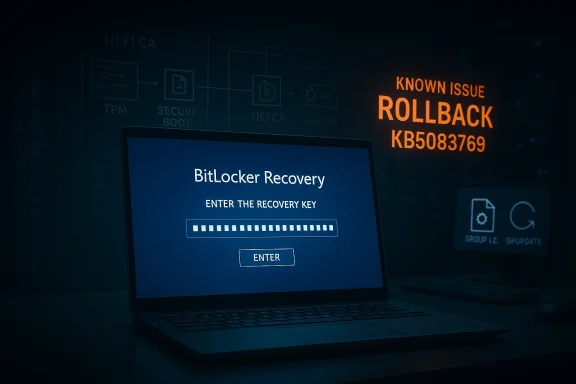
If policy changes are not possible before deployment, Microsoft says a Known Issue Rollback is available and should be deployed before installing the update. KIRs are one of Microsoft’s more useful enterprise tools because they allow the company to selectively back out a problematic behavior while leaving the broader update in place. In this case, the rollback is designed to prevent the automatic switch to the 2023 Boot Manager and therefore avoid the recovery trigger.The catch is that KIRs are not a magic wand. They require business support processes, deployment planning, and enough lead time to apply them before the affected devices install the update. That means the best-case outcome depends on organizations being proactive, not reactive. The more decentralized the environment, the harder that gets.
- Microsoft’s guidance is enterprise-first.
- KIRs help, but they require operational discipline.
- BitLocker protector suspension is part of the safe reset path.
- Group Policy cleanup may solve the root cause.
- The mitigation is sound, but it is not lightweight.
The Broader Servicing Picture
KB5083769 is also a reminder that Windows servicing has become increasingly layered. Monthly cumulative updates now ride alongside servicing stack updates, framework updates, firmware concerns, and boot certificate deadlines. That is efficient in theory, but it means a single Patch Tuesday can exercise several subsystems at once, making symptom attribution more difficult for users and support teams.More moving parts, more edge cases
Microsoft’s own update notes show a servicing stack update included with the release, which is meant to keep the update engine stable and reliable. But even a reliable servicing stack does not eliminate every interaction, especially when a device is already carrying custom policy, OEM firmware quirks, or a long history of prior updates. The more components are coordinated at boot time, the more opportunities there are for friction.Why this will matter to IT departments
Enterprises should see this as a cue to re-check their update sequencing, especially if they manage BitLocker at scale. A preflight checklist that includes PCR7 state, policy review, reboot behavior, and update staging is now less of a best practice and more of a necessity. Update readiness increasingly includes boot readiness.This also affects support desk planning. If an organization rolls out the update broadly without inspecting policy drift, the first wave of calls may not be about app compatibility or driver issues at all. They may be about recovery keys, delayed boot completion, and users who simply want to know whether their PC is safe to restart again. That kind of support load is expensive because it combines urgency with low user understanding.
- Servicing now spans OS, boot, and framework layers.
- More layers mean more troubleshooting ambiguity.
- The update engine may be fine even when the boot path is not.
- IT teams need preflight checks, not just deployment rings.
- Support demand is often driven by uncertainty, not data loss.
Strengths and Opportunities
The good news is that Microsoft has been unusually specific about the BitLocker issue and has already published a remediation path. That transparency gives enterprise customers something actionable, and it shows that Microsoft is treating the problem as a targeted servicing defect rather than a broad platform failure. For users, the upside is that the issue appears limited to a narrow configuration window rather than a universal Windows 11 problem.- Microsoft identified a specific trigger profile.
- The recovery prompt should occur only once on affected systems.
- A server-side fix is reportedly already rolling out.
- Enterprises have both policy-based and KIR-based mitigation options.
- The issue appears to affect a limited population, not the full install base.
- The documentation helps admins verify PCR7 binding before deployment.
- The update remains part of a normal security servicing cycle, not an emergency rollback.
Risks and Concerns
The concern is that BitLocker-related surprises are uniquely stressful because they happen at boot, when users have the least context and the least control. Even if the issue is narrow, the moment a recovery screen appears, confidence in the update process drops fast. The reboot anomaly adds another layer of doubt because it makes the installation process look unstable, even if the underlying issue turns out to be benign or separate.- BitLocker prompts can look like data-loss events.
- Multiple reboots create the impression of an update loop.
- Error codes can overwhelm non-technical users.
- The issue may reflect policy drift that many organizations have forgotten about.
- A simultaneous.NET rollout complicates root-cause analysis.
- Home users may not have the documentation or tools to diagnose PCR7 state.
- Silent boot-chain changes are hard to communicate to users in advance.
Looking Ahead
The next few weeks will tell us whether the multiple-reboot reports are isolated quirks or a broader servicing regression that Microsoft needs to address separately. If the company confirms a link to the.NET update or another component, it will likely become part of the normal April 2026 update narrative. If not, the behavior may remain one of those frustrating but ultimately marginal Windows mysteries that only appear on certain device configurations.What matters more is the precedent. Microsoft is already showing that Windows 11 updates increasingly touch boot trust, recovery behavior, and policy-managed encryption in the same maintenance cycle. That suggests future Patch Tuesday releases will continue to demand more preflight validation, more update staging, and more careful fleet segmentation than the average consumer ever sees. In a world of encrypted endpoints and evolving boot certificates, restart is no longer a trivial button click.
- Watch for Microsoft to clarify whether the extra reboots are a bug.
- Monitor whether the BitLocker fix remains limited to the specific policy state.
- Expect enterprise admins to audit PCR7 policy more aggressively.
- Track whether future cumulative updates reduce boot-chain surprise events.
- Keep an eye on follow-up notes in Windows release health and support pages.
Source: Windows Latest Microsoft confirms Windows 11 KB5083769 issues, BitLocker alert on a few PCs, and multiple reboots for installation