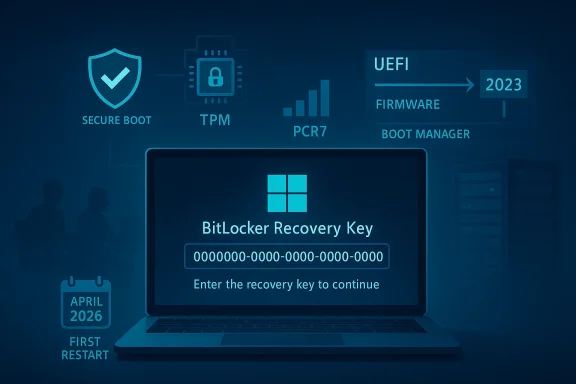
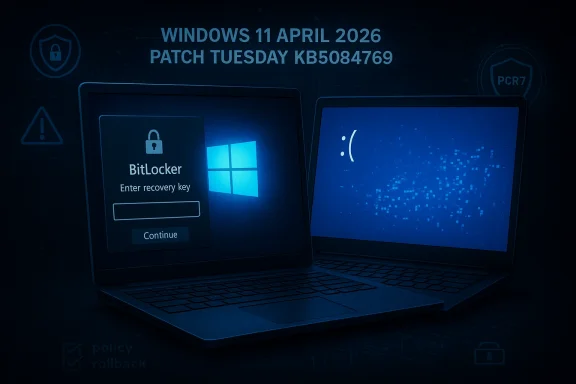
Microsoft’s April 2026 Windows 11 cumulative update, KB5083769, is shaping up to be one of those Patch Tuesday releases that looks routine on paper but still manages to unsettle administrators and consumers in practice. Microsoft has now confirmed a BitLocker recovery prompt issue affecting a narrow class of PCs, while users and observers are also reporting multiple reboots during installation on regular Windows 11 devices. That combination matters because it hits two of the most sensitive parts of the Windows servicing experience: boot reliability and update predictability. It also arrives just as Microsoft is juggling the broader shift to newer boot components and a fresh monthly cadence of security and quality fixes.

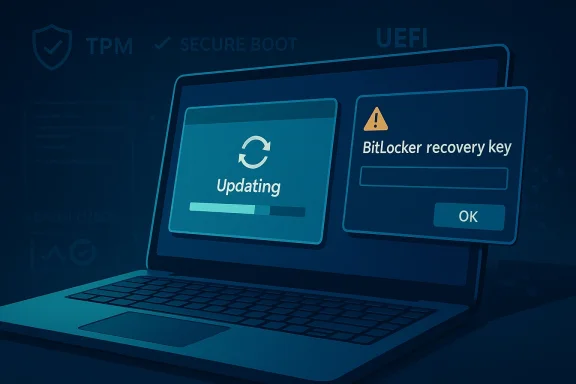
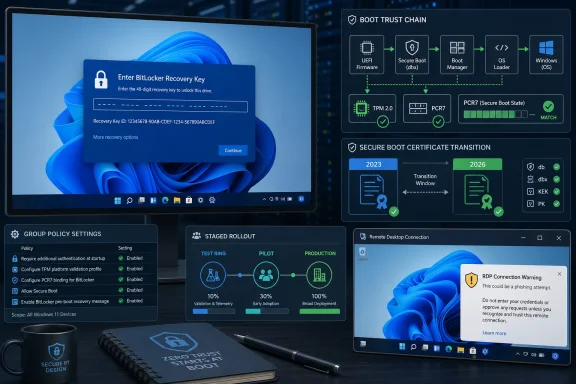
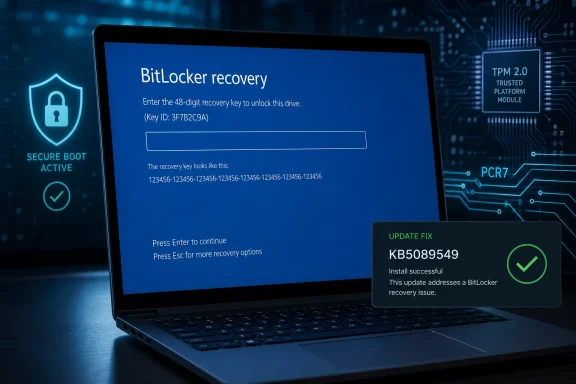
Laptop screen shows BitLocker recovery key prompt during “Updating Windows,” with secure boot/TMP chip icons.Background​

April’s Patch Tuesday is usually a predictable checkpoint for Windows users, but the 2026 cycle is different because it lands in the middle of several overlapping platform changes. KB5083769 is the monthly cumulative update for Windows 11 version 24H2 and 25H2, and Microsoft says it rolls in security fixes plus non-security improvements from prior preview releases. That means the update is not just a thin security patch; it is also a servicing milestone that can carry forward changes accumulated across multiple earlier releases.
At the same time, Microsoft has been warning for months about Secure Boot certificate expiration in June 2026, which has nudged boot-chain topics higher on the priority list. Any update that touches the boot flow, boot manager selection, or device protection state is therefore going to draw extra scrutiny from enterprise admins and power users. In practice, that makes even a limited bug feel larger than its raw affected-device count would suggest.
BitLocker itself is not new territory for Windows troubleshooting, but it remains a sensitive layer because it is designed to surface exactly when something at the boot boundary changes. Microsoft’s own guidance on BitLocker recovery issues shows that recovery prompts can be tied to TPM settings, Secure Boot configuration, group policy, firmware changes, and other conditions that alter the platform measurement profile. In other words, BitLocker is not merely “broken” when recovery appears; it is often reacting to the system deciding that a trusted boot baseline has changed.
That makes Microsoft’s April 2026 admission notable for a second reason: the company is not describing a broad consumer catastrophe, but rather a specific policy-and-firmware edge case. The affected systems are those where an unrecommended BitLocker Group Policy configuration collides with a device state in which PCR7 binding is “Not Possible,” the Windows UEFI CA 2023 certificate is present, and the device is not yet using the 2023-signed Windows Boot Manager. That is a highly specific failure mode, which suggests the underlying bug lives in the seam between policy, boot trust, and update orchestration.

What Microsoft Has Confirmed​

Microsoft’s support document for KB5083769 now explicitly lists a known issue for devices with an unrecommended BitLocker Group Policy configuration. The company says some devices may be required to enter their BitLocker recovery key on the first restart after installing the update, and it emphasizes that the affected population is limited. Importantly, Microsoft also says that once the recovery key is entered, subsequent restarts will not trigger the screen again unless the group policy remains unchanged.

The exact trigger conditions​

The support page lays out five conditions that must all be true for the issue to occur. BitLocker must be enabled on the OS drive, the TPM platform validation profile policy must include PCR7, Secure Boot State PCR7 Binding must show “Not Possible” in System Information, the Windows UEFI CA 2023 certificate must be present in the Secure Boot database, and the device must not already be running the 2023-signed Windows Boot Manager. That level of specificity is helpful because it tells administrators where to look instead of treating every BitLocker prompt as a generic Windows bug.
Microsoft’s recommended mitigation is equally explicit. It advises enterprises to audit BitLocker group policies for explicit PCR7 inclusion and to check msinfo32.exe for PCR7 binding status before installing the update. It also gives a step-by-step workaround involving Group Policy Editor, gpupdate /force, and BitLocker protector suspension and re-enablement to refresh the bindings. That is classic Microsoft enterprise guidance: precise, somewhat procedural, and clearly aimed at managed fleets rather than home users.

Why this matters for admins​

For IT teams, the bigger lesson is that policy hygiene now matters as much as patch hygiene. A device can be technically healthy, fully encrypted, and still get shoved into recovery if its PCR binding state and boot manager eligibility drift out of alignment. That creates a maintenance burden that is easy to overlook until a monthly update exposes it.
  • The issue is narrow, but it is high friction for affected users.
  • The recovery prompt appears on the first restart after installation.
  • Subsequent restarts should be normal if the policy does not change.
  • Enterprises have a concrete remediation path before deployment.
  • Microsoft says a Known Issue Rollback is available for organizations that cannot change the policy immediately.

The Multiple Reboot Mystery​

Separate from the BitLocker problem, Windows Latest reported that installing KB5083769 on some PCs led to multiple reboot cycles before the lock screen finally appeared. That behavior is unusual for a standard cumulative update, where users typically expect one restart and then a return to the desktop. The report also notes that Microsoft is looking into the complaints but has not confirmed a root cause.

Possible connection to.NET Framework​

One plausible explanation is the concurrent April 14.NET Framework cumulative update wave. Microsoft’s own.NET release notes show that April 2026 includes a set of framework updates for Windows 11 and Windows Server versions, including 24H2 and 25H2 channels. The same release notes do not list known issues, but that does not rule out interaction effects when the OS cumulative update and framework update are staged together on the same device.
That said, plausible is not the same as proven. Microsoft has not publicly tied the reboot behavior to.NET, and Windows Update’s servicing model can require multiple reboots for reasons that are not obvious to the user. Component servicing, pending file replacement, boot environment updates, and driver coordination can all extend a restart sequence without representing a user-facing failure. The challenge is that from the outside, a valid servicing workflow can look identical to a broken one.

Why consumers notice it immediately​

For enterprise deployment teams, one extra reboot may be an inconvenience. For consumers, especially laptop users, it feels more alarming because it creates uncertainty about whether the installation completed successfully or whether the machine is stuck in an update loop. That emotional impact is amplified when the screen shows a progress percentage that appears to stall or restart, even if the backend servicing process is simply transitioning through more than one phase.
  • Multiple restarts are not normal-looking for users.
  • They are especially noticeable on laptops and tablets.
  • The behavior can be mistaken for a failed installation.
  • A concurrent.NET update may be involved, but that remains unconfirmed.
  • Microsoft says it is investigating reports from the field.

Installation Failures and Error Codes​

The reboot issue is only one side of the story. Windows Latest also observed reports from users who could not install KB5083769 at all, with repeated error codes such as 0x800736b3, 0x800f0991, 0x800f081f, 0x800719e4, 0x800f0823, and 0x80071a2d. The pattern suggests a mix of servicing stack, component store, and update applicability problems rather than one clean universal failure.

What those failures usually signal​

In Windows servicing, those codes often point to missing payloads, corruption, or update dependency problems. They are the kinds of codes that frustrate users because they provide evidence that something failed but not a simple plain-English explanation of what to do next. In many cases, the fix is mundane — reset update components, repair the component store, or re-run the update after a reboot — but the path to that fix is rarely obvious to a non-admin user.
The broader significance is that a cumulative update can fail in different ways on different machines for reasons that have little to do with the update itself. Hardware variation, OEM images, third-party security software, deferred servicing state, and previous optional updates all influence the outcome. That is why Patch Tuesday sometimes feels less like a single event and more like a compatibility stress test. The same package can be smooth on one machine and chaotic on another.

Consumer versus enterprise impact​

Consumers are usually hit first by visible symptoms: failed installs, repeated restarts, or a surprise recovery screen. Enterprises, by contrast, care more about scale and repeatability, which is why Microsoft’s guidance is focused on auditing policy state and using KIRs or policy changes ahead of deployment. In a managed environment, one bad interaction can become a fleet issue; in a home environment, it is often a single-device nuisance that still feels serious because it interrupts work.
  • Update failures often reflect local servicing state.
  • Error codes are diagnostics, not explanations.
  • The same update can fail for multiple unrelated reasons.
  • OEM-specific configurations can change the outcome.
  • Enterprise and consumer impacts differ in scale, not in inconvenience.

Why BitLocker Keeps Showing Up in Update Stories​

BitLocker is meant to be invisible until the moment Windows thinks the platform trust chain has changed. That is why it keeps appearing in update stories: updates are exactly when boot measurements, firmware coordination, and boot manager logic are most likely to shift. Microsoft’s own BitLocker troubleshooting documentation shows how often recovery prompts are tied to Secure Boot state, TPM version, Secure Launch, and policy-controlled PCR settings.

PCR7 and boot trust, in plain English​

PCR7 is part of the measured boot process. When group policy explicitly includes PCR7 in the TPM validation profile, the device becomes more sensitive to changes in the boot chain. If Secure Boot state says PCR7 binding is “Not Possible,” but policy insists on including it, then an update that nudges boot components toward a newer signed boot manager can trip the trust check and push the machine into recovery. That is not a random Windows tantrum; it is a trust mismatch.

Why the 2023-signed boot manager matters​

Microsoft’s KB5083769 issue page specifically mentions the Windows UEFI CA 2023 certificate and the 2023-signed Windows Boot Manager. That detail matters because boot trust transitions are rarely visible to ordinary users, yet they can determine whether an update feels seamless or whether it interrupts startup. In practice, Microsoft appears to be managing a staged migration of boot trust components while also trying not to break encrypted devices that depend on older assumptions.
For admins, the lesson is that boot policy and patch policy are now intertwined. You can no longer treat BitLocker as a fixed on/off protection layer that just sits there quietly. Its binding to platform measurements means every firmware and boot-chain change can become an operational event, especially in older fleets with accumulated policy drift.
  • PCR7 is part of the device’s measured boot trust model.
  • Explicit policy settings can outlive the environment they were designed for.
  • Boot-manager transitions can surface as BitLocker prompts.
  • The issue is more likely in managed fleets than in unmanaged home PCs.
  • Invisible security plumbing often becomes visible only during update time.

Microsoft’s Workaround and Rollback Strategy​

The practical upside is that Microsoft already has mitigation guidance available. For affected enterprises, the company recommends removing the policy configuration before installing the update, then refreshing the policy and suspending and re-enabling BitLocker to rebuild the bindings. That is a fairly invasive process, but it is also deterministic, which is what admins want when boot integrity is at stake.

The recommended sequence​

Microsoft’s support article spells out the flow as a numbered sequence. First, change the TPM platform validation profile policy to Not Configured, then run gpupdate /force, then suspend and resume BitLocker protectors on the OS drive. This combination updates the bindings to the Windows-selected default PCR profile, which should prevent the recovery prompt from appearing after the update.

Known Issue Rollback as a safety net​

If policy changes are not possible before deployment, Microsoft says a Known Issue Rollback is available and should be deployed before installing the update. KIRs are one of Microsoft’s more useful enterprise tools because they allow the company to selectively back out a problematic behavior while leaving the broader update in place. In this case, the rollback is designed to prevent the automatic switch to the 2023 Boot Manager and therefore avoid the recovery trigger.
The catch is that KIRs are not a magic wand. They require business support processes, deployment planning, and enough lead time to apply them before the affected devices install the update. That means the best-case outcome depends on organizations being proactive, not reactive. The more decentralized the environment, the harder that gets.
  • Microsoft’s guidance is enterprise-first.
  • KIRs help, but they require operational discipline.
  • BitLocker protector suspension is part of the safe reset path.
  • Group Policy cleanup may solve the root cause.
  • The mitigation is sound, but it is not lightweight.

The Broader Servicing Picture​

KB5083769 is also a reminder that Windows servicing has become increasingly layered. Monthly cumulative updates now ride alongside servicing stack updates, framework updates, firmware concerns, and boot certificate deadlines. That is efficient in theory, but it means a single Patch Tuesday can exercise several subsystems at once, making symptom attribution more difficult for users and support teams.

More moving parts, more edge cases​

Microsoft’s own update notes show a servicing stack update included with the release, which is meant to keep the update engine stable and reliable. But even a reliable servicing stack does not eliminate every interaction, especially when a device is already carrying custom policy, OEM firmware quirks, or a long history of prior updates. The more components are coordinated at boot time, the more opportunities there are for friction.

Why this will matter to IT departments​

Enterprises should see this as a cue to re-check their update sequencing, especially if they manage BitLocker at scale. A preflight checklist that includes PCR7 state, policy review, reboot behavior, and update staging is now less of a best practice and more of a necessity. Update readiness increasingly includes boot readiness.
This also affects support desk planning. If an organization rolls out the update broadly without inspecting policy drift, the first wave of calls may not be about app compatibility or driver issues at all. They may be about recovery keys, delayed boot completion, and users who simply want to know whether their PC is safe to restart again. That kind of support load is expensive because it combines urgency with low user understanding.
  • Servicing now spans OS, boot, and framework layers.
  • More layers mean more troubleshooting ambiguity.
  • The update engine may be fine even when the boot path is not.
  • IT teams need preflight checks, not just deployment rings.
  • Support demand is often driven by uncertainty, not data loss.

Strengths and Opportunities​

The good news is that Microsoft has been unusually specific about the BitLocker issue and has already published a remediation path. That transparency gives enterprise customers something actionable, and it shows that Microsoft is treating the problem as a targeted servicing defect rather than a broad platform failure. For users, the upside is that the issue appears limited to a narrow configuration window rather than a universal Windows 11 problem.
  • Microsoft identified a specific trigger profile.
  • The recovery prompt should occur only once on affected systems.
  • A server-side fix is reportedly already rolling out.
  • Enterprises have both policy-based and KIR-based mitigation options.
  • The issue appears to affect a limited population, not the full install base.
  • The documentation helps admins verify PCR7 binding before deployment.
  • The update remains part of a normal security servicing cycle, not an emergency rollback.

Risks and Concerns​

The concern is that BitLocker-related surprises are uniquely stressful because they happen at boot, when users have the least context and the least control. Even if the issue is narrow, the moment a recovery screen appears, confidence in the update process drops fast. The reboot anomaly adds another layer of doubt because it makes the installation process look unstable, even if the underlying issue turns out to be benign or separate.
  • BitLocker prompts can look like data-loss events.
  • Multiple reboots create the impression of an update loop.
  • Error codes can overwhelm non-technical users.
  • The issue may reflect policy drift that many organizations have forgotten about.
  • A simultaneous.NET rollout complicates root-cause analysis.
  • Home users may not have the documentation or tools to diagnose PCR7 state.
  • Silent boot-chain changes are hard to communicate to users in advance.

Looking Ahead​

The next few weeks will tell us whether the multiple-reboot reports are isolated quirks or a broader servicing regression that Microsoft needs to address separately. If the company confirms a link to the.NET update or another component, it will likely become part of the normal April 2026 update narrative. If not, the behavior may remain one of those frustrating but ultimately marginal Windows mysteries that only appear on certain device configurations.
What matters more is the precedent. Microsoft is already showing that Windows 11 updates increasingly touch boot trust, recovery behavior, and policy-managed encryption in the same maintenance cycle. That suggests future Patch Tuesday releases will continue to demand more preflight validation, more update staging, and more careful fleet segmentation than the average consumer ever sees. In a world of encrypted endpoints and evolving boot certificates, restart is no longer a trivial button click.
  • Watch for Microsoft to clarify whether the extra reboots are a bug.
  • Monitor whether the BitLocker fix remains limited to the specific policy state.
  • Expect enterprise admins to audit PCR7 policy more aggressively.
  • Track whether future cumulative updates reduce boot-chain surprise events.
  • Keep an eye on follow-up notes in Windows release health and support pages.
Microsoft’s April 2026 update story is not about a catastrophic failure, but about the growing complexity of Windows maintenance in a security-first era. The more Windows protects itself at boot, the more visible those protections become when something changes, and the more every monthly update looks like a negotiation between reliability, encryption, and trust. KB5083769 is a good example of that balancing act: manageable, but far from invisible.

Source: Windows Latest Microsoft confirms Windows 11 KB5083769 issues, BitLocker alert on a few PCs, and multiple reboots for installation
 

Microsoft’s April 2026 Windows servicing cycle has run into one of the most disruptive failure modes in enterprise IT: unexpected BitLocker recovery prompts after reboot. The issue affects a narrow but highly sensitive set of Windows 11, Windows 10, and Windows Server 2025 systems, with Microsoft confirming that KB5082063, KB5083769, and related updates can push some devices into recovery on the first restart. For managed fleets, that is more than a nuisance; it is a boot-time lockout that can strand devices until the correct recovery key is available. Microsoft has already published mitigation guidance, but the broader lesson is harder to ignore: secure boot transitions, TPM policy settings, and encryption baselines are now tightly coupled, and monthly updates can expose weaknesses in that chain.

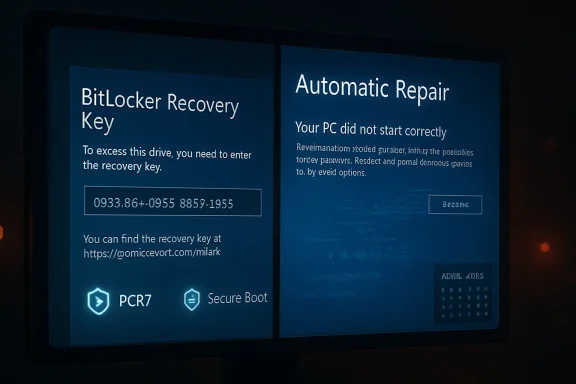
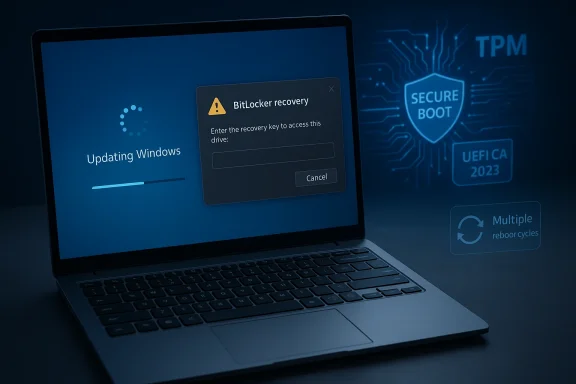
UEFI BitLocker recovery screen shows a recovery key entry prompt on a laptop with secure boot, TPM, and PCR7 icons.Overview​

This episode is best understood as part of a larger Windows servicing story rather than as an isolated Patch Tuesday annoyance. Microsoft has spent much of 2026 modernizing the boot trust chain, rolling out Secure Boot-related changes while also trying to keep systems protected against serious vulnerabilities. That means the company is doing two things at once: hardening the platform and moving the installed base toward new trust anchors. When those changes intersect with BitLocker policy, even a small mismatch can surface as a recovery prompt instead of a normal boot.
The practical reason this matters is that BitLocker recovery is not a normal error state. It is a deliberate security boundary, and it appears before Windows fully loads, which makes remote remediation far harder. If a workstation is locked in an office, help desk staff may eventually sort it out. If a remote device is sitting at the recovery screen with no one nearby who has the 48-digit key, the machine becomes a support incident, a security concern, and a productivity loss all at once. That is why this class of bug causes disproportionate concern in enterprise environments.
Microsoft’s documentation indicates that the issue is not random and not universal. It requires a very specific combination of BitLocker, TPM validation policy, Secure Boot state, boot manager versioning, and certificate presence. That narrow trigger profile is good news in one sense, because most consumer PCs are unlikely to meet it. But it is also bad news in another, because the affected systems are often the most tightly managed and security-conscious ones in the enterprise, exactly the devices organizations care most about.
Another reason the episode is getting attention is that it arrives alongside other April 2026 servicing problems. Microsoft’s server updates have already been tied to separate startup and installation failures, which makes this feel less like a one-off mistake and more like a rough month for Windows servicing quality. The pattern matters because it changes how IT teams plan rollout, pilot rings, and rollback strategies. One bad update can erode confidence in the whole servicing pipeline.

What Microsoft Confirmed​

Microsoft has now acknowledged that some devices may enter BitLocker recovery after installing the April updates, especially when Secure Boot updates are involved. The company’s support notes for KB5082063 and KB5083769 say the prompt may appear on the first reboot after installation and that the condition is tied to a specific policy-and-firmware configuration. In practical terms, that means the bug is real, documented, and reproducible enough for Microsoft to spell out exact conditions.
The most important detail is that Microsoft does not describe this as a generic failure across all Windows systems. Instead, it says the issue affects devices where BitLocker is enabled on the operating system drive, the TPM validation profile explicitly includes PCR7, Secure Boot state shows PCR7 binding as “Not Possible,” the Windows UEFI CA 2023 certificate is present in the Secure Boot database, and the device has not yet transitioned to the 2023-signed Windows Boot Manager. That is a very specific set of preconditions, which explains why Microsoft frames the issue as more likely in managed enterprise environments than on personal PCs.

Why the trigger conditions matter​

This is not just a case of “update bad, BitLocker angry.” It is a trust-chain mismatch. Secure Boot changes how the machine validates its early boot path, and BitLocker watches those measurements closely to decide whether the platform still looks like the one it encrypted against. If policy says PCR7 must be part of validation, but the device is in a state where PCR7 binding is “Not Possible,” the boot transition can look suspicious enough to trigger recovery.
That distinction matters because it changes the remediation strategy. A corrupted patch would usually suggest uninstalling the update and waiting for a replacement. Here, Microsoft is saying the underlying problem sits at the intersection of policy and platform measurement, so the fix is often to realign the validation path rather than simply rip out the monthly cumulative update. That is a subtler, more enterprise-specific kind of problem.

Why the first reboot is the dangerous moment​

Microsoft says the issue typically shows up on the first restart after installation, then does not recur unless the relevant group policy changes again. That makes the bug feel episodic rather than permanent, but it does not make it harmless. The first reboot after patching is already a point of anxiety for administrators, and a BitLocker recovery prompt at that moment can turn a routine maintenance window into a recovery scramble.
The one-time nature of the event is also a clue that this is a binding transition issue, not a persistent encryption failure. In other words, the update appears to force a re-evaluation of boot trust, and BitLocker reacts to that re-evaluation by demanding a key. That behavior is consistent with the way BitLocker is designed, even if the timing is operationally ugly. Security systems often look like failures exactly when they are doing their job.

Why Enterprises Feel This First​

Microsoft’s own wording makes it clear that this is primarily an enterprise problem. The company’s guidance refers to group policy, TPM validation profiles, recovery key management, and the use of known-issue rollback mechanisms, all of which assume an IT-administered environment. That is a strong signal that the likely blast radius is managed fleets rather than consumer laptops with default settings.
For enterprise administrators, the impact is amplified by scale. One machine in recovery mode is an inconvenience. Fifty machines in recovery mode is a support event. Hundreds of machines in the same policy state can create a wave of tickets, stalled workers, and emergency change approvals. The operational cost is often much higher than the actual technical defect, because the defect hits the boot boundary, where automation has fewer options and remote tools are less useful.

Managed fleets are more exposed​

Managed systems are more likely to use explicit TPM validation profiles, and that is exactly where PCR7 comes into play. Organizations that hardened BitLocker beyond baseline settings may have done so for good reasons, but that hardening also creates more opportunities for a trust mismatch when Microsoft changes Secure Boot behavior. The stronger the validation, the less forgiving the platform becomes during boot-chain transitions.
There is a second enterprise angle as well: fleets often contain mixed generations and mixed update states. Some devices may already be on the 2023-signed boot path, while others are still in pre-transition states. That unevenness is the enemy of clean servicing. When one cumulative update interacts differently with different hardware or firmware baselines, support teams suddenly have to diagnose not a single bug, but a matrix of states.

Why consumers are mostly shielded​

Microsoft’s guidance suggests that ordinary consumer systems are far less likely to hit the condition because the trigger depends on a very specific combination of Secure Boot and BitLocker policy choices. Most home PCs do not run the kind of bespoke TPM validation setup that enterprise images commonly deploy. That does not make them immune, but it does make them less likely to be caught by the exact failure path Microsoft documented.
Even so, consumer confidence still takes a hit when BitLocker-related issues appear in the news. The average user may never touch PCR7 or think about boot manager signing, but they do understand a machine that suddenly asks for a recovery key. That is why even narrow enterprise bugs have a wider reputational shadow: they reinforce the familiar fear that Windows updates can be unpredictable.

The Secure Boot and PCR7 Problem​

At the center of this story is Secure Boot, which is not simply a switch you turn on and forget. It is a chain of trust that validates firmware, bootloaders, and early startup components before Windows takes over. When Microsoft changes the certificates or boot components in that chain, the measured values that BitLocker expects can shift, and that can trigger a recovery prompt even if nothing is “broken” in the ordinary sense.
PCR7 is the key measurement here because it is one of the platform configuration registers that BitLocker can use to decide whether the machine booted in the expected state. If a group policy explicitly requires PCR7, and the device reports that PCR7 binding is “Not Possible,” the machine is already in a fragile state before the update even lands. The April patch simply exposes that fragility.

The 2023 boot manager transition​

Microsoft’s documentation also points to the Windows UEFI CA 2023 certificate and the 2023-signed Windows Boot Manager. That detail matters because it suggests the company is managing a staged migration in boot trust assets, not just shipping ordinary security fixes. If a device has the new certificate but has not fully transitioned to the new boot manager, the boot chain may appear inconsistent from BitLocker’s point of view.
That is the sort of problem that rarely shows up in a lab and often shows up in the field. Lab devices are usually clean, current, and curated. Real fleets are messy, with firmware variations, policy drift, and hardware histories that stretch across multiple Windows releases. Boot security changes are unforgiving because they expose everything that was already slightly out of alignment.

Why this is a trust-chain story, not a patch story​

It is tempting to think of this as “the update caused BitLocker to break.” That is too simple. The better way to read it is that the update surfaced a latent configuration issue in the boot trust chain, and BitLocker interpreted that change as a reason to require recovery. That distinction matters because it explains why Microsoft is recommending policy review and protector suspension rather than urging everyone to uninstall the update outright.
This also explains why the issue is likely to remain interesting to administrators even after the immediate fix ships. Secure Boot modernization is not a one-time event. It is a migration process, and migration processes often create friction exactly where security and availability intersect. Windows is not just being patched; it is being refit for a newer trust model.

The Workarounds Microsoft Recommends​

Microsoft’s mitigation guidance is practical, if not especially lightweight. For affected systems, administrators are advised to remove or relax the TPM validation policy before deployment, refresh group policy, then suspend and re-enable BitLocker protectors so the device can rebuild its bindings cleanly. That is the kind of process you would expect when the issue lives in platform measurement rather than in user-facing application code.
The other major mitigation path is Known Issue Rollback. Microsoft says a KIR-style safeguard can be used where available to avoid the behavior that would otherwise trigger recovery. This is a useful enterprise tool because it can suppress a problematic code path without forcing organizations to discard the security benefits of the rest of the update. But it still requires planning, deployment discipline, and a support process that can move faster than a normal monthly cadence.

The recommended admin sequence​

Administrators trying to avoid the recovery prompt are being told to work methodically, not reactively. In broad terms, the safest path is to identify devices that match the trigger conditions, adjust policy if needed, apply the update only after the trust state is aligned, and then verify that the boot chain remains stable. That sequence is boring by design, and boring is exactly what you want when BitLocker is involved.
  • Confirm whether BitLocker is enabled on the OS drive.
  • Check whether the TPM validation profile explicitly includes PCR7.
  • Verify PCR7 binding status in system information.
  • Determine whether the device has already moved to the 2023-signed boot manager.
  • Apply policy changes or a KIR path before broad deployment.

Why the workaround is not trivial​

There is a subtle cost to Microsoft’s recommended approach. Suspending BitLocker protectors and changing validation policy can temporarily reduce the device’s defense-in-depth posture, even if only briefly. In a security-sensitive organization, that is not a step to take casually. It has to be weighed against the risk of putting devices into recovery in the first place. The workaround is sensible, but it is not free.
That tension captures the whole story. The update is meant to improve security, but the workaround requires a temporary relaxation of security controls to preserve availability. That is not hypocrisy; it is the reality of operating encrypted systems at scale. The hard part is knowing when the trade-off is justified and documenting the decision cleanly.

Why Microsoft Can’t Simply Skip the Update​

One reason this issue is delicate is that the April 2026 security updates are not optional fluff. Microsoft’s own release notes indicate that the cycle addressed a large number of vulnerabilities, including zero-day issues that were already being exploited. In other words, skipping the update entirely is not an attractive answer for security-conscious organizations.
That creates the classic administrator’s dilemma: leave systems exposed, or accept some operational risk to stay patched. Microsoft’s decision to issue a remediation path rather than yank the update outright suggests the company believed the security benefits were still important enough to preserve. That is a telling signal about how the company is prioritizing patch hygiene versus rollback risk.

Security gain versus operational pain​

This is where the incident becomes bigger than a simple bug report. The same release that can produce BitLocker recovery prompts is also part of the security response to active threats. That means the update is not merely annoying; it is part of the defense line against real-world exploitation. Administrators therefore have to solve two problems at once: keeping the patch and avoiding the lockout.
The balance is difficult because the failure mode is so early in the boot chain. An application bug can often be tolerated for a day. A boot trust issue is different. It can block the machine before normal recovery tools or remote support workflows are available, which is why IT teams tend to treat these defects with exceptional seriousness.

The enterprise calculus​

Enterprises are increasingly expected to patch quickly, but “quickly” now has to include more preflight validation. The smarter organizations will not delay security updates indefinitely; they will tighten their pilot rings, verify boot readiness, and make sure recovery keys are escrowed before the update lands. That is not a retreat from patching. It is patching with better operational discipline.
That lesson is likely to stick because it is painfully practical. Security teams and infrastructure teams do not get to choose whether boot trust matters. They only get to choose whether they learn that lesson in a lab, or on a Monday morning when a first reboot triggers recovery across part of the fleet. The latter is always more expensive.

The Broader Pattern in Windows Servicing​

This is not the first time Microsoft has had to chase a Windows regression with an out-of-band response, and it probably will not be the last. The April 2026 cycle has already been associated with other server-side issues, including restart loops and installation failures on some Windows Server 2025 systems. That broader context matters because it shows the BitLocker issue is part of a wider servicing stress test, not an isolated stumble.
In a sense, modern Windows servicing is becoming more layered and more brittle at the same time. Monthly cumulative updates now intersect with servicing stack updates, firmware trust changes, boot certificates, and enterprise policy enforcement. Each layer may work correctly on its own, yet still create a bad outcome when combined with the others. That is the hidden complexity of a platform that has to serve both consumers and highly managed enterprises.

Why the boot chain is increasingly fragile​

The boot chain used to be a background concern for many organizations. Now it is becoming a first-class operational domain. Secure Boot certificate rollovers, boot manager transitions, and device encryption baselines are all converging into the same management surface, which means a routine update can unexpectedly become a platform trust event. That is a lot to ask of any servicing model.
The irony is that these changes are happening for good reasons. Microsoft is trying to harden the platform, reduce future certificate-expiration risk, and improve trust in the early boot sequence. But security improvements often have the ugliest deployment costs at the exact moment they succeed in surfacing configuration drift. That makes the rollout harder, not easier, even when the underlying goal is sound.

What this means for patch planning​

For IT departments, the implication is simple: update readiness now includes boot readiness. That means checking PCR7 state, confirming boot manager versioning, validating recovery key escrow, and staging deployment more carefully than before. The days of assuming an encryption policy will quietly survive every cumulative update are over.
This also reinforces the value of release-health monitoring. Microsoft’s documentation is becoming part of the operational workflow, not just a reference library. In many cases, the support article itself is the incident-response tool. When a company names the trigger conditions precisely, it gives administrators a way to isolate risk before the first reboot becomes a help desk emergency.

Strengths and Opportunities​

The most encouraging aspect of this incident is that Microsoft has been unusually specific. Administrators are not being asked to guess at vague symptoms; they are being given concrete configuration conditions, a reproducible trigger profile, and a set of mitigation steps. That is not a perfect outcome, but it is a manageable one.
Microsoft’s documentation also creates an opportunity for organizations to improve their own device hygiene. Many fleets have accumulated drift in BitLocker policy, Secure Boot state, and recovery-key handling over time. A bug like this forces teams to audit those assumptions and bring the encryption baseline back into view. That can be painful, but it is often valuable.
  • Microsoft identified a narrow trigger set rather than leaving the issue vague.
  • The recovery prompt is described as a first-reboot event, not a permanent loop.
  • Administrators have a policy-based mitigation path.
  • Known Issue Rollback gives enterprises a second safety net.
  • The update still carries important security fixes, including zero-day coverage.
  • The episode can improve BitLocker key escrow and recovery readiness.
  • Organizations can use the event to tighten pilot-ring discipline.
  • Security and infrastructure teams can align on boot-chain validation.

Risks and Concerns​

The obvious risk is disruption. BitLocker recovery prompts at boot are among the most stressful Windows failures because they happen before the user can do anything useful. Even a narrow issue can become expensive if it lands on the wrong devices at the wrong time, especially in distributed or remote-heavy organizations.
There is also a confidence problem. Every time a security update collides with boot behavior, administrators become more cautious about rolling out future updates, which can slow patch adoption and leave systems exposed longer than intended. That is the uncomfortable knock-on effect of update regressions: they do not just break machines, they can break trust in the patch process itself.
  • Recovery keys may not be immediately accessible to help desks.
  • Remote users can be stranded away from support.
  • Policy changes made in haste can weaken protection temporarily.
  • Mixed device generations complicate troubleshooting.
  • Update distrust can slow future patch deployment.
  • Boot-chain transitions are hard to explain to non-technical users.
  • The issue could expose forgotten policy drift in older fleets.
  • Additional April servicing problems add noise to root-cause analysis.

Looking Ahead​

The immediate question is whether Microsoft’s mitigation guidance fully contains the problem in production environments. Administrators will want to know whether the recovery prompt truly remains a first-reboot event and whether the recommended policy changes or KIR deployment eliminate the trigger cleanly across mixed fleets. If the answer is yes, this becomes a contained servicing defect. If not, it becomes another reason for more conservative rollout strategies.
The longer-term question is whether Microsoft can keep modernizing Secure Boot and boot trust without repeatedly tripping over BitLocker. That challenge is not going away, because the platform is still in the middle of a broader trust transition. The more Microsoft hardens the boot path, the more it has to manage the operational side effects of that hardening.
What to watch next:
  • Whether Microsoft closes the BitLocker known issue with a permanent servicing fix.
  • Whether additional Windows Server or Windows 11 builds show the same recovery behavior.
  • Whether enterprises adopt stricter preflight checks for PCR7 and boot-manager state.
  • Whether the April 2026 servicing cycle produces more follow-on regressions.
  • Whether Microsoft expands guidance for mixed-fleet Secure Boot transitions.
The broader takeaway is that Windows security is increasingly a boot-chain management problem, not just a patching problem. Microsoft is trying to move the platform toward a stronger trust model, and that is necessary work. But every migration at the boundary between firmware, encryption, and policy carries real operational risk, and this BitLocker episode is a reminder that even well-intentioned hardening can become a support crisis if the fleet is not perfectly prepared.

Source: hi-Tech.ua Microsoft has confirmed a BitLocker crash in recent Windows and Windows Server updates.
 

Windows 11’s April 2026 cumulative update has arrived with a familiar modern-Windows twist: it may look as though the installer is taking forever, but the extra restarts appear to be normal in many cases, not a sign that the patch has failed. At the same time, Microsoft is dealing with a BitLocker recovery regression that can strand affected PCs at a recovery prompt, and there are scattered reports of a much uglier boot failure that some users are calling a death loop. The good news is that the multi-reboot behavior itself is not inherently alarming; the bad news is that the update’s other failure modes are exactly the kind that make Windows power users nervous. Microsoft’s own documentation now shows that KB5083769 carries a known BitLocker issue on some configurations, and Microsoft Learn posts point to a separate boot-loop complaint that is still too rare to judge as widespread.

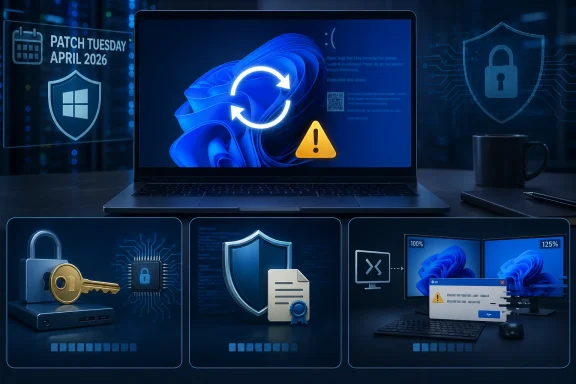
Laptop firmware screen shows “BitLocker recovery key” warning while updating under UEFI and TPM secure boot.Background​

Windows servicing has been slowly evolving for years, and the old expectation that every monthly patch should be a quick one-restart affair is no longer a reliable rule. In Microsoft’s servicing model, multiple components may be staged, replaced, or re-bound across more than one boot cycle, especially when security-sensitive subsystems are involved. Microsoft’s own servicing-stack guidance explains that cumulative updates now bundle the latest servicing stack updates, and the platform can sequence the installation internally in ways that are not always obvious to the user.
That matters because users tend to interpret repeated restarts as a sign of corruption, when in reality the machine may simply be doing more work behind the scenes. If the update touches boot components, encryption bindings, or low-level validation layers, Windows may need to restart several times while it swaps files, updates metadata, and revalidates startup state. Microsoft’s BitLocker documentation explicitly notes that TPM and UEFI firmware updates may require multiple restarts, and that BitLocker suspension must sometimes be planned around those restarts rather than assumed to be a one-and-done process.
The current concern is not just that KB5083769 may reboot repeatedly. The larger issue is that this April 2026 update arrives alongside a known BitLocker recovery problem on systems with an unrecommended group policy configuration, and that combination makes the whole release feel more fragile than a routine Patch Tuesday. Microsoft says the issue can trigger a prompt for the BitLocker recovery key, and it recommends either removing the policy before installation or using a Known Issue Rollback for affected fleets.
There is also a more anecdotal layer to the story. Microsoft Q&A and related reports show that at least some users have experienced boot-loop behavior after the update, including a failure pattern described as a crash followed by a corrupted-looking screen and then a recovery loop. That is not yet enough evidence to conclude the update is broadly broken, but it is enough to make cautious admins slow down and inspect the deployment path more carefully than usual.
From a user-experience perspective, this is exactly the kind of release that can create unnecessary panic. A few extra restarts are irritating but survivable; a BitLocker lockout is disruptive; a genuine boot loop is catastrophic. Those three categories are very different, but they can blur together for anyone watching a machine churn through reboots without a clear progress indicator.

What KB5083769 Is Actually Doing​

The first thing to understand is that a long install is not the same thing as a failed install. The Windows 11 April 2026 cumulative update, KB5083769, is a broad servicing package for Windows 11 versions 24H2 and 25H2, and Microsoft says it includes the latest security fixes and prior non-security improvements. That kind of package can involve more than one reboot when different components need to be replaced in different phases of the startup process.
The surprising part, according to user reports and Windows Latest’s observations, is the number of reboots some systems are taking. One report described four additional restarts beyond the initial restart before the update finally completed, and similar behavior was reproduced on more than one PC. That does not automatically mean the update is broken, but it does mean the user experience is abnormal enough to trigger doubt.

Why multiple reboots can happen​

Some updates touch the servicing stack, security policy state, and boot-time components in a way that requires staged activation. Microsoft’s documentation on servicing stack updates makes clear that the stack is part of how cumulative updates are processed, and that modern cumulative packages are not the old-fashioned one-file, one-reboot affair many users remember. The system may need to cleanly transition from one protected state to another before it can fully complete installation.
In practical terms, that means the update engine may be doing several things in sequence: staging files, validating them during boot, resuming unfinished work, and then finalizing post-boot configuration. If a separate.NET Framework update, boot component update, or security policy adjustment is also in play, the reboot count can climb further. That is why a messy-looking installation sequence is not automatically a red flag.
  • More than one restart can be normal when boot-critical components are changing.
  • A reboot-heavy install is not the same as a stuck install.
  • Security-sensitive updates often stage work across boot cycles.
  • Separate package interactions can make the process look more alarming than it is.
The catch is that Microsoft does not always surface a plain-English explanation to the user at each reboot. So people see the same installer loop over and over and assume failure, even if the update is still making progress. That lack of transparency turns a technical sequencing decision into a trust problem.

The BitLocker Recovery Regressions​

The most serious confirmed issue around KB5083769 is the BitLocker recovery problem documented by Microsoft. The company says devices with an unrecommended BitLocker group policy configuration may be required to enter the BitLocker recovery key after installing the update. That is a major problem because it can turn a routine reboot into a support incident, especially on managed fleets where users do not know where the recovery key is stored.
This is not a theoretical concern. Microsoft’s own support guidance recommends auditing BitLocker group policies before deployment, checking PCR7 binding status, and either removing the policy or applying a Known Issue Rollback. The existence of a workaround suggests the defect is real enough to matter operationally, even if it affects a subset of systems rather than all Windows 11 PCs.

Why BitLocker is so sensitive​

BitLocker does not just encrypt data; it also verifies that the startup environment matches the expected state. If the TPM measurements or boot manager state shift in a way BitLocker considers suspicious, it asks for the recovery key. Microsoft’s BitLocker documentation explains that PCR values and Secure Boot settings play a central role in that validation, and that firmware or boot-state changes can force recovery even when the machine itself is otherwise healthy.
That sensitivity is a feature, not a flaw, but it becomes a problem when updates change the very parameters BitLocker is checking. A policy mismatch can make the system think it has detected tampering, even though the real cause is the update’s interaction with boot configuration. In a consumer setting this is annoying; in an enterprise setting it can interrupt a workday, lock remote users out, and create avoidable help-desk load.
Microsoft’s guidance on BitLocker recovery also notes that TPM and UEFI-related changes may require multiple restarts and that BitLocker should be suspended accordingly. That guidance is mostly written for firmware work, but the principle applies here: if an update changes the boot trust chain, the encryption layer must be given a clean way to adapt. Without that, the next boot can become a recovery event.

Enterprise vs. consumer impact​

The enterprise impact is much worse because policy is usually centralized and BitLocker is often tied into corporate identity, recovery escrow, and device compliance workflows. Microsoft’s KB notes recommend auditing group policy and using KIR where necessary, which is a telltale sign that admins should treat this as a deployment-planning issue rather than a random one-off glitch. Consumer PCs are less likely to have the exact group policy configuration that triggers the bug, but that does not mean they are immune to recovery prompts in general.
For home users, the biggest practical issue is whether the BitLocker recovery key is available in the Microsoft account or otherwise saved. If it is not, the machine can become temporarily inaccessible, and the average user is unlikely to know how to navigate TPM/PCR terminology. That is why BitLocker problems feel disproportionate: they are small in technical scope but huge in user disruption.
  • Managed PCs are at greatest risk of repeatable policy-driven recovery prompts.
  • Home users are most vulnerable if they do not have the recovery key ready.
  • Support teams may need to validate PCR7 and group policy before broad rollout.
  • Recovery screens are not proof of data loss, but they do signal a serious trust-chain mismatch.

The Reported “Death Loop”​

Separate from the BitLocker issue, Microsoft Q&A now contains scattered reports of a boot failure pattern after KB5083769 that sounds like the kind of thing Windows users dread: a visually corrupted screen, a blue-screen recovery prompt, and then a loop back into failure. One complainant described the screen as a “mosaic of weird pixels” before the system entered recovery, which is exactly the sort of symptom that makes people fear either bad drivers or deeper firmware trouble.
At this stage, the key word is scattered. There are not yet enough independent, repeated, high-volume reports to confidently label this a common defect across the Windows 11 installed base. That means the responsible reading is caution, not panic.

Why this matters even if it is rare​

Rare failure modes can still be operationally painful if they strike high-value devices. A desktop in a lab, a workstation on a production floor, or a field laptop used for customer work may matter more than dozens of ordinary consumer machines that never encounter the bug. That is why even a small number of boot-loop reports can change deployment strategy for cautious IT teams.
It also illustrates a broader truth about Windows quality updates: the user sees one event, but the system is juggling many internal states. Graphics initialization, boot validation, disk encryption, and recovery logic all intersect during startup. When one of those layers fails, the symptom set can look chaotic even if the root cause is confined to a narrow code path.
The sensible response is to separate anecdote from pattern. A handful of forum posts can reveal a real issue, but they can also overrepresent a niche hardware or configuration combination. Until the reports widen or Microsoft acknowledges a broader issue, this should be treated as a warning light, not a public alarm bell.

What a real boot loop would imply​

If the boot-loop complaint spreads, it would suggest the update is destabilizing a critical startup dependency, such as driver initialization, boot validation, or recovery environment handoff. That would be much more serious than the multi-reboot behavior, because it would imply the system cannot complete the transition from pre-boot to fully running Windows. In that scenario, Microsoft would likely need an urgent mitigation rather than a routine servicing fix.
  • A single report is not a trend.
  • A boot loop can indicate a deeper startup dependency failure.
  • Visual corruption before recovery often points to a low-level problem.
  • Rare failures still matter when they hit critical machines.

Why Windows Users Keep Seeing More Reboots​

It is easy to forget that update behavior has changed over time. Older Windows servicing patterns often gave users the impression that each patch had a predictable rhythm, but modern Windows updates increasingly mix firmware-adjacent policy, security hardening, and component staging. Microsoft’s own Q&A answers acknowledge that some update sequences now require more than one reboot because the servicing model has changed.
That shift is partly the price of stronger security integration. Windows 11 leans heavily on boot integrity, encryption, and protected startup pathways, which means an update can no longer be treated as merely a file replacement exercise. The trade-off is that the machine becomes safer in theory but more finicky in practice when something goes wrong.

The servicing-stack perspective​

The servicing stack is the plumbing that lets Windows install Windows. Once Microsoft folded servicing-stack content into cumulative updates, the process became cleaner from a packaging standpoint but not necessarily simpler for the user to observe. That is why a monthly update can now look like a chain of restarts rather than a single obvious install event.
This is where documentation and user expectations diverge. Microsoft has a technical model for why multiple restarts happen, but most end users only know that “Patch Tuesday usually means one reboot.” When the software violates that expectation, even correctly, confidence drops. That confidence gap is a product problem as much as a technical one.

The BitLocker overlap problem​

Once BitLocker enters the picture, the reboot story becomes more delicate. BitLocker treats some boot changes as suspicious, so an update that legitimately alters startup state can still provoke a recovery prompt if the transition is not handled cleanly. Microsoft’s own recovery guidance shows that multiple restarts and protector suspension are sometimes required for firmware work, which is a strong hint that the security stack is sensitive to timing and sequencing.
That does not mean Microsoft should not tighten the update experience. It does mean that users and admins need to stop assuming reboot count is a reliable proxy for success or failure. In 2026 Windows, the reboot count is often just the visible surface of a much more complicated state machine.
  • More security hardening means more startup coordination.
  • More startup coordination means more opportunity for confusing behavior.
  • BitLocker can turn benign boot changes into recovery prompts.
  • User expectations have not kept pace with the servicing model.

What This Means for Home Users​

For ordinary Windows 11 users, the most important takeaway is simple: do not assume a flurry of reboots means the update is broken. If the machine eventually returns to the desktop and there is no recovery prompt, the update may merely have taken the long road to completion. That is inconvenient, but it is not the same as failure.
The more important practical step is to be prepared for the possibility of a BitLocker prompt. If your device uses BitLocker, make sure you know where the recovery key lives before installing major updates. Microsoft’s BitLocker preboot guidance makes clear that the recovery screen can appear when boot measurements change, and the key is the difference between a temporary inconvenience and a lockout.

A cautious update routine​

A few simple habits can reduce the stress of a bad patch day. First, back up important files before installing large monthly updates. Second, avoid interrupting repeated restarts unless the machine is clearly stuck for an extended period. Third, keep your Microsoft account recovery details current so the BitLocker key can be retrieved if needed.
The fourth habit is more psychological than technical: wait a bit. Microsoft often resolves newly reported issues quickly, and the first 24 to 72 hours after release are the noisiest period for complaints. If you do not need to patch immediately, postponing the install can be the wisest move, especially when the update is already generating unusual reports. Patience is not laziness here; it is risk management.
  • Confirm your BitLocker recovery key before major updates.
  • Let the update finish unless it is clearly stuck.
  • Back up documents, photos, and work files first.
  • Delay non-urgent installs when early reports look noisy.

What This Means for IT Admins​

For enterprise admins, KB5083769 is not just another Patch Tuesday payload. It is a deployment candidate that deserves policy review, staged rollout, and a recovery plan. Microsoft’s own documentation recommends checking BitLocker group policy, verifying PCR7 binding, and using a Known Issue Rollback when the configuration cannot be changed quickly.
That kind of guidance tells you where the blast radius lives. Managed devices are more likely to have strict firmware, secure boot, and BitLocker settings, which means they are also more likely to be affected by any boot-trust mismatch introduced by the update. In other words, the more mature your endpoint security posture, the more carefully you need to handle this patch.

Deployment strategy​

A sensible rollout would start with a narrow pilot ring, then move to broader deployment only after verifying that no unexpected recovery prompts or reboot anomalies are appearing. Admins should monitor help-desk tickets, startup failures, and BitLocker event logs closely during the first wave. If the organization relies on PCR7-related policy settings, the policy should be reviewed before deployment rather than after the fact.
The other important factor is communications. Users need to know that an update may restart several times, that they should not power off the machine mid-process unless instructed, and that a BitLocker prompt is not something to ignore. A small amount of pre-briefing can prevent a lot of panic calls. Clear messaging is part of patching now.

Practical admin checklist​

  • Audit BitLocker policy settings and confirm whether PCR7 is explicitly configured.
  • Validate that recovery keys are escrowed and accessible for the affected population.
  • Pilot KB5083769 on a small ring before broad rollout.
  • Track reboot counts and BitLocker prompts as explicit rollout metrics.
  • Prepare rollback and support procedures in case recovery failures appear.
  • Policy review should happen before deployment, not during an incident.
  • Recovery-key escrow is only useful if it is actually reachable.
  • Pilot rings are the best defense against broad disruption.
  • Help-desk scripts should mention extra reboots as a possible normal outcome.

Strengths and Opportunities​

The upside here is that Microsoft is at least documenting the issue promptly and offering workarounds for the confirmed BitLocker regression. The multi-reboot behavior, while unsettling, may simply reflect the complexity of the install path rather than a deep software failure. If Microsoft gets ahead of the narrative, it can turn a confidence problem into a manageable servicing quirk.
  • The update appears to complete successfully on many machines despite the extra restarts.
  • Microsoft has already documented the BitLocker problem and published mitigation steps.
  • The issue creates an opportunity to improve update transparency for users.
  • Enterprises can use the event to tighten BitLocker policy hygiene.
  • Better pre-update messaging could reduce avoidable support calls.
  • Microsoft can still separate benign reboot storms from true defects in its communications.
  • This could push more users toward smarter backup and recovery-key habits.

Risks and Concerns​

The obvious risk is that users will conflate ordinary multi-reboot behavior with catastrophic failure and force power cycles or hard resets that make things worse. The BitLocker bug is more dangerous because it can lock devices out of the normal boot path, and any broader boot-loop issue would be even more disruptive. If more reports emerge, confidence in Windows 11 update reliability could take another hit at precisely the wrong time.
  • Users may interrupt a legitimate install because they think it is hung.
  • BitLocker prompts can block access when the recovery key is not available.
  • Enterprise policy mismatches can create repeated recovery events across fleets.
  • A genuine boot loop would be a far more serious defect than extra restarts.
  • Early anecdotal reports can amplify fear before the real scope is known.
  • Confusing reboot behavior undermines trust in Patch Tuesday.
  • Support teams may face a spike in incidents even if only a subset of devices are affected.

Looking Ahead​

The next few days and weeks will determine whether KB5083769 is remembered as a noisy but mostly harmless update or as the start of another Windows quality-control headache. If Microsoft keeps the BitLocker issue visible and the boot-loop reports remain isolated, the practical advice will be simple: let the update finish, keep your recovery key handy, and do not overreact to extra restarts. If the reports widen, the company will need to respond quickly with more explicit remediation guidance.
For now, the best interpretation is cautious but measured. The reboot storm is irritating, the BitLocker issue is real, and the boot-loop complaints deserve monitoring, but the evidence does not yet justify treating every Windows 11 April install as a disaster. In Windows land, that may count as good news.
  • Watch Microsoft’s release-health guidance for any change in status.
  • Monitor whether BitLocker recovery prompts expand beyond the current known configuration.
  • Track whether the reboot-heavy behavior appears on a wider range of hardware.
  • Keep recovery media and recovery keys available before applying the update.
  • Hold back broad enterprise rollout until pilot results are clean.
  • Pay attention to whether Microsoft publishes a more direct explanation for the multiple-reboot sequence.
Windows updates have always been a balancing act between security, stability, and convenience, but KB5083769 makes that trade-off unusually visible. The multi-reboot path may yet prove to be nothing more than an awkward installation route, while the BitLocker bug and boot-loop reports remain the real issues that deserve attention. For users and admins alike, the smart move is not panic, but preparation.

Source: TweakTown Don't panic if Windows 11's April update reboots loads of times - it should install fine in the end by all accounts
 

Windows 11’s April 2026 security update is doing something far more alarming than just taking a long time to install: on a narrow set of systems, it can trigger a BitLocker recovery prompt at the next reboot. Microsoft has now documented the issue in KB5083769 and says the condition is tied to a very specific TPM, Secure Boot, and BitLocker policy combination, which is why most devices will never see it. But for managed PCs that do meet the trigger, the result is a boot-time lockout that can look, to users, exactly like corruption. Microsoft’s own support guidance now recommends either changing the Group Policy before installation or using a Known Issue Rollback on affected fleets.

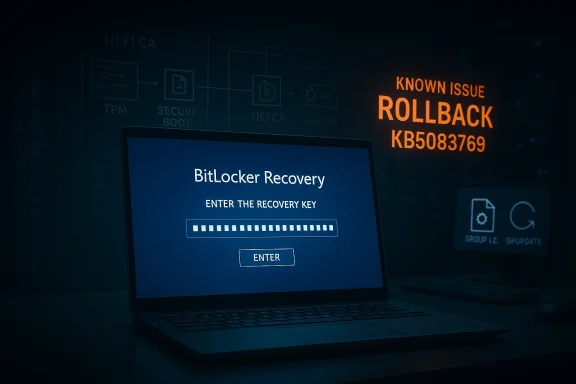
Laptop screen shows BitLocker Recovery key prompt with “Known issue: Rollback KB5083769” error message.Background​

The April 14, 2026 cumulative update for Windows 11, KB5083769, is not a tiny patch. Microsoft describes it as the monthly security update for Windows 11 versions 24H2 and 25H2, with security fixes and prior non-security improvements rolled into one package. That means it can touch servicing infrastructure, boot-time components, and platform trust state in ways that are much more complex than an ordinary app update. In other words, a “long reboot” does not automatically mean failure, but it does mean the system is doing more work under the hood.
That complexity matters because Windows has been modernizing its boot trust chain. Microsoft has been rolling out Secure Boot-related changes and preparing systems for certificate transitions, including the Windows UEFI CA 2023 path. Those changes are good for security, but they also create the kind of edge cases where BitLocker can decide a device no longer looks exactly like the one it encrypted against. When that happens, BitLocker does what it is designed to do: it pauses and asks for recovery.
This is why the current issue feels larger than a routine Patch Tuesday annoyance. A normal desktop glitch is inconvenient; a BitLocker recovery prompt at boot is a full stop. It happens before Windows fully loads, which means remote troubleshooting is harder, local self-service depends on having the recovery key, and enterprise support desks suddenly become the front line of a security event. Microsoft’s recovery guidance makes clear that the 48-digit key must be located by key ID, often from a Microsoft account or a work/school escrow location, which is a workable process only if the organization has been disciplined about key management.
What makes the April 2026 problem especially interesting is that Microsoft has not described it as a broad consumer outage. Instead, the company has framed it as an issue that affects devices with a very particular combination of BitLocker settings, Secure Boot state, and firmware trust assets. That tells you two things at once: the defect is real, and the population at risk is narrow enough that many users will never see it. The bad news is that the narrow population is often the one that matters most to IT.

Overview​

BitLocker is supposed to be strict. It protects data by validating the machine’s startup environment before it unlocks the operating system drive. If the platform measurements do not match what the TPM expects, BitLocker treats the difference as potentially suspicious and falls back to recovery. That behavior is not a bug in itself; it is the security model working as intended. The problem is that Windows updates, firmware changes, and trust-chain transitions can look a lot like tampering even when they are perfectly legitimate.
Microsoft’s own BitLocker documentation explains why PCR 7 matters so much. When Secure Boot State PCR7 support is available, the default validation profile uses PCR 7 and PCR 11, and Microsoft recommends leaving this policy alone so Windows can choose the best balance of security and usability for the hardware. When administrators override that default, they are taking control of a highly sensitive boot measurement path. That can be useful in tightly managed environments, but it also increases the chance that a firmware or boot-manager transition will trigger recovery.
The April 2026 issue appears to be exactly that sort of mismatch. Microsoft says the trigger involves BitLocker being enabled on the OS drive, a TPM platform validation profile that explicitly includes PCR7, Secure Boot State PCR7 Binding showing “Not Possible,” the UEFI CA 2023 certificate being present in the Secure Boot database, and the device not yet running the 2023-signed Windows Boot Manager. That is a very specific set of preconditions, and it explains why Microsoft is treating this as a configuration problem rather than a mass-market outage.
The practical implication is that the issue sits at the intersection of policy, firmware, and update sequencing. If a device is already halfway through a Secure Boot trust transition, the update can force BitLocker to re-evaluate the platform in a way that looks like a risk event. That does not mean the PC is corrupted. It means Windows has detected a change in the early-boot trust chain and is refusing to assume everything is fine without the recovery key.
For consumers, that usually translates into panic. For enterprises, it translates into a checklist. The difference is organizational maturity: whether the recovery key is escrowed, whether the policy is standardized, and whether administrators know exactly which endpoints are using explicit PCR7 binding. Microsoft’s guidance makes clear that IT should audit those settings before deploying the update, not after the first wave of lockouts.

Why BitLocker Recovery is So Disruptive​

The main reason this incident feels dramatic is that BitLocker recovery is not a friendly error state. It is a pre-boot challenge that effectively says, “This machine no longer proves it is the machine we trusted yesterday.” That is powerful from a security standpoint, but it is brutal from an operational one. If the user is at home without the recovery key, the computer stops being a working endpoint and becomes a locked vault.

The 48-digit bottleneck​

Microsoft’s recovery flow depends on the recovery key ID and the associated 48-digit key. Users are instructed to locate the correct key in a Microsoft account, work/school account, printout, or USB backup, then enter it on the recovery screen. That is manageable when the key is readily available. It becomes a crisis when it is not.
In a consumer setting, the most common fallback is a personal Microsoft account, because device encryption and BitLocker keys are often backed up automatically. In an enterprise setting, the key may live in Entra ID, a directory escrow system, or an endpoint management platform. That means the problem is less about remembering a password and more about whether recovery metadata is actually discoverable under pressure.

Why it feels like corruption​

A user who sees repeated reboots or a sudden recovery prompt naturally assumes the drive is damaged. But BitLocker recovery is not evidence of disk corruption by itself. It is evidence that the startup environment changed in a way the TPM did not accept as normal. That distinction is subtle in technical terms and invisible in emotional terms, which is why these incidents spread confusion so quickly.
This is also why the timing matters. Microsoft says the prompt can appear on the first restart after installing KB5083769, and then generally does not recur unless the relevant policy changes again. So the experience is often a one-time trapdoor: the machine boots, asks for the key, and then behaves normally afterward. That is reassuring in one sense, but it does not help the person stranded at the recovery screen on patch night.

Enterprise impact versus consumer impact​

The enterprise risk is much larger because fleets depend on consistency. A single policy or firmware misalignment can affect multiple devices, and each one may need a recovery key to continue. For remote workers, that is especially painful because the help desk cannot always reach the physical machine or escort the user through the recovery process in real time.
Consumers are less likely to have the specific group policy that triggers Microsoft’s documented bug, but they are not insulated from BitLocker anxiety. Most users do not know what PCR7 is, and they certainly do not want to learn it after a reboot. So even a narrow technical bug has a much wider reputational shadow across the Windows ecosystem.

What Microsoft Actually Confirmed​

Microsoft’s support notes for KB5083769 now include a known issue for devices with an unrecommended BitLocker Group Policy configuration. The company says such devices might be required to enter their BitLocker recovery key after installing the update, and it explicitly ties the behavior to the Secure Boot transition path. That is as close as you get to an official acknowledgment that the problem is not anecdotal.

The documented trigger conditions​

Microsoft’s criteria are unusually specific. BitLocker must be enabled on the operating system drive. The policy “Configure TPM platform validation profile for native UEFI firmware configurations” must explicitly include PCR7. System Information must show “Secure Boot State PCR7 Binding” as “Not Possible.” The UEFI CA 2023 certificate must be present in the Secure Boot DB. And the device must not already be using the 2023-signed Windows Boot Manager.
That list matters because it tells administrators this is not a random rollout failure. It is a configuration intersection. Microsoft is effectively saying that if your boot trust chain is already in a particular transitional state, the April update may force a validation event that lands in recovery. That is very different from “the update broke BitLocker for everyone.”

Why the first reboot is the danger point​

Microsoft says the prompt generally appears on the first reboot after installation. After the recovery key is entered, the machine should boot normally on subsequent restarts, assuming policy stays unchanged. That is the signature of a trust-binding re-evaluation, not a permanently damaged encryption layer.
The first reboot after patching is already a high-alert moment for administrators. If a security update also changes the boot chain, the risk of false alarms climbs sharply. That is why the problem is so disruptive even though Microsoft calls it limited. A one-time lockout can still be a major incident if it happens to the wrong machine at the wrong time.

Why Microsoft recommends policy review​

Microsoft’s guidance is clear: enterprises should audit BitLocker group policies, check PCR7 binding status with msinfo32, and remove the explicit PCR7 configuration if possible before installing the update. If the policy cannot be removed quickly, Microsoft says a Known Issue Rollback can be deployed through support channels. That is a very enterprise-specific remedy, and it underlines how much this issue depends on deployment discipline.
  • Check whether BitLocker is enabled on the OS drive.
  • Confirm whether PCR7 is explicitly included in the TPM validation profile.
  • Verify whether msinfo32 reports PCR7 binding as “Not Possible.”
  • Determine whether the device is already on the 2023-signed Windows Boot Manager.
  • Use a KIR only when policy changes are not practical before rollout.

The Role of Secure Boot and PCR7​

This story is really about Secure Boot as much as it is about BitLocker. Secure Boot ensures that the computer’s preboot environment loads only firmware that is signed by trusted publishers. BitLocker then uses platform measurements from that environment to decide whether the machine still deserves automatic unlock. When the trust chain changes, BitLocker becomes conservative by design.

Why PCR7 is special​

PCR7 is tied to Secure Boot state. Microsoft says that when PCR7 support is available, BitLocker’s default platform validation profile can secure the key using Secure Boot State PCR7 and PCR11. The company also recommends not explicitly configuring that policy in most cases, because leaving Windows to choose the profile gives the best balance of security and usability.
That guidance is important because it explains the whole failure mode. If an administrator has hardened the system by forcing PCR7 into the validation profile, and the machine is in a state where PCR7 binding is not possible, the update can expose the mismatch. In effect, the policy is more brittle than the default.

The 2023 certificate transition​

The presence of the UEFI CA 2023 certificate is another clue that Microsoft is managing a broader boot-chain transition. If the certificate is in place but the machine has not yet switched to the 2023-signed boot manager, the platform can be caught between eras. BitLocker does not care that the transition is “almost” complete; it cares whether the measurements line up right now.
That is why these incidents often hit the most security-conscious systems first. The better managed the device, the more likely it is to use explicit policy and staged trust updates. Those are good practices, but they also create more points where a monthly update can surface a previously hidden mismatch.

Why this is not just a Windows 11 problem​

Microsoft’s documentation around PCR7 and Secure Boot is broader than a single update cycle. The same trust mechanics are used across modern Windows endpoints, and the company’s guidance makes clear that PCR7 binding issues can show up when firmware, certificates, or image signing do not align. That means the April 2026 episode is less a one-off bug than a reminder that boot trust is becoming an ongoing maintenance surface.
  • Secure Boot is about trusted early boot execution.
  • BitLocker is about verifying that the trusted boot path still matches expectations.
  • PCR7 is the measurement that links the two.
  • The April update appears to trip devices that are mid-transition between boot trust states.

What Affected Users Should Do​

The immediate priority is simple: if the machine is already at the recovery screen, enter the correct BitLocker recovery key once and let the PC boot normally. Microsoft says this is usually a one-time recovery event, so the device should not keep demanding the key on every restart unless the relevant policy changes again.

Recovery steps in practice​

To find the key, Microsoft tells users to note the recovery key ID from the prompt, then locate the matching key in a Microsoft account, work or school account, printout, or USB backup. If the PC belongs to an organization, the IT department may already have the escrowed key. If not, the machine may be effectively stranded until the key is found.
Once the key is entered, the machine should continue into Windows and should not need the key again on every boot. That is the good news. The bad news is that if the underlying configuration remains unchanged, the next boot-cycle event that touches the trust chain could trigger a similar recovery request again.

How to prevent it before the next reboot​

If the update has not yet been installed, Microsoft’s recommended move is to set the TPM validation policy to Not Configured, refresh policy with gpupdate /force, suspend BitLocker protectors on the system drive, and then re-enable them after the policy change has been applied. That sequence allows Windows to rebind BitLocker using its default PCR profile.
  • Open Group Policy Editor.
  • Navigate to the BitLocker operating system drive policy path.
  • Set the TPM validation profile policy to Not Configured.
  • Run gpupdate /force.
  • Suspend BitLocker protectors with manage-bde -protectors -disable C:.
  • Re-enable them with manage-bde -protectors -enable C:.
That workflow is not glamorous, but it is the right kind of boring. It reduces the chance that BitLocker sees the update-driven boot transition as a tamper event. For organizations that cannot make the policy change in time, Microsoft says to contact support for the KIR option.

What not to do​

Do not assume that every reboot-heavy install is broken. Multiple restarts can be normal when boot-critical components are being staged. At the same time, do not ignore a BitLocker screen and hope it resolves itself. A recovery prompt is a deliberate security decision, not a transient UI hiccup.
  • Do not panic-uninstall the entire update estate without checking whether the fleet matches the trigger.
  • Do not leave recovery keys untested or unescrowed.
  • Do not assume consumer and enterprise recovery behavior will be identical.
  • Do not keep explicit PCR7 validation enabled if your environment does not actually need it.
  • Do not reboot heavily managed systems without a recovery plan.

Why This Matters to Microsoft’s Servicing Reputation​

Windows updates have a credibility problem whenever they interrupt boot. Users can forgive a slow installer, a cosmetic bug, or even a temporary settings glitch. They are far less forgiving when the operating system asks them to prove they own the machine before the desktop appears. BitLocker recovery is the kind of problem people remember, even if the affected population is relatively small.

The trust-cost of monthly servicing​

Microsoft is trying to do two hard things at once: harden the platform and keep the update cycle predictable. The April 2026 case shows how easy it is for those goals to collide. A security update that moves the boot chain forward can still be perceived as “the thing that locked my PC.” That reputational cost is real, especially in organizations that already approach Patch Tuesday with caution.
There is also a subtler issue. When users see extra reboots, recovery screens, and policy language like PCR7, they stop thinking of Windows as a stable appliance and start thinking of it as a fragile system that needs babysitting. That is not a healthy perception for Microsoft’s long-term servicing model. Security-positive changes lose their appeal fast if users experience them as surprise lockouts.

The enterprise lesson​

For enterprise IT, the lesson is not to avoid Secure Boot modernization. It is to treat it as a migration project, not a routine patch. That means verifying policy state, boot-manager versions, certificate rollout status, and recovery-key escrow before broad deployment. The April update simply exposed how tightly those pieces are now connected.
  • Boot trust changes need staging, not improvisation.
  • BitLocker policy should be as standardized as possible.
  • Recovery keys should be testable before patch day.
  • Firmware and certificate rollouts need the same discipline as OS updates.
  • Pilot rings matter more when the boot chain is changing.

Strengths and Opportunities​

There is a positive story hidden inside this mess. Microsoft has at least documented the issue quickly, bounded the affected population, and provided a clear remediation path. For admins, the fact that the company has spelled out the exact trigger conditions is useful because it turns a vague scare into something that can be audited and controlled. That is not perfect, but it is better than silence.
  • The issue is narrowly scoped rather than system-wide.
  • Microsoft has published concrete trigger conditions.
  • The workaround is understandable for IT staff.
  • A one-time recovery event is less damaging than persistent lockout.
  • The KIR option gives enterprises a deployment safety valve.
  • Microsoft’s documentation helps turn speculation into a real checklist.
The bigger opportunity is for organizations to tighten their BitLocker hygiene. If this update forces admins to review recovery-key escrow, PCR7 policy, and Secure Boot state, that work may pay dividends later. In security, the unpleasant audit is often the one that reveals the weak link before a more serious outage does. That is the upside of being forced to look closely.

Risks and Concerns​

The obvious risk is support overload. If even a modest number of managed endpoints hit the recovery screen at the same time, help desks will be flooded with key-retrieval requests and walk-throughs. The secondary risk is that users, not understanding the difference between a legitimate recovery event and corruption, may believe the patch ruined their machine.
  • Recovery keys may not be easy to locate quickly.
  • Remote users may be stranded away from IT support.
  • Explicit PCR7 policies create avoidable fragility.
  • Secure Boot transitions can collide with update timing.
  • Extra reboots can mask whether installation is progressing normally.
  • Public confidence in Windows updates can erode even when the bug is narrow.
There is also a longer-term concern about trust-chain complexity. The more Microsoft evolves Secure Boot and boot-manager signing, the more opportunities there are for policy drift and firmware mismatch. That is a security win in theory and an operational headache in practice. If the company wants organizations to keep embracing these transitions, it must keep making the path less surprising, not more.

Looking Ahead​

The key question now is whether Microsoft can complete the Secure Boot transition without turning every monthly update into a mini forensic exercise. The April 2026 KB5083769 issue is contained, but it is also a warning shot: boot trust is becoming a first-class servicing concern, not a background detail. That means the quality bar for future patches has to include not just installation success, but also reboot predictability and recovery behavior.
Microsoft says a permanent resolution is planned in a future Windows update. Until then, enterprises will probably treat this as a deployment-planning issue, not a reason to skip security updates entirely. That is the right instinct. The challenge is making sure the balance between security and availability does not tip too far toward lockouts every time Microsoft updates the boot chain.
  • Watch for a future update that removes the recovery trigger entirely.
  • Monitor whether Microsoft expands KIR guidance for more environments.
  • Check if more Secure Boot transitions surface similar BitLocker edge cases.
  • Track whether enterprises revise BitLocker policies toward default profiles.
  • Watch for clearer tooling around PCR7 binding and boot-manager status.
For now, the message is clear: if your Windows 11 fleet uses a custom BitLocker validation profile, April’s update deserves more attention than usual. The patch itself may be routine, but the trust chain it touches is not. And in modern Windows, that is often the difference between a normal reboot and a very bad morning.

Source: Windows Central https://www.windowscentral.com/micr...-breaks-bitlocker-for-some-pcs-heres-the-fix/
 

Windows 11’s April 2026 security update has landed in the worst possible place for a patch: the boot path. Microsoft’s KB5083769 can trigger BitLocker recovery on a narrow set of systems, and that means some users are being dropped into a lockout screen before Windows fully loads. For enterprise IT teams, this is more than an inconvenience; it is a recovery-key problem, a support-desk problem, and a trust problem all at once. The good news is that the trigger appears to be highly specific, which limits the blast radius, but the bad news is that the affected machines are often the most carefully managed ones.

A laptop screen shows a blue BitLocker recovery key prompt in a secure IT maintenance theme.Overview​

April’s Windows servicing cycle is rarely dull, but this one is especially awkward because it combines a standard monthly cumulative update with boot-trust changes that can alter how BitLocker evaluates a machine’s startup state. The file search results show that KB5083769 is not just a routine patch; it is the monthly security package for Windows 11 24H2 and 25H2, and Microsoft is folding prior improvements into it as well. That matters because cumulative updates can touch more of the system than users expect, including components involved in TPM measurement and Secure Boot validation.
BitLocker is designed to be conservative, not forgiving. When the boot chain changes in a way that does not line up with the stored trust profile, it asks for recovery by design. The April 2026 issue appears to occur when that trust profile collides with a very specific firmware-and-policy combination, especially on systems where PCR7 binding is involved and the boot manager transition has not fully completed. In other words, this is less like a random crash bug and more like a trust mismatch exposed by the update.
This is also why the story has an enterprise flavor even if home users are seeing the headlines. Microsoft’s own guidance, as reflected in the retrieved results, focuses on group policy, PCR7 validation profiles, and Known Issue Rollback options for managed fleets. That is the language of deployment hygiene, not consumer troubleshooting. It suggests the issue is real, but narrow enough that Microsoft is treating it as a configuration interaction rather than a broad Windows 11 outage.
The broader context matters too. Microsoft has been modernizing the boot trust chain throughout 2026, including Secure Boot-related transitions and certificate rollouts. Those improvements are supposed to harden Windows against future risks, but they also create exactly the sort of edge cases where BitLocker can decide a device no longer looks like the one it encrypted against. That tension between better security and worse convenience is the heart of the April bug.

What Microsoft Says Is Happening​

The most important fact is that Microsoft has documented the issue as a known problem tied to a specific configuration, not as a generic failure across all Windows 11 PCs. The results show that KB5083769 can prompt for BitLocker recovery after a reboot, and the prompt is most likely to appear on the first restart after installation. Microsoft also says the event is usually one-time, meaning subsequent restarts should be normal unless the policy changes again.

The trigger conditions​

Microsoft’s trigger profile is unusually detailed. The issue requires BitLocker to be enabled on the OS drive, the TPM validation policy to explicitly include PCR7, Secure Boot State PCR7 Binding to show “Not Possible,” the Windows UEFI CA 2023 certificate to be present, and the device not yet to be running the 2023-signed Windows Boot Manager. That combination is why most consumer PCs probably will never see the problem. It is also why the affected set is likely to overlap heavily with managed enterprise systems.
The specificity is useful because it shifts the conversation from vague panic to targeted triage. If you are an admin, you now know what to inspect: PCR7 binding status, BitLocker policy, and boot-manager state. If you are a consumer, the existence of that list is still useful because it explains why the issue is not universal and why some people can install the update with no drama while others hit a recovery wall.

Why the first reboot matters​

Microsoft and the forum results both emphasize the first reboot after installation as the danger point. That is the moment when Windows re-evaluates platform measurements, rebinds security state, and decides whether the system still matches the expected boot profile. If the update nudges the machine across a trust boundary, BitLocker reacts immediately.
That does not mean the update is corrupting disks or destroying data. It means the platform is intentionally conservative. BitLocker is asking a hard question—is this still the same machine I encrypted before?—and the April update makes the answer ambiguous enough to force recovery. That distinction matters because it changes how administrators should respond. This is not the same as a failed install that can simply be rolled back and forgotten.

Why PCR7 Is at the Center of the Story​

PCR7 is the technical hinge that links Secure Boot and BitLocker. The retrieved material repeatedly points to PCR7 because it is the measurement BitLocker uses to decide whether the platform’s boot path still matches the expected trusted state. When Microsoft says the TPM validation profile explicitly includes PCR7, it is effectively making the encryption layer more sensitive to boot-chain shifts.

The security logic behind the prompt​

From a security standpoint, the behavior makes sense. BitLocker exists to protect data if someone tampers with firmware, boot loaders, or startup integrity. If the machine’s measurements change, BitLocker assumes the change could be malicious and demands the recovery key. That is why the screen appears before Windows finishes loading: it is supposed to be a pre-boot trust boundary, not a friendly desktop dialog.
The downside is that legitimate platform maintenance can look like tampering. Secure Boot certificate transitions, boot-manager updates, and TPM policy alignment can all nudge measurements enough to trigger the recovery path. In the April 2026 cycle, Microsoft appears to be pushing systems toward newer trusted boot assets at the same time that BitLocker policies are still expecting the older measurement state. That is a classic update-transition trap.

Why strict policy can be brittle​

One theme that stands out in the source material is that explicit PCR7 validation can be more brittle than leaving Windows to choose the default profile. Microsoft’s guidance, as reflected in the files, suggests that forcing the validation profile into a hard-coded state can backfire when the machine is mid-transition between boot trust states. In practical terms, the policy becomes a liability when the firmware and boot manager are no longer in perfect lockstep.
That is an important lesson for administrators who like to harden every available knob. Security policy is strongest when it is aligned with the platform’s actual state, not when it is merely strict on paper. The April issue is a reminder that over-specifying trust can reduce resilience when the platform evolves underneath it.
  • PCR7 is the measurement that ties Secure Boot to BitLocker trust.
  • Explicit policy can be more fragile than default behavior.
  • Boot-chain changes can look like tampering to BitLocker.
  • A valid security transition can still cause an operational lockout.
  • The issue is about trust mismatch, not random encryption failure.

The Enterprise Problem Is Bigger Than the Consumer Problem​

For home users, the main risk is inconvenience and lost time. For enterprises, the risk is scale. A handful of identical devices hitting BitLocker recovery at the same moment can create a support queue, delay user work, and force IT staff to locate escrowed keys under pressure. That is why Microsoft’s mitigation language is so focused on managed environments and deployment sequencing.

Why managed fleets feel this first​

The affected devices are likely to be the most secure devices in the fleet. Those are also the systems most likely to have formalized BitLocker policy, stricter TPM validation profiles, and more deliberate Secure Boot management. That combination is excellent for hardening, but it also makes the machines more sensitive to trust-chain changes introduced by monthly servicing. In other words, the better you have your fleet tuned, the more likely a boot trust mismatch is to surface.
Remote work makes the problem worse. When a device is sitting at the recovery screen, endpoint management tools may be useless if the machine cannot finish booting. If the user is at home, or the device is in the field, or the recovery key is not correctly escrowed, the outage becomes operationally messy very quickly. That is why a one-time recovery event can still be serious.

The key-management angle​

BitLocker recovery is only manageable when organizations have disciplined key storage. Microsoft’s recovery guidance, as surfaced in the results, depends on the 48-digit key being retrievable by key ID from a Microsoft account, work or school account, printout, USB backup, or corporate escrow. If that system is sloppy, the recovery prompt becomes a dead end instead of a controlled security event.
This is why many IT teams treat BitLocker not as a checkbox but as an operational process. The encryption itself is easy; the key lifecycle is the hard part. The April 2026 update is a reminder that recovery planning is not optional when boot trust changes are part of the Windows servicing roadmap.
  • Managed fleets are most exposed because they use the strictest policies.
  • Remote devices are hardest to recover when BitLocker intervenes.
  • Recovery keys must be escrowed and tested before deployment.
  • A single policy mismatch can affect many endpoints at once.
  • The support burden is often bigger than the technical defect itself.

Microsoft’s Workaround Strategy​

The workaround guidance in the source material is practical, if not elegant. Microsoft recommends adjusting the TPM validation profile policy before installation, refreshing policy, suspending BitLocker protectors, and then re-enabling them so Windows can rebind the encryption state under the default profile. That is the sort of procedure that makes perfect sense to an administrator and very little emotional sense to a user.

The step sequence​

The retrieved material describes a familiar administrative sequence: open Group Policy Editor, navigate to the BitLocker operating system drive settings, set the TPM validation profile to Not Configured, run gpupdate /force, suspend BitLocker protectors on C:, and then re-enable them. That sequence is not glamorous, but it is the right kind of boring for a problem like this. It reduces the chance that BitLocker will see the update-driven boot transition as a tamper event.
The existence of a clean sequence also tells us something about the nature of the problem. Microsoft is not asking administrators to abandon the update or wipe the device. It is asking them to align the platform state before the reboot changes the measurements. That suggests the issue is rooted in configuration drift more than in permanent corruption.

Known Issue Rollback as a safety valve​

Microsoft’s use of Known Issue Rollback, or KIR, is another clue that the company sees this as a deployment interaction. KIR is typically the escape hatch for problems that need mitigation while a permanent fix is being prepared. Its presence here means Microsoft has enough confidence in the trigger conditions to recommend a temporary safeguard rather than a full retreat from the update channel.
That is reassuring, but only up to a point. KIR helps organizations avoid immediate pain, yet it also reinforces the broader lesson: modern Windows servicing has become a choreography problem. Updates, policy, firmware, and encryption all have to land in the right order. If they do not, even a security improvement can become a boot-time incident.
  • Set TPM validation policy to Not Configured before rebooting.
  • Refresh group policy with gpupdate /force.
  • Suspend BitLocker protectors on the system drive.
  • Re-enable protectors after the platform rebinding completes.
  • Use Known Issue Rollback where policy changes cannot happen fast enough.

Why Secure Boot Transitions Are So Delicate​

Secure Boot is not a binary switch in the real world. It is a chain of trust built on firmware databases, signed boot managers, and evolving platform measurements. When Microsoft updates any part of that chain, it can change what BitLocker sees on startup, even if the end user never touched encryption settings. That is why April’s issue feels so specific and so unsettling at the same time.

Certificates, boot managers, and the 2023 transition​

The file results repeatedly mention the Windows UEFI CA 2023 certificate and the 2023-signed Windows Boot Manager. That points to a broader migration in the trusted boot ecosystem. If a device has the newer certificate but has not yet fully shifted to the newer boot manager, it can land in an in-between state that BitLocker treats cautiously.
That “in-between” condition is where many platform issues live. Security transitions are rarely clean cut because fleets contain old firmware, updated firmware, mixed boot assets, and uneven policy baselines. When Microsoft nudges the ecosystem toward a newer trust anchor, the update may be technically correct but still operationally noisy. That is the hidden cost of security modernization.

The June 2026 backdrop​

The results also mention a broader Secure Boot certificate expiration horizon in June 2026. Even without going beyond the retrieved text, the implication is clear: Microsoft is under pressure to move Windows systems onto newer trust material before the older paths age out. That makes April’s issue feel less like an isolated glitch and more like a symptom of a larger platform migration.
This is the same pattern we see across many infrastructure transitions. The engineering goal is correct, but the installed base is messy. Every certificate rollover, boot-manager change, and policy adjustment has a chance to surface a dormant incompatibility. In a perfect lab, those changes are invisible. In the field, they are support tickets.
  • Secure Boot is a trust chain, not a single feature.
  • Certificate rollovers can expose latent policy mismatches.
  • Mixed hardware and firmware states complicate updates.
  • Boot-manager transitions are especially sensitive.
  • Security modernization often creates short-term operational noise.

Multiple Reboots Are Not the Same as Failure​

One thread in the retrieved material suggests that some users are seeing extra reboot cycles during the KB5083769 install. That is worth separating from the BitLocker recovery issue, because the two problems are related only in the broad sense that they both involve the boot process. Multiple restarts can be normal when servicing stack updates, boot-critical components, or framework layers are being staged.

Why the install can look worse than it is​

Modern Windows updates do more than replace files. They can stage components, validate them on boot, resume unfinished work, and finalize configuration after the system comes back up. If a .NET Framework update, a boot asset change, or a security policy adjustment is in play, the machine may need several cycles to complete the sequence. That can look alarming to users, but it does not automatically mean the update failed.
The problem is that Windows does not always explain the sequence clearly enough for users to distinguish progress from failure. So a legitimate multi-reboot workflow can feel like a stuck install. That lack of transparency is a user-trust issue as much as a technical one, because people judge stability by what they can see on the screen.

Where the line gets blurry​

The source material also hints at more serious boot problems, including reports of boot loops and blue-screen behavior, though these are not described as widespread enough to draw firm conclusions. That means IT teams should not confuse “extra restarts” with “broken update,” but they should also not dismiss every complaint as user error. The sensible reaction is to watch for patterns, not to assume either disaster or innocence too quickly.
This is exactly where deployment rings matter. Pilot machines should absorb the uncertainty first, leaving administrators time to detect whether the issue is merely a lengthy reboot sequence or a true startup failure. In the April 2026 cycle, that discipline looks less like caution and more like survival.

What This Means for Windows Servicing​

The deeper story here is not just that one Windows 11 update caused a BitLocker scare. It is that Windows servicing has become a high-stakes coordination problem across firmware, policy, encryption, and boot assets. The more Microsoft hardens the platform, the more likely it is that updates will brush against trust boundaries users never knew existed.

The trust cost of modernization​

This is the tradeoff Microsoft has been living with for years. Security teams want stronger defaults, stricter validation, and more resilient boot security. Users want patches to install cleanly and disappear into the background. When those goals collide, the result is a screen that says, in effect, “prove this is still your machine.” That may be the right security answer, but it is always a painful user answer.
The reputational cost is significant because boot issues are memorable. A slow app or a cosmetic bug is easy to forgive. A device that demands a recovery key before the desktop appears is not something users forget. That is why this class of problem hits Microsoft’s servicing credibility harder than many other bugs.

Enterprise versus consumer expectations​

Enterprises can plan around this with policy audits, recovery key escrow, and controlled rollout rings. Consumers cannot. Home users are much more likely to see the prompt as a mysterious lockout than as a policy interaction. That makes the same issue feel like a security event in one environment and a panic event in another.
The broader implication is that Windows needs more clarity around boot-state transitions, not just better fixes after the fact. If the platform is going to keep evolving its trust chain, users and admins need earlier, clearer warning signals. Otherwise, every successful hardening step risks looking like a failure at the worst possible moment.

Strengths and Opportunities​

The upside here is that Microsoft appears to have identified a narrow trigger and a practical mitigation path. That means this looks like a manageable servicing problem rather than a platform-wide failure. For IT teams, the opportunity is to tighten policy hygiene, improve recovery-key discipline, and use the incident as a dress rehearsal for future boot-chain transitions.
  • The affected population appears narrowly defined.
  • Microsoft has documented the trigger conditions clearly.
  • Administrators have a pre-install mitigation path.
  • The issue reinforces better recovery-key escrow practices.
  • Enterprises can use ring-based rollout to contain risk.
  • The situation highlights the value of KIR and staged deployment.
  • The episode may improve long-term boot-policy discipline.

Risks and Concerns​

The downside is equally clear: a BitLocker recovery prompt is one of the most disruptive failures a Windows user can see, because it strikes before normal recovery tools are available. If keys are missing, escrow is broken, or users are remote, the support burden rises fast. The episode also shows how fragile trust-chain transitions can be when policy and firmware are not perfectly aligned.
  • Recovery prompts can strand remote devices.
  • Missing escrowed keys turn a prompt into downtime.
  • Strict PCR7 policy can be brittle during boot transitions.
  • Users may confuse normal multi-reboot installs with failure.
  • Mixed hardware and firmware states complicate remediation.
  • Security hardening can create short-term operational pain.
  • Reputational damage can exceed the raw number of affected PCs.

Looking Ahead​

The most important thing to watch is whether Microsoft ships a permanent fix that removes the policy interaction without weakening boot security. If the company can preserve the trust model while making updates less likely to trigger unnecessary recovery, that would be the ideal outcome. The other thing to watch is whether this episode nudges more organizations toward better PCR7 auditing and more disciplined BitLocker policy baselines.
Administrators should also expect more scrutiny around any future Secure Boot or certificate-transition updates. Once a monthly patch becomes known for touching the boot boundary, the default response from cautious IT teams is slower rollout, tighter validation, and more rollback readiness. That is rational behavior, even if it makes servicing feel slower. In 2026, trust in the update pipeline is now part of the product.
  • Watch for a permanent Microsoft fix in a future update.
  • Monitor whether KIR remains the preferred short-term safeguard.
  • Track whether Secure Boot transitions create more similar edge cases.
  • Audit BitLocker recovery key escrow before the next rollout.
  • Verify whether PCR7 policy is truly required in your environment.
What makes this story important is not just that a Windows update annoyed some users. It is that the incident exposes the fragile seam where modern endpoint security meets real-world servicing. Windows is getting safer, but the path to safer is occasionally loud, inconvenient, and deeply unfriendly to anyone who meets the wrong combination of firmware state and policy settings. The April 2026 BitLocker issue is a reminder that in Windows, boot trust is no longer an abstract concept—it is now a monthly operational concern.

Source: PC Guide Windows 11 April 2026 update is triggering the BitLocker recovery screen for some users
 

Microsoft’s April 2026 Windows 11 cumulative update, KB5083769, is shaping up to be one of those Patch Tuesday releases that looks ordinary on paper and then immediately starts unsettling users in practice. Microsoft has confirmed a BitLocker recovery problem on a narrow set of machines, while separate user reports describe a harsher failure mode: boot loops, pixelated screens, and BSODs that can leave affected PCs effectively stranded. The frustrating part is that the update is not a niche preview build; it is the April 14 security release for Windows 11 24H2 and 25H2, which means it sits on the critical path for mainstream deployment .

Windows 11 Patch Tuesday KB5084769 shows BitLocker recovery screen on laptops with an error prompt.Overview​

April’s Windows servicing cycle is rarely dull, but this one is unusually awkward because it combines a standard monthly cumulative update with changes that touch the boot trust chain. KB5083769 is the monthly security package for Windows 11 versions 24H2 and 25H2, and Microsoft’s own support materials identify it as the baseline release for April 2026 . That matters because cumulative updates now do far more than patch a few files; they can stage boot-time changes, adjust encryption-related metadata, and revalidate platform trust during restart.
What makes this update stand out is the collision between two different classes of problem. One is the confirmed, documented BitLocker recovery prompt that appears on a limited set of systems after the first reboot. The other is the uglier, less formally documented death-loop/BSOD behavior reported by users on Microsoft Learn Q&A and repeated in forum coverage, where the machine reboots into a corrupted-looking screen and then falls back into recovery, only to repeat the cycle again. Those are not the same bug, but they share a common theme: something is going wrong at the boundary where Windows decides whether a startup environment is trustworthy.
That distinction is important. A long install is not automatically a broken install, and multiple restarts are not automatically a catastrophe. Microsoft’s modern servicing stack can legitimately need more than one reboot when it is staging boot-critical components, security policy changes, or framework updates. The trouble is that users do not see the internal sequencing, only the spinning, restarting, and uncertainty. When the machine finally shows a BSOD or asks for a recovery key, the line between a “slow patch” and a “bad patch” becomes very hard to draw from the outside.
There is also a broader trust issue here. Windows 11 24H2 has already earned a reputation among enthusiasts and admins for being a more aggressive servicing target than many expected, and 25H2 is inheriting that scrutiny. Each new cumulative update is judged not only on whether it fixes vulnerabilities, but on whether it preserves confidence in the update pipeline itself. Once users start calling a reboot cycle a death loop, the conversation stops being about servicing details and starts becoming about reliability, support burden, and rollback strategy.

What Microsoft Has Confirmed​

Microsoft’s confirmed issue is the narrower of the two, but it is still serious. The support notes associated with KB5083769 now describe a BitLocker recovery regression that can prompt affected devices for their recovery key after the first reboot following installation. Microsoft says the issue is tied to a very specific policy and firmware configuration, which is why most consumer PCs will never see it.
That specificity matters because it tells us this is not a broad “Windows is broken” episode. Instead, Microsoft is pointing at a very particular boot-validation state: BitLocker enabled on the OS drive, a TPM validation policy that explicitly includes PCR7, Secure Boot state where PCR7 binding shows “Not Possible,” the Windows UEFI CA 2023 certificate present in the Secure Boot database, and a device that has not yet transitioned to the 2023-signed Windows Boot Manager. In plain English, this is a trust-chain mismatch.
Microsoft’s guidance is also very enterprise-focused. It recommends auditing the BitLocker policy before deployment, checking PCR7 binding status with msinfo32, and using a remediation path that may include Group Policy changes, BitLocker protector suspension, or a Known Issue Rollback for managed fleets. That is classic Microsoft incident handling: detailed, procedural, and aimed at admins who can make changes before the next reboot becomes a surprise.

Why the first reboot is the danger point​

The timing is the uncomfortable part. Microsoft says the BitLocker prompt usually appears on the first restart after installation, and then does not recur unless the policy changes again. That makes the problem feel one-time, but it also makes it operationally disruptive, because the first reboot after patching is when admins expect the machine to come back cleanly.
The behavior fits the logic of BitLocker, even if the timing is ugly. BitLocker is supposed to be conservative. When the startup environment looks different enough from the expected baseline, it asks for the recovery key rather than assuming everything is fine. In that sense, the update is not necessarily “breaking” BitLocker so much as causing BitLocker to reinterpret the boot state as potentially suspicious.

The Reported Boot Loop Problem​

Separate from the documented BitLocker issue, there are reports of a much more alarming failure pattern: install KB5083769, reboot, see a pixelated or mosaic-like screen, then hit a BSOD, then land in recovery, then fall right back into the same sequence again. That is the kind of description that makes users panic because it sounds less like a security prompt and more like the machine is stuck in a self-reinforcing crash cycle.
At this stage, the evidence for the boot loop issue is more anecdotal than the BitLocker issue. The file search results show multiple forum-style writeups and user reports, but not a formal Microsoft acknowledgement of a broad, general boot-loop regression. That said, the consistency of the symptoms across a few systems is enough to justify caution, especially because the reported sequence sounds boot-critical rather than application-level.
What makes the story more unsettling is that the hardware descriptions do not point to one obvious bad actor. One reported case involved an HP Pavilion with an AMD Ryzen 5 2600 and a GTX 1080 Ti, while another described the same symptoms on a Dell desktop, with additional employees in the same company reportedly seeing similar behavior . That does not prove a single driver culprit, but it does suggest the issue may be tied to an interaction that can cross vendors.

Why a boot loop is different from a BitLocker prompt​

A BitLocker prompt is a security event. A boot loop is a startup failure. Those are not interchangeable.
If the machine is asking for a recovery key, the path forward is usually administrative: locate the key, verify the policy, and realign the boot trust state. If the machine is crashing before it can fully start, the problem may be deeper, involving firmware, storage, graphics initialization, or a kernel-mode component that is failing during early boot. That is why the boot-loop reports matter even if they are not yet as formally documented as the BitLocker issue.
It is also why the public language around this update has become so dramatic. Once users see BSODs and recovery cycles, the update is no longer just “taking a long time.” It looks like a genuine stability regression, and that perception can spread quickly through offices, support desks, and social feeds.

Why Windows Updates Reboot More Than They Used To​

The repeated reboot behavior is not, by itself, proof of failure. Modern Windows cumulative updates can legitimately stage work over multiple startup phases, especially when they touch the servicing stack, the boot environment, encryption state, or framework dependencies. Microsoft’s servicing model has become more complex than the old “install, reboot once, and you’re done” rhythm many users still expect.
That complexity is one reason some users misread normal servicing as malfunction. The installation process may be doing several things in sequence: replacing files, finalizing pending operations, re-evaluating startup measurements, and resuming unfinished tasks after each restart. If another update, such as a .NET Framework package, is being installed around the same time, the visible reboot count can rise even further. The machine may be working as designed, but the user experience still looks chaotic.
The problem is that Windows does not always explain this clearly in plain English. Users see the same update screen again and again, and they naturally assume something has gone wrong. That ambiguity turns an internal servicing decision into a trust issue. A reboot-heavy install may be valid; it is still not reassuring.

When multiple restarts are harmless​

There are legitimate scenarios where extra restarts are normal. Security-sensitive updates can require boot-time validation, component swaps, and post-boot finalization. Driver coordination and boot manager updates can also stretch the process.
That does not mean users should shrug and ignore every repeated restart. It means they should distinguish between a long but progressing install and a machine that is actually failing to reach a stable state. The April 2026 update cycle is awkward because both possibilities are plausible, and the symptoms are close enough to confuse anyone watching from the outside.

Why BitLocker Makes This Look Worse​

BitLocker is the reason so many Windows boot issues become high-drama incidents. It does not just encrypt data; it validates the machine’s boot environment before releasing the OS drive. If the platform measurements do not match expectations, BitLocker treats the change as a potential tampering event and falls back to recovery.
That design is a security strength, but it becomes an operational weakness the moment a legitimate update shifts the trust profile. If PCR7, Secure Boot, or the boot manager state changes in a way BitLocker did not anticipate, the machine can land in recovery even though nothing is actually “wrong” with the disk. In other words, the security model is behaving correctly while the user experience becomes painful.
This is why the April issue has such a sharp edge in enterprise environments. A workstation that prompts for recovery before the desktop loads is not a normal support ticket. It is a boot-time lockout that requires the correct 48-digit recovery key and, in many cases, a help desk that can quickly identify which key belongs to which machine. If that process is not tightly controlled, a patch window turns into a support incident.

PCR7 is the key technical hinge​

PCR7 sits at the center of the story because it links Secure Boot measurements to BitLocker’s trust decisions. Microsoft’s documentation and the forum writeups both emphasize that the relevant issue involves devices where the TPM validation profile explicitly includes PCR7, but Secure Boot state says PCR7 binding is “Not Possible”.
That mismatch is the clue. It suggests the update is crossing a boundary in the platform’s expected trust configuration, and BitLocker is reacting exactly as designed. The flaw is not that BitLocker is too strict. The flaw is that the update path appears to expose a transitional state that can trip the security boundary at the wrong moment.

Consumer Impact vs Enterprise Impact​

For consumers, the biggest problem is confusion. Most people do not know what PCR7 is, do not track Secure Boot certificate transitions, and do not have a mental model for why a Windows update would suddenly demand a recovery key. If the machine still boots after recovery, the user may recover from the incident, but the trust damage remains.
For enterprises, the stakes are higher because the failure is multiplied across fleets. A narrow configuration problem can affect dozens or hundreds of endpoints if the same policy baseline has been rolled out centrally. That is why Microsoft’s guidance is written in terms of group policy, rollout ordering, and rollback controls rather than consumer self-help.
The difference is not merely scale. It is operational dependency. Home users usually care about one PC. IT teams care about consistency, recoverability, and whether a security patch has just created a new class of ticket for the help desk. In that context, a narrow issue can still be a major event.

What makes managed fleets vulnerable​

Managed fleets are vulnerable because they tend to be the most security-hardened systems in the room. They are more likely to have BitLocker enabled, more likely to enforce explicit validation policies, and more likely to sit in a transitional state when boot-chain changes are rolling out.
That sounds paradoxical, but it is exactly why the problem is interesting. The very devices organizations have worked hardest to secure are the ones most likely to hit a trust mismatch when Microsoft changes the underlying platform assumptions. Stronger policy can mean a smaller blast radius, but it also means more sensitivity when something shifts unexpectedly.

The Microsoft Response Pattern​

Microsoft’s response so far fits a familiar pattern: acknowledge the confirmed issue, publish detailed trigger conditions, recommend specific deployment hygiene, and use a Known Issue Rollback or policy adjustment where possible. That is a reasonable response for a narrow regression, especially when the impact is concentrated in managed environments.
What Microsoft has not yet done, based on the retrieved material, is issue a dramatic out-of-band fix for the boot-loop reports. That absence does not prove the issue is trivial; it simply means the company is either still validating the scope or has not yet decided the boot-loop reports are attributable to the same root cause as the BitLocker problem.
This is where update quality and communication intersect. If users are seeing repeated reboots, recovery prompts, and BSODs in the same patch cycle, the absence of a simple one-line explanation can make the entire release feel unstable. Even when the underlying problems are narrow, the perception can be much broader.

Why this matters for trust​

Windows Update lives or dies on trust. Users accept security updates because they assume Microsoft has tested them enough to avoid lockouts and recovery loops. When that trust is shaken, every future reboot becomes a little more suspect.
That is why the reporting around KB5083769 matters even beyond the immediate bug. It feeds into a larger narrative about whether monthly cumulative updates are still predictable enough for normal users and administrators to deploy without drama. The more often the answer feels uncertain, the more likely people are to pause updates, delay rollouts, or build more conservative rings.

Strengths and Opportunities​

The one encouraging part of this episode is that the confirmed BitLocker issue appears to be highly specific, which means the blast radius is limited. That same specificity also gives administrators a real chance to identify affected systems before rollout and avoid turning a patch into a support event.
Microsoft’s detailed trigger list is useful, and the existence of a documented workaround means this is not a blind alley. It gives IT teams a clear checklist instead of vague speculation, which is exactly what a servicing incident needs.
  • The confirmed issue is narrowly scoped, which reduces the chance of a full-platform outage.
  • Microsoft has provided specific trigger conditions, which makes triage possible.
  • The update appears to be part of a larger boot-trust transition, so this may be a temporary edge case rather than a permanent servicing defect.
  • Enterprises can use policy auditing to reduce exposure before deployment.
  • The presence of a Known Issue Rollback path is a practical escape hatch for managed fleets.
  • The issue can strengthen operational discipline around recovery key escrow and boot-policy validation.
  • The incident may encourage better pilot-ring testing before broad rollout.

Risks and Concerns​

The biggest risk is that the public will lump the documented BitLocker problem together with the less formal boot-loop reports and conclude that KB5083769 is broadly unsafe. Even if the actual failure sets are different, perception can drive behavior faster than technical nuance.
There is also a real possibility that the reboot-heavy installation behavior will confuse users into thinking their systems are stuck when they are merely slow. That kind of ambiguity increases help-desk volume and makes it harder to separate a normal servicing sequence from a true regression.
  • The boot loop reports are still too thinly documented to dismiss.
  • The combination of BSODs and recovery loops is especially alarming to users.
  • BitLocker recovery can become a support nightmare if recovery keys are not readily available.
  • A narrow bug can still hit the most security-sensitive machines in an organization.
  • Confusing reboot behavior can erode trust in Windows Update more broadly.
  • If Microsoft’s communication remains fragmented, the issue may look worse than the underlying defect.
  • Repeated incidents like this can encourage update avoidance, which creates its own security risks.

Looking Ahead​

The next few days and weeks will determine whether KB5083769 becomes remembered mainly as a BitLocker edge case or as one of those April updates that users swear they will never install on day one again. If Microsoft resolves the boot-loop complaints separately, the story may settle into a narrower technical advisory. If not, the update could linger as another reminder that Windows servicing still has fragile moments at the exact layers users least want to think about.
For admins, the practical answer is not panic but discipline. Treat boot-chain changes, Secure Boot transitions, and BitLocker validation as one connected risk surface, not three separate ones. If a device is sensitive enough to be at risk, it deserves a careful pilot ring, a recovery-key check, and a rollback plan before it ever sees Patch Tuesday in production.
  • Watch for an out-of-band fix or clarified servicing note from Microsoft.
  • Monitor whether Microsoft formally links the boot-loop complaints to KB5083769.
  • Check whether additional device classes or drivers appear in the report pattern.
  • Verify BitLocker recovery key escrow before rolling updates to managed fleets.
  • Pause broad deployment if the affected hardware profile overlaps your environment.
KB5083769 is not yet the kind of update that can be dismissed as a universal disaster, but it is definitely the kind of release that reminds everyone why Windows servicing is still a balancing act. Security updates have to move quickly, boot trust has to stay intact, and the user experience has to survive the collision between the two. When that balance slips, even a narrow bug can feel like a platform-wide problem, and that is exactly the impression this April update is creating.

Source: Notebookcheck Windows 11 KB5083769 April 2026 update triggers death loops and BSODs
 

Microsoft’s April 2026 cumulative update for Windows 11 has landed with an uncomfortable reminder for administrators: encryption is only as smooth as the policies behind it. KB5083769, released for Windows 11 24H2 and 25H2, includes security improvements, Secure Boot-related work, Remote Desktop hardening, and a confirmed known issue in which some BitLocker-protected systems may request a recovery key after the first reboot. The problem is not described by Microsoft as a mass-breaking update, but for the small subset of devices with a very specific BitLocker Group Policy configuration, it can still turn an ordinary patch cycle into a help desk fire drill.

Cybersecurity dashboard shows BitLocker recovery key entry and secure boot trust chain setup for Windows 11 devices.Background​

Windows updates have always lived at the intersection of security, reliability, and user patience. In the Windows 10 era, cumulative updates simplified servicing by packaging fixes together, but they also raised the stakes: one monthly payload could touch storage, networking, identity, device management, boot components, and user interface behavior at the same time. Windows 11 has continued that model while adding more aggressive security baselines around Secure Boot, TPM, virtualization-based security, and encrypted storage.
The April 2026 release is a textbook example of that modern Windows reality. KB5083769 applies to Windows 11 version 25H2 and 24H2, moving systems to OS builds 26200.8246 and 26100.8246 respectively. It also includes the latest security fixes, quality improvements from prior preview and out-of-band updates, and changes related to Secure Boot certificate readiness ahead of certificate expirations beginning in June 2026.
The BitLocker issue is especially notable because it sits deep in the boot trust chain rather than in an ordinary desktop component. Microsoft says affected systems have an unrecommended policy configuration involving the TPM platform validation profile for native UEFI firmware, with PCR7 explicitly included even though System Information reports PCR7 binding as not possible. That distinction matters because BitLocker is designed to distrust unexpected changes in early boot state, and in this case the distrust mechanism is working too visibly for certain managed environments.
The situation also arrives amid broader pressure on Microsoft to improve Windows update predictability. Administrators are being asked to manage Secure Boot certificate transitions, firmware dependencies, BitLocker recovery readiness, Remote Desktop security prompts, and Windows servicing cadence simultaneously. The update is not merely a patch; it is a stress test of whether an organization’s endpoint configuration has kept pace with Windows’ evolving security model.

What KB5083769 Delivers​

More than a BitLocker headline​

The BitLocker recovery prompt is the story that will get the most attention, but KB5083769 is a broader cumulative update. It includes security fixes, prior quality improvements, and servicing-stack improvements intended to make future Windows updates install more reliably. That combination is normal for Patch Tuesday, but the specific mix this month is unusually tied to the pre-boot trust environment.
Microsoft also highlights improvements around Secure Boot certificate updates. Windows devices need to move through a certificate transition before older Secure Boot certificates begin expiring, and Microsoft has been phasing in targeting logic to decide which machines are ready. That means the update is part of a larger effort to avoid boot disruption later, even though a limited BitLocker disruption is now surfacing earlier.
The update also improves protection against phishing-style attacks using Remote Desktop Protocol files. When opening an RDP file, Windows now exposes requested connection settings before the connection proceeds, with settings disabled by default and a one-time warning shown on first use. That is a security-first change, but it also introduces new workflow friction for administrators who rely on generated RDP files.
Key elements of the April update include:
  • Security fixes for Windows 11 24H2 and 25H2.
  • Secure Boot certificate readiness improvements for eligible devices.
  • BitLocker-related boot recovery behavior affecting a limited configuration set.
  • Remote Desktop file warning changes designed to reduce phishing risk.
  • SMB over QUIC reliability improvements for compressed traffic.
  • Servicing stack updates to support more reliable future patching.
The important point is that KB5083769 is not a random desktop bug masquerading as a security release. It touches fundamental trust relationships between firmware, boot managers, certificates, TPM measurements, and Windows policy. When that chain is tuned too aggressively or inconsistently, BitLocker can react exactly as it was designed to react.

Why BitLocker May Ask for a Recovery Key​

The role of TPM measurements​

BitLocker does not simply encrypt a drive and hope for the best. On systems using TPM-based protection, it relies on measured boot data to decide whether the environment requesting the disk unlock looks like the same trusted environment that existed when protection was configured. If the measurements change in a way BitLocker does not expect, the TPM does not release the secret automatically, and Windows asks for the recovery key.
Those measurements are stored in Platform Configuration Registers, usually shortened to PCRs. Each PCR reflects a different part of the boot path or system state, such as firmware behavior, boot manager components, Secure Boot state, or BitLocker access control. PCRs are not user-facing in normal Windows usage, but they are central to why encrypted systems can boot automatically when nothing suspicious has changed.
PCR7 is the register at the heart of this issue. On modern UEFI systems, PCR7 is associated with Secure Boot state, including whether Secure Boot is enabled and which keys are trusted by the platform. When PCR7 binding is available and correctly configured, BitLocker can use Secure Boot state for integrity validation rather than binding itself too tightly to exact hashes of boot binaries that may legitimately change during updates.
The problem described for KB5083769 appears when policy and platform reality do not agree. If Group Policy explicitly includes PCR7 in the validation profile, but Windows reports that PCR7 binding is not possible, the update’s Secure Boot and boot manager transition logic can create a state change that BitLocker treats as requiring recovery. In plain English: the administrator told BitLocker to care about a measurement path that the device cannot bind to cleanly.
This is why Microsoft calls the configuration unrecommended. It is not saying BitLocker is unsafe, nor is it saying Secure Boot is broken. It is saying that manually forcing PCR behavior can reduce manageability, especially during boot certificate and boot manager transitions.

Who Is Actually Affected​

A narrow but serious configuration set​

Microsoft describes the affected population as limited, and that framing is important. A typical unmanaged home PC is unlikely to meet all of the required conditions because most consumers have not manually configured BitLocker’s native UEFI TPM platform validation profile. Even many business laptops will not be affected if they rely on Microsoft’s default platform validation choices.
Affected systems must meet multiple requirements at the same time. BitLocker must be enabled on the OS drive, the relevant Group Policy must be configured with PCR7 included, msinfo32 must show PCR7 binding as not possible, the Windows UEFI CA 2023 certificate must already be present in the Secure Boot database, and the device must not already be running the 2023-signed Windows Boot Manager. That is a precise and relatively unusual alignment.
The systems most likely to encounter this are not random gaming PCs or freshly installed consumer laptops. They are more likely to be managed enterprise endpoints, government workstations, education devices, lab machines, or older corporate images where BitLocker policies were hardened years ago and never revisited. The issue may also appear on manually tuned enthusiast systems where administrators copied strict PCR profiles without fully understanding future Secure Boot migration consequences.
Conditions to watch include:
  • Operating system drive encryption is enabled with BitLocker.
  • Native UEFI TPM validation policy is configured manually.
  • PCR7 is explicitly included in the validation profile.
  • msinfo32 reports PCR7 binding as not possible.
  • Windows UEFI CA 2023 is present in the Secure Boot database.
  • The 2023-signed Windows Boot Manager is not already the active default.
  • Policy settings were inherited from older security baselines or MBAM-era templates.
The one-time nature of the prompt offers some relief. Microsoft says that after the recovery key is entered, later restarts should not trigger the same recovery prompt unless the Group Policy configuration changes again. Still, a one-time recovery event across even a small percentage of a fleet can be a large operational incident if recovery keys are not readily available.

The Secure Boot Certificate Backdrop​

Why 2026 matters​

This BitLocker issue should be understood in the wider context of Secure Boot certificate expiration. Microsoft has warned that Secure Boot certificates used by most Windows devices are set to begin expiring from June 2026. That does not mean every machine suddenly stops booting on a single date, but it does mean the Windows ecosystem must transition certificate trust material in a controlled way.
Secure Boot exists to ensure that the pre-boot environment loads only properly signed components. That chain includes firmware trust databases, Windows boot components, and certificate authorities used to validate them. When those certificates age out, the platform must have newer trust anchors available, and Windows must be able to move eligible devices without creating unnecessary boot failures.
KB5083769 includes work to expand coverage for devices eligible to receive newer Secure Boot certificates. Microsoft says it uses high-confidence targeting signals so devices receive updated certificates only after demonstrating sufficient update reliability. That cautious rollout is sensible, but it also means certificate state, boot manager signing state, and BitLocker state can temporarily vary across a fleet.
This is where the KB5083769 BitLocker issue becomes strategically interesting. The affected devices are caught between older assumptions and newer trust material. They have the 2023 certificate in the Secure Boot database, they are eligible for the newer boot manager path, but BitLocker policy still forces a validation profile that does not match the device’s PCR7 binding capability.
The lesson is not that certificate rotation is bad. The lesson is that boot security is becoming more dynamic, and policies that once looked stable may become brittle when the underlying trust chain evolves. Enterprises should treat Secure Boot certificate migration as a program, not as a background maintenance detail.

How IT Teams Should Prepare​

Audit before reboot becomes recovery​

The practical guidance is straightforward: audit before deployment, especially in managed environments. Microsoft recommends checking BitLocker Group Policy settings for explicit PCR7 inclusion and verifying PCR7 binding status with msinfo32 before installing the update. That advice sounds dry, but it is exactly the kind of pre-flight check that separates a normal patch wave from a recovery-key scramble.
The critical policy is Configure TPM platform validation profile for native UEFI firmware configurations. If it is enabled and PCR7 is selected manually, administrators should reassess whether that policy is still needed. In Microsoft’s current guidance, leaving the policy Not Configured allows Windows to select the default PCR profile appropriate to the device’s hardware and Secure Boot capability.
A recommended operational sequence looks like this:
  • Identify BitLocker-protected devices running Windows 11 24H2 or 25H2.
  • Check Group Policy or equivalent registry settings for the native UEFI TPM validation profile.
  • Confirm whether PCR7 is explicitly included in the validation profile.
  • Run msinfo32 or inventory tooling to determine PCR7 binding status.
  • Move the policy to Not Configured where Microsoft’s workaround applies.
  • Force policy refresh before installing KB5083769.
  • Suspend and resume BitLocker protectors where needed to refresh bindings.
  • Verify recovery-key escrow before rebooting any at-risk device.
Organizations using Microsoft Intune, Configuration Manager, Group Policy, or third-party endpoint management tools should translate that flow into automated detection where possible. A manual spot check may be adequate for a small office, but it is not enough for a 20,000-device estate. At fleet scale, the real objective is to prevent the recovery prompt from becoming the first diagnostic signal.
This is also a moment to clean up old security baselines. Many environments accumulated BitLocker policies during the MBAM era, during Windows 10 hardening projects, or after compliance audits that rewarded explicit configuration. Some of those settings may still be valid, but explicit PCR configuration should no longer be treated as harmless paperwork.

Recovery-Key Readiness Is the Real Test​

Escrow is not optional​

For affected users, the recovery screen is only a disaster if the recovery key cannot be found. That is why the KB5083769 issue exposes a broader operational truth: BitLocker recovery-key management is not an administrative afterthought. It is part of the boot reliability model.
In well-run enterprise environments, BitLocker recovery passwords should be escrowed to Microsoft Entra ID, Active Directory Domain Services, or an approved management system. Help desk teams should know how to retrieve them, users should know what to expect, and security teams should monitor access to recovery material. A recovery key is powerful; mishandling it creates both downtime and security risk.
Consumers face a different version of the same problem. Windows often backs recovery keys to a Microsoft account when device encryption is enabled, but many users do not know that until they are locked out. Even though Microsoft says personal devices are unlikely to meet the KB5083769 conditions, any BitLocker-enabled device owner should know where their recovery key lives before a firmware update, motherboard change, BIOS reset, or Windows servicing event.
A healthy recovery-key posture includes:
  • Verified key escrow before broad update deployment.
  • Clear ownership records tying devices to users and departments.
  • Help desk runbooks for recovery-screen incidents.
  • Access controls and logging for recovery-key retrieval.
  • User communication explaining what a BitLocker prompt looks like.
  • Periodic recovery drills for executive, remote, and high-value systems.
  • Rotation policies where recovery passwords are accessed or used.
The best-case outcome is that no one sees the BitLocker screen. The second-best outcome is that affected users enter a valid recovery key once and move on. The worst outcome is discovering during a reboot that an encrypted device was never properly escrowed, the user is remote, and the local IT team has no console access.

Remote Desktop Changes Add a Second Admin Headache​

Security warnings meet multi-monitor reality​

KB5083769 also introduces a separate known issue involving Remote Desktop warnings. Microsoft added stronger warnings for RDP files to reduce phishing risk, but later acknowledged that the warning message may not display correctly in some multi-monitor setups. The problem can appear when monitors use different scaling values, such as one display at 100 percent and another at 125 percent.
This is not as dramatic as a BitLocker recovery prompt, but it matters for administrators. Remote Desktop files are widely used in support workflows, privileged access systems, jump-server environments, and third-party password vault integrations. If a warning dialog has overlapping text or partially hidden buttons, users may be unable to read or confidently interact with a security prompt.
Microsoft’s workaround is to use the same display scaling across all monitors. That is simple in theory and annoying in practice, especially for laptop users docked to high-DPI monitors or administrators working across mixed displays. The keyboard workaround, using Tab and Space to interact with the warning, is useful but hardly elegant.
The RDP issue matters because it shows the trade-off between security visibility and interface reliability. Microsoft wants users to see what an RDP file is requesting before they connect, which is the right security direction. But if the warning itself renders poorly, users may learn to treat it as another obstacle rather than a meaningful risk signal.
Administrators should consider:
  • Testing RDP workflows after installing KB5083769.
  • Checking password vault integrations that generate RDP files.
  • Standardizing display scaling on admin workstations where practical.
  • Training users not to bypass warnings blindly.
  • Tracking vendor updates for tools that create or sign RDP files.
This issue is less likely to stop a device from booting, but it can disrupt privileged workflows. In security operations, small interface failures can still produce risky behavior if users start clicking through prompts they cannot read.

Enterprise Impact Versus Consumer Impact​

Managed fleets carry the burden​

For consumers, KB5083769 is mostly a reminder to know where BitLocker recovery keys are stored. Microsoft’s affected-conditions list makes clear that unmanaged personal devices are unlikely to be hit by this exact recovery prompt. That said, Windows 11 has made device encryption more common, and users who never intentionally enabled BitLocker may still discover that their system drive is protected.
For enterprises, the impact is more operational than technical. The fix is understandable, but it requires inventory, policy review, communication, staged deployment, and recovery readiness. The machines most likely to be affected are also the machines most likely to matter: domain-joined laptops, executive endpoints, regulated workstations, and devices with stricter encryption baselines.
Large organizations should avoid framing the issue as a reason to pause all patching indefinitely. Security updates still matter, and Secure Boot certificate migration cannot be ignored. The better approach is ring-based deployment, starting with test groups that include representative hardware and policy profiles before moving to broader waves.
The enterprise-versus-consumer split looks like this:
  • Home users are unlikely to match the full affected policy profile.
  • Small businesses may be exposed if a consultant applied old Group Policy templates.
  • Enterprises should assume some legacy BitLocker configurations exist until proven otherwise.
  • Education and government fleets may have strict baselines that explicitly define PCR behavior.
  • Remote-first organizations face higher support cost if users hit recovery away from IT.
  • Regulated industries need documented evidence that key escrow and access controls work.
The consumer message is simple: locate the recovery key before trouble. The enterprise message is broader: treat BitLocker policy as living configuration, not a setting frozen at deployment time. Modern Windows security assumes the boot trust chain will evolve, and management policy must evolve with it.

Competitive and Ecosystem Implications​

Microsoft’s security stack is both asset and liability​

Microsoft’s Windows security posture has become one of its strongest enterprise selling points. BitLocker, Secure Boot, TPM integration, Windows Hello, Defender, virtualization-based security, and cloud-backed device management give Windows a deep platform story that rivals struggle to match at comparable scale. But integration cuts both ways: when a low-level trust transition causes recovery prompts, the complexity becomes visible.
Apple controls more of the hardware and software stack, which can simplify secure boot and disk encryption transitions across supported Macs. ChromeOS similarly benefits from a tightly managed boot model and a narrower administrative surface. Windows, by contrast, must support a sprawling ecosystem of OEM firmware, old images, third-party management tooling, custom baselines, and user-modified systems.
That breadth is Windows’ competitive advantage and its recurring challenge. Enterprise customers choose Windows because it can be customized, integrated, managed, audited, and deployed almost anywhere. The KB5083769 BitLocker issue shows the cost of that flexibility when older explicit settings collide with newer security assumptions.
For OEMs and endpoint management vendors, the message is clear. Hardware must report Secure Boot and PCR7 state reliably, management tools must surface risky BitLocker profiles, and deployment platforms should make these checks easy before updates roll out. The vendors that can convert Microsoft’s guidance into actionable dashboards will reduce customer pain and strengthen their own value proposition.
This incident may also accelerate a shift away from hand-authored Group Policy baselines toward modern security baselines maintained through cloud management. That is not because cloud management is magically immune to bad settings. It is because stale local and domain policies are harder to detect, rationalize, and retire across diverse fleets.

What Administrators Should Do Now​

A practical response plan​

The right response to KB5083769 is neither panic nor indifference. Administrators should validate exposure, adjust policy where needed, and confirm recovery readiness before broad deployment. If the update is already installed and a device asks for the BitLocker recovery key, Microsoft’s guidance indicates that entering the key should be a one-time event under the same policy conditions.
The most important step is identifying whether the problematic policy exists. If Configure TPM platform validation profile for native UEFI firmware configurations is set and includes PCR7, that is the red flag. Setting it to Not Configured, refreshing policy, and suspending then resuming BitLocker protectors allows Windows to update bindings using its selected default PCR profile.
A short operational checklist:
  • Inventory Windows 11 24H2 and 25H2 devices before expanding deployment.
  • Detect explicit PCR7 inclusion in native UEFI BitLocker validation policy.
  • Check PCR7 binding status in System Information or through scripted reporting.
  • Confirm recovery keys are escrowed and retrievable by authorized staff.
  • Pilot KB5083769 on hardware models that represent the fleet.
  • Document the recovery process for help desk and field support teams.
  • Monitor first-reboot outcomes rather than only installation success.
If devices are already in recovery, the response should be disciplined. Retrieve the correct key from the approved escrow location, enter it once, allow Windows to boot, and then review the policy configuration so the device does not remain in a brittle state. Avoid improvising with firmware settings unless you understand the organization’s Secure Boot and BitLocker baseline.
This is also a good time to test reporting around manage-bde and BitLocker protector state. Many organizations can tell whether encryption is enabled, but fewer can quickly report the PCR validation profile in use across every model. KB5083769 makes that gap more visible.

Strengths and Opportunities​

KB5083769 is frustrating for affected administrators, but it also advances important security work and exposes configuration weaknesses that organizations should want to find before a larger certificate transition. The update is a reminder that secure boot chains, encryption policy, and endpoint management are now inseparable parts of Windows operations.
  • Stronger Secure Boot readiness helps prepare devices for upcoming certificate changes.
  • RDP file warning improvements address a real phishing and social-engineering attack path.
  • The affected BitLocker scope is narrow, which limits the blast radius for unmanaged users.
  • Microsoft’s workaround is actionable for administrators who can change Group Policy.
  • The incident encourages recovery-key hygiene, a long-overdue priority in many fleets.
  • Fleet auditing can uncover stale policies inherited from older Windows security projects.
  • Vendors have an opportunity to build better dashboards for PCR and BitLocker posture.

Risks and Concerns​

The concern is not that BitLocker asked for a key when boot trust changed; that is the technology doing its job. The concern is that many organizations may not know which devices have risky policy combinations until those devices restart, and the user experience of a surprise recovery screen is unforgiving. In a remote-work environment, one reboot can become one lost workday.
  • Recovery keys may be missing, stale, or difficult to retrieve in poorly managed environments.
  • Remote users may lack support access during the first reboot after installation.
  • Legacy Group Policy settings may remain undocumented across old organizational units.
  • Help desk volume can spike even if only a small fleet percentage is affected.
  • RDP warning rendering issues may train users to ignore security prompts.
  • Certificate migration complexity may create more edge cases as June 2026 approaches.
  • Administrators may delay security updates too long if the issue is misunderstood as widespread.

Looking Ahead​

What to watch in future updates​

Microsoft says a permanent resolution for the BitLocker issue is planned in a future Windows update. Until then, administrators should expect KB5083769 to remain a live operational concern for devices that have not yet been audited or rebooted. The next meaningful signal will be whether Microsoft narrows the affected conditions further, ships a servicing fix, or updates enterprise guidance for Secure Boot certificate migration.
The bigger story is the continuing modernization of Windows boot security. Secure Boot certificates, 2023-signed Windows Boot Manager deployment, PCR7 binding, and BitLocker validation profiles will remain relevant well beyond this one update. Organizations that treat this as a one-off bug may miss the larger shift toward more actively managed boot trust.
Watch these areas closely:
  • Microsoft’s future fix for the KB5083769 BitLocker recovery scenario.
  • Secure Boot certificate migration guidance before June 2026 certificate expirations begin.
  • RDP warning behavior updates for multi-monitor and mixed-scaling environments.
  • Endpoint management vendor tooling for detecting explicit PCR configuration.
  • Windows release health updates for any expansion or reduction of known issues.
The most resilient organizations will use this incident to clean house. That means retiring unnecessary explicit PCR settings, validating recovery-key escrow, testing firmware and Secure Boot state across hardware models, and making BitLocker recovery a routine operational process rather than an emergency ritual.
KB5083769 will not be remembered as a catastrophic Windows update, but it deserves attention because it exposes a fragile seam in modern endpoint security. BitLocker, TPM, Secure Boot, and Windows servicing are designed to protect systems from tampering, yet they depend on policies that must age gracefully as Microsoft updates the boot chain. The path forward is not to weaken encryption or fear updates; it is to manage the trust chain deliberately, document recovery paths, and make sure the next reboot is boring for the user and predictable for IT.

Source: igor´sLAB Windows 11 KB5083769: The April Update may require the recovery key on certain BitLocker-enabled systems | igor´sLAB
 

The April 2026 Windows 11 Patch Tuesday release has turned into another uncomfortable test of trust between Microsoft and its users. KB5083769, released for Windows 11 versions 24H2 and 25H2, is now associated with a confirmed BitLocker recovery prompt on some machines and a separate wave of reported boot loops, blue screens, and automatic repair failures that Microsoft has not yet formally classified as a distinct known issue. The confirmed defect is narrow and technical, but the broader pattern is familiar: an update intended to improve security is instead forcing some users to prove they still own their own PCs before Windows will start.

Windows BitLocker recovery screen with “Automatic Repair” asking for the recovery key.Overview​

Microsoft’s monthly cumulative updates are supposed to be the quiet plumbing of the Windows ecosystem. They deliver security fixes, servicing stack improvements, reliability patches, and occasionally new interface or platform changes that have been staged through preview channels. For most users, that model works well enough that Patch Tuesday fades into the background.
The trouble is that Windows updates now touch more than application files or user-interface components. They intersect with Secure Boot, TPM measurements, BitLocker protectors, firmware trust chains, boot managers, recovery partitions, and cloud-managed policy. When something goes wrong at that layer, the result is not a broken widget or a failed app launch; it is a machine that may demand a recovery key or refuse to boot at all.
KB5083769 lands at a particularly sensitive moment for Windows 11. Version 24H2 has already spent much of its life under scrutiny for compatibility and servicing issues, while 25H2 is being expanded through Microsoft’s automatic rollout machinery to unmanaged Home and Pro devices. That means a problematic security update is not arriving in isolation; it is arriving during a broader platform transition.
Microsoft has confirmed one part of the story. Devices with a specific, non-default BitLocker Group Policy configuration involving PCR7, Secure Boot, and the 2023-signed Windows Boot Manager may be prompted for a BitLocker recovery key on first restart after installing the update. What remains murkier is the second class of failures, where users report pixelated screens, blue-screen recovery messages, and repeated attempts by Windows Automatic Repair to recover the installation.

What Microsoft Has Confirmed​

The confirmed issue is not a blanket BitLocker failure across every Windows 11 PC. Microsoft describes it as affecting a limited set of systems where all required conditions line up. That distinction matters, because it separates a scary but bounded recovery-key prompt from a universal update catastrophe.
The affected machines have BitLocker enabled on the operating system drive and a configured policy named Configure TPM platform validation profile for native UEFI firmware configurations. The key detail is that PCR7 is explicitly included in the validation profile, while System Information reports Secure Boot State PCR7 Binding as Not Possible. The device must also have the Windows UEFI CA 2023 certificate present in the Secure Boot database and must not already be running the 2023-signed Windows Boot Manager.

Why the conditions matter​

BitLocker does not merely encrypt the disk and hope for the best. It binds access to measured boot conditions, using the TPM to verify that the environment has not changed in a way that suggests tampering. If a cumulative update changes the boot path, certificate state, or boot manager trust chain, BitLocker may interpret the new measurements as suspicious.
Microsoft says the recovery prompt should be a one-time event. After the correct recovery key is entered, subsequent restarts should proceed normally as long as the policy configuration remains unchanged. That is reassuring for prepared administrators, but much less comforting for consumers who never knew BitLocker was enabled or never saved a recovery key.
Key confirmed conditions include:
  • BitLocker is enabled on the operating system drive.
  • PCR7 is explicitly included through Group Policy or an equivalent registry setting.
  • System Information reports PCR7 Binding as not possible.
  • The device is eligible for the newer Secure Boot certificate path.
  • The device is not already using the 2023-signed Windows Boot Manager.
  • The prompt is expected only on the first restart after the update.
This is the kind of defect that sounds obscure until it happens to a real machine. Then the abstraction collapses into a blue BitLocker screen asking for a long recovery key that many users have never seen.

The Unconfirmed Boot Loop Reports​

The more troubling reports around KB5083769 describe machines that do not simply pause for a BitLocker key. Users on Microsoft’s own Q&A forums and in technology press coverage have described systems entering automatic repair loops, showing visual corruption, producing blue-screen recovery prompts, and failing to complete startup. Several reports mention HP and Dell desktops, though the evidence is still too scattered to establish a reliable hardware profile.
This second failure mode is important because it does not behave like the confirmed BitLocker prompt. A one-time recovery event is disruptive but procedurally clear: find the key, enter it, boot, and rebind the system state. A boot loop is a deeper availability failure, especially when Safe Mode, Startup Repair, or update uninstall options are inaccessible or unreliable.

Why this looks different​

The reported loop pattern suggests a failure in the boot or recovery path rather than a clean BitLocker challenge. Users describe a sequence in which Windows begins startup, displays abnormal graphics or a recovery message, attempts repair, and then returns to the same state. That may involve display drivers, boot-critical components, firmware interactions, corrupted pending update state, or some combination that only appears on specific hardware.
Microsoft has not publicly confirmed this as a separate KB5083769 known issue. That does not mean the reports are imaginary, but it does mean administrators should avoid overstating causation until telemetry, crash dumps, and hardware patterns are clearer. The responsible framing is that KB5083769 is linked by user reports to boot loops, while Microsoft’s confirmed defect remains the BitLocker recovery prompt.
Reported symptoms include:
  • Pixelated or corrupted display output before recovery appears.
  • A blue-screen-style recovery prompt indicating Windows must be repaired.
  • Repeated Automatic Repair attempts that do not restore normal startup.
  • Update rollback attempts that may leave Windows trying to reinstall the same patch.
  • Reports from both consumer and business environments.
  • Mentions of HP and Dell systems, without enough evidence for exclusivity.
This is precisely the type of failure that erodes confidence in automatic updating. A security update that requires a recovery key is annoying; a security update suspected of leaving a PC unable to start is a different category of risk.

Why BitLocker Is So Sensitive to Boot Changes​

BitLocker’s job is to protect data when an attacker has physical access to a device. To do that, it watches the early boot environment closely. If the measured state changes unexpectedly, BitLocker can assume that something has tampered with firmware, boot files, boot configuration, or the trusted path into Windows.
That sensitivity is not a flaw by itself. In fact, it is a major reason BitLocker is valuable on laptops, business endpoints, and modern Windows devices that may be lost or stolen. The problem is that Windows servicing now regularly updates pieces of the boot trust chain, and those changes must be coordinated carefully with TPM measurements and recovery behavior.

TPM measurements in plain English​

A TPM does not decide whether Windows is good or bad in human terms. It records measurements of the boot process into Platform Configuration Registers, or PCRs. BitLocker can then decide whether the measurements match the expected state before releasing the key needed to unlock the operating system drive.
A simplified boot trust chain looks like this:
  • Firmware initializes the system and validates Secure Boot state.
  • Secure Boot checks whether boot components are trusted.
  • The boot manager and related components are measured into TPM PCRs.
  • BitLocker compares those measurements with expected protectors.
  • Windows starts only after the disk unlocks successfully.
When a policy forces BitLocker to use a particular PCR profile, administrators gain control but also accept responsibility. If Windows changes the boot manager signing path or Secure Boot certificate state, a custom PCR selection may become brittle. Microsoft’s workaround effectively tells systems to return to the Windows-selected default PCR profile rather than a manually constrained one.
Important technical takeaways:
  • PCR7 is tied closely to Secure Boot policy and binding.
  • Custom validation profiles can be more fragile than default profiles.
  • Secure Boot certificate transitions can alter measured boot assumptions.
  • BitLocker recovery is a protective response, not necessarily data loss.
  • Poorly communicated recovery behavior still creates a real support incident.
The irony is sharp. A configuration chosen to strengthen boot integrity can become the reason users are confronted with a recovery screen after a security update.

Enterprise Impact​

For enterprises, the confirmed KB5083769 issue is a policy hygiene problem as much as a Windows update problem. Organizations that explicitly configured PCR7 in BitLocker validation profiles now need to audit whether that decision still makes sense in light of Microsoft’s Secure Boot certificate transition. The machines most likely to be affected are not random home PCs, but managed devices where IT departments made deliberate hardening choices.
That does not absolve Microsoft. Enterprises rely on Microsoft to preserve compatibility across supported configurations or at least flag risky interactions early. When a monthly security update can trigger recovery prompts across a fleet, the operational cost lands on help desks, endpoint teams, security operations, and users who may be traveling without easy access to recovery procedures.

Group Policy and KIR uncertainty​

Microsoft’s documented workaround focuses on removing the custom Group Policy configuration, forcing policy refresh, suspending BitLocker protectors, and then resuming them so the device uses the Windows-selected default PCR profile. Earlier reporting indicated that a Known Issue Rollback path was available for commercial customers unable to remove the policy before deployment. Later reports said that Microsoft removed that KIR policy workaround without clearly explaining why.
That uncertainty matters because enterprises plan patching around rollback options. A KIR is not a magic undo button for every failure, but it is part of the trust model for modern Windows servicing. If Microsoft quietly changes mitigation guidance midstream, administrators are left wondering whether they are looking at stale documentation, revised engineering judgment, or an unresolved support escalation.
Enterprise administrators should prioritize:
  • Auditing BitLocker Group Policy settings for explicit PCR7 inclusion.
  • Checking msinfo32 for Secure Boot State PCR7 Binding status.
  • Verifying recovery key escrow in Active Directory, Entra ID, or management tools.
  • Testing KB5083769 against representative hardware before broad deployment.
  • Monitoring help desk tickets for recovery prompts and boot failures.
  • Confirming whether local rollback options remain available in recovery scenarios.
For managed environments, the fix is less about panic and more about process. The organizations that know where their keys are, know which policies they set, and stage updates in rings will absorb this more easily than those treating Windows Update as a black box.

Consumer Impact​

For consumers, the BitLocker angle is more emotionally charged. Many Windows 11 Home users do not think of themselves as BitLocker users at all, even when device encryption is active. They may have signed in with a Microsoft account during setup, accepted defaults, and never learned that a recovery key was generated and stored somewhere outside the machine.
That creates a painful user experience. A home user installs a routine update, the PC restarts, and Windows asks for a recovery key that looks like something from an enterprise security manual. The machine may be safe, the data may be intact, and the prompt may appear only once, but the user’s immediate conclusion is simple: the update locked me out.

The recovery key problem​

Microsoft’s recommended consumer path is to retrieve the recovery key from the Microsoft account associated with the device. That works when the user used the same account, the device is listed correctly, and the person has access to another phone or computer. It fails when the user set up Windows years ago, used a different account, inherited the PC, or never completed cloud backup of the key.
The boot loop reports make the consumer side worse. A BitLocker prompt at least gives the user a clear input field and a path forward. A repair loop gives them uncertainty, repeated failures, and often the fear that their files are gone.
Consumers should understand these practical points:
  • A BitLocker recovery prompt does not automatically mean data loss.
  • The recovery key may be stored in the Microsoft account used during setup.
  • Entering the correct key once should resolve the confirmed BitLocker issue.
  • If the machine repeatedly returns to recovery after the correct key, another boot issue may be involved.
  • Pausing updates may buy time, but it is not a permanent security strategy.
  • Keeping offline backups remains the best defense against update-related surprises.
The broader lesson for consumers is uncomfortable but necessary. Modern Windows security features are powerful, but users need to know where their recovery keys are before they need them.

Windows 11 24H2, 25H2, and the Timing Problem​

KB5083769 applies to Windows 11 versions 24H2 and 25H2, with build numbers in the 26100 and 26200 branches. That matters because these two releases are closely linked in Microsoft’s current servicing strategy. Version 25H2 is less a disruptive rebase than a continuation of the same platform foundation, with many features staged through cumulative updates and enabled according to rollout state.
At the same time, Microsoft has expanded its machine learning-based rollout of Windows 11 25H2 to unmanaged Home and Pro devices running 24H2. In practical terms, many consumer PCs are being moved forward automatically when Microsoft decides they are ready. Users can choose restart timing or postpone for a while, but they cannot treat an old supported branch as a permanent refuge.

A forced transition amplifies risk​

Mandatory feature-update movement is defensible from a security standpoint. Microsoft does not want millions of consumer PCs stranded on releases nearing end of servicing. But forced movement becomes politically and technically harder to defend when the servicing channel itself is associated with boot failures or recovery prompts.
The April update therefore carries more symbolic weight than a normal Patch Tuesday. It arrives as Microsoft asks users to accept more automation, more cloud-linked recovery, more encryption by default, and more centralized update orchestration. Every high-profile failure becomes evidence for critics who argue that users have lost too much control over their systems.
The timing raises several concerns:
  • 24H2 already carries reputational baggage from earlier compatibility issues.
  • 25H2 is being pushed more broadly through automatic rollout logic.
  • Security updates and feature enablement are increasingly intertwined.
  • Users may not distinguish between a cumulative update and a version upgrade.
  • Recovery failures during a forced transition feel more intrusive than optional updates.
  • Enterprise admins must manage both monthly patching and lifecycle migration pressure.
Microsoft’s challenge is not merely to fix one BitLocker edge case. It must persuade users that the automated Windows servicing model is still safer than the alternatives.

Recovery and Mitigation Guidance​

Anyone who has not yet installed KB5083769 should treat this as a preparation issue rather than a reason to abandon security updates indefinitely. The confirmed BitLocker problem has identifiable conditions, and administrators can check for them. The boot loop reports are less defined, but normal update hygiene still reduces exposure.
The most important step is to verify recovery readiness. If BitLocker or device encryption is enabled, make sure the recovery key is accessible before restarting into an update. For businesses, that means checking escrow in directory or endpoint management systems; for consumers, it means confirming the key is visible from the relevant Microsoft account.

Before you restart​

A cautious pre-update checklist looks like this:
  • Confirm whether BitLocker or device encryption is enabled.
  • Back up critical files to a location not dependent on the local Windows installation.
  • Verify the recovery key is available and matches the device name or key ID.
  • Check whether the PCR7 Group Policy is configured on managed systems.
  • If affected, set the TPM validation profile policy to Not Configured.
  • Run policy refresh, suspend BitLocker protectors, and resume them to rebind.
  • Install the update only after recovery options are confirmed.
For users already stuck in the confirmed BitLocker prompt, the immediate solution is to enter the recovery key. If Windows boots normally after that, the issue should not recur unless policy changes again. If the machine enters a true boot loop, the path moves into Windows Recovery Environment territory.
Possible recovery actions include:
  • Use Uninstall latest quality update from Windows Recovery Environment.
  • Try System Restore if a restore point exists.
  • Attempt Startup Repair, while recognizing it may not fix update-state corruption.
  • Use Safe Mode only if the system can reach it reliably.
  • Avoid repeated forced shutdowns once recovery options are available.
  • Create installation media from another PC if local recovery tools are damaged.
No single recovery step fits every affected machine. The safest general advice is to preserve data first, avoid unnecessary disk writes, and escalate to professional support if BitLocker, firmware, and boot repair all intersect.

Competitive and Market Implications​

Windows remains the default desktop operating system for most PC users, but default status is not the same as unshakable loyalty. Every problematic update feeds a wider narrative that Windows has become too complex, too automated, and too willing to surprise its owners. That narrative matters even when the actual affected population is small.
Competitors will not suddenly displace Windows because of one BitLocker bug. macOS has its own update failures, Linux has its own hardware and driver tradeoffs, and ChromeOS is not a full replacement for many workflows. Still, Windows is judged by a different standard because it sits at the center of gaming PCs, enterprise fleets, school laptops, creator workstations, and family desktops.

Trust is a platform feature​

The most valuable feature of an operating system is not a new Start menu, AI integration, or a redesigned settings page. It is confidence that the machine will start when needed. If Windows users begin treating every Patch Tuesday as a potential recovery event, Microsoft has a strategic problem that no feature roadmap can offset.
The competitive implications are subtle but real:
  • Apple can market tighter hardware-software integration as a reliability advantage.
  • Linux desktop advocates can point to user control and transparent update timing.
  • ChromeOS benefits from a simpler recovery and update model for mainstream users.
  • Enterprise endpoint vendors can position stronger rollback and imaging workflows as essential.
  • PC OEMs may face support calls for failures they did not directly cause.
  • Security teams may need to defend encryption policies that users now associate with lockouts.
Microsoft’s advantage is ecosystem depth. Its weakness is that the same depth creates an enormous compatibility surface where firmware, policy, drivers, and cloud services all meet.

The Communication Gap​

Microsoft’s official documentation on KB5083769 is technically useful, but it is written for administrators who already understand BitLocker policy, PCR profiles, Secure Boot databases, and boot manager signing. That is not the audience most likely to panic at a recovery screen. The people most frightened by the issue are the least equipped to interpret the explanation.
There is also a difference between confirming a narrow issue and addressing a broader wave of user reports. Microsoft may be waiting for telemetry before acknowledging the boot loop pattern, which is understandable. But from the user’s perspective, silence feels like dismissal, especially when support forums contain multiple similar accounts.

Why clearer language matters​

A good servicing incident response needs more than a known-issues table. It needs plain-language separation between confirmed and unconfirmed symptoms, practical steps for home users, and transparent updates when workarounds change. If a KIR option appears and then disappears, administrators deserve a direct explanation.
Microsoft could improve confidence with:
  • A dedicated consumer-facing explanation of the BitLocker recovery prompt.
  • A separate investigation note for reported boot loop cases.
  • Clear guidance on when to enter a recovery key versus when to stop and seek help.
  • Better surfacing of recovery key location during Windows setup and Settings.
  • Explicit update-history notes when mitigation guidance changes.
  • More visible warnings for devices with risky BitLocker policy combinations.
The company has invested heavily in Windows release health pages, but discoverability remains uneven. Users often learn about confirmed issues from news sites and forums before they find Microsoft’s own documentation.

Strengths and Opportunities​

There is a constructive side to this incident if Microsoft treats it as a signal rather than a footnote. The confirmed KB5083769 issue exposes a narrow interaction between policy, Secure Boot evolution, and BitLocker measurement logic, which means it can be documented, tested, and prevented in future servicing changes. The broader reports also give Microsoft a chance to improve recovery tooling and communication before the next major servicing wave.
  • BitLocker remains valuable for protecting data on lost or stolen devices.
  • Microsoft has identified a specific confirmed configuration rather than leaving the issue completely undefined.
  • Enterprises can audit and remediate the risky PCR7 policy before broad deployment.
  • The incident may push more users to verify recovery keys and backup practices.
  • OEMs and Microsoft can use reported boot loops to improve firmware and driver validation.
  • Windows Recovery Environment could become more resilient and more understandable.
  • Clearer update health messaging could rebuild trust with administrators and consumers.
The opportunity is to make Windows servicing more transparent without making it less secure. Users do not need every internal engineering detail, but they do need to know what changed, what risk applies to them, and what to do before a reboot becomes a recovery event.

Risks and Concerns​

The risks are not limited to the machines already affected. The larger concern is cumulative trust damage. When users hear that a security update can trigger BitLocker recovery or leave some PCs in repair loops, they may delay future updates, disable security features, or search for unsupported workarounds that create bigger vulnerabilities.
  • Users may pause or avoid security updates, increasing exposure to patched vulnerabilities.
  • Some consumers may disable device encryption without understanding the data-protection tradeoff.
  • Enterprises may face help desk spikes if recovery keys are missing or poorly escrowed.
  • Unconfirmed boot loop reports may remain unresolved long enough to generate confusion.
  • Forced 25H2 rollout timing may make users feel they lack meaningful control.
  • OEM support channels may absorb blame for update interactions outside their control.
  • Poor communication could turn a limited technical defect into a broader reputational failure.
The worst outcome would be a divided response where Microsoft fixes the narrow BitLocker issue but never clearly addresses the boot loop reports. Even if those reports ultimately trace to a separate driver, firmware, or hardware interaction, users need closure.

What to Watch Next​

The immediate question is whether Microsoft formally acknowledges the reported boot loop and blue-screen behavior as a separate known issue tied to KB5083769. If it does, the next details to watch are affected hardware, driver families, firmware versions, and whether the problem can be reversed through Known Issue Rollback, a revised cumulative update, or OEM-specific fixes. If it does not, the story may remain a forum-driven support pattern rather than a documented servicing incident.
The second issue is whether Microsoft updates its BitLocker guidance again. Administrators should watch for changes to the workaround, any renewed KIR availability, and the promised permanent resolution in a future Windows update. Consumers should use this moment to confirm recovery keys, backups, and recovery media rather than waiting for the next unexpected restart.
Watch for these developments:
  • A Microsoft release-health update addressing boot loops or BSODs.
  • A revised KB5083769 package or superseding cumulative update.
  • Clarification on the removed or changed KIR workaround.
  • OEM advisories from HP, Dell, or other vendors if hardware patterns emerge.
  • Additional Secure Boot certificate transition guidance.
  • Changes to Windows 11 25H2 rollout safeguards.
Microsoft’s servicing model depends on users believing that automatic updates are the safest path. KB5083769 does not overturn that model by itself, but it does expose the fragile edge where encryption, firmware trust, update automation, and recovery readiness all collide. The lesson for Microsoft is clear: security updates must not only make Windows safer; they must also leave users confident that their PCs will still boot when the security work is done.

Source: The FPS Review Windows 11 April Update KB508769 Is Triggering Bitlocker Recovery Screens and Boot Loops
 

Microsoft’s April 2026 security update for Windows 11 has become the latest Patch Tuesday release to test the patience of users and administrators, with reports of boot loops, blue screens, BitLocker recovery prompts, and Remote Desktop display problems following installation. The update, KB5083769, applies to Windows 11 versions 24H2 and 25H2, and Microsoft has officially acknowledged at least two known issues tied to BitLocker policy configurations and Remote Desktop warning dialogs. The more severe reboot-loop reports remain less clearly documented by Microsoft, but the pattern is serious enough that cautious IT teams should treat this release as a staged-deployment candidate rather than a routine install-and-forget patch. For WindowsForum readers, the lesson is familiar: Windows security updates are essential, but the April release shows why recovery planning matters just as much as patch compliance.

Blue tech-themed laptop screens show a Windows update error warning with security and patch icons.Overview​

The April 14, 2026 Patch Tuesday update arrived as a cumulative security release, meaning it bundled new security fixes, servicing-stack improvements, and selected changes from earlier preview updates into a single package. That design is now standard for Windows 11, but it also means one monthly update can touch many sensitive components at once, including Secure Boot, BitLocker validation, Remote Desktop security prompts, networking behavior, and the Windows recovery environment. When everything works, cumulative updates simplify maintenance. When something breaks, they can make root-cause analysis more complex.
The most visible complaint emerging after this release involves systems that reportedly install the update successfully, restart, display distorted visuals or a blue screen, and then fall back into recovery or another restart attempt. These reports span different OEMs, including business-class desktops and laptops, which makes the issue harder to isolate to one vendor driver or firmware family. Microsoft’s public documentation has not, at this writing, clearly identified a broad boot-loop defect for KB5083769, so that part of the story should be treated as reported behavior, not a fully confirmed known issue.
Microsoft has, however, documented a separate BitLocker recovery scenario affecting systems with a specific and discouraged Group Policy configuration. In that case, devices may ask for the BitLocker recovery key on the first restart after the update if BitLocker is enabled, PCR7 is explicitly included in the TPM validation profile, PCR7 binding is reported as not possible, and the system is eligible for newer Secure Boot certificate handling. That may sound narrow, but in managed environments even a narrow policy flaw can become a fleet-wide outage if the same baseline was applied across hundreds or thousands of devices.
The Remote Desktop issue is less catastrophic but still important for enterprises. Microsoft says warning dialogs related to RDP files may not render correctly on systems using multiple monitors with different scaling settings. That matters because the April update also strengthens warnings against potentially malicious RDP files, so a display glitch in the security prompt can undermine the very protection the update is trying to provide.

Why KB5083769 Matters​

KB5083769 is not an optional experiment from the Windows Insider Program. It is the April 2026 baseline security update for mainstream Windows 11 24H2 and 25H2 systems, which means it sits directly in the deployment path for consumers, small businesses, managed enterprises, and public-sector fleets. Security updates are not cosmetic; they close vulnerabilities and maintain the support posture expected by insurers, auditors, and regulators.
That is why this incident is so frustrating. Users cannot simply ignore security updates indefinitely, but administrators also cannot push a release that may trigger recovery prompts or startup failures without understanding the blast radius. The real operational challenge is balancing exposure to unpatched vulnerabilities against exposure to an update-induced outage.

A cumulative update with deep system reach​

The April release touches areas that are unusually close to the boot chain. Secure Boot certificate work, BitLocker protector behavior, servicing-stack changes, and recovery-environment improvements all operate below the level of ordinary desktop features. That makes the update more consequential than a patch that merely fixes a shell bug or an app compatibility issue.
Key areas touched or affected include:
  • Secure Boot certificate readiness ahead of upcoming certificate expirations.
  • BitLocker recovery behavior on devices with explicit PCR7 validation policies.
  • Remote Desktop security warnings designed to reduce phishing risk from RDP files.
  • Servicing stack reliability, which governs how future updates install.
  • Windows Recovery Environment components used when startup fails.
  • SMB over QUIC reliability improvements for modern file-access scenarios.
For home users, those details may feel remote until a machine asks for a recovery key they have never seen before. For IT departments, they are precisely the kind of low-level dependencies that must be validated in rings before broad rollout.

Boot Loops and Blue Screens: What Is Being Reported​

The most alarming user reports describe PCs that complete installation and then fail during restart. Some affected users say the system flashes distorted graphics, reaches a Blue Screen of Death, and then repeats the cycle through recovery or automatic repair. Others report that Windows attempts to undo changes, stalls, or returns to the same failure path.
This pattern is especially difficult because a boot loop prevents normal troubleshooting. If the desktop never loads, users cannot easily open Event Viewer, uninstall the update through Settings, export crash dumps, or check device health tools. The failure moves the problem from inconvenience to access crisis.

Why Microsoft confirmation matters​

At the moment, the reboot-loop reports appear broader and less formally defined than Microsoft’s documented BitLocker issue. That distinction matters. A confirmed known issue usually comes with affected-platform lists, symptoms, workarounds, and eventually a Known Issue Rollback or out-of-band fix. A community-reported failure pattern may be real, but it can take time to separate update defects from driver conflicts, firmware bugs, storage corruption, endpoint security hooks, and pre-existing system damage.
Still, the absence of a fully documented Microsoft boot-loop entry does not mean administrators should dismiss the reports. Windows update failures often emerge first through support forums, Reddit threads, managed service provider alerts, and OEM help desks before they become official dashboard entries. The smart response is not panic; it is controlled deployment.
Practical observations from the reports include:
  • Affected machines may appear to install the update normally before failing on reboot.
  • Failures are reportedly not limited to a single consumer PC model.
  • Recovery tools may become the only available path if Windows cannot reach the desktop.
  • Some systems may fail with different stop codes, complicating diagnosis.
  • The issue may overlap with, but should not be confused with, the confirmed BitLocker prompt.
  • Administrators should collect crash data before reimaging wherever possible.
For WindowsForum readers supporting family members or small offices, the first question should be whether the PC is truly blue-screening or whether it is waiting at a BitLocker recovery screen. The remedies differ, and mistaking one for the other can waste valuable time.

BitLocker Recovery Prompts: The Confirmed Known Issue​

Microsoft’s acknowledged BitLocker problem is more specific than the general fear spreading around the April update. The company describes a scenario in which some systems with an unrecommended BitLocker Group Policy configuration may require the recovery key on the first restart after installing the update. Microsoft says this should generally be a one-time recovery event if the key is entered and policy remains unchanged.
The trigger is tied to BitLocker’s relationship with the boot environment. BitLocker does not simply encrypt the drive and hope for the best; it checks whether the early boot chain still matches expected measurements. If those measurements change because Secure Boot components, certificates, or boot manager trust paths change, BitLocker may decide the system needs recovery verification.

PCR7 and why it matters​

The critical policy detail is PCR7, one of the Trusted Platform Module measurement registers used to assess Secure Boot state. When administrators explicitly include PCR7 in the validation profile on systems where PCR7 binding is reported as not possible, they create a fragile relationship between policy and hardware reality. Add a Secure Boot transition into that mix, and BitLocker may see enough change to demand recovery.
This is why Microsoft characterizes the configuration as unrecommended rather than simply unlucky. Modern Windows expects administrators to let Windows choose appropriate default PCR profiles in many scenarios. Explicitly forcing PCR7 can appear secure on paper while reducing resilience during boot-chain updates.
The affected conditions are narrow but important:
  • BitLocker must be enabled on the operating system drive.
  • The TPM validation Group Policy must be configured for native UEFI firmware.
  • PCR7 must be included in that validation profile.
  • System Information must report PCR7 binding as not possible.
  • The Windows UEFI CA 2023 certificate must be present in the Secure Boot database.
  • The device must not already be running the newer signed Windows Boot Manager.
For enterprises, the recommended path is to audit policy before deployment. For individual users already facing the prompt, the priority is to retrieve the recovery key from the Microsoft account, Entra ID, Active Directory, printed escrow record, or other storage location used when BitLocker was enabled.

Secure Boot Certificate Changes Are the Hidden Backdrop​

The April update lands during a broader Secure Boot transition that will matter throughout 2026. Microsoft has been preparing Windows devices for Secure Boot certificate expiration events that begin in June 2026, and that preparation involves making sure eligible devices can receive updated trust material safely. In plain English, Windows needs to keep the boot chain trusted before old certificates age out.
This is not a trivial maintenance chore. Secure Boot is one of the foundations that helps prevent bootkits and other pre-OS malware from taking control before Windows loads. Updating certificates and boot managers across a fragmented PC ecosystem requires conservative targeting, telemetry, staged rollout, and fallback planning.

Security progress can expose old assumptions​

The BitLocker issue shows how security improvements can reveal brittle configurations. A machine may run for years with an explicit PCR policy that nobody revisits, only to encounter trouble when the boot trust chain evolves. The update did not necessarily “enable BitLocker from nowhere,” but it may have exposed that a device was already encrypted or device-encrypted and dependent on recovery information the user never understood.
That distinction is important for communication. Users often experience the recovery prompt as a sudden lockout caused by Microsoft, while administrators may see it as the predictable result of policy drift. Both perceptions contain truth: the update changed the operational state, but the underlying configuration determined whether the device could handle that change smoothly.
Security teams should now review:
  • Whether BitLocker recovery keys are escrowed and tested.
  • Whether PCR profiles were customized years ago and forgotten.
  • Whether Secure Boot state and PCR7 binding are visible in inventory tools.
  • Whether firmware updates are lagging behind Windows security expectations.
  • Whether recovery workflows are documented for non-technical staff.
  • Whether help-desk teams can distinguish BitLocker recovery from BSOD loops.
The lesson is not to avoid Secure Boot modernization. The lesson is to align BitLocker, firmware, TPM policy, and certificate readiness before the operating system forces the issue.

Remote Desktop Warnings and the Usability Problem​

The April update also changes how Windows handles Remote Desktop connection files. Microsoft has been tightening warnings around RDP files because attackers can use crafted connection files to trick users into connecting with unsafe settings. The improved warning flow is intended to show requested connection settings before the session begins and reduce blind trust.
Unfortunately, Microsoft has acknowledged that the warning message may not display correctly in some multi-monitor setups. The problem appears when monitors use different display scaling values, such as one display at 100 percent and another at 125 percent. Text may overlap, buttons may be partially hidden, and the user may struggle to read or interact with the prompt.

A small bug in a high-friction workflow​

This is not as dramatic as a boot loop, but it is not harmless. Remote Desktop is central to help desks, remote work, Azure Virtual Desktop, Windows 365, jump boxes, vendor support, and server administration. If a warning dialog becomes confusing at the moment the user must make a security decision, the result may be either unsafe clicking or unnecessary support tickets.
The workaround is straightforward but annoying: align display scaling across monitors or use keyboard navigation to move through the dialog. That may be acceptable for a few power users, but it is harder to explain at scale. A security prompt must be legible, accessible, and predictable; otherwise, users learn to treat it as another obstacle.
The RDP issue highlights several design tensions:
  • Stronger warnings improve security only if users can understand them.
  • Mixed-DPI desktops are normal in modern workplaces.
  • Accessibility cannot be an afterthought in security UI.
  • Remote support workflows are especially sensitive to dialog changes.
  • Enterprises may need screenshots or training notes for help-desk staff.
  • A future Windows update is expected to address the rendering defect.
For administrators, this is a reminder to test not only whether a security feature appears, but how it behaves on real desks with real monitor combinations.

Recovery Options for Affected Users​

For users already caught in trouble, the right recovery path depends on the symptom. A BitLocker recovery screen is not the same as a blue-screen boot loop, and a failed installation is not the same as a successful installation followed by startup failure. The first step is to identify what Windows is actually doing.
If the PC asks for a BitLocker recovery key, entering the correct key may resolve the problem on that device after one restart. If the system repeatedly crashes before reaching the desktop, users may need Windows Recovery Environment tools such as Startup Repair, System Restore, Safe Mode, or uninstalling the latest quality update. If recovery tools fail, offline servicing or image restore may be required.

A practical triage sequence​

The safest approach is sequential and evidence-based. Do not immediately wipe the machine unless the data is backed up or the device is disposable. Many update failures can be reversed, but careless recovery attempts can turn a repairable system into a data-loss incident.
A reasonable troubleshooting order is:
  • Photograph or record the exact screen, including stop codes or BitLocker key identifiers.
  • If BitLocker appears, retrieve the recovery key from the appropriate escrow location.
  • Enter the key once and confirm whether Windows boots normally afterward.
  • If Windows enters automatic repair, try Startup Repair from the recovery environment.
  • If available, use System Restore to return to a pre-update restore point.
  • If the update is removable, uninstall the latest quality update through recovery options.
  • If the desktop loads, pause updates temporarily while investigating drivers and firmware.
  • Back up critical data before attempting deeper repair or reinstallation.
Users who can still reach Windows should check update history and BitLocker status before rebooting repeatedly. Repeated hard shutdowns can complicate file-system state, especially on machines already struggling with storage or driver instability. The goal is to stabilize first, diagnose second, and only then resume patching.

Enterprise Impact: From Patch Tuesday to Incident Response​

For enterprises, the April update is a reminder that endpoint security and endpoint reliability are inseparable. A device that is securely patched but stuck at a recovery screen is unavailable. A device that avoids the update indefinitely may remain exposed. The operational art lies in moving quickly without moving blindly.
The BitLocker issue is particularly enterprise-relevant because the affected policy is unlikely on unmanaged personal devices but plausible in organizations with legacy hardening baselines. Some security templates from older eras encouraged explicit TPM validation tuning, and those settings can persist long after the original rationale disappears. In a modern Secure Boot transition, old hardening can become operational debt.

Deployment rings are not bureaucracy​

A mature deployment strategy should catch this kind of issue before the entire fleet sees it. Pilot rings, broad validation rings, and final production rollout are sometimes dismissed as slow, but they exist precisely because Windows runs on a vast combination of firmware, drivers, security agents, and peripherals. April’s update shows why the first wave should include devices that represent the messy reality of the organization.
Enterprise teams should prioritize:
  • Inventorying BitLocker policy across managed Windows 11 devices.
  • Checking PCR7 binding status through management scripts or endpoint analytics.
  • Verifying recovery key escrow in Entra ID, Active Directory, or management tooling.
  • Testing KB5083769 on representative hardware from Dell, HP, Lenovo, Microsoft, and custom builds.
  • Confirming that security agents and disk encryption tools are compatible with the update.
  • Preparing help-desk scripts for BitLocker prompts and recovery-environment workflows.
  • Watching Microsoft’s release health notes for future mitigation or permanent fixes.
This is also a communications issue. Employees need clear guidance before they see a recovery screen, not after they are locked out before a meeting. A short internal advisory can prevent panic and reduce ticket volume dramatically.

Consumer Impact: The Recovery-Key Gap​

Consumers face a different problem: many do not know whether their PC is encrypted. Windows device encryption can be enabled automatically on eligible systems, especially when users sign in with a Microsoft account. That is good for theft protection, but it creates confusion when a recovery key is suddenly required.
The April update may not affect most home PCs through the confirmed BitLocker policy path, but consumer reports of lockouts still deserve attention. A home user seeing a recovery screen may not know where to find the key, what BitLocker is, or why a routine update changed the boot experience. The emotional reality is simple: the computer that worked yesterday now appears to be holding personal files hostage.

What home users should do now​

The best consumer advice is preventive. If the PC still boots, users should confirm whether encryption is enabled and make sure recovery information is accessible before installing major updates or rebooting after one. That does not mean turning off security by default; it means knowing where the spare key is before the door jams.
Home users should consider these steps:
  • Check whether Device Encryption or BitLocker is enabled.
  • Save the recovery key in a trusted location separate from the PC.
  • Confirm the Microsoft account used during setup can access recovery information.
  • Create a current backup of documents, photos, and project files.
  • Avoid forcing repeated restarts if the update appears stuck.
  • Use System Restore or recovery options before reinstalling Windows.
  • Pause updates briefly if a device is mission-critical and reports are still developing.
For enthusiasts, this is also a good moment to update motherboard firmware and storage drivers after checking OEM guidance. Boot-chain reliability depends on Windows, firmware, TPM behavior, storage controllers, graphics initialization, and security software. A Windows update may trigger the visible failure, but the underlying weak link may sit elsewhere.

Competitive and Market Implications​

Windows remains the default desktop operating system for business, gaming, engineering, education, and public administration. That dominance gives Microsoft enormous responsibility, because even low-percentage update failures can affect a large absolute number of people. A “limited” issue in Windows terms can still mean real disruption for thousands of users.
Competitors will use incidents like this to reinforce their own narratives. Apple can point to tighter hardware-software integration, ChromeOS can emphasize recoverability and managed simplicity, and Linux advocates can highlight transparency and user control. Those comparisons are not always fair, because Windows supports a broader legacy hardware and software universe, but they resonate when a security update blocks access to a working PC.

The trust cost of update fatigue​

Microsoft has spent years pushing Windows as a continuously serviced platform. That model depends on trust: users must believe updates are safer installed than deferred. Each high-profile Patch Tuesday problem chips away at that trust, especially when the issue involves boot failure, encryption keys, or recovery complexity.
The enterprise market is more pragmatic than emotional, but trust still affects purchasing and management strategy. Organizations may invest more heavily in update rings, endpoint analytics, backup platforms, and third-party patch governance. That is good for resilience, but it also increases the cost of owning Windows at scale.
Market implications include:
  • Greater demand for deployment observability and rollback tooling.
  • More scrutiny of Microsoft’s release health communication.
  • Stronger interest in endpoint backup and bare-metal recovery products.
  • Increased caution around Secure Boot and firmware transitions.
  • Continued debate over automatic updates on consumer systems.
  • Pressure on OEMs to improve firmware quality and recovery integration.
Microsoft’s challenge is not simply to fix one update. It must show that Windows can evolve its security foundations without turning routine maintenance into a support event.

Strengths and Opportunities​

The April update is not merely a failure story. It includes meaningful security work, especially around Secure Boot readiness and Remote Desktop phishing resistance, and it gives administrators a timely reason to clean up brittle BitLocker configurations before certificate transitions become more urgent.
  • Secure Boot modernization is necessary as older certificates approach expiration.
  • BitLocker policy auditing can reduce future recovery surprises.
  • RDP warning improvements address a real attack path involving malicious connection files.
  • Servicing stack improvements help maintain long-term update reliability.
  • Fleet telemetry can identify hardware and policy combinations that need special handling.
  • User education around recovery keys can prevent lockouts beyond this specific update.
  • Staged deployment discipline can turn a disruptive patch into a manageable incident.
The opportunity for Microsoft is to turn the April release into a clearer playbook for boot-chain updates. The opportunity for enterprises is to treat recovery readiness as a security control, not a disaster plan filed away and forgotten.

Risks and Concerns​

The risks are concentrated in the gap between security theory and operational reality. BitLocker, Secure Boot, TPM measurements, and RDP hardening are all defensible technologies, but users experience them through prompts, restarts, and support tickets. If the human workflow fails, the security architecture loses credibility.
  • Boot-loop reports remain concerning because they are harder to remediate remotely.
  • BitLocker recovery prompts can lock out users who lack access to escrowed keys.
  • Mixed messaging may confuse users about confirmed issues versus reported symptoms.
  • Automatic updates can compress the timeline for administrators still testing patches.
  • Remote Desktop dialog glitches may weaken security decisions at the point of use.
  • Legacy Group Policy baselines may contain old assumptions that no longer fit modern Windows.
  • Data-loss risk rises when users attempt desperate reinstallations without backups.
The biggest concern is not that one patch has bugs. The bigger concern is that Windows’ most important security transitions increasingly happen in areas ordinary users cannot see or understand until something goes wrong.

What to Watch Next​

The first thing to watch is whether Microsoft expands the known-issues list for KB5083769 to include a broader boot-loop or blue-screen condition. If that happens, expect more precise affected configurations, possible compatibility holds, and either a Known Issue Rollback or a follow-up cumulative fix. If no official entry appears, the issue may remain a collection of hardware-, driver-, or environment-specific failures that administrators must diagnose case by case.
The second thing to watch is the promised permanent resolution for the BitLocker policy scenario. Microsoft’s current guidance points administrators toward removing the explicit PCR7 configuration and refreshing BitLocker protectors, but enterprises will want a durable fix that reduces the chance of repeated recovery prompts during future Secure Boot transitions. The certificate-expiration timeline makes that urgency real.
Key developments to monitor include:
  • Updates to Microsoft’s release health notes for Windows 11 24H2 and 25H2.
  • Any out-of-band patch or Known Issue Rollback tied to startup failures.
  • OEM advisories from major PC vendors regarding firmware or driver interactions.
  • Enterprise reports from Intune, Configuration Manager, and managed service providers.
  • Changes to BitLocker and Secure Boot guidance before the June 2026 certificate milestone.
For now, the practical path is measured caution. Deploy KB5083769 where testing is clean, hold or slow rollout where BitLocker policy risk is unresolved, and make sure recovery keys and backups are verified before machines reboot into uncertainty.

Windows security updates will only become more important as attackers move lower in the stack and Microsoft continues hardening the boot path, identity surface, and remote-access experience. The April 2026 Windows 11 update shows the difficulty of that transition: stronger protections can collide with old policies, uneven firmware, and users who were never told where their recovery keys live. Microsoft needs to communicate quickly and fix decisively, but administrators and consumers also need to treat recovery readiness as part of everyday Windows ownership. The future of Windows servicing depends not on avoiding every bug, which is impossible, but on making sure a bad update never becomes a blind scramble for access, data, and trust.

Source: channelnews.com.au Windows 11 April Update Triggers Boot Loops, Bitlocker Issues – channelnews
 

Microsoft’s April 14, 2026 Windows security update KB5083769 caused some BitLocker-protected PCs to ask for a 48-digit recovery key on the first reboot, and Microsoft says the Windows 11 fix arrived in the May 12, 2026 cumulative update KB5089549. The bug is narrow, but the panic it creates is not. A machine that was healthy five minutes earlier suddenly behaves like it has detected tampering, and the user is left staring at a recovery screen before Windows even loads. The practical lesson is blunt: BitLocker is doing its job, but Windows servicing has once again made that job feel indistinguishable from a lockout.

Laptop shows a BitLocker recovery key entry screen with secure boot and TPM 2.0 module UI.The Update Did Not Break Encryption; It Broke Trust at Boot​

The first thing to understand is that this is not BitLocker “forgetting” a password or Windows randomly encrypting a drive. BitLocker is designed to release the key to the operating system only when the machine’s early boot environment looks like the one it previously trusted. If the boot chain changes in a way BitLocker cannot reconcile, recovery mode is the safe failure path.
That distinction matters because it changes the correct response. The right answer is usually not to disable BitLocker, wipe the machine, or assume the disk has failed. The right answer is to recover access, install the corrected update where available, and then audit why the device’s boot validation profile was fragile enough to trip the alarm.
KB5083769 appears to have touched precisely the sort of low-level boot plumbing that BitLocker watches closely. On affected systems, the update changed enough about the boot environment that machines with certain TPM validation settings asked for recovery on restart. For users, that nuance is academic; the screen asks for a 48-digit key, and nothing else matters until that key is found.
Microsoft’s fix in KB5089549 is therefore welcome, but it does not erase the larger operational problem. Windows Update is no longer just replacing desktop components and system DLLs. It regularly intersects with Secure Boot, TPM measurements, boot managers, and certificate transitions — the very layers BitLocker treats as evidence of whether a machine can be trusted.

PCR7 Is the Small Setting With an Outsized Blast Radius​

The recurring phrase in this incident is PCR7, one of the Trusted Platform Module’s Platform Configuration Registers. These registers store measurements of early boot state, giving Windows and BitLocker a way to determine whether the machine that is starting now still matches the machine that was protected earlier. PCR7 is closely associated with Secure Boot state, which is why it becomes important when boot files or boot trust components change.
In normal circumstances, BitLocker using TPM protection is meant to be nearly invisible. The user presses the power button, the TPM verifies that the early boot environment still looks trustworthy, and Windows starts without a prompt. That invisibility is the selling point: strong disk protection without making every boot feel like a security drill.
The trouble begins when policy and platform reality drift apart. Microsoft’s known-issue description points toward systems where BitLocker is enabled, the TPM validation profile has been configured to include PCR7, and the device reports that PCR7 binding is not possible. In plain English, administrators may have told BitLocker to rely on a measurement the machine cannot cleanly provide in the expected way.
That is why the affected population is smaller than the anxiety around the bug. A typical personal Windows 11 laptop with default settings is less likely to hit this exact failure path. A managed Enterprise device, especially one shaped by years of Group Policy decisions, firmware history, Secure Boot changes, and staged update controls, is a much better candidate.
Still, “small number of devices” is cold comfort when those devices are executives’ laptops, field machines, classroom PCs, or remote endpoints with no local technician. BitLocker recovery is a binary event. Either the key is available, or the machine is effectively out of service.

The 2023 Boot Manager Transition Made Old Assumptions Expensive​

The timing of this bug matters because Microsoft has been moving Windows through a broader Secure Boot trust transition. The industry has been preparing for older boot trust material to be replaced by newer signing infrastructure, including the 2023-signed Windows Boot Manager. That work is necessary, but it also means Windows servicing is increasingly operating in territory where firmware, TPMs, bootloaders, and enterprise policy collide.
That is not an excuse for a bad user experience. It is, however, the reason this class of bug keeps returning. When Windows updates modify boot files, or when firmware updates change what is measured at startup, BitLocker can see a difference that it interprets as risk. From BitLocker’s point of view, it is not being dramatic; it is refusing to release secrets after the trust evidence changed.
The April 2026 incident is not the first time a Windows update has led to unexpected BitLocker recovery prompts. Similar complaints have surfaced in prior update cycles, including the well-remembered KB5012170 episode in 2022. Each time, the immediate workaround is different, but the architecture lesson is the same: disk encryption is deeply coupled to the integrity of the boot path.
That coupling is the whole point of the technology. If malware, a rogue bootloader, or an attacker with physical access can alter early boot components without triggering recovery, BitLocker’s protection is weaker. But when a legitimate Microsoft update trips the same wire, users experience the security boundary as a product defect.

The First Rule Is Not to Panic-Wipe the Machine​

For an affected user, the immediate task is boring but critical: find the recovery key. BitLocker recovery keys are typically 48 digits, and the screen will often show a key ID that can help identify the correct one when multiple devices are associated with an account or organization. Entering the correct key should unlock the drive and allow the machine to continue booting.
For personal devices, the most common place to look is the Microsoft account used on the PC. Microsoft stores recovery keys online for many consumer setups, especially when device encryption or BitLocker was enabled through normal Windows flows. Signing in from another device, checking the account’s devices area, and opening the BitLocker recovery-key section is often enough.
For work or school machines, the key usually belongs to the organization’s management system rather than the individual user. That may mean Microsoft Entra ID, Intune, Active Directory Domain Services, Configuration Manager, or a helpdesk recovery process. The important point is that users should not try random repair steps before contacting IT; repeated firmware changes, BIOS resets, or attempted rollbacks can make diagnosis harder.
If the machine is already at the recovery screen, installing KB5089549 is not the first action because Windows has not booted yet. The sequence is recover access first, then patch. Once Windows starts, check Windows Update and install the current cumulative update for the device’s Windows version, assuming it is available and appropriate for that fleet.

KB5089549 Is a Fix, Not a Time Machine​

KB5089549 matters because it addresses the BitLocker recovery issue for supported Windows 11 releases affected by the April update. For many Windows 11 users, the simplest advice is also the correct one: install the May 2026 cumulative update, reboot under controlled conditions, and confirm the device no longer falls into recovery after update-driven boot changes.
But administrators should resist turning that into a lazy slogan. A cumulative update can fix the triggering bug, yet it cannot recover a missing key, clean up years of questionable BitLocker policy, or guarantee that every firmware and Secure Boot state in the estate is sane. If PCR7 binding is “not possible” on a class of machines, that is still an inventory and policy problem worth addressing.
There is also the uncomfortable platform split. Reports around the fix indicate Windows 11 received relief first, while Windows 10 and Windows Server environments were not necessarily on the same timetable. That matters because many of the most conservative, BitLocker-heavy deployments are precisely the ones still carrying Windows 10 or server workloads with stricter change windows.
For those environments, the workaround is less glamorous: audit before deployment, stage cautiously, and adjust the TPM validation profile policy if Microsoft recommends doing so for the affected configuration. In some cases, removing or changing the explicit PCR7 requirement before installing the problematic update may avoid the recovery prompt. That is an administrator decision, not a casual home-user tweak.

The Consumer Advice Is Simple Because the Consumer Controls Less​

For a home user, there are really only a few useful moves. First, keep the recovery key accessible somewhere other than the locked PC. That can mean the Microsoft account recovery-key page, a printed copy, a password manager entry, or another secure record. The point is not where it lives; the point is that it must not live only on the encrypted drive.
Second, do not assume you know whether BitLocker is enabled. Many people discover device encryption only when recovery appears. Windows 11 systems that meet modern hardware requirements may enable device encryption in ways that feel automatic, especially when signed in with a Microsoft account.
Third, avoid making firmware or Secure Boot changes casually. Toggling Secure Boot, clearing the TPM, changing boot order, updating BIOS settings, or swapping boot media can legitimately trigger BitLocker recovery. Those actions are not forbidden, but they are the moment to make sure the recovery key is already in hand.
Finally, install the fixed cumulative update once the machine is unlocked. For Windows 11 systems affected by the KB5083769 issue, KB5089549 is the path out of the specific update-triggered problem. Waiting indefinitely after recovery only leaves the device exposed to the same failure pattern during a later servicing event.

Enterprise IT Should Treat This as a Policy Audit, Not a Helpdesk Fluke​

The enterprise story is more interesting because it is less about one bad patch and more about configuration drift. BitLocker policy tends to accumulate over time. A setting introduced for Windows 8-era hardware, a Secure Boot exception for a particular vendor, a pilot policy copied into production, or a compliance baseline modified years ago can all sit quietly until the boot chain changes.
The April 2026 BitLocker incident exposes that hidden debt. Microsoft’s described conditions are specific: BitLocker on the operating system drive, TPM validation involving PCR7, PCR7 binding not available, and boot manager eligibility that brings the device into the affected path. That combination is not likely to happen by accident on every PC, but it is exactly the sort of thing that can cluster inside a managed fleet.
The operational response should start with inventory. Administrators need to know which devices have BitLocker enabled, which TPM protectors are in use, whether PCR7 appears in the validation profile, and what System Information reports for PCR7 configuration. A single command such as manage-bde -protectors -get C: can reveal whether the OS volume is using PCR 7 and 11 for Secure Boot integrity validation, while msinfo32 can expose whether PCR7 binding is available.
The next step is recovery readiness. If a fleet uses BitLocker, recovery keys must be escrowed reliably and tested periodically. “We think Intune has them” is not a recovery plan. Neither is “the user might have printed it once.” The difference between a manageable incident and a business outage is whether the helpdesk can retrieve the right key quickly and prove it belongs to the right device.

The Recovery Screen Is a Security Feature With a UX Problem​

There is a tendency to mock BitLocker when these incidents happen, but that misses the point. The recovery screen is not inherently a failure. It is BitLocker refusing to unlock protected data because the trust measurements do not match. In a real attack, that is exactly what a security-minded user wants.
The failure is that Windows does not always make the distinction legible. A user sees a blue recovery screen after a routine update and reasonably concludes that Windows broke itself. The interface does not explain PCR profiles, Secure Boot measurements, boot manager signing transitions, or why an update from Microsoft can resemble tampering to the TPM.
That communication gap has real consequences. Users who cannot find keys may wipe machines unnecessarily. Small businesses may disable BitLocker because one bad morning made encryption feel dangerous. Administrators may defer security updates because the last one caused preboot recovery prompts across a subset of laptops.
Microsoft has tried to make recovery-key storage easier, particularly through Microsoft accounts and cloud-backed enterprise management. But discoverability is still reactive. Too many users learn where the key lives only after they need it, and too many administrators discover policy mismatches only after a cumulative update has already reached the reboot phase.

The Right Fix Is Both Patch Management and Key Hygiene​

The narrow fix for this issue is to install the corrected cumulative update where available. For Windows 11 users affected by KB5083769, KB5089549 is the practical answer. It addresses the update-triggered BitLocker recovery condition Microsoft identified, and it should be treated as part of normal security servicing rather than an optional convenience.
The broader fix is to prepare for the next time Windows servicing touches the boot chain. That means recovery keys must be findable before a crisis, firmware and Secure Boot changes must be planned, and BitLocker policy must match what the hardware can actually support. Encryption cannot be treated as a set-and-forget checkbox if the platform underneath it is changing.
For individual users, this is a five-minute preparedness exercise. Confirm whether BitLocker or device encryption is enabled. Confirm where the recovery key is stored. Save it somewhere secure but reachable from another device. That small bit of work can turn a terrifying recovery screen into an inconvenience.
For IT departments, the homework is more demanding. Audit TPM validation settings, especially explicit PCR profiles. Confirm escrow health across Entra ID, Intune, Active Directory, or whatever management plane owns recovery. Stage updates on hardware that reflects the real fleet, not only on pristine test machines. The machines most likely to fail are often the ones with history.

The Blue Screen That Teaches the Wrong Lesson​

The danger of incidents like KB5083769 is that they teach users to distrust the wrong thing. BitLocker did not become useless because it asked for a recovery key. In fact, it asked because the boot environment changed in a way its configuration treated as significant. The system behaved conservatively, which is what encryption should do.
What users learn, though, is that updates are risky and encryption is a trap. That is bad for Microsoft, bad for administrators, and bad for security. If the safest configuration feels like the one most likely to lock you out after Patch Tuesday, people will gravitate toward less safe configurations.
This is where Microsoft’s servicing model bears responsibility. Cumulative updates are mandatory in practice, security-sensitive in content, and increasingly involved with the machine’s root of trust. That combination demands unusually careful known-issue communication, stronger predeployment detection, and clearer recovery guidance inside the Windows experience itself.
A future Windows release should not merely say, after the fact, that a small number of devices are affected. It should be better at identifying risky BitLocker and PCR configurations before the reboot. If Windows can tell users that a device is not ready for Windows 11, it should be able to warn administrators that a boot-chain update may trigger BitLocker recovery on a known policy pattern.

The Practical Read Before the Next Reboot​

This incident is best understood as a warning about preparedness rather than a reason to abandon BitLocker. The machines that sailed through KB5083769 were not necessarily more secure; they were simply not in the affected configuration path. The machines that stopped at recovery were not necessarily broken; they needed proof that the person at the keyboard was allowed to unlock the disk.
  • If your Windows 11 PC asks for a BitLocker recovery key after KB5083769, retrieve the 48-digit key from your Microsoft account or your organization’s IT recovery system before attempting other repairs.
  • If you can boot after entering the key, install KB5089549 or the latest applicable cumulative update for your Windows version.
  • If you manage devices, check whether BitLocker’s TPM validation profile explicitly includes PCR7 and whether msinfo32 reports PCR7 binding as unavailable.
  • If the PC belongs to an organization, do not clear the TPM, change Secure Boot settings, or wipe the drive before contacting IT.
  • If you use BitLocker at home, verify today that your recovery key is stored somewhere you can access without the locked PC.
  • If you administer a fleet, treat this as a reason to test recovery-key escrow and update rings, not merely as another Patch Tuesday oddity.
The BitLocker recovery prompt after KB5083769 is a reminder that modern Windows security is anchored below the operating system, in firmware, boot measurements, and TPM policy that most users never see. KB5089549 may close this particular wound for Windows 11, but the next boot-trust transition is already somewhere on the servicing calendar. The organizations and users that fare best will not be the ones that disable encryption; they will be the ones that know, before the reboot, where the keys are and why the machine trusts itself.

References​

  1. Primary source: Guiding Tech
    Published: 2026-05-23T09:46:09.811742
  2. Related coverage: allthings.how
  3. Related coverage: windowscentral.com
  4. Official source: learn.microsoft.com
  5. Related coverage: windowsnews.ai
  6. Related coverage: windowsforum.com
 

Back
Top